New Trade Zone
Trade Zone is now live
Use the new Trade Zone for auctions and instant-price trades so Pokemon and item offers are easy to find.

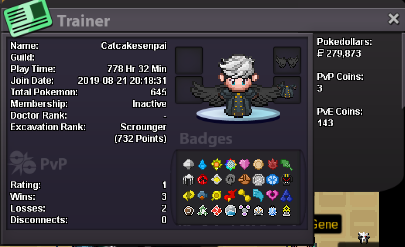
Catcakesenpai
Registered User
-
Joined
-
Last visited
-
hey, im interested can u send me your discord or server for me to send my informations? my discord: MadreadHot#1648im still a beginner in pvp but i want to spam pvp and improve my team at the moment: Mega-Scizor, Froslass, Chansey, Volcarona, Rotom-Wash and Garchompno srry @Zlaio 😕PLAYER CATEGORY Smartest: Titania Friendliest: Mjolnir Funniest: Kentro Coolest: Outrage Comeback Player of the Year: Mjolnir Most Talkative: Jhaydenite Most Trustworthy: Jhaydenite Most Helpful: CatCakeSenpai Most Missed: ShinyCelebi Most Influential: iriztha Most Intriguing: Nedaraze Most Experienced Player: Crossfate Best/Funniest Username: 777nico Most Professional Guide Maker: NoelleZor Most Professional Discord Moderator: Ichi STAFF CATEGORY Best Mapper: Tempa Best Artist: Urahara Best Content Scripter: MagicGuard Best Community Coordinator: Nezuko Best Moderator: Caged Best Trade Moderator: Tigerous Best Tester: Gouda Best Game Master: Logan Best Admin: Red Best Developer: Shane Best Staff Username: SuckerPunch Most Professional Staff: Logan Most Dedicated Staff: Tigerous Funniest Staff: Logan Friendliest Staff: Tigerous Most Honorable Former Staff: Enoch Most Missed Former Staff: Shamac