New Trade Zone
Trade Zone is now live
Use the new Trade Zone for auctions and instant-price trades so Pokemon and item offers are easy to find.

Vio
Registered User
-
Joined
-
Last visited
Everything posted by Vio
-
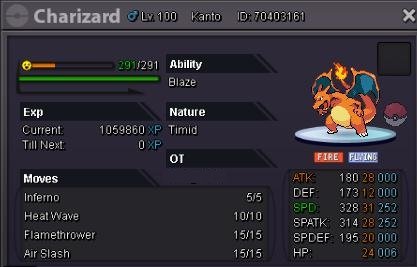
WTS THIS CHARIZARD LIKE THE PICTURE S.O 1K NO INSTA MIN BID 1K FRESH CASH ONLY CONTACT ME VIA HERE / DISCORD : VIO#6000 / INGAME : VIO AUCTION END AT 10PM WEDNESDAY JANUARY 3RD (GMT+7)
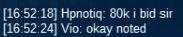
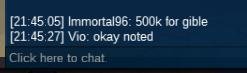
 WTS THIS GIBLE LIKE THE PICTURE S.O 500K NO INSTA MIN BID 100K FRESH CASH ONLY CONTACT ME VIA HERE / DISCORD : VIO#6000 / INGAME : VIO AUCTION END AT 10PM TUESDAY JANUARY 2ND (GMT+7)
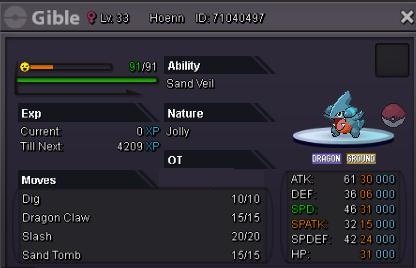 Auction end. Thanks everyone.
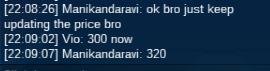
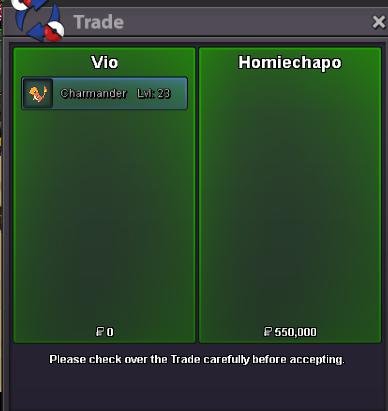
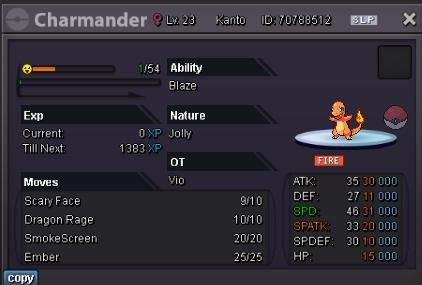
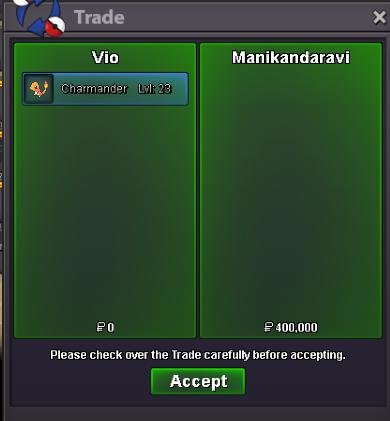 WTS THIS CHARMANDER LIKE THE PICTURE S.O 100K NO INSTA MIN BID 10K FRESH CASH ONLY CONTACT ME VIA HERE / DISCORD : VIO#6000 / INGAME : VIO AUCTION END AT 10PM FRIDAY DECEMBER 29TH (GMT+7)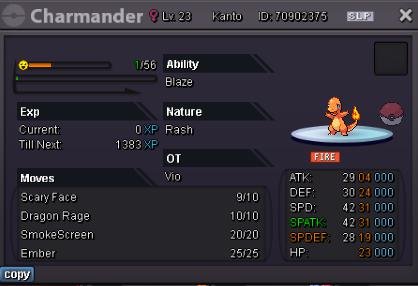
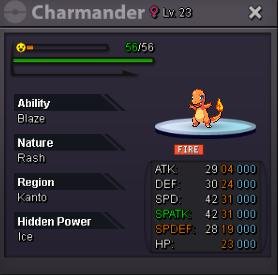 WTS THIS CHARMANDER LIKE THE PICTURE S.O 250K NO INSTA MIN BID 50K FRESH CASH ONLY CONTACT ME VIA HERE / DISCORD : VIO#6000 / INGAME : VIO AUCTION END AT 10PM THURSDAY DECEMBER 28TH (GMT+7)
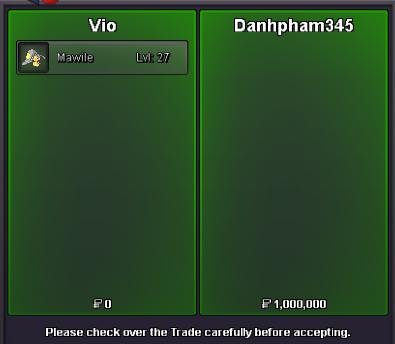
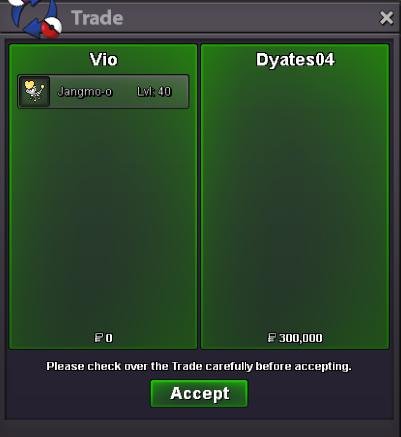
 WTS THIS MAWILE LIKE THE PICTURE S.O 500K NO INSTA MIN BID 100K FRESH CASH ONLY CONTACT ME VIA HERE / DISCORD : VIO#6000 / INGAME : VIO AUCTION END AT 10PM SUNDAY NOVEMBER 26TH (GMT+7)
 @Dyates04 won. Thanks everyone.
 WTS THIS JANGMO-O LIKE THE PICTURE S.O 100K NO INSTA MIN BID 50K FRESH CASH ONLY CONTACT ME VIA HERE / DISCORD : VIO#6000 / INGAME : VIO AUCTION END AT 10PM THURSDAY NOVEMBER 23RD (GMT+7)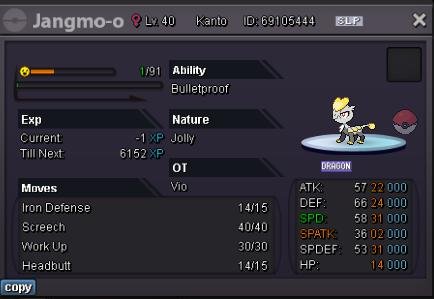
Account
Navigation
Search
Configure browser push notifications
Chrome (Android)
- Tap the lock icon next to the address bar.
- Tap Permissions → Notifications.
- Adjust your preference.
Chrome (Desktop)
- Click the padlock icon in the address bar.
- Select Site settings.
- Find Notifications and adjust your preference.
Safari (iOS 16.4+)
- Ensure the site is installed via Add to Home Screen.
- Open Settings App → Notifications.
- Find your app name and adjust your preference.
Safari (macOS)
- Go to Safari → Preferences.
- Click the Websites tab.
- Select Notifications in the sidebar.
- Find this website and adjust your preference.
Edge (Android)
- Tap the lock icon next to the address bar.
- Tap Permissions.
- Find Notifications and adjust your preference.
Edge (Desktop)
- Click the padlock icon in the address bar.
- Click Permissions for this site.
- Find Notifications and adjust your preference.
Firefox (Android)
- Go to Settings → Site permissions.
- Tap Notifications.
- Find this site in the list and adjust your preference.
Firefox (Desktop)
- Open Firefox Settings.
- Search for Notifications.
- Find this site in the list and adjust your preference.