New Trade Zone
Trade Zone is now live
Use the new Trade Zone for auctions and instant-price trades so Pokemon and item offers are easy to find.

Eteuwus
Registered User
-
Joined
-
Last visited
Everything posted by Eteuwus
-
Never mind the post above. It seems to be working now? Idk. Guess it fixed itself.
-
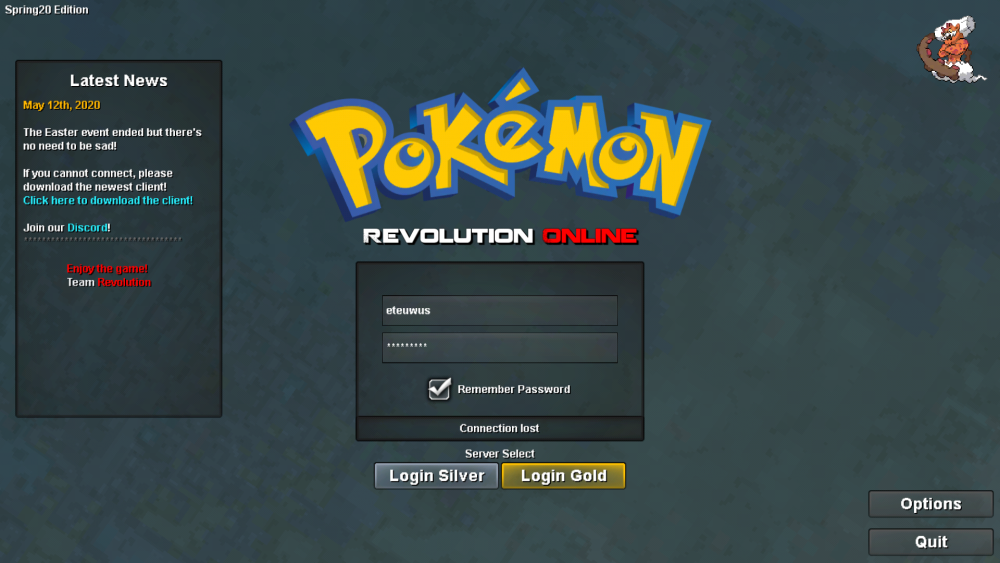
I posted before about not being able to get passed the "loading map" page . After randomly trying to login hoping whatever the problem was would just solve itself. I actually managed to get in . And I was immediately challenged by a team galactic grunt up on mt.correnett . However the battle never started and I couldn't move at all. No matter how long I waited. I could still interact with the UI and look at chat. After that I figured a relog would fix whatever had me stuck there. But I was wrong. I haven't been able to recreate whatever I did to be able to get into the game and im back to being unable to get pass the "loading map" screen after logging in. So that's why I'm hoping some staff can move me to a pc . Because I think this random galactic grunt is making this game unplayable for me. Idk why plz help .
-
Android user btw So my problem is that I can't seem to stay logged in long enough to go pass the "loading map" screen . I just get booted back to login screen after a few moments with an error message "lost connection" I've tried restarting my internet multiple times. (never had this issue before so I don't think it's the problem but still had to try I guess) I don't have issues with my internet anywhere else. So it can't be that.. as far as im aware. I've downloaded the new client 3 different times. From the 3 different sources you give in the site. And I still get the same issue. Not really sure what else I can do other then ask around here. If you guys can do anything to help I would really appreciate it. Thanks for reading.