




New Trade Zone
Trade Zone is now live
Use the new Trade Zone for auctions and instant-price trades so Pokemon and item offers are easy to find.


Daicamax
Registered User
-
Joined
-
Last visited
Everything posted by Daicamax
-
1 hour left
-
15 hours left
-
up
-
noted , 24 hours left , gud luck
-
up
-
start offer : 10m insta price : 35m min raise : 300k auction end : 3 days after 1st bid my accept : cc=450k , reroll ivs=600k

-
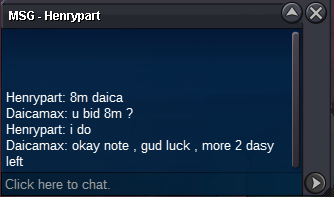
c.o 8m by Henrypart
-
bump
-
noted , auction end : 1:18 PM , 17/10/2025 , GMT+7
-
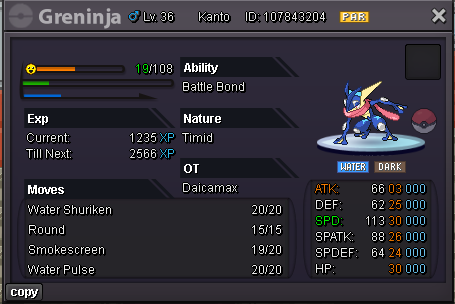
start offer : 7m min raise : 300k insta price : none auction end : 3 days after 1st bid
-
-
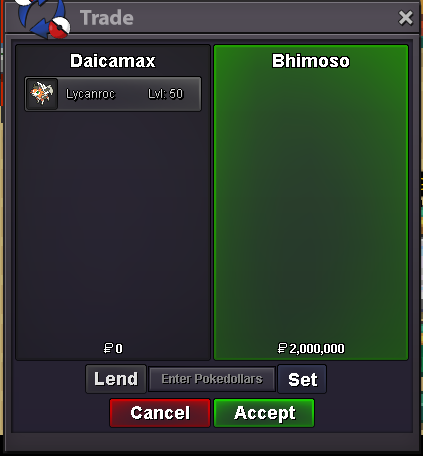
SOLD , can be closed
-
gz @Bhimoso bro , u won auction , tks all
-
60 minutes left
-
12 hours left
-
-
noted , auction end : 9:10 AM , 5/10/2025 , GMT+7
-
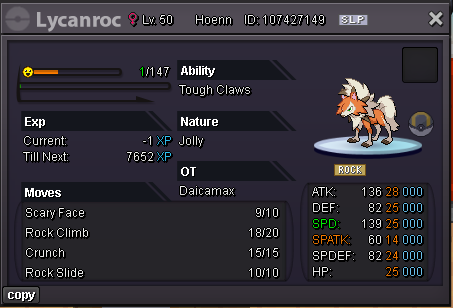
start offer : 500k min raise : 50k insta price : none auction end : 24 hours after 1st bid my accept : cc= 450k , reroll ivs=600k
-
If you accept to show your name, you have to accept everyone's opinions, good or bad ,this is a big community, i completely agree with walross's opinion. I think it's funny that you say to show your name to share luck with everyone.
-
why dont u hide your name? u want flex when u caught shiny and form ?

-
-
you are the immortal warrior of PRO , please try to stay healthy
-
-
-
