New Trade Zone
Trade Zone is now live
Use the new Trade Zone for auctions and instant-price trades so Pokemon and item offers are easy to find.

Epoch6304
Suspended
-
Joined
-
Last visited
-
auction closed
-
noted
-
s.o :200k min bid: 100k insta : 1m 12h after start s.o :200k min bid: 100k insta : 1m 12h after start s.o :400k min bid: 100k insta : 1.5m 12h after start


-
auction already done
-
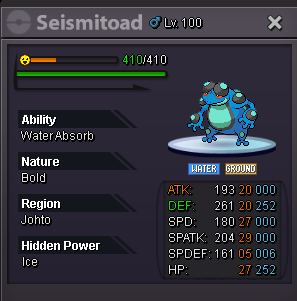
noted for star toad hp bug
-
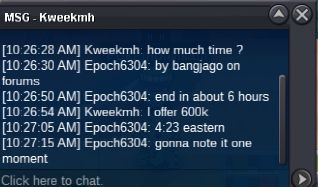
s.o :200k min bid: 100k insta : 1m 24h after start s.o :500k c.o :700k min bid: 100k insta : 2m 24h after start s.o :300k min bid: 100k insta : 1.5m 24h after start s.o :300k min bid: 100k insta : 2m 24h after start s.o :300k min bid: 100k insta : 2.5m 24h after start

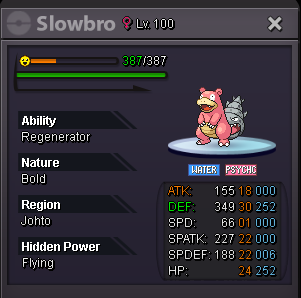
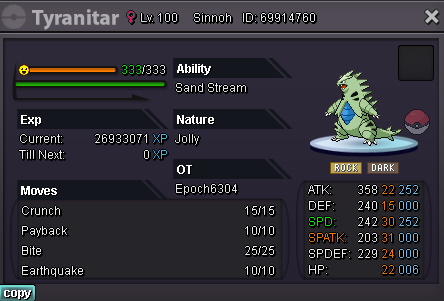
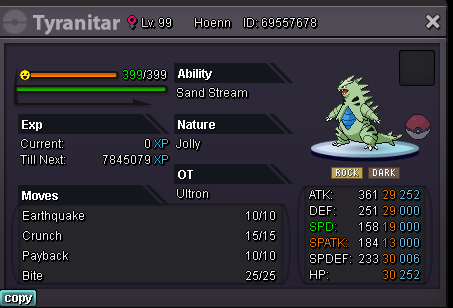
-
I'm still awaiting a trade moderator
-
added
-
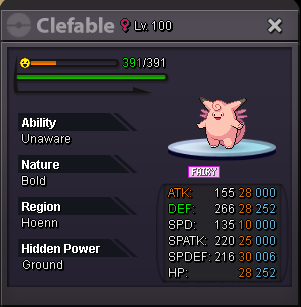
Starting OFFER : 500k Best offer: 600k - KierM MIN BID : 100k INSTA : 3m Accept Payment : Cc 400k Reroll IV 700k Reroll Nature 350k End time: 9:20 pm eastern time
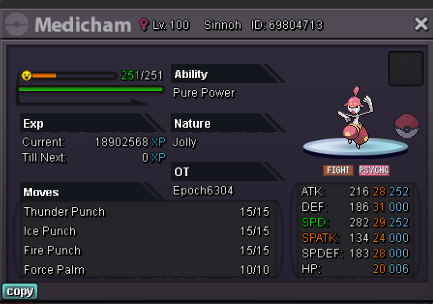
-
Need hoenn+sinnoh dmed you my discord id
-
Bump
-
I think that would be a bit to "OP" I believe in just having a longer safari stay (such as 1 hour vs 20 mins is all) the pricing will still be the same as if you entered 3 times (or maybe more) for the QoL.
-
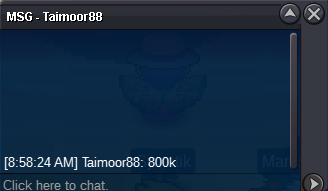
it was done already @Pangoro201118 at 800k.
-
Starting OFFER : 300k Best offer: MIN BID : 100k NO INSTA Accept Payment : Cc 400k Reroll IV 700k Reroll Nature 350k Starting OFFER : 300k Best offer: Taimoor88 800k MIN BID : 100k NO INSTA Accept Payment : Cc 400k Reroll IV 700k Reroll Nature 350k Auction ends 9 am est (USA time) Click here for countdown