




New Trade Zone
Trade Zone is now live
Use the new Trade Zone for auctions and instant-price trades so Pokemon and item offers are easy to find.


Aponte805
Registered User
-
Joined
-
Last visited
Everything posted by Aponte805
-
Bump
-
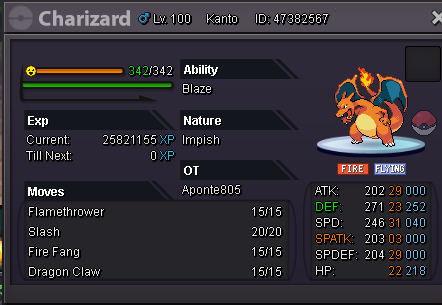
Auction: Duration: 48 Hours from first bid (1:24AM PST) Current Offer: 1m by Arexuchiha Min Raise: 150k Accepted Payments: CC @ 375k / Nature RR @ 400k / RR @ 800k
-
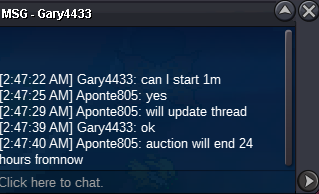
Auction will last 24 hours from starting bid. Accepted Payments: CC@400k, Nature RR@350k, RR@750k Start: 500k Min Raise: 100k Insta: N/A
-
-
-
-
-
This thread hasn’t been active since December 10th. I should have closed the thread sooner, as I no longer have any of these Pokémon. I will close this thread now. I apologize for the inconvenience.
-
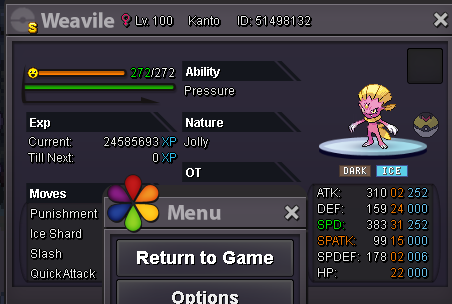
10M or best offer If I'm not online, my Discord is: MerryKwanza#6666
-
-
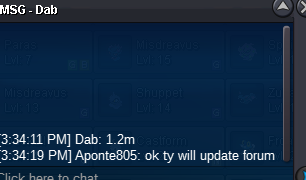
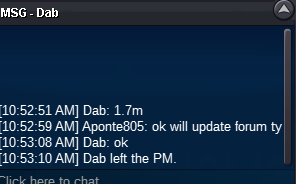
Auction will last 48 hours after first bid. Ends: 1/2/2021 at 7:35AM EST Current Offer: 1.2m by dab Min Raise: 200k Insta: N/A Accept cc's at 400k each.
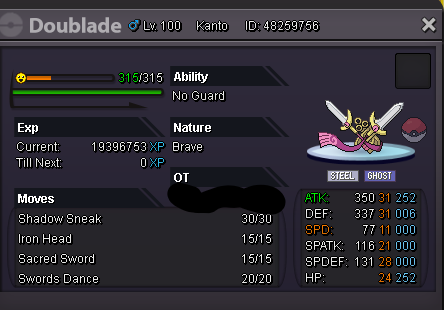 title says 31atk / 31hp muk-alolan, do you still have that for sale? or is it sold?Winner: Daedra Waiting for winner to collect
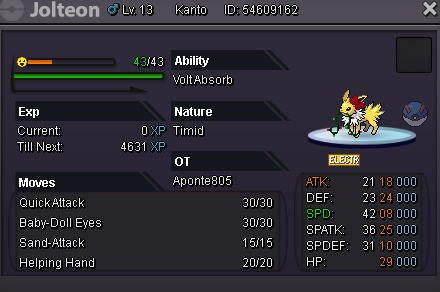 pm me in game, congrats on your new mudkipAll Auctions will be 24 hours from the first bid. Xmas Snorlax: Start: 1m Min Raise: 100k Insta: 5m Pink Snorlax: Start: 1m Min Raise: 100k Insta: 5m Magby: Start: 700k Min Raise: 50k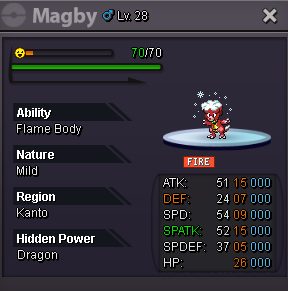
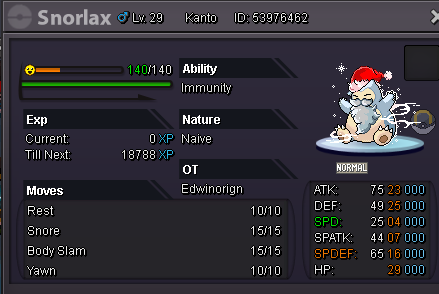


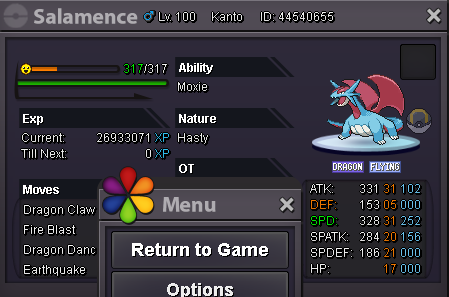

.png.1773da8d2f26498af9f8f962300864fb.png)

Account
Navigation
Search
Configure browser push notifications
Chrome (Android)
- Tap the lock icon next to the address bar.
- Tap Permissions → Notifications.
- Adjust your preference.
Chrome (Desktop)
- Click the padlock icon in the address bar.
- Select Site settings.
- Find Notifications and adjust your preference.
Safari (iOS 16.4+)
- Ensure the site is installed via Add to Home Screen.
- Open Settings App → Notifications.
- Find your app name and adjust your preference.
Safari (macOS)
- Go to Safari → Preferences.
- Click the Websites tab.
- Select Notifications in the sidebar.
- Find this website and adjust your preference.
Edge (Android)
- Tap the lock icon next to the address bar.
- Tap Permissions.
- Find Notifications and adjust your preference.
Edge (Desktop)
- Click the padlock icon in the address bar.
- Click Permissions for this site.
- Find Notifications and adjust your preference.
Firefox (Android)
- Go to Settings → Site permissions.
- Tap Notifications.
- Find this site in the list and adjust your preference.
Firefox (Desktop)
- Open Firefox Settings.
- Search for Notifications.
- Find this site in the list and adjust your preference.