New Trade Zone
Trade Zone is now live
Use the new Trade Zone for auctions and instant-price trades so Pokemon and item offers are easy to find.


Aponte805
Registered User
-
Joined
-
Last visited
Everything posted by Aponte805
-
Looking for best offer
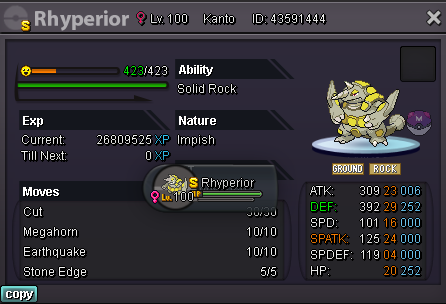
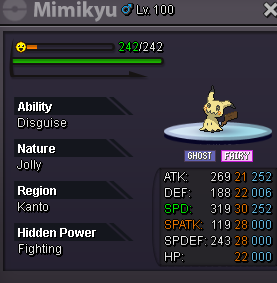
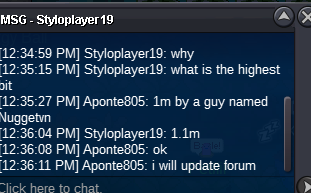
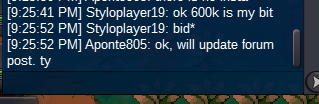
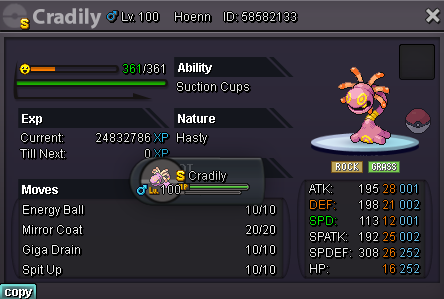 I forgot to mark this as closed, it is sold already. I'm sorryWINNER: Styloplayer19 Auction will last 48 hours after the first bid C.O 1.1m by Styloplayer19 Min Raise: 100k Insta: None Auction End Time: 8/28/2022 5:10:56PM (gmt-6) Accepted payments: CC:380k RR: 680k
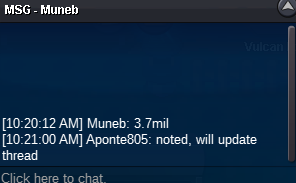
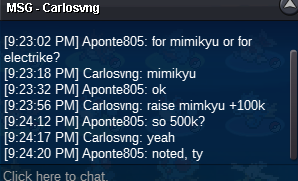
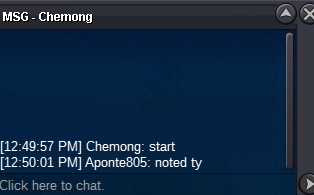
 WINNER: Muneb (Awaiting trade) Auction will last 72 hours after the first bid. C.O: 4.5M by Muneb Min Raise: 200k Insta: None Auction End Time: 8/29/2022 @ 12:49:57 MST (gmt-6) Accepted payments: CC:380k RR: 680k
 I feel this is a necessity for any competitive guild that actually wants to go for guild ladder. A similar idea could be to put each players rating next to the players name in the guild member list in game, that way everyone in the guild could see. Anyways... +1 !!Username: Aponte805 Server: Gold Country/Timezone: PST / -8 GMT
Account
Navigation
Search
Configure browser push notifications
Chrome (Android)
- Tap the lock icon next to the address bar.
- Tap Permissions → Notifications.
- Adjust your preference.
Chrome (Desktop)
- Click the padlock icon in the address bar.
- Select Site settings.
- Find Notifications and adjust your preference.
Safari (iOS 16.4+)
- Ensure the site is installed via Add to Home Screen.
- Open Settings App → Notifications.
- Find your app name and adjust your preference.
Safari (macOS)
- Go to Safari → Preferences.
- Click the Websites tab.
- Select Notifications in the sidebar.
- Find this website and adjust your preference.
Edge (Android)
- Tap the lock icon next to the address bar.
- Tap Permissions.
- Find Notifications and adjust your preference.
Edge (Desktop)
- Click the padlock icon in the address bar.
- Click Permissions for this site.
- Find Notifications and adjust your preference.
Firefox (Android)
- Go to Settings → Site permissions.
- Tap Notifications.
- Find this site in the list and adjust your preference.
Firefox (Desktop)
- Open Firefox Settings.
- Search for Notifications.
- Find this site in the list and adjust your preference.