New Trade Zone
Trade Zone is now live
Use the new Trade Zone for auctions and instant-price trades so Pokemon and item offers are easy to find.

Yoonaxinh
Suspended
-
Joined
-
Last visited
Everything posted by Yoonaxinh
-
i receive my pokemon , thanks mod my fault , he is not sammer
-
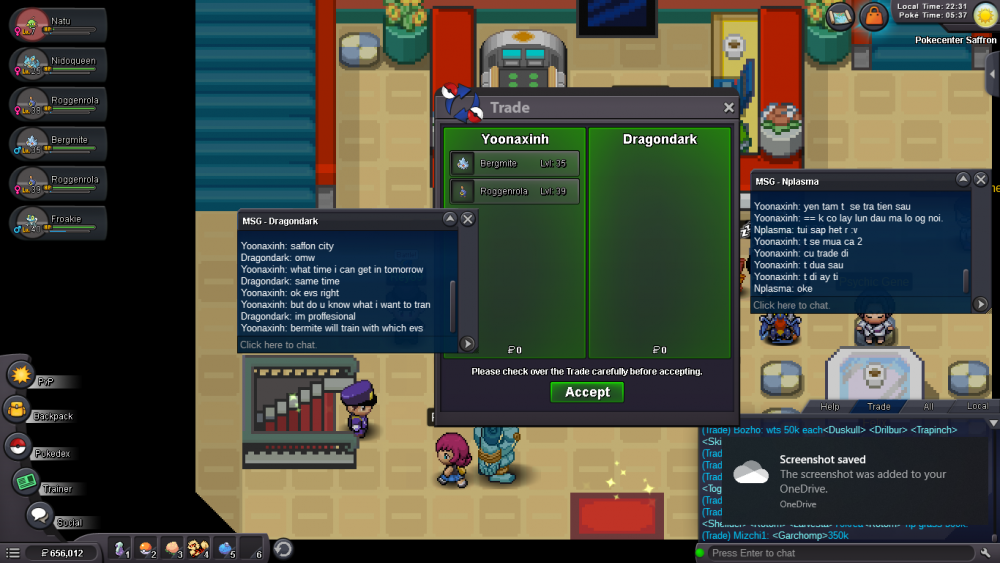
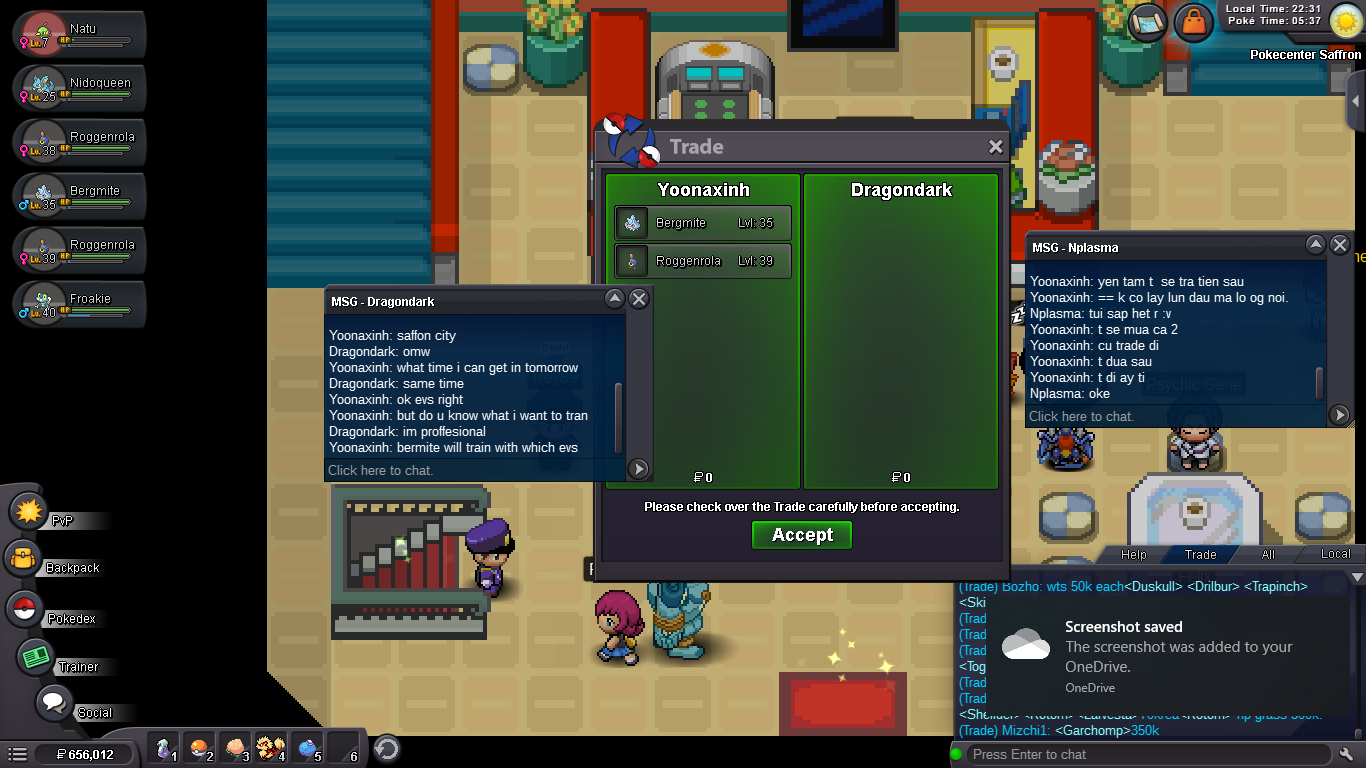
My name is nana , i'm from Vietnam , i play in Silver Server My ID ingame is : Yoonaxinh ID of Scammer : Dragondark i buy a train EVS service from Dragondark , i take a picture when we trade . On the left is the messenger between me and him ( Dragondark) , on the right is the mesenger between me and my friend (Nplasma) he advise me to report him , the day is 26/3/2020 and he say 27/3 he will back pokemon to me , but now 28/3/2020 i remember and check my Friendlist ( Social ) and don't see his account , he remove friend,i know he scam me , now i'm very very boring because this is 2 pokemon ( Bergmite i catch in route 216 sinnoh and Roggenrola i catch in Mt Coronet 5F both are catched by me ) which i really really like and it took me 2 days stay up late , i really need it , Mod and anyone can help me and can i receive my favourite pokemon :(( Now i'm so boring and worry about my pokemon i wonder can i receive it . i'm in vietnam so i'm not good in english thanks mod and everyone