




New Trade Zone
Trade Zone is now live
Use the new Trade Zone for auctions and instant-price trades so Pokemon and item offers are easy to find.

Gianni345
Registered User
-
Joined
-
Last visited
Everything posted by Gianni345
-
Ok, I have checked the trade rules and since there was an offer in the last 15 minutes extension it was supposed to continue. Now the last offer was more than 15 ago but because of this interference I don’t know how it should end/ continue. So I would wait for a trade mod to see what he sais
-
But there was an offer in the last extension
-
I’m going to ask and check the rules
-
I am not sure honestly
-
I think it was at 39
-
15 mins extension since I belive last offer was last minute
-
Another 15minutes since the 27.5m offer was at 24
-
15 minutes extension
-
35 minutes left
-
Bump, less than one day left an
-
Bump, around 2 days left
-
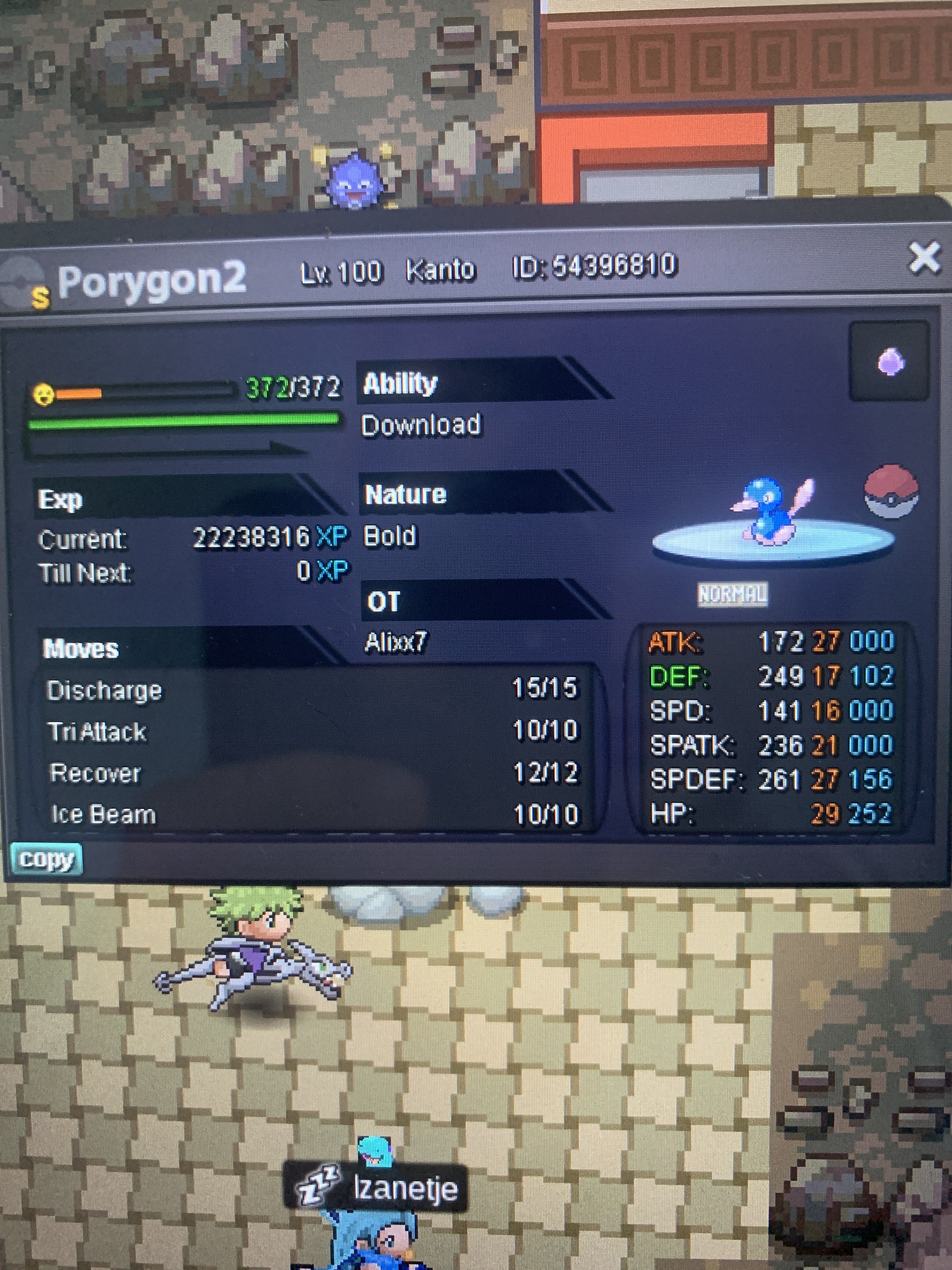
Hi everyone I’m auction my shiny porygon. Since I’m buying other stuff. It’s for sure an incredible and unique shiny!! START OFFER: 10m MIN BID: 500k INSTA: 50m END: 5 days after first bid accept cc:400k, iv rerolls: 700k Good luck everyone❤️
-
Bump
-
Bump
-
Bump
-
Hey guys I am searching for a shiny charizard, nature: spd+ / atk+ (But not spd-). you can contact me on here or discord: gianni345#3084, thanks everyone 🙂
-
Auction already started c.o 3m
-
Yes it started 72 hours from first comment
-
Prefer cash honestly, I even forgot I had this on auction lol
-
23
-
700 nido, how much time left,
-
Start first nido
-
Numb
-
If you are up to offers pm me in discord gianni345#3084
-
Bump

