




New Trade Zone
Trade Zone is now live
Use the new Trade Zone for auctions and instant-price trades so Pokemon and item offers are easy to find.
.jpg.73d369cc0fbaed6c7bac7dcbbda05523.jpg)

Freyen
Registered User
-
Joined
-
Last visited
Everything posted by Freyen
-
Oh , hey thanks , I have missed the rock on the wishiwashi area. Thanks alot!
-
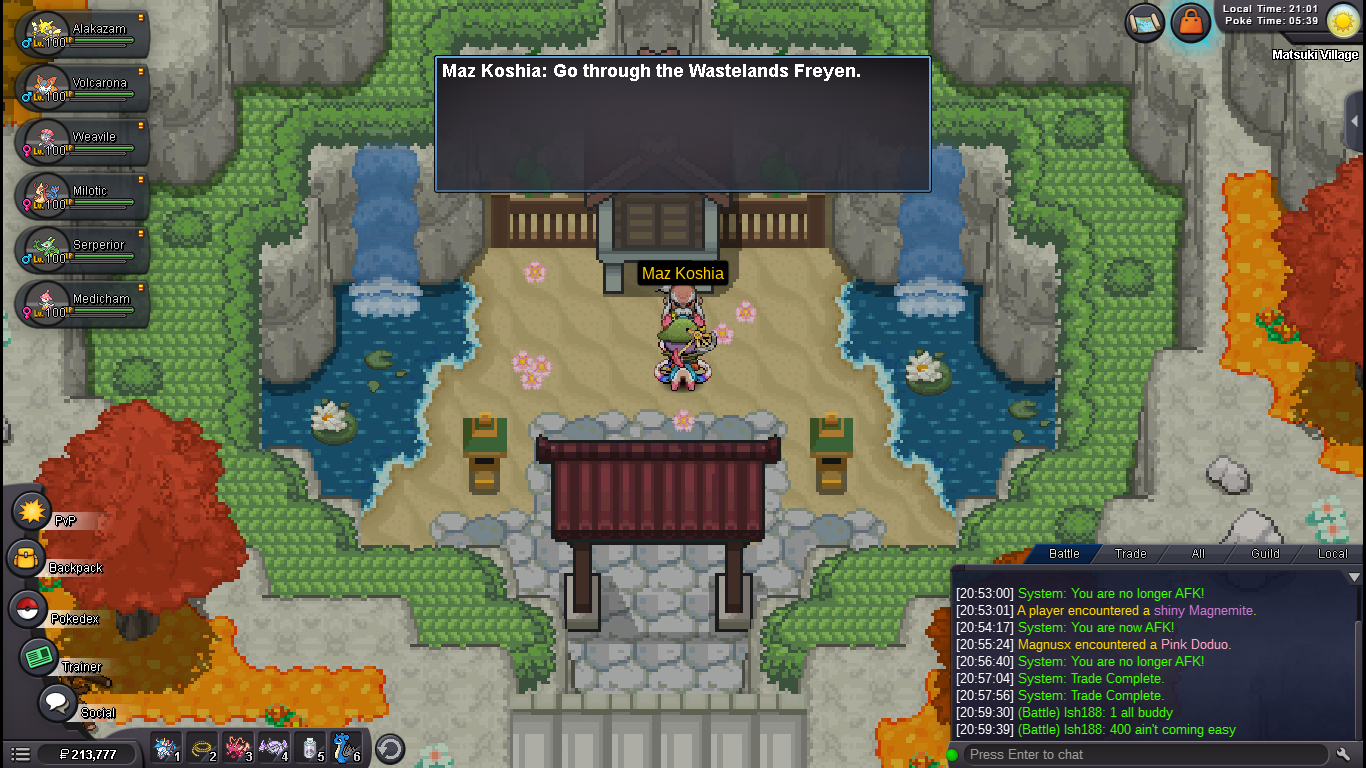
Hello, I did the keldeo quest till beating the forestmaster npc , also did the other two wishiwashi part and the arcanine part. However after doing the forest master which I did in the last, I use escape rope to matsuki town but the guards won't let me enter the shrine. Also this NPC shows the dialog as shown in the picture below which it shouldn't unless the quest is complete. I went to the forest maze to check if I did the quest properly, just in case. But the levers which let me enter the boss room don't show response which means my quest part is done here. As you can see the quest isn't trigegring anymore that means I did the quest. I do not know how to continue the quest any further so please help me out by fixing the bug.


-
Goodbye cripsta.
-
The 3 ghosts on the floor, of the castle don't get engaged with battle with me, even when i am doing it in right order, also i have a kadabra miracle eye, yet don't.
