New Trade Zone
Trade Zone is now live
Use the new Trade Zone for auctions and instant-price trades so Pokemon and item offers are easy to find.

Legendkaran11
Registered User
-
Joined
-
Last visited
-
Bump
-
legendkaran11 silver
-
Oops that's my bad i just got it and just straight used it. It did say are you sure you want to open it, I didnt knew the consequence as i opened it asap. I'm just hoping if it can be reversed.
-
Respected staff, I accidentally used my dark magician set. I wont call that a accident but i didnt knew that once used i couldnt sell it and I dont want to keep it. I dont use discord often so didnt knew about that. I hope the staffs could help me reverse it. Hoping for a positive response. Your sincerely, legendkaran11 server = silver
-
legendkaran11 silver
-
IGN : legendkaran11 server: silver
-
legendkaran11, silver
-
Due to my unavailability this auction is closed
-
S.O: 1M MIN RAISE: 100K NO INSTA TIME : 48 hrs Start time : 7 pm +5:45 GMT (October 31) End time: 7pm +5:45 GMT (November 02) NOTE : TIME IS ADDED BY 15MINS IF BID IS PRESENTED IN THE LAST 15 MINS GOLD SERVER PLAYERS MUST COME SILVER FOR TRANSFER

-
AUCTION CLOSED
-
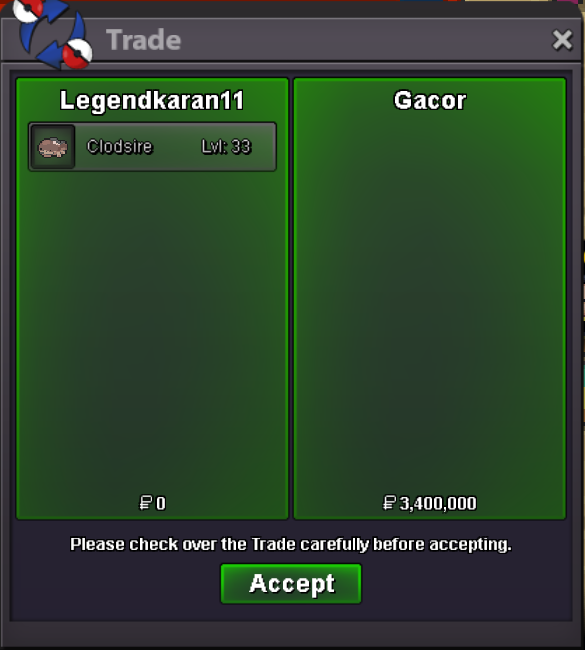
u won sir congrats:)
-
200k min raise sirIGN: legendkaran11 Time zone: 5:45 GMT