New Trade Zone
Trade Zone is now live
Use the new Trade Zone for auctions and instant-price trades so Pokemon and item offers are easy to find.

Greninja1004
Registered User
-
Joined
-
Last visited
-
Sand rush adamnt price I want to buy
-
I hve accudentally released my pokemon onix with rock climb rock smash dig its my only dig pokemon. I wanna retrieve it back can u help me. Please repltly as fast as possible

-
I want to retrieve my onix ID 33429708 accidentally released on my second account PIYUSHJAINPJ
-
My secound account PIYUSHJAINPJ i am unable to lig in in the official pokemon revolution online website but i dont ehy. Can u help resolve this i couldnt have logged in ever since so i made a second account to report to u
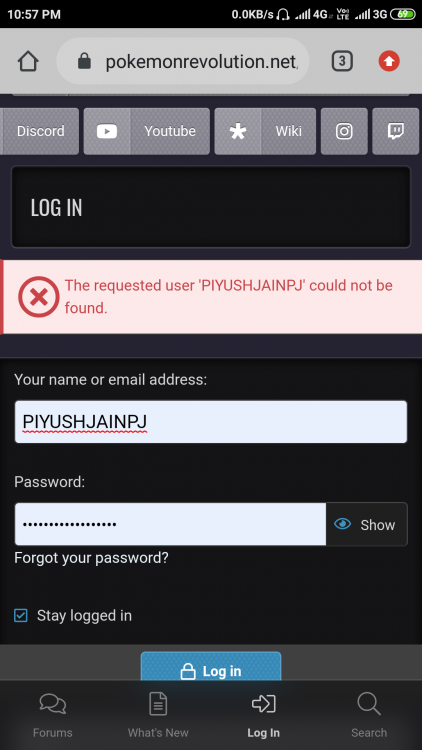
-
Price brelom
-
Help plz
-
My secount account PIYUSHJAINPJ accidentally rrlease apokemon onix and i wish to retrieve back plz help me. As fast as possible