




New Trade Zone
Trade Zone is now live
Use the new Trade Zone for auctions and instant-price trades so Pokemon and item offers are easy to find.

Citizenjoe
Registered User
-
Joined
-
Last visited
Everything posted by Citizenjoe
-
I answered to all question in my previous post :)
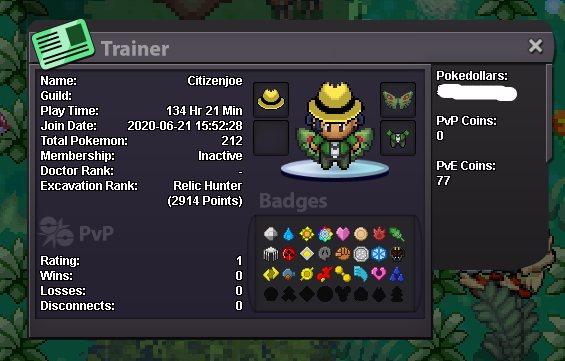
-
What's your IGN? CitizenJoe How many hours do you have in PRO? on this account 134h, on main account more than 1500h What is your discord ID? CitizenPete#6390 How far are you in story? going to Sinnoh How active are you in PRO? (How often do you play?) I play too much I think^^, every day minimum 2/3h, oftenly more Are you a PvP or PvE player? Or do you enjoy both? Only pve Have you ever been banned in game and why? never! Why do you want to join Calamity guild? Because you seems to be a relaxed guild I'd like to add that my main account is CitizenPete, and I'm on helpchat very very oftenly. Good knowledge of the game if help needed!