




New Trade Zone
Trade Zone is now live
Use the new Trade Zone for auctions and instant-price trades so Pokemon and item offers are easy to find.

Yash005
Suspended
-
Joined
-
Last visited
-
-
+1
-
+1
-
Yash005 Gold
-
+1
-
-
-
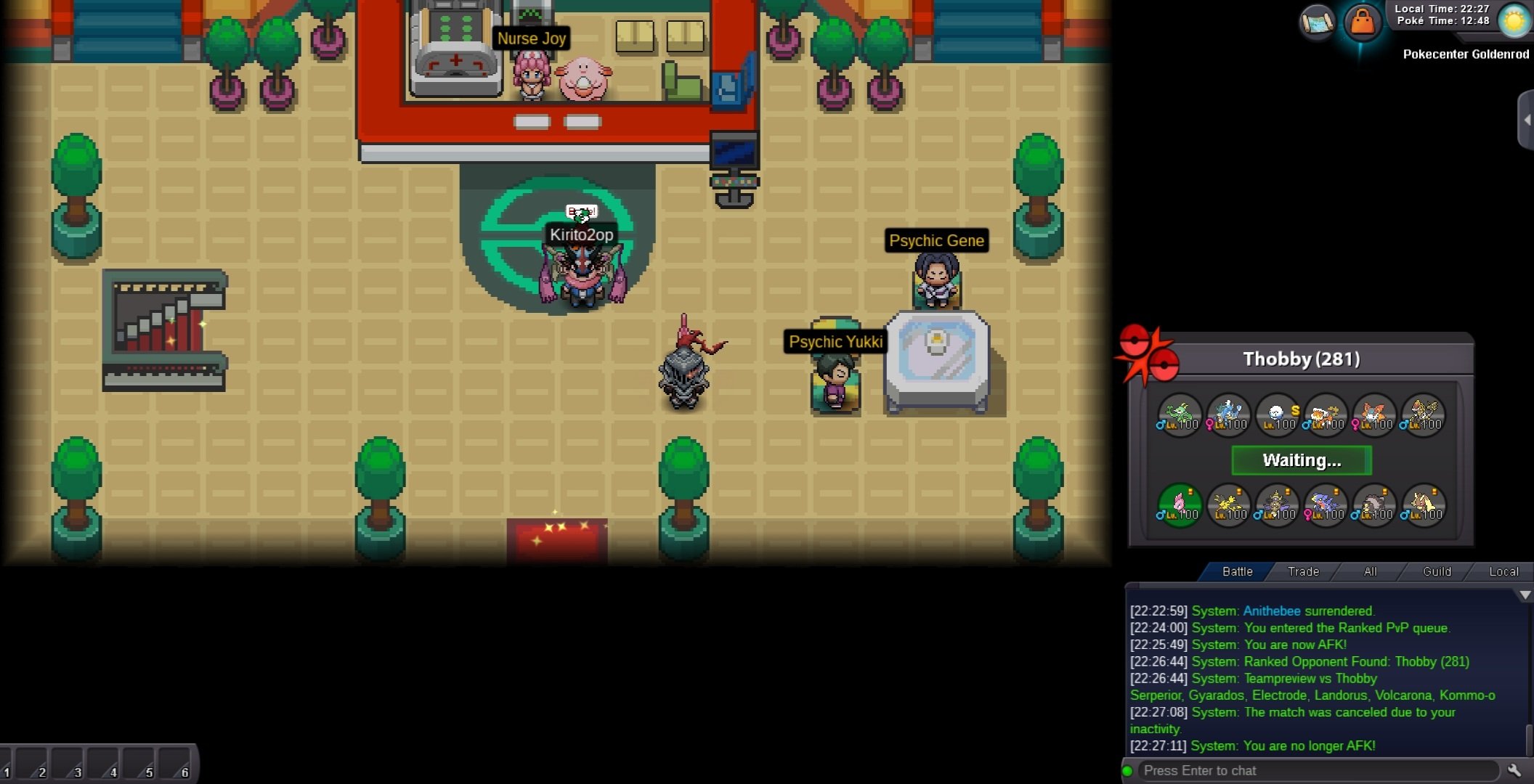
And I had pressed ready when there was still like 40 second left and then it showed waiting for around 40 second then wasted Also there is a bug like when in q and watching a replay then you got oppo then the battle screen won't show up I know about this bug and I was not watching any replay at that moment when I went into q and while I was in q
-
I was doing PvP got a match then tapped on ready and after 60 second it still wasted me And I lost my rts And this is third time Before this I also reported on PRO discord but no reply
-
Start
-
12.5m
-
1.4m
-
1.3m
-
Hey guys, till exp share is enabled I will be doing ev service 40k per Pokemon 25k per Pokemon if you give 2 or more pokemon for EVs that require EVs in same stat if your Pokemon have ev in any undesired stat clear it before giving for service Or I will charge for removing EVs from unwanted stat You can contact me: Ign: Yash005 Discord: ulquiorra_cifer_3116
-
4m

