




New Trade Zone
Trade Zone is now live
Use the new Trade Zone for auctions and instant-price trades so Pokemon and item offers are easy to find.

Cooperraven
Registered User
-
Joined
-
Last visited
Everything posted by Cooperraven
-
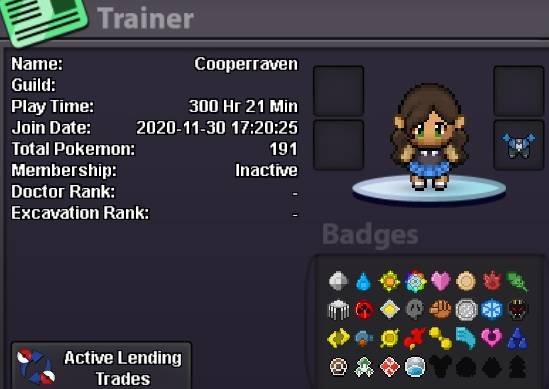
1. What's your Player name (IGN)? Cooperraven 2. Number of hours played? 300hr (many years absent, knowledge: absolute zero. First time for guild) 3. What's your favorite Pokemon? None, I like many. Mostly for design or being funny. 4. What do you enjoy doing the most in PRO? (Hunting, Dungeons, PvP, trading, etc) Hunting, the others are on my list. Still continue Sinnoh (0 pvp) 5. How long have you been playing Pokemon? (Optional) From the beginning. The recent games anymore 6. Favorite ice cream flavor. (Optional) Flavor? Give me the real stuff!
-
Hello, Thank you, my Kadabra is back. I wish you nice Holidays. :)
-
Hello, my Kadabra (lvl. 31) got replaced as a Horsea (lvl 21), after I logged out. I'm on the Silver server, same ingame name (Cooperraven). May I get a help, please. Thank you in advance.