




New Trade Zone
Trade Zone is now live
Use the new Trade Zone for auctions and instant-price trades so Pokemon and item offers are easy to find.

Reborniking
Registered User
-
Joined
-
Last visited
Everything posted by Reborniking
-
YanoMii won ty all for bid YanoMii pm me in game to complete the trade Reborniking
-
start
-
-
-
bump400kc.o. 1.5 mil
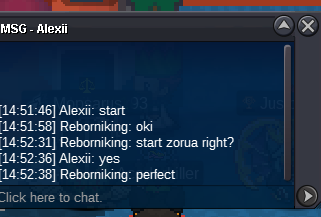 S.o 1.5m Min Raise 200k Auction Time 48h after 1st bid Accepted Payment Iv rr 700k/ cc 400K GOOD LUCK TO ALL
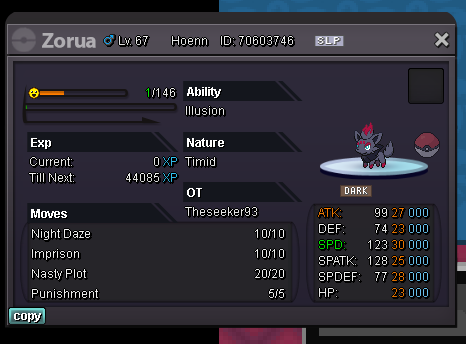 1.3 Mtrade completed can be closed
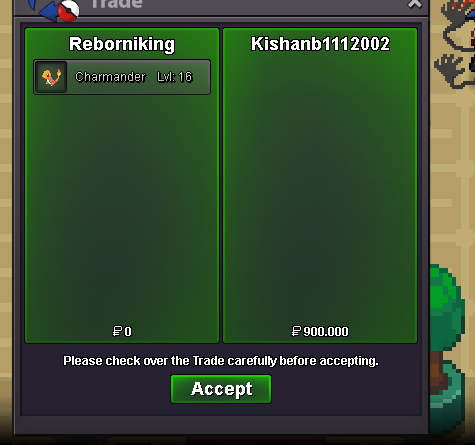 Thanks everyone for bid kishanb1112002 won the auction can you please pm me in game so we trade Rebornikingnoteds.o 600k minbid 100k no insta accepted: cc 400k, iv rr 700k, nat rr 300k 24h after first bid
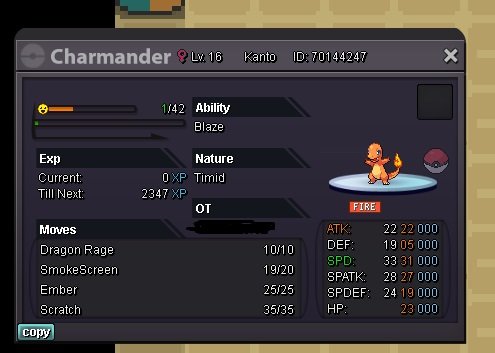 trade completed
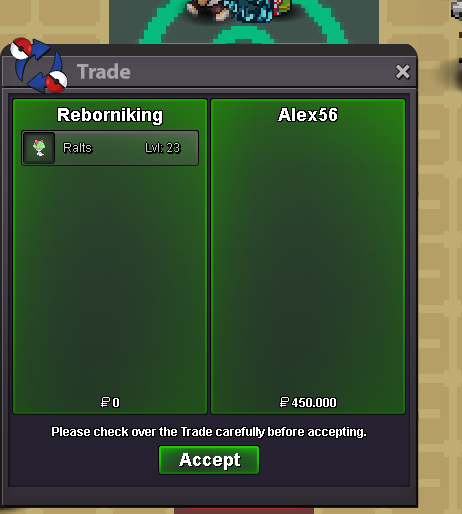 Congrats mate you win the auction! i ll wait for you to come online to complete the trade!! Thanks all for partecipate!Starting offer : 100k Min raise : 50k Insta : 3m Duration : 24h after first bid payment accepted= rerolls (700k) and ccs (400k)
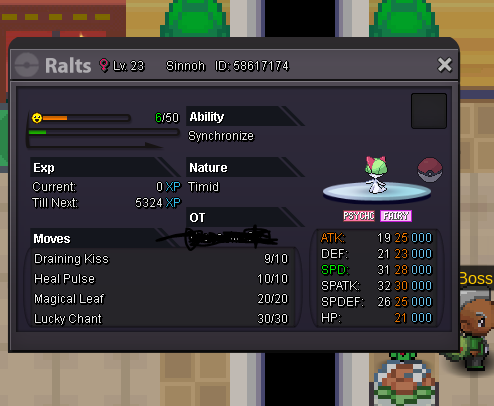 Hello i ve done the jirachi quest then after catching jirachi i started the evolution data for catch latios. After some days i ve finished the evo and tryed to catch latios but once i talk to the tv it says a blue pokemon is roaming around. i ve also tryied to defeat again latios but i can t find it in none of the spot.ok i ve contacted a mod you re right man 🙂 you win the auction!ok lets contact a mod 🙂mate in forum the auction go on 15 min if someone offer the last 15 min i think.2.3

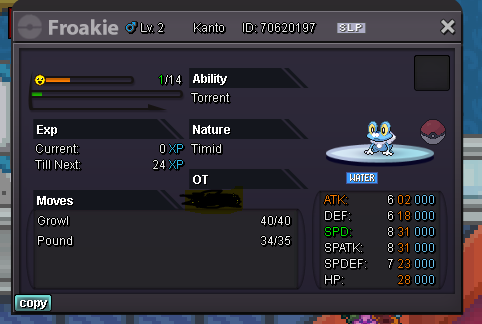
Account
Navigation
Search
Configure browser push notifications
Chrome (Android)
- Tap the lock icon next to the address bar.
- Tap Permissions → Notifications.
- Adjust your preference.
Chrome (Desktop)
- Click the padlock icon in the address bar.
- Select Site settings.
- Find Notifications and adjust your preference.
Safari (iOS 16.4+)
- Ensure the site is installed via Add to Home Screen.
- Open Settings App → Notifications.
- Find your app name and adjust your preference.
Safari (macOS)
- Go to Safari → Preferences.
- Click the Websites tab.
- Select Notifications in the sidebar.
- Find this website and adjust your preference.
Edge (Android)
- Tap the lock icon next to the address bar.
- Tap Permissions.
- Find Notifications and adjust your preference.
Edge (Desktop)
- Click the padlock icon in the address bar.
- Click Permissions for this site.
- Find Notifications and adjust your preference.
Firefox (Android)
- Go to Settings → Site permissions.
- Tap Notifications.
- Find this site in the list and adjust your preference.
Firefox (Desktop)
- Open Firefox Settings.
- Search for Notifications.
- Find this site in the list and adjust your preference.