New Trade Zone
Trade Zone is now live
Use the new Trade Zone for auctions and instant-price trades so Pokemon and item offers are easy to find.


Stefmorf
Registered User
-
Joined
-
Last visited
-
Stefmorf changed their profile photo
-
So i go into the friends section and then on pending?Because nothing came. Just to be sure im not messing anything up here is my tag

-
The tag is actually Professor Stephen#2336. Sry again,i just started using discord and im very bad at it.Its only fare that you dont contact me after the mistakes i made.Again im very sorry
-
It seems that i mad a mistake in the discord tag and its actually Professor Stephen#2336. Im very sorry for the inconvenience i caused 😞
-
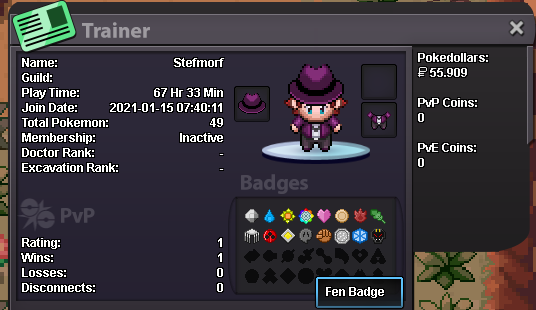
1.TRAINER CARD ATTACHED 2.COUNTRY:GREECE 3.AGE:18 4.FAVORITE POKEMON:SNORLAX 5.GOALS IN PRO:MY GOAL IN THIS GAME IS TO BE A MEMBER OF GREAT HELP TOWARDS THE COMMUNITY AND TO BE THE VERY BEST 🙂 6.GENDER:MALE 7:Proffesor Stephen#2336