New Trade Zone
Trade Zone is now live
Use the new Trade Zone for auctions and instant-price trades so Pokemon and item offers are easy to find.

Claz96
Registered User
-
Joined
-
Last visited
-
Hi @Rockyraccoon, Thank you for checking. I'm glad that it's still there. I probably got confused because of this account. However, I ran into another problem - I cannot access the email for the login confirmation. Is it possible to change the confirmation email address so that it matches/swaps with this account instead? Best regards, Claz
-
Good day, Today I decided to play the game again after 3 years but found out that my progress was reset - both silver and gold. I am not sure in which server my main account was but I've been in both of them. Could you please recover it to where it was? As a proof of my account's existence, you can see my auction thread post last March 2021. I hope to hear from you soon. Have a great day! Sincerely, Claz
-
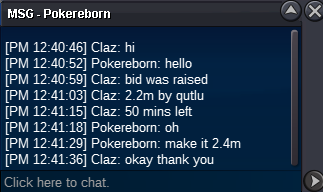
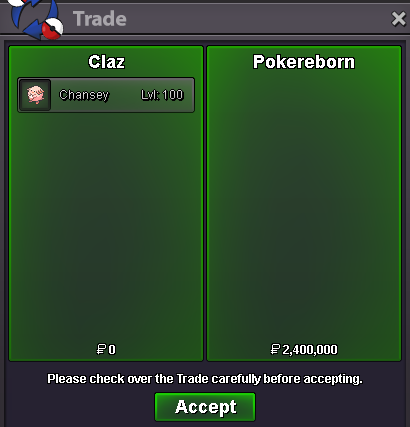
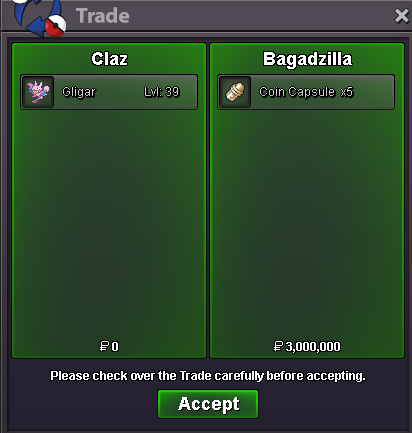
Auction closed. Winner is Bagadzilla with 5m ! Thank you all for participating and viewing this auction. Hope you all have a great day!Thank you all who participated and had interest on this auction. Winner is Pokereborn 2.4m. Congratulations!c.o. 5m by bagadzilla ; time left = 15mins from this post
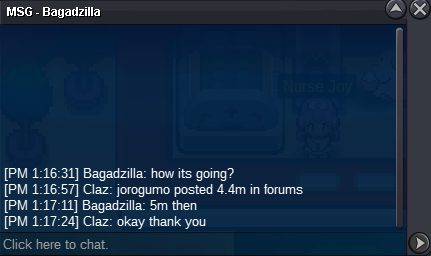 4.4m by Jorogumo ; time left 15 mins from this postlast 15 minutesc.o. 4.2m by Bagadzilla 15 minutes left from this post
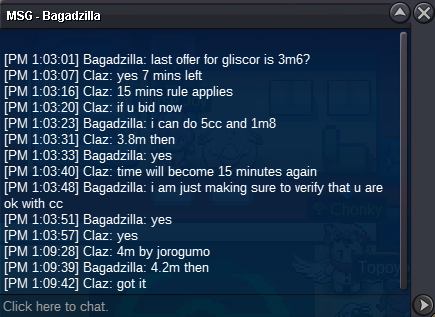 c.o. 3.8m by Bagadzilla ; time left = 15 minutes from this post
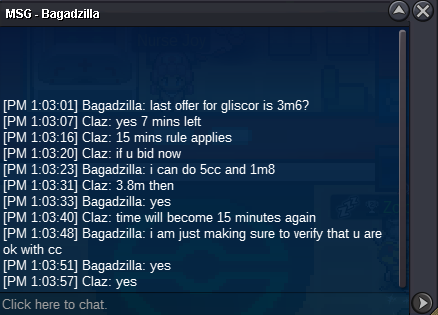 last 15 minutescurrent offer 3.6m by Jorogumo ; time left = 20 mins25 minutesC.O. 2.4m by Pokereborn ; time left = 50 minutes