New Trade Zone
Trade Zone is now live
Use the new Trade Zone for auctions and instant-price trades so Pokemon and item offers are easy to find.

Uberdriverkuba
Registered User
-
Joined
-
Last visited
Everything posted by Uberdriverkuba
-
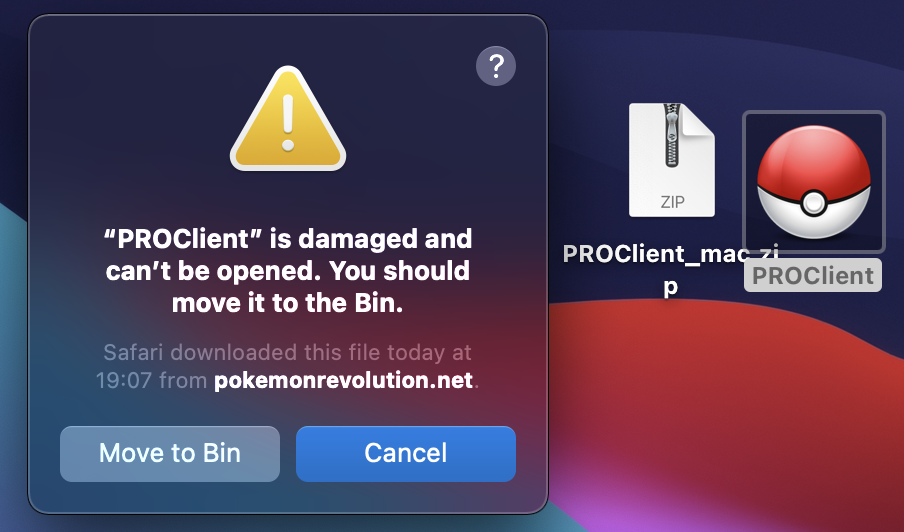
A few days back pro client told me I need a newer version to run it. The word highlighted in blue contacting a link for update didn't work so I have deleted the app and the installer. After re-downloading, the PROClient_mac.zip file is automatically moved to trash from the downloads folder and the PROClient app stays in downloads. The image shows what happens when I try to run the app. The same thing happens when I delete the app bring back the zip file back from trash and install the app form it. I don't know what else I can try.
-
Does anyone know how to fix this?
-