




New Trade Zone
Trade Zone is now live
Use the new Trade Zone for auctions and instant-price trades so Pokemon and item offers are easy to find.


Adm1ral777
Registered User
-
Joined
-
Last visited
Everything posted by Adm1ral777
-
BUMP
-
BUMP
-
BUMP
-
BUMP
-
BUMP
-
bump
-
BUMP
-
started by :
-
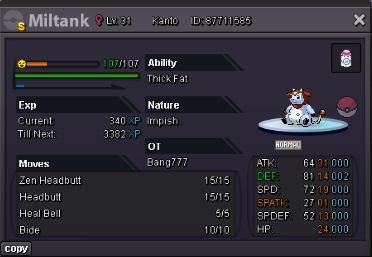
C.O 2M min bid 100k insta n/a ---> ends in 72hrs
-
copy that
-
--- end ---
-
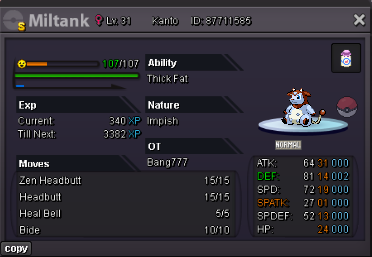
C.O 2M min bid 100k insta n/a ---> ends in 72hrs
-
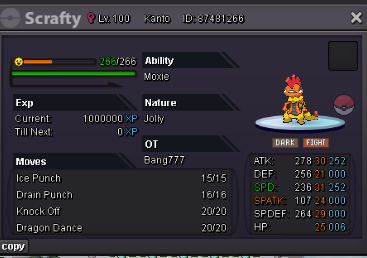
OFFER ONLY!
-
MADDARA, SILVER!! Still unemployed 😂 😭
-
2.6m
-
@Soares1 But the case is that it never solved the bug in Low Resolution LOL 😂 As the title show "LOW RESO BUG" 😂 why would I use High reso if the issue is on low reso? Im never going to play high reso like that it hurts my eye plus cant watch movie + hunt at the same time
-
I only play dota 2 and pro. I think its in the PRO issue already. After the xmas update it becomes like this already, huge gui scale. Most of the players have the same issue with gui scale. Have you tried this reso already? Dont you have the same issue with gui scale? Smallest reso and minimum gui scale
-
@Lugario it doesnt change anything at all. GUI Scale is still big after doin it all 🥲
-
-
155k on crawdaunt
-
Thank you and I hope this will be fix soon! 🙏800x600 has still big gui scale and its not that comfortable to use but its tolerable in the meantime
-
-
-
@Kubrick I have tried all 3 ways. But none of them work. Its still big and overlapping. ☠️
-
