-
Milkcoffee started following Svend
-
WTS prestige mount(Re-open!)
.
-
[Closed] I sell story services
check messages on discord
-
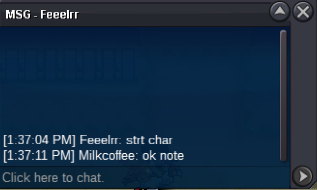
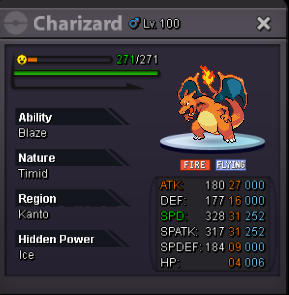
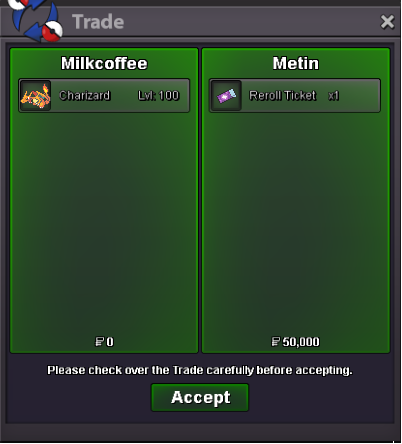
Charizard 3131 ice(sold)
- Charizard 3131 ice(sold)
hi you won, are you online?- Charizard 3131 ice(sold)
bump- Charizard 3131 ice(sold)
- Charizard 3131 ice(sold)
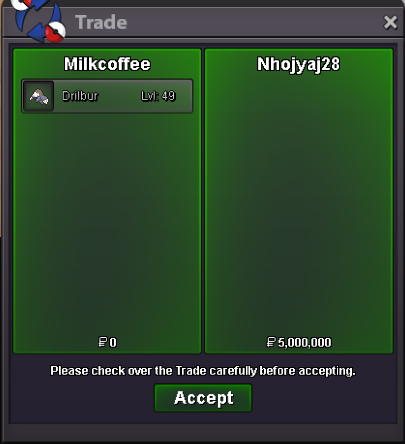
- Drilbur h.a epic(sold)
you win- Drilbur h.a epic(sold)
+15min- Drilbur h.a epic(sold)
Bump 6h47 left- Drilbur h.a epic(sold)
bump 13h47 left- Drilbur h.a epic(sold)
noted , end : 22:15 PM 4/11/2021 GMT+7- Drilbur h.a epic(sold)
I can tranfer if you win, you want start? - Charizard 3131 ice(sold)
Milkcoffee
Registered User
-
Joined
-
Last visited
Account
Navigation
Search
Configure browser push notifications
Chrome (Android)
- Tap the lock icon next to the address bar.
- Tap Permissions → Notifications.
- Adjust your preference.
Chrome (Desktop)
- Click the padlock icon in the address bar.
- Select Site settings.
- Find Notifications and adjust your preference.
Safari (iOS 16.4+)
- Ensure the site is installed via Add to Home Screen.
- Open Settings App → Notifications.
- Find your app name and adjust your preference.
Safari (macOS)
- Go to Safari → Preferences.
- Click the Websites tab.
- Select Notifications in the sidebar.
- Find this website and adjust your preference.
Edge (Android)
- Tap the lock icon next to the address bar.
- Tap Permissions.
- Find Notifications and adjust your preference.
Edge (Desktop)
- Click the padlock icon in the address bar.
- Click Permissions for this site.
- Find Notifications and adjust your preference.
Firefox (Android)
- Go to Settings → Site permissions.
- Tap Notifications.
- Find this site in the list and adjust your preference.
Firefox (Desktop)
- Open Firefox Settings.
- Search for Notifications.
- Find this site in the list and adjust your preference.