




New Trade Zone
Trade Zone is now live
Use the new Trade Zone for auctions and instant-price trades so Pokemon and item offers are easy to find.

Brandyfabian
Registered User
-
Joined
-
Last visited
Everything posted by Brandyfabian
-
Hello, I was a member of new leaf 2 years ago and I would like to join again since Im back at grinding PRO 1. What's your Player name (IGN)? Brandyfabian 2. Number of hours played? 385h 3. What's your favorite Pokemon? I like Eevee 4. What do you enjoy doing the most in PRO? (Hunting, Dungeons, PvP, trading, etc) I love hunting and grinding 5. How long have you been playing Pokemon? (Optional) I played pokemon since I was a kid... I started with PRO like three years ago but I have been inactive for a bit of time. 6. Favorite ice cream flavor. (Optional) Vanilla
-
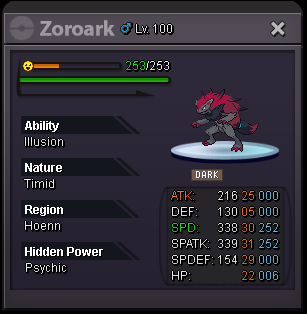
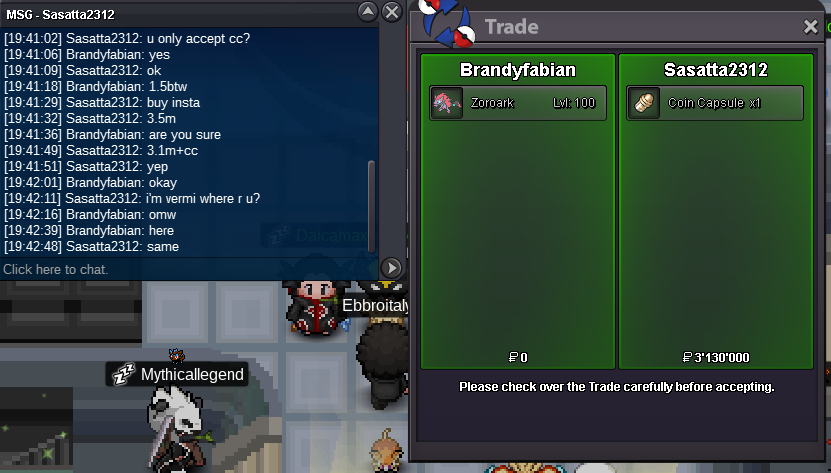
okay IM gonna edit it then its my first auction sorryStart offer: 500k by Jimvasil Min raise: 100k Insta: 3.5m End: 48hrs after start so 28.07.2021 18:22 CET Payments: pokedollars and CC = 370k Contact: brandyfabian ingame / fabian#2003 discord
 I want to buy the watermelon hat. Hit me up if someone has it and wants to sell it so we can figure out a price. add me on discord or ingame if you got something dc: fabian#2003 ingame: brandyfabian






Account
Navigation
Search
Configure browser push notifications
Chrome (Android)
- Tap the lock icon next to the address bar.
- Tap Permissions → Notifications.
- Adjust your preference.
Chrome (Desktop)
- Click the padlock icon in the address bar.
- Select Site settings.
- Find Notifications and adjust your preference.
Safari (iOS 16.4+)
- Ensure the site is installed via Add to Home Screen.
- Open Settings App → Notifications.
- Find your app name and adjust your preference.
Safari (macOS)
- Go to Safari → Preferences.
- Click the Websites tab.
- Select Notifications in the sidebar.
- Find this website and adjust your preference.
Edge (Android)
- Tap the lock icon next to the address bar.
- Tap Permissions.
- Find Notifications and adjust your preference.
Edge (Desktop)
- Click the padlock icon in the address bar.
- Click Permissions for this site.
- Find Notifications and adjust your preference.
Firefox (Android)
- Go to Settings → Site permissions.
- Tap Notifications.
- Find this site in the list and adjust your preference.
Firefox (Desktop)
- Open Firefox Settings.
- Search for Notifications.
- Find this site in the list and adjust your preference.