




New Trade Zone
Trade Zone is now live
Use the new Trade Zone for auctions and instant-price trades so Pokemon and item offers are easy to find.

Immalaugh
Registered User
-
Joined
-
Last visited
Everything posted by Immalaugh
-
900k
-
900
-
What is your IGN? Immalaugh What is your discord username? Demonarises Tell us a little bit about yourself. I used to play 2 years ago i quit pro and joined again in May of this year than I took some month break after playing 1-2 month and i recently re joined on December How many hours do you currently have? 520 hr Do you know any members of Ascension and if yes who? No Have you been in a guild before, if so which one(s)? Apocalypse and galaxyracers Why do you want to join Ascension? Want a active guild that can do top 3 and settle down there What are you doing when playing PRO, what do you enjoy the most and what are your goals? In pro i enjoy pvp the most Are you playing PvP, if so what are your goals or what did you achieve already? Goal is to have fun playing
-
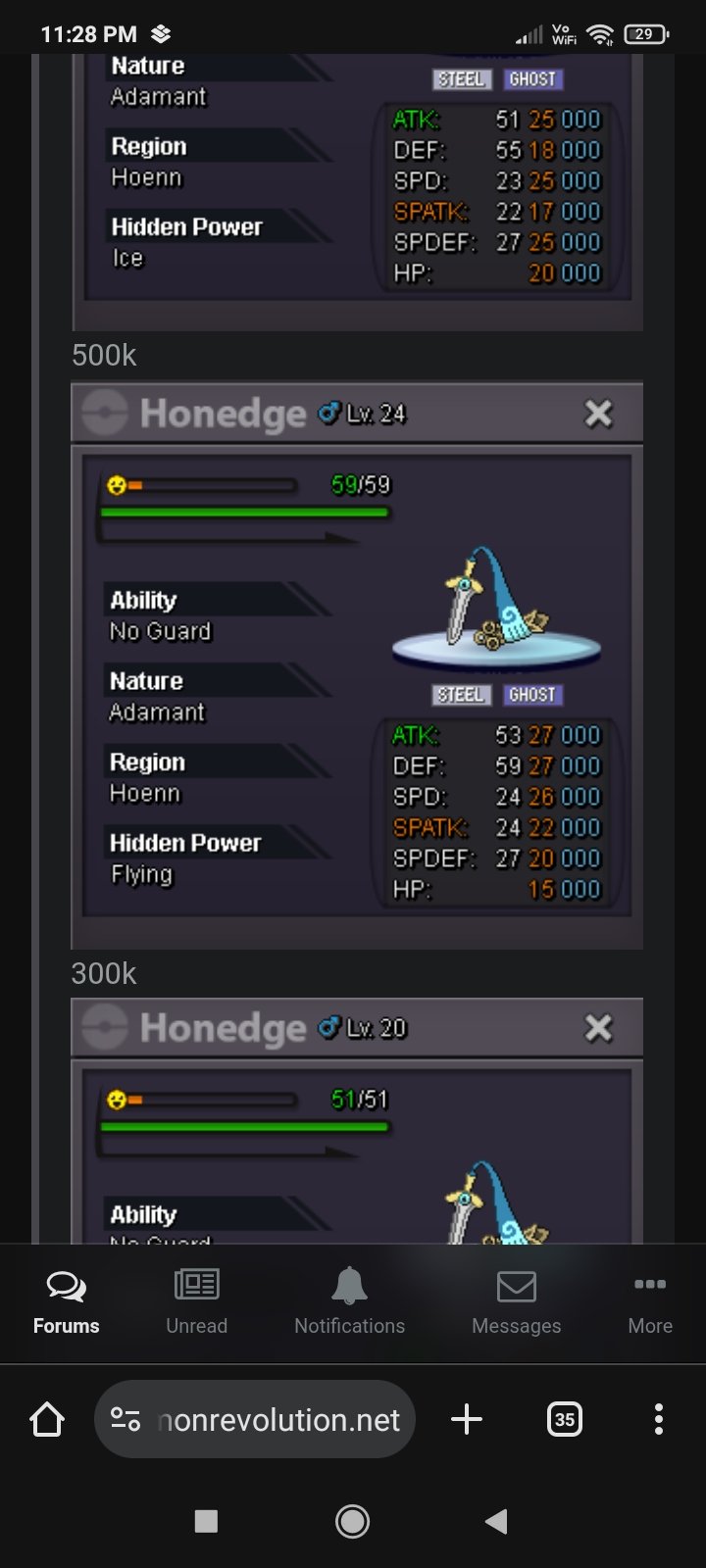
I want the 27/26 honedge in 250k
-
125k
-
@Tandemausyou gave me back 600k in my account right?
-
-
825k jolly gliscor
-
225k
-
Hi can we trade now ign immortalcrime
-
775k jolly gliscor
-
125k jellicent
-
Jolly gliscor 700k and azu 225k
-
7654
-
-
I am on right now in immalaugh, if you are available we can trade
-
-
350k
-
300k
-
600
-
400k
-
-
-
-

