




New Trade Zone
Trade Zone is now live
Use the new Trade Zone for auctions and instant-price trades so Pokemon and item offers are easy to find.

Alen20
Registered User
-
Joined
-
Last visited
Everything posted by Alen20
-
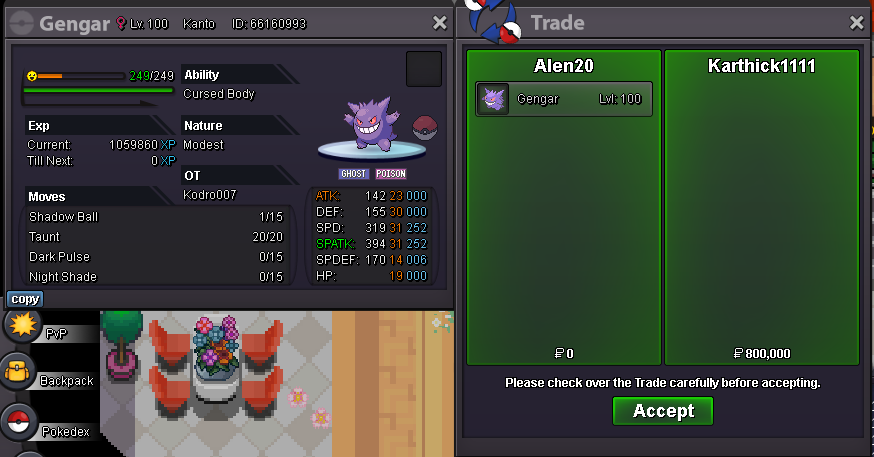
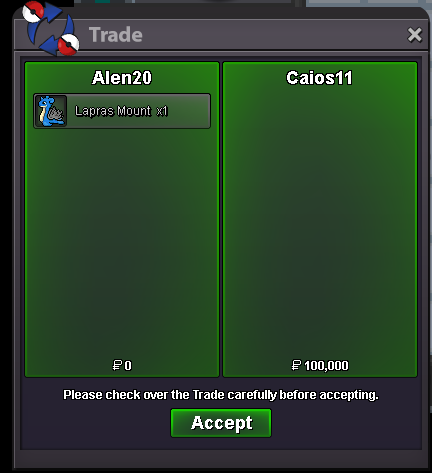
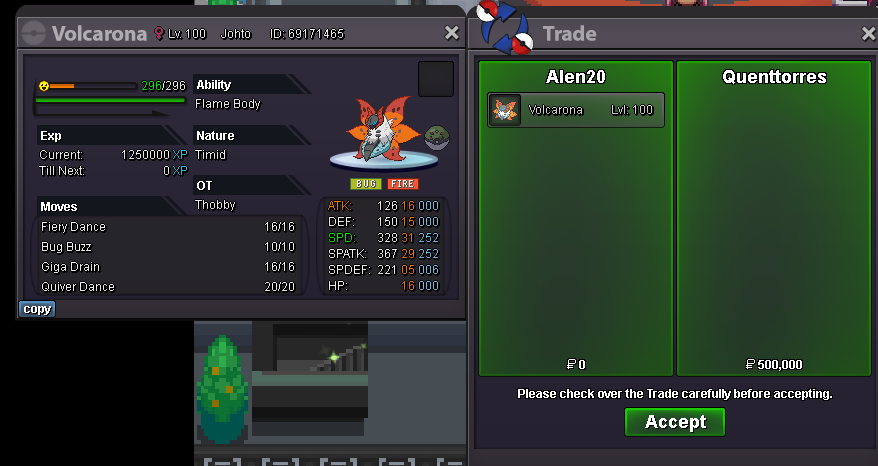
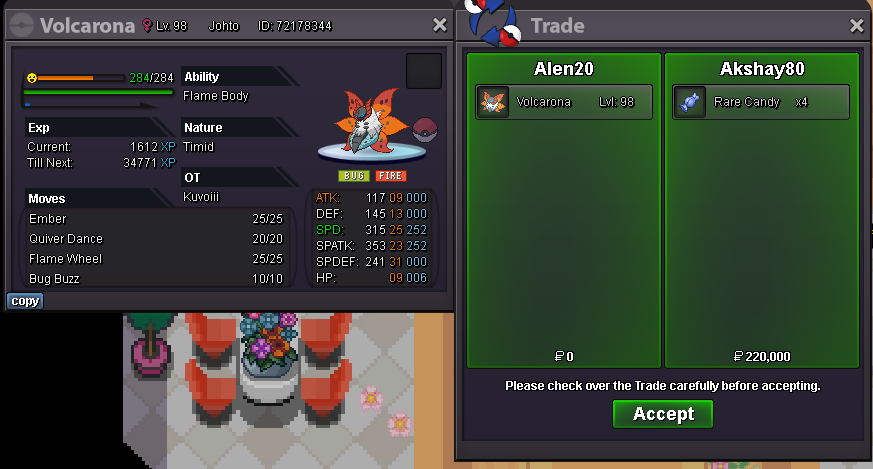
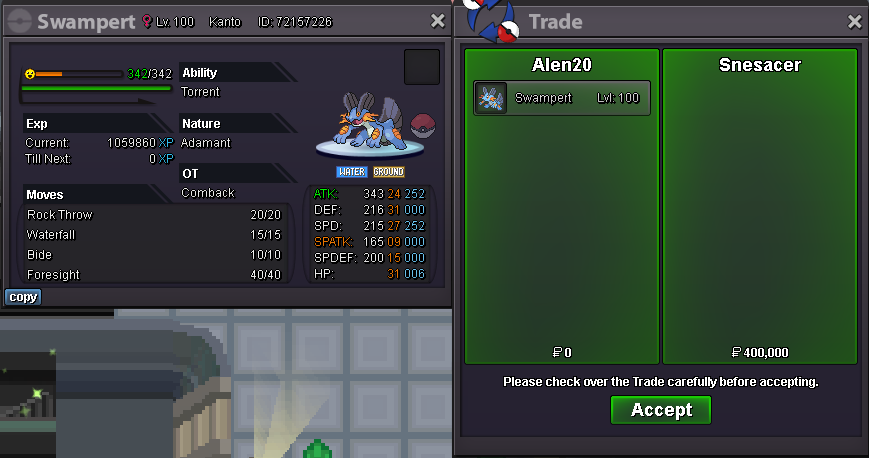
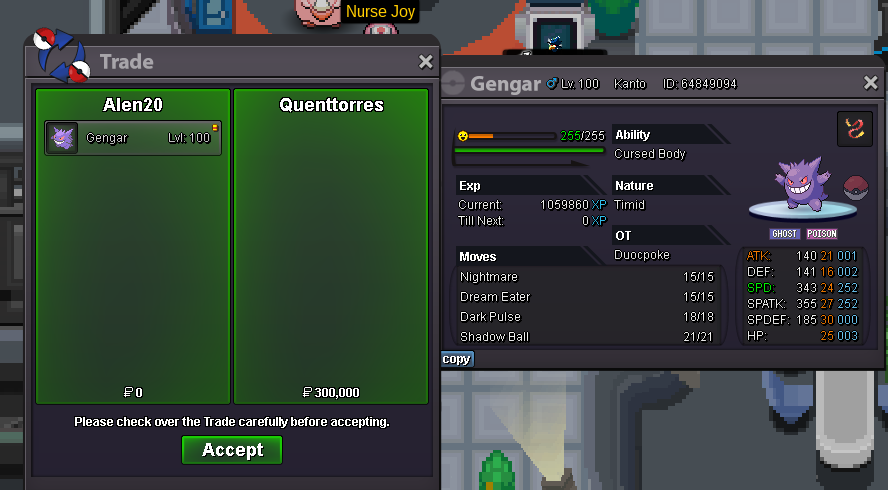
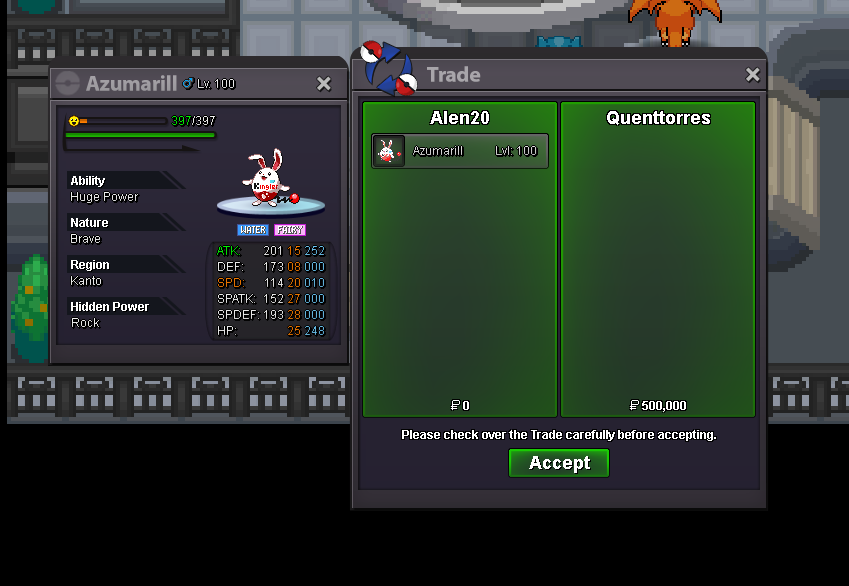
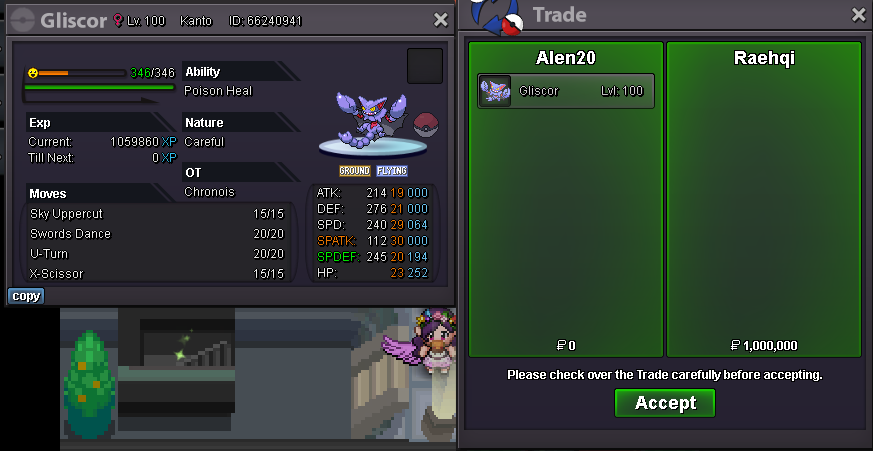
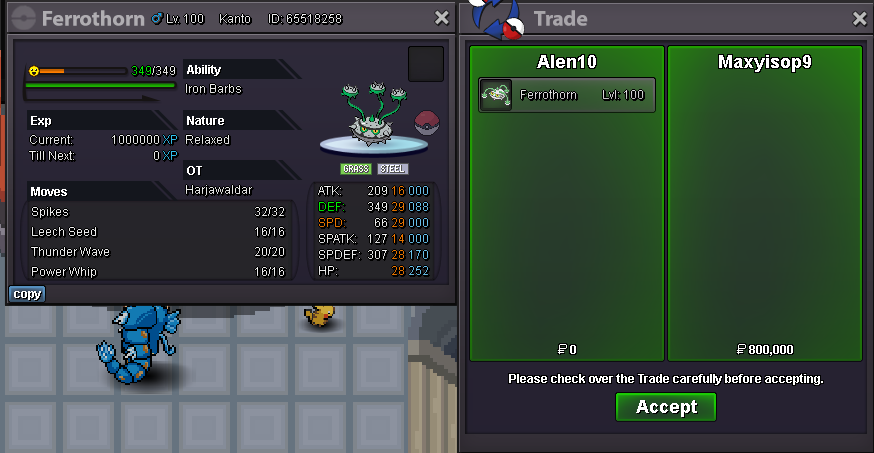
WELCOME TO MY SHOP CONTACTS Discord: ALEN20#7893 ACCEPTED PAYMENTS Pokedollars Coin Capsule- 400K Reroll Ticket- 500K Master Ball- 50K Rare Candy- 6K - All trades should be done by following trade rules. - You may negotiate by posting below or via discord. - Fake offers will be reported. -Items not included TRAINED BOSS TEAM


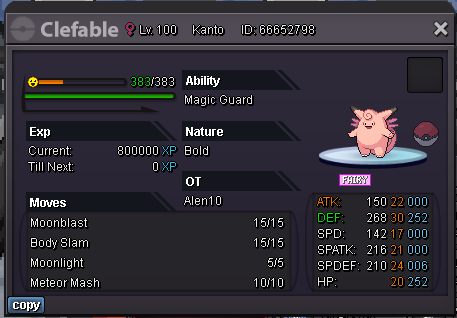
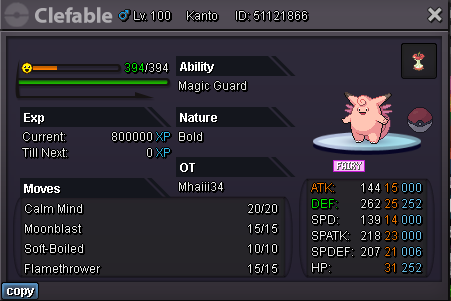

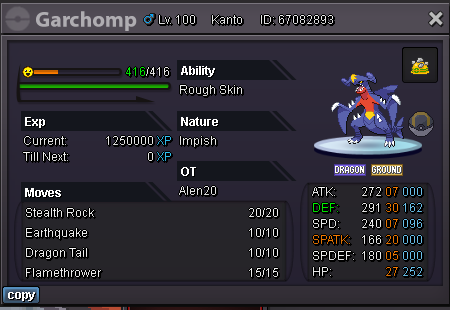
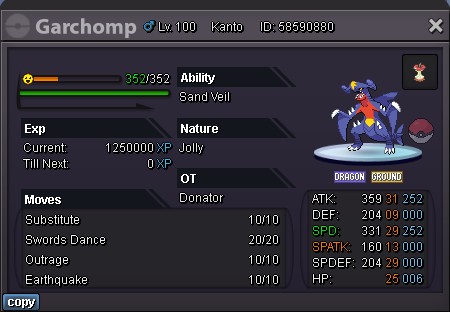
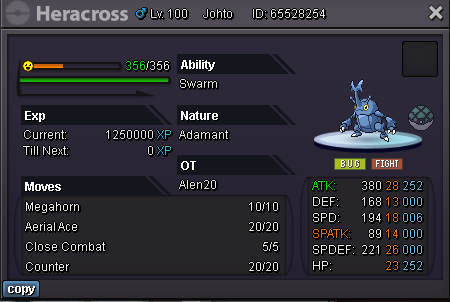
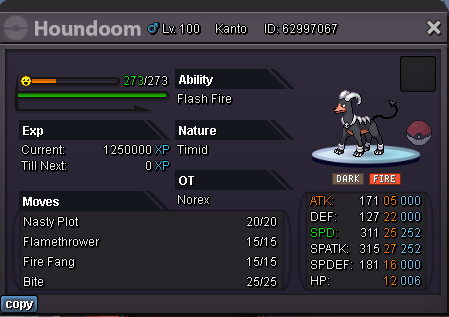

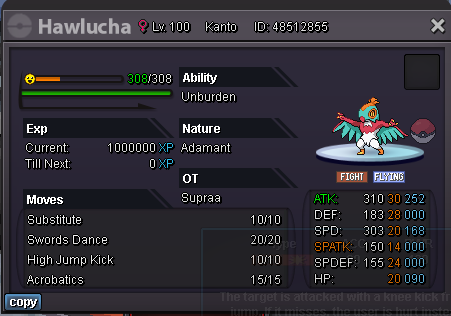
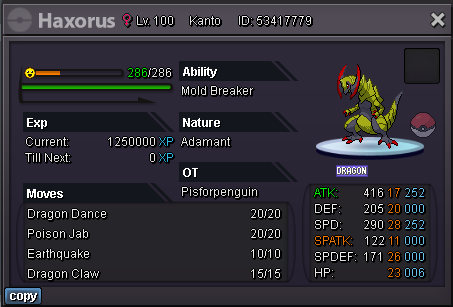
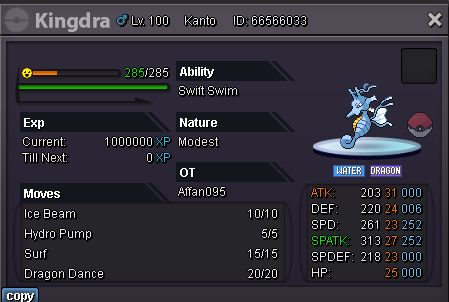
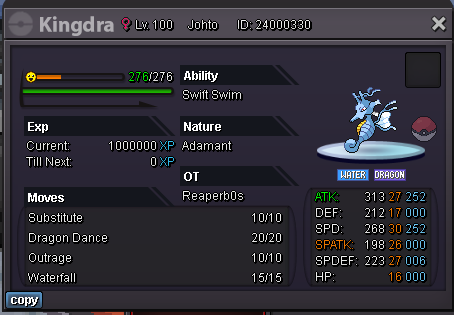
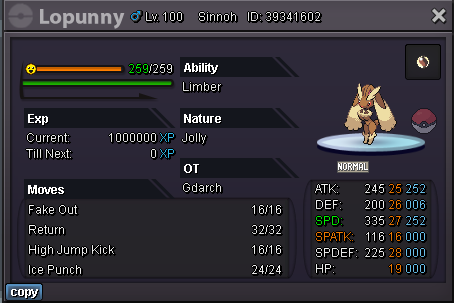

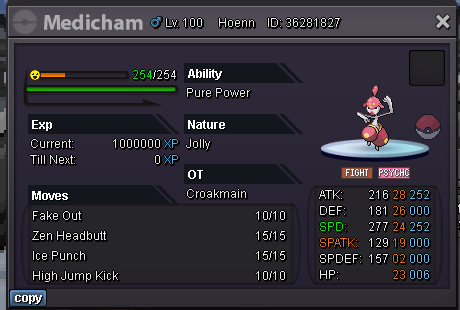


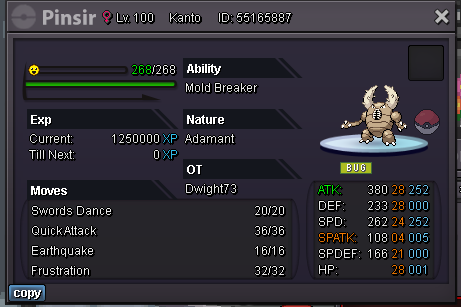


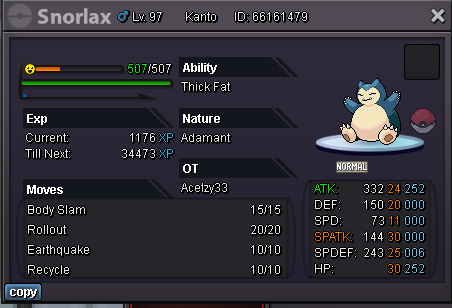
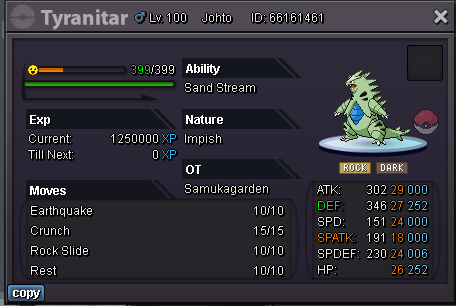

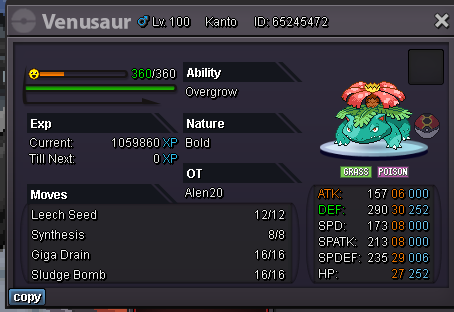
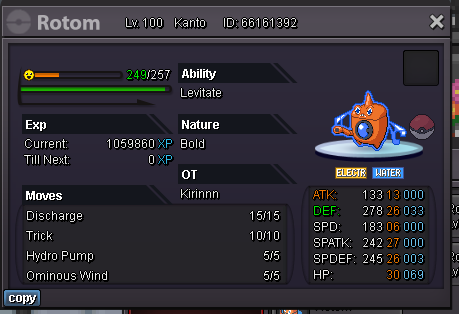
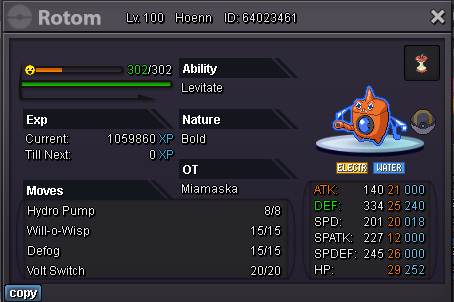
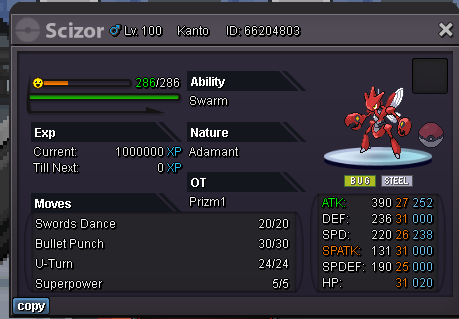

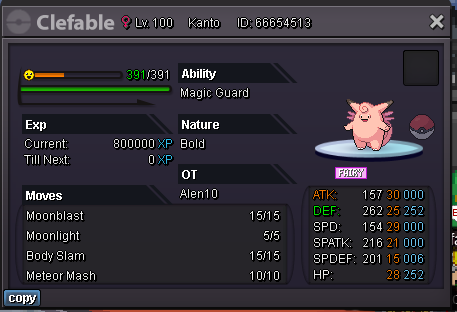
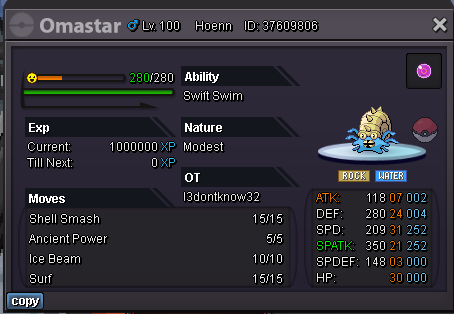


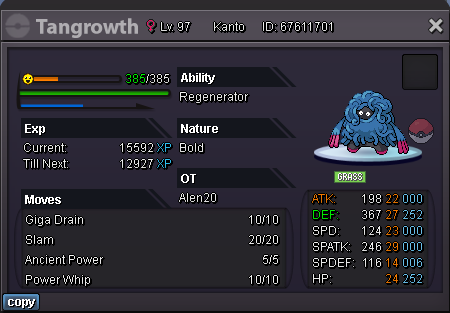
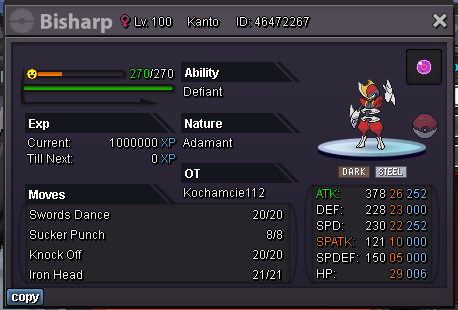
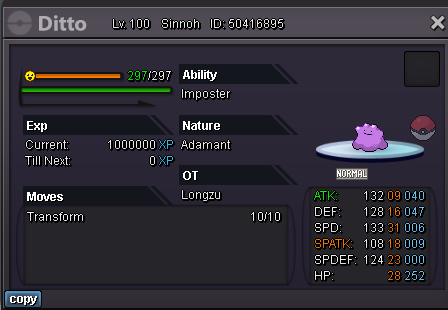
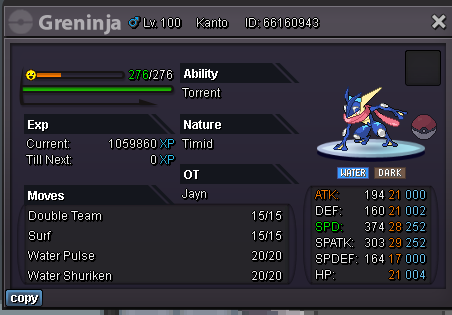

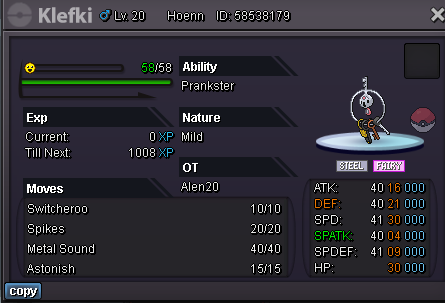


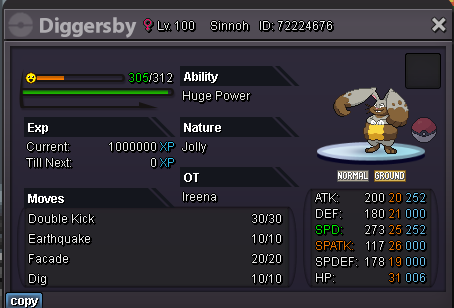


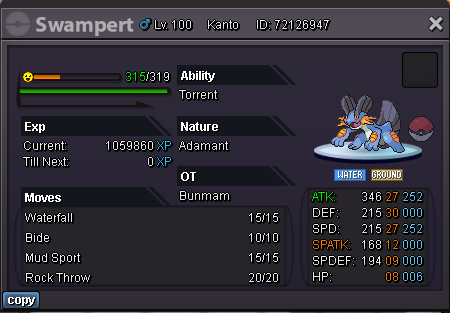
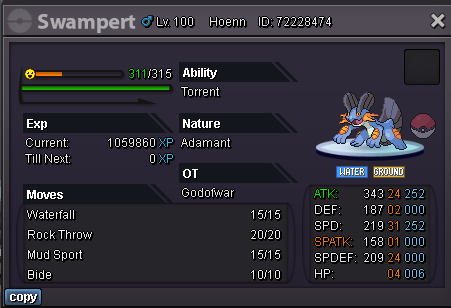
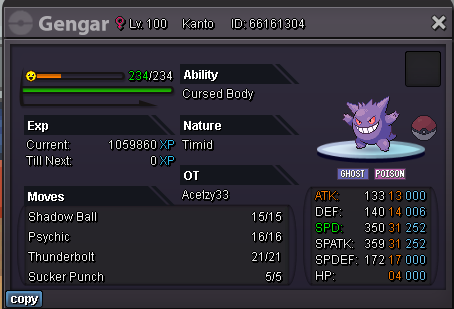
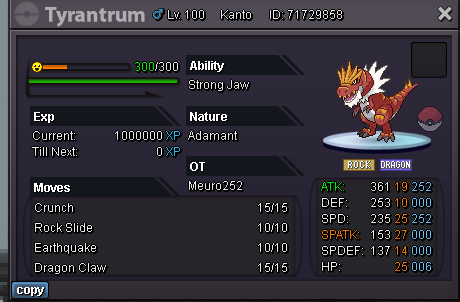
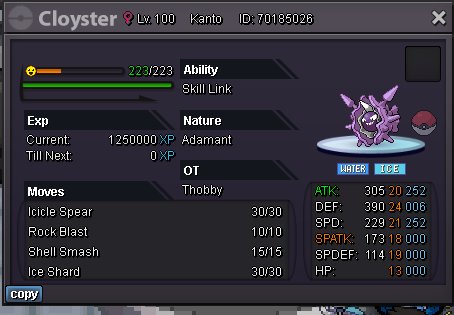
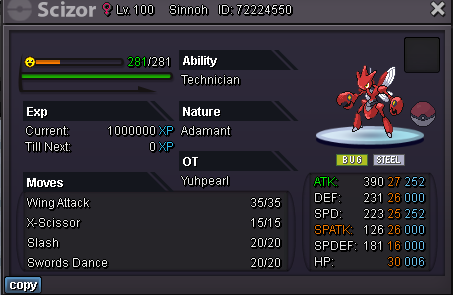

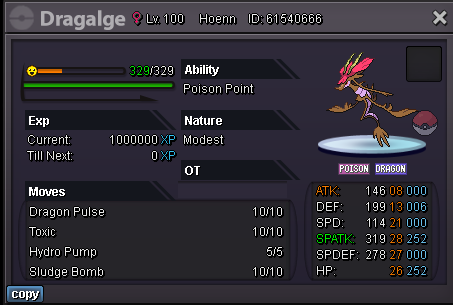


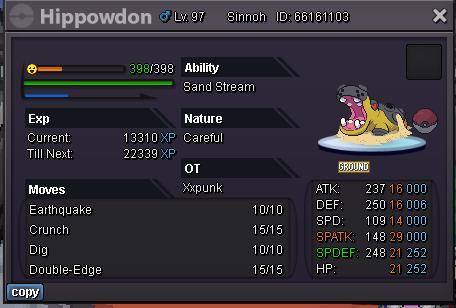


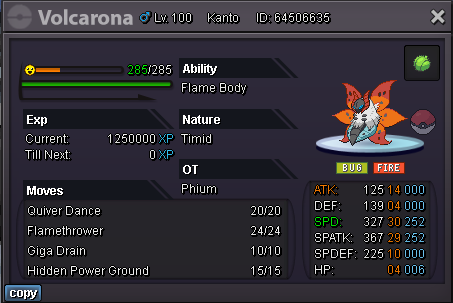
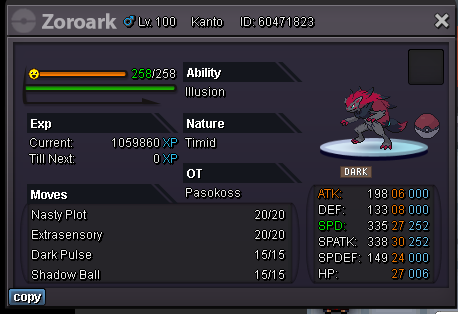
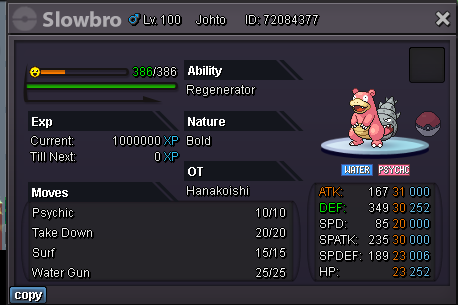

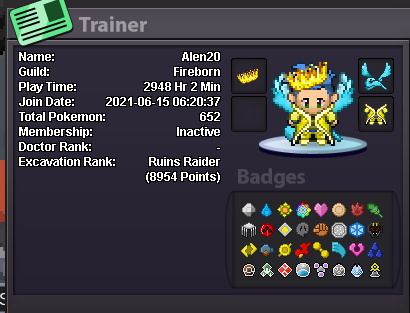
 1mRibombee 200k4.6m venusaurBudget?Start1m600k2.5m500 pvp coin ones are not tradable, only 2500 pvp coin ones are tradableYes its possible, you can buy shiny one which cost like 13 million avg nowStill the same price?



Account
Navigation
Search
Configure browser push notifications
Chrome (Android)
- Tap the lock icon next to the address bar.
- Tap Permissions → Notifications.
- Adjust your preference.
Chrome (Desktop)
- Click the padlock icon in the address bar.
- Select Site settings.
- Find Notifications and adjust your preference.
Safari (iOS 16.4+)
- Ensure the site is installed via Add to Home Screen.
- Open Settings App → Notifications.
- Find your app name and adjust your preference.
Safari (macOS)
- Go to Safari → Preferences.
- Click the Websites tab.
- Select Notifications in the sidebar.
- Find this website and adjust your preference.
Edge (Android)
- Tap the lock icon next to the address bar.
- Tap Permissions.
- Find Notifications and adjust your preference.
Edge (Desktop)
- Click the padlock icon in the address bar.
- Click Permissions for this site.
- Find Notifications and adjust your preference.
Firefox (Android)
- Go to Settings → Site permissions.
- Tap Notifications.
- Find this site in the list and adjust your preference.
Firefox (Desktop)
- Open Firefox Settings.
- Search for Notifications.
- Find this site in the list and adjust your preference.