New Trade Zone
Trade Zone is now live
Use the new Trade Zone for auctions and instant-price trades so Pokemon and item offers are easy to find.


Opticboptic
Registered User
-
Joined
-
Last visited
-
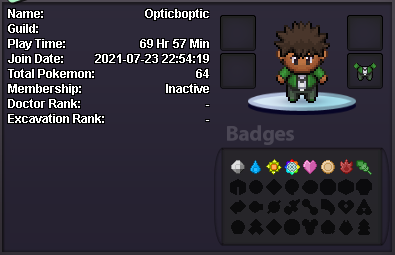
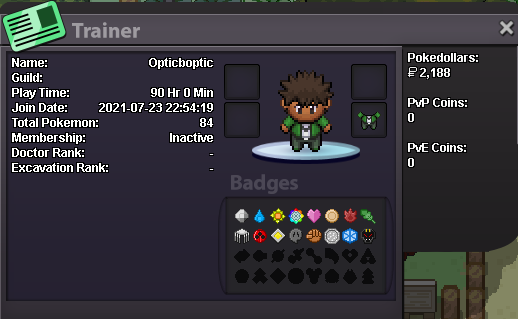
What's your IGN? - OpticBoptic How many hours do you have in PRO? - At the time of writing this application, I have 69 hours played. (Edit: As of 11/15/21, I have 90 hours played.) Do you have Discord? - Yes, my tag is Optic#8582. How far are you in story? - Currently at this time, I have just completed Kanto and on my way to start Johto. (Edit: I was able to get my 8th gym badge, I am now working on completing the subway quest and getting mega pokemon. 11/15/21.) How Active are you in PRO? (How often do you play?) - I can play for several hours a day although I may be afk most of the time due to school or work. My most active times are from 9:00pm (EST) - 2:00am (EST). My most active times may vary from time to time but I can most definitely log in daily. Are a PvP or PvE player? - I am interested in both modes but I would like to complete the shinnoh region so I have access to most items and pokemon. Although I am a newer player on the pvp scene, I am willing to learn the ins and outs of it. I have already started looking up guides for pvp in some of my free time. Why do you want to join Calamity guild? - I would like to join the Calamity guild for a fun, inclusive community so that I can enjoy both PvE and PvP equally. Thank you for taking the time to read my application! - Optic