




Skip to content
View in the app

A better way to browse. Learn more.

Pokemon Revolution Online

A full-screen app on your home screen with push notifications, badges and more.

To install this app on iOS and iPadOS
  1. Tap the Share icon in Safari
  2. Scroll the menu and tap Add to Home Screen.
  3. Tap Add in the top-right corner.
To install this app on Android
  1. Tap the 3-dot menu (⋮) in the top-right corner of the browser.
  2. Tap Add to Home screen or Install app.
  3. Confirm by tapping Install.

Corinlee21

Registered User
  • Joined

  • Last visited

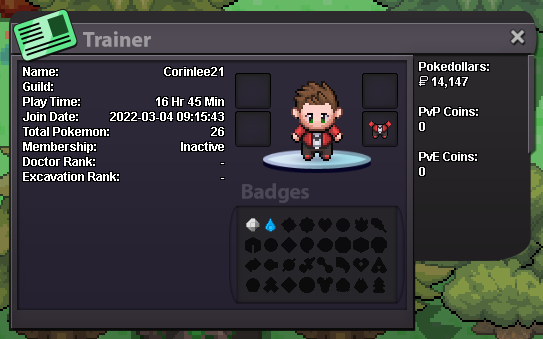
  1. Hello. I'm looking for a friendly, casual guild (more towards PvE). i have been playing for about a day's worth of game time, and already have Boulder and Cascade badges. training up for Thunder Badge currently
  2. Name: Corinlee21 Time Played: 16 hrs Favorite Pokemon: Pikachu, Lapras, Lugia, Charizard, Blastoise, Rayquasza... the list goes on How old are you?: dont judge, but i will be turning 30 years old this year
Account

Navigation

Search

Search

Configure browser push notifications

Chrome (Android)
  1. Tap the lock icon next to the address bar.
  2. Tap Permissions → Notifications.
  3. Adjust your preference.
Chrome (Desktop)
  1. Click the padlock icon in the address bar.
  2. Select Site settings.
  3. Find Notifications and adjust your preference.