




New Trade Zone
Trade Zone is now live
Use the new Trade Zone for auctions and instant-price trades so Pokemon and item offers are easy to find.

Pengwinz
Registered User
-
Joined
-
Last visited
Everything posted by Pengwinz
-
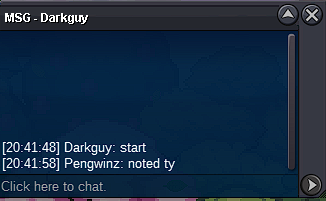
Start
-
1001
-
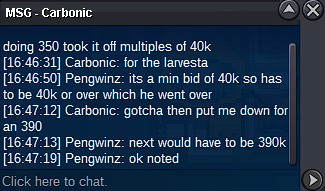
320k
-
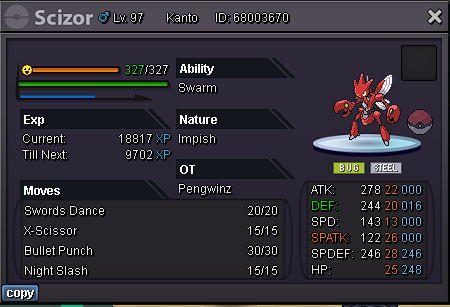
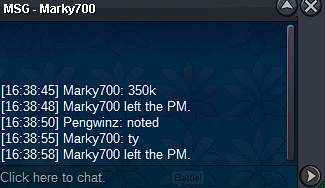
S.o 300k Min Bid 50k 24hrs from first bid No cc or reroll No insta
-
Congratz Eldoroty98

-
5.4mS.O 500k Min bid 50k 24hrs from first bid No insta No ccs or rerolls Auction will end at 8:42pm Central Time
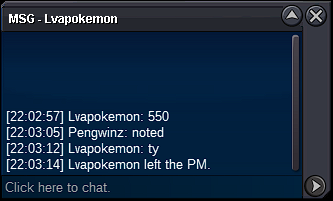
 Sorry to get back so late but I have received the exp share thank you so much.Redacted didn't check to see what server sorryDo to a rollback when evolving pokemon I got disconnected and lost my exp share that was on a lefanny.A rollback happened and i was evolving pokemons and when i got back on the poke i evolved disappeared with the exp share.Looking for player new or experienced to do victini dungeon. Gold server btw.My dex entry for evolving swadloon was rolled back and i lost the poke in the process with my exp share on it. I dont have any poke numbers.Oh and it got rid of the exp share on him too. That is just great!The gold server just crashed/rollbacked and the swadloon i just evolved it and discarded the Levany. I didnt get the swadloon back and it rolled back my dex saying i never evolved it. I dont have id numbers for the poke and i was wondering if anything could be done.Please use the command "perf" in the F2 console and record your gameplay in case you get banned for anything that you believe is not cheating related. Is this also usable on mobile and if is then how would I go about doing it?Congratz Lvapokemon on winning Meet in vermi when ready





Account
Navigation
Search
Configure browser push notifications
Chrome (Android)
- Tap the lock icon next to the address bar.
- Tap Permissions → Notifications.
- Adjust your preference.
Chrome (Desktop)
- Click the padlock icon in the address bar.
- Select Site settings.
- Find Notifications and adjust your preference.
Safari (iOS 16.4+)
- Ensure the site is installed via Add to Home Screen.
- Open Settings App → Notifications.
- Find your app name and adjust your preference.
Safari (macOS)
- Go to Safari → Preferences.
- Click the Websites tab.
- Select Notifications in the sidebar.
- Find this website and adjust your preference.
Edge (Android)
- Tap the lock icon next to the address bar.
- Tap Permissions.
- Find Notifications and adjust your preference.
Edge (Desktop)
- Click the padlock icon in the address bar.
- Click Permissions for this site.
- Find Notifications and adjust your preference.
Firefox (Android)
- Go to Settings → Site permissions.
- Tap Notifications.
- Find this site in the list and adjust your preference.
Firefox (Desktop)
- Open Firefox Settings.
- Search for Notifications.
- Find this site in the list and adjust your preference.