




New Trade Zone
Trade Zone is now live
Use the new Trade Zone for auctions and instant-price trades so Pokemon and item offers are easy to find.


Tgbnamish
Registered User
-
Joined
-
Last visited
Everything posted by Tgbnamish
-
gra ma teraz problem, twórcy już nad nim pracują, obecnie nie ma czasu na jego rozwiązanie
-
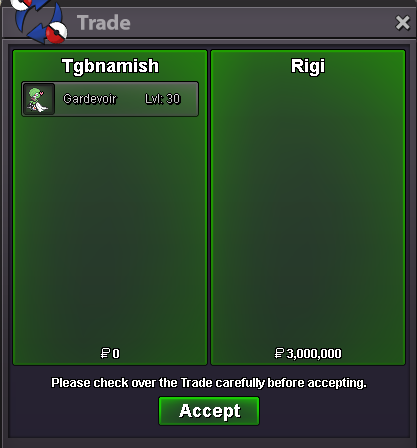
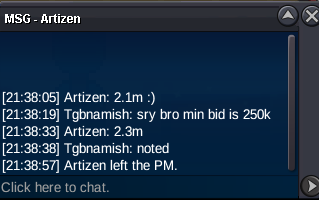
bumpBuy jolteonBumpbumpI agree that astrella is still a myth but currently devs are planning for a lot of things which can we viewed in dev to do listHello,thanks for asking although i think its no need since i will reopen it in the upcoming few daysbumpHey,its already in dev to do list and all we can do now is wait and hopefully it will be released in futurebump450khey,Sinnoh is the last region you can travel to,the next region is Astrella which is not yet releasedwon by @Rigi15 min auction rules is onBump last 2 hrs!!!!!Hey,thanks for applying 🙂lemme know when your online in gamebumpbumpYou sure it's not possible?Like I already known since I released but just forgot to post in forums.I did not even complete the quest to restore my pokemon.If you can't then you can close this thread,ty ^^back then i did not know the worth of miltank,especially i thought it was a pure attacker needed adamant or jolly nature but recently i came to know that defensive also works,ima completely be honest with youi won?950k osha.



Account
Navigation
Search
Configure browser push notifications
Chrome (Android)
- Tap the lock icon next to the address bar.
- Tap Permissions → Notifications.
- Adjust your preference.
Chrome (Desktop)
- Click the padlock icon in the address bar.
- Select Site settings.
- Find Notifications and adjust your preference.
Safari (iOS 16.4+)
- Ensure the site is installed via Add to Home Screen.
- Open Settings App → Notifications.
- Find your app name and adjust your preference.
Safari (macOS)
- Go to Safari → Preferences.
- Click the Websites tab.
- Select Notifications in the sidebar.
- Find this website and adjust your preference.
Edge (Android)
- Tap the lock icon next to the address bar.
- Tap Permissions.
- Find Notifications and adjust your preference.
Edge (Desktop)
- Click the padlock icon in the address bar.
- Click Permissions for this site.
- Find Notifications and adjust your preference.
Firefox (Android)
- Go to Settings → Site permissions.
- Tap Notifications.
- Find this site in the list and adjust your preference.
Firefox (Desktop)
- Open Firefox Settings.
- Search for Notifications.
- Find this site in the list and adjust your preference.