




New Trade Zone
Trade Zone is now live
Use the new Trade Zone for auctions and instant-price trades so Pokemon and item offers are easy to find.

Ascalion
Registered User
-
Joined
-
Last visited
Everything posted by Ascalion
-
can we meet now
-
8m2
-
we can see after the end , i can transfer to silver too no problem for me
-
-
ok no problem , once the auctions are over 🙂
-
-
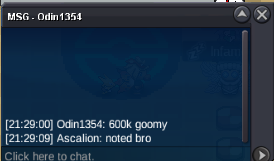
alright i traded with him and gave him 100k backhello bro can you pm me for the tradeok i'll finish my trades and transfer to you , maybe tommorow morning when im onlineyou are in gold or silver ?all auctions are over pm me in game for tradesorry another player bided 600k before you4 hours left9 hours left20kstart Ogperon and abra : and
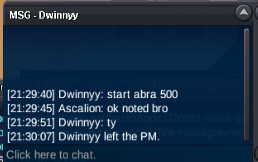
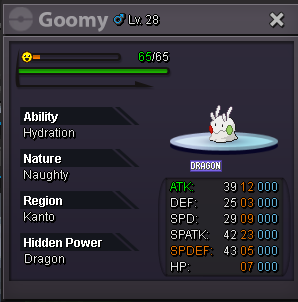
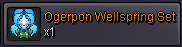
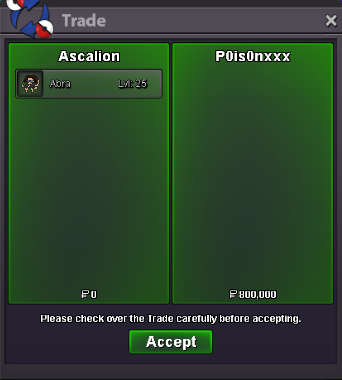
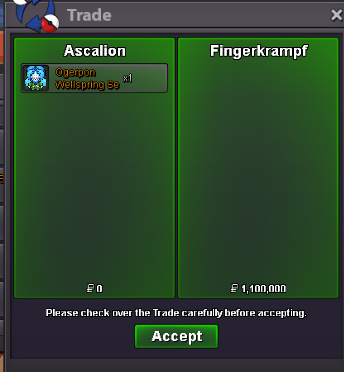
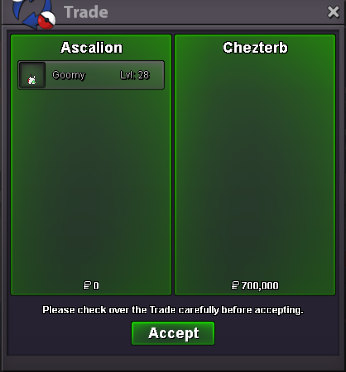
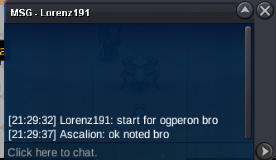 hello first of all i accepte all the payments : coin capsule = 500k -- reroll tickets = 700k -- or cash Pvp Chest drop items : 6) ogerpon wellspring set : c.o : 1m (by lorenz191) - minimum bid : 100k - Auction end 3 days after first bid Special/form pokemons : 2) Chrismas form Goomy : c.o : 400k ( by Chezterb ) - minimum bid : 100k - Auction end 3 days after first bid 4) Special form Abra ( Bold nature Sync) : C.o : 700k (by Dwinnyy) - minimum bid : 100k - Auction end 3 days after first bid Enjoy your bid ps : this is a cross-server auctions i will transfer in case you needed once the other auctions are over .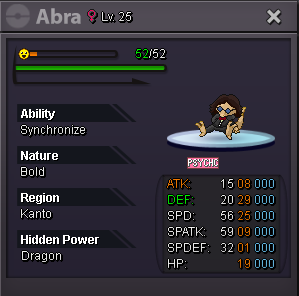
 im onlinei left him messages , i can see that he keep going online on the website but ignore all my messages and tags , i dont know what to do2m422k


Account
Navigation
Search
Configure browser push notifications
Chrome (Android)
- Tap the lock icon next to the address bar.
- Tap Permissions → Notifications.
- Adjust your preference.
Chrome (Desktop)
- Click the padlock icon in the address bar.
- Select Site settings.
- Find Notifications and adjust your preference.
Safari (iOS 16.4+)
- Ensure the site is installed via Add to Home Screen.
- Open Settings App → Notifications.
- Find your app name and adjust your preference.
Safari (macOS)
- Go to Safari → Preferences.
- Click the Websites tab.
- Select Notifications in the sidebar.
- Find this website and adjust your preference.
Edge (Android)
- Tap the lock icon next to the address bar.
- Tap Permissions.
- Find Notifications and adjust your preference.
Edge (Desktop)
- Click the padlock icon in the address bar.
- Click Permissions for this site.
- Find Notifications and adjust your preference.
Firefox (Android)
- Go to Settings → Site permissions.
- Tap Notifications.
- Find this site in the list and adjust your preference.
Firefox (Desktop)
- Open Firefox Settings.
- Search for Notifications.
- Find this site in the list and adjust your preference.