New Trade Zone
Trade Zone is now live
Use the new Trade Zone for auctions and instant-price trades so Pokemon and item offers are easy to find.


Makiz
Registered User
-
Joined
-
Last visited
Everything posted by Makiz
-
current price camerupt?
-
walrein price?
-
Aerodactyl (EPIC ,31 SPD ,JOLLY ,HA) Krookodile (EPIC ,31 ATK ,ADA ,HA) Tyranitar (EPIC ,31 ATK ,ADA ,HA) Excadrill (EPIC ,31 ATK ,ADA ,HA) Infernape (EPIC ,31 SPD ,JOLLY ,HA ,HP: GRASS) Greninja (EPIC ,31 SPD ,TIMID ,HA ,HP: FIRE) *HUGE Budget* So i pay well, [Send me photo your pokes here on forums with the price, Ty everyone]
-
up
-
-
240k
-
start
-
-
up
-
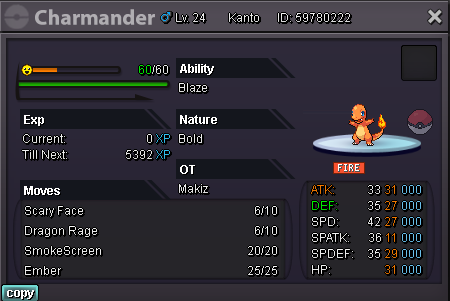
Start Offer : 100k Min Bid : 50k Accept Payments : Pokedollars , CC (400k) , IV RR (700k) No Insta End 24H After First Bid
-
up
-
-
-
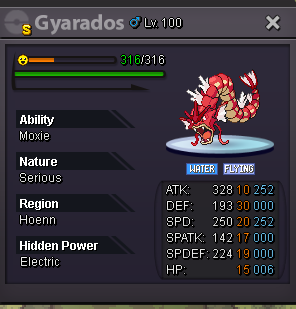
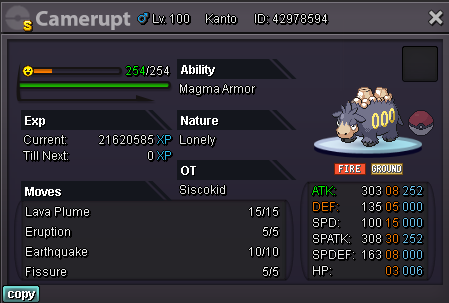
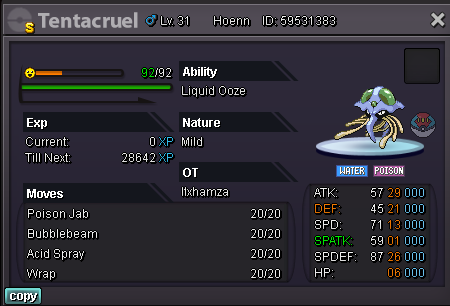
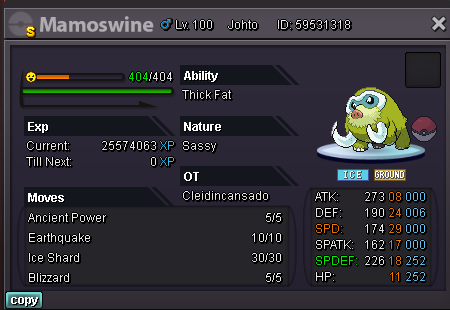
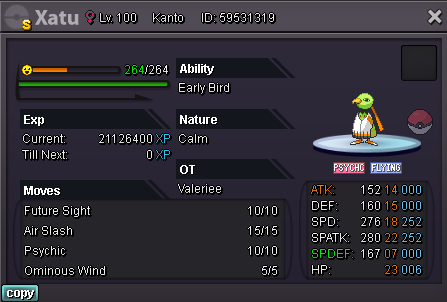
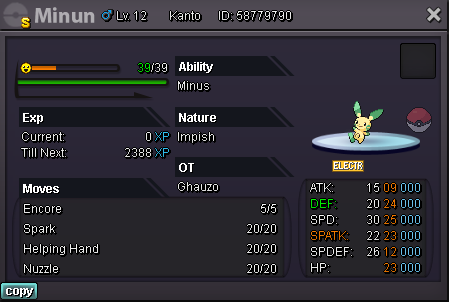
Payment Methods : [Pokedollars , CC (As 380k) , IV RR (As 670k) , RC (As 6k) , Big MS (As 700k)] *[Also You Can Make Your Offer With Any Cosmetic If You Got]* *The Prices With Yellow Color Is Limited Time ONLY!* *Contacts : In-Game , Discord : MakisYT#1684* 2m ---> 1.5m (HA,HP: Electric) 1m 1.5m ---> 1m 1m ---> 800k 1m ---> 800k 1m (Each) 500k ---> 400k 100k ---> 50k



-
210k gold server.
-
C.O 100k

-
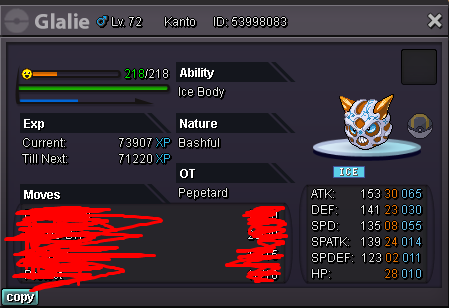
Auction Ends 24H After First Bid Start : 2k No Insta Min Bid : 2k Accept Payments : Pokedollars , CC (400k) , IV RR (700k) and Nature RR (350k). GL EVERYONE
-
-
Auction Ends 2Days After First Bid! Payments Methods : Pokedollars , CC (350k) , IV RR (650k) Start : 500k , Min Bid : 2k , Insta : 5m Contacts For Bid : Bid On Forums , In Game , Discord : MakisYT#1684 GL EVERYONE
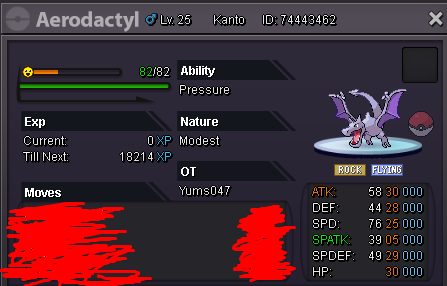
-
-
-
it already sold , sorry!
-
verm in 1 hour from now!
-
up
-