




New Trade Zone
Trade Zone is now live
Use the new Trade Zone for auctions and instant-price trades so Pokemon and item offers are easy to find.


Fernandoselim
Suspended
-
Joined
-
Last visited
Everything posted by Fernandoselim
-
start
-
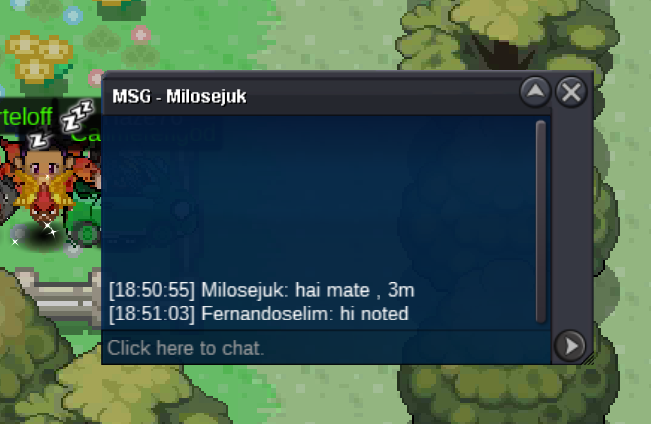
3m by @Milosejuk
-
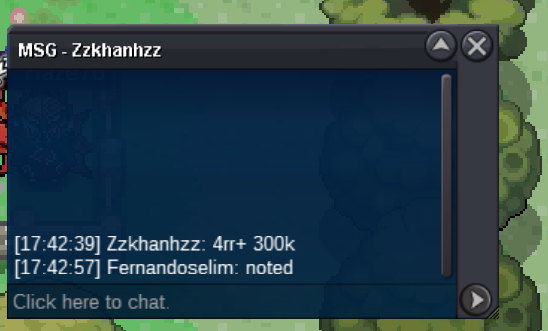
2.9m by @Zzkhanhzz
-
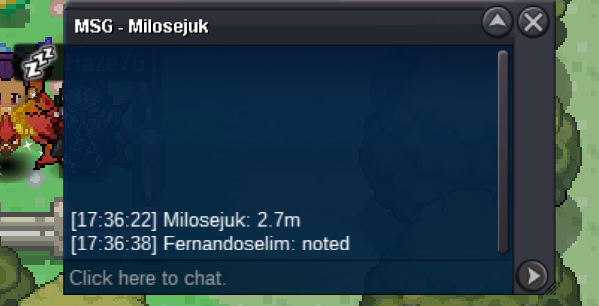
2.7m by @Milosejuk
-
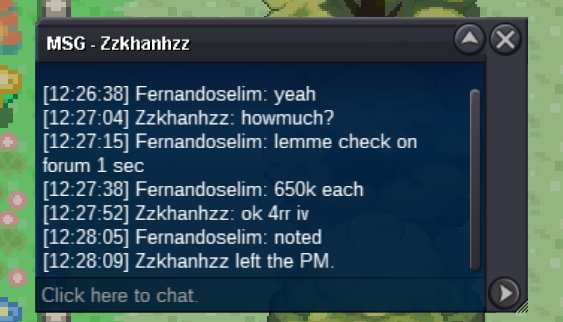
each iv reroll ticket 650k. @Zzkhanhzz offers 4x iv reroll equal to 2.6m
-
Auction has started 19.13 gmt+3
-
Start Offer 2m Min Bid 100k No Insta Auction ends 24 hours later from first bid Acc Payments Coin Capsule 350k-Iv reroll ticket 650k
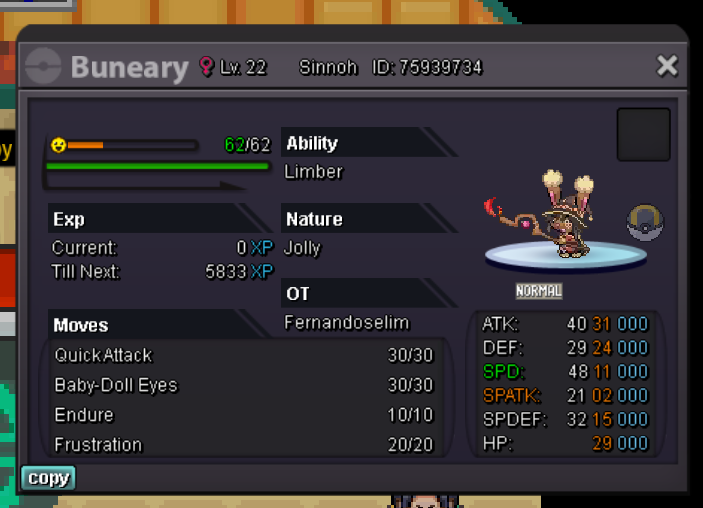
-
Start Offer 3m Min Bid 250k Insta 9m Acceptable Payments IV Reroll Ticket 650k- Coin Capsule 350k
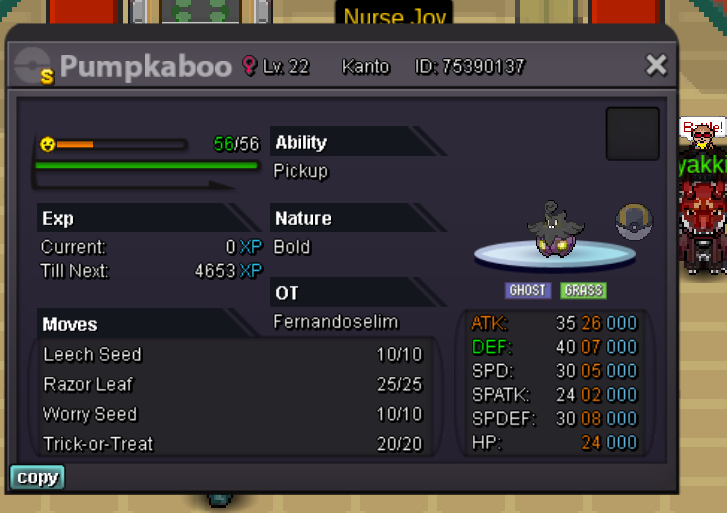
-
@Irushia i spoke with the winner when the auction ended and he said i dont have enough money give me days bla bla and because of he is the only person who offerd i said okey. i gave him permission until sunday but still i couldnt sell my pokemon. Can i cancel the auction?
-
bump-10 hours left
-
bumpbumpCurrent Offer: 4m by @Anikshikder Min Bid: 500k Insta>8m Accepted Payments: Coin Capsule>350k Reroll Ticket>675k Auction will end 48 Hours later after first bid
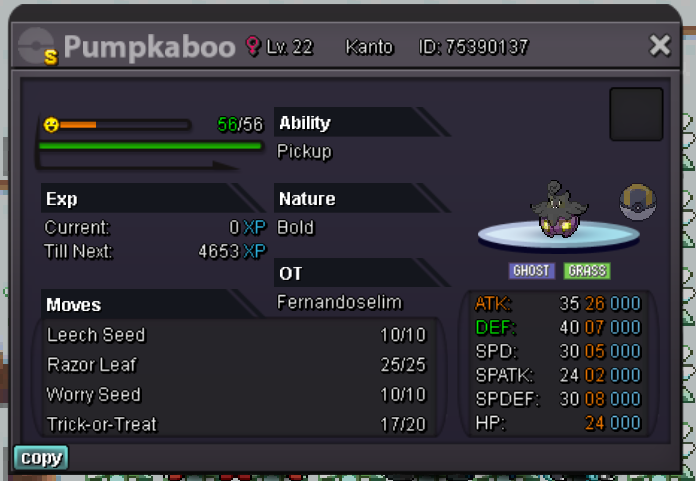 700kupStart Offer >500k Min Bid >50k Insta >1m5 Accepted Payments Coin Capsule (360k)-Iv Reroll Ticket(670k) 24 Hours Auction from first bid
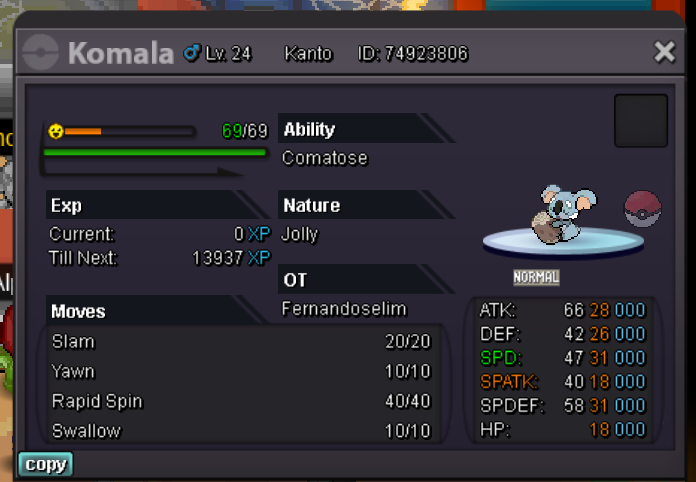 @Irushiathank you for your all explanation. i sold volca to @Bierathletas you see in ss.
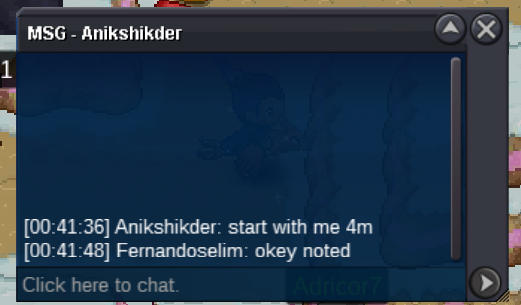
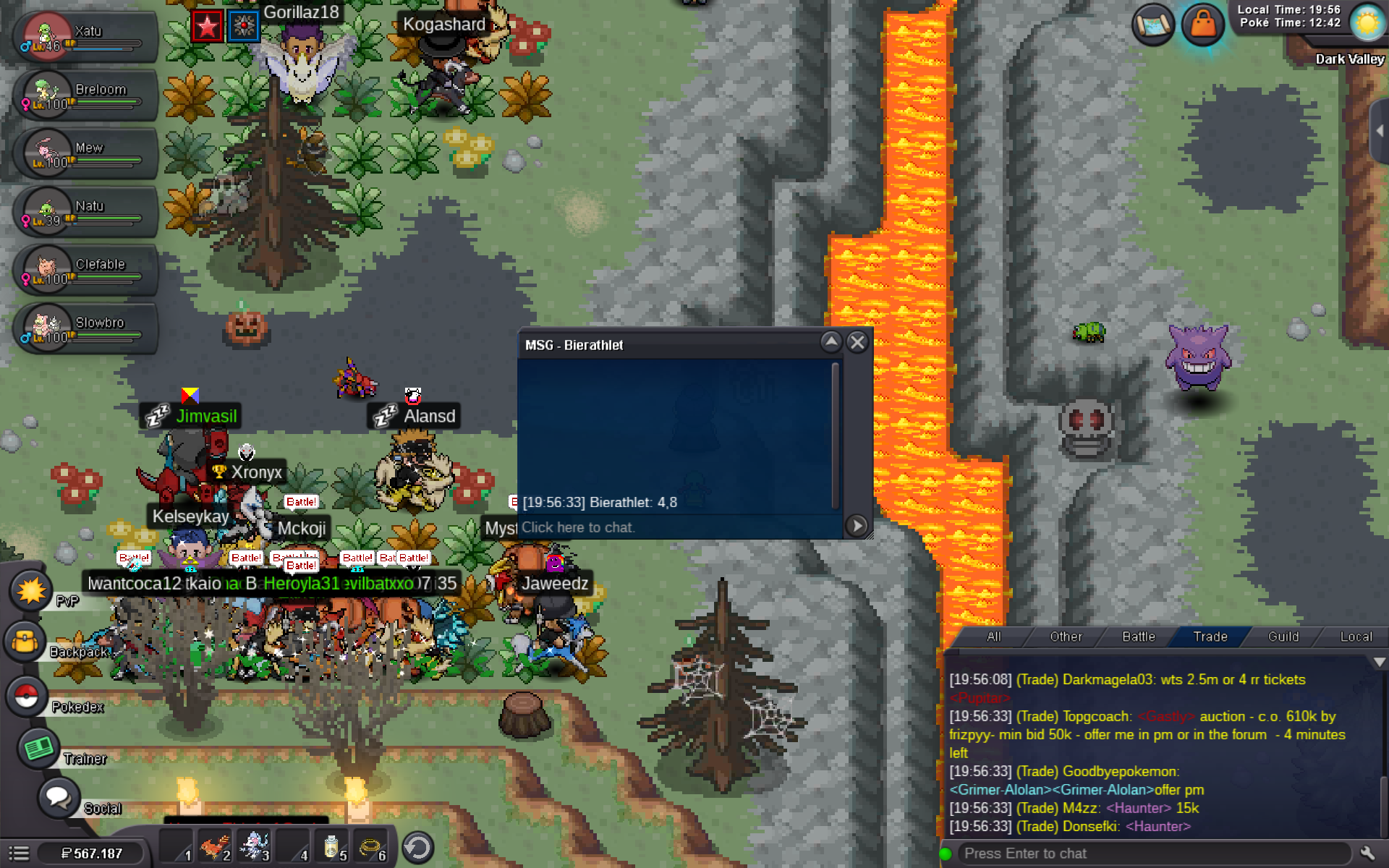
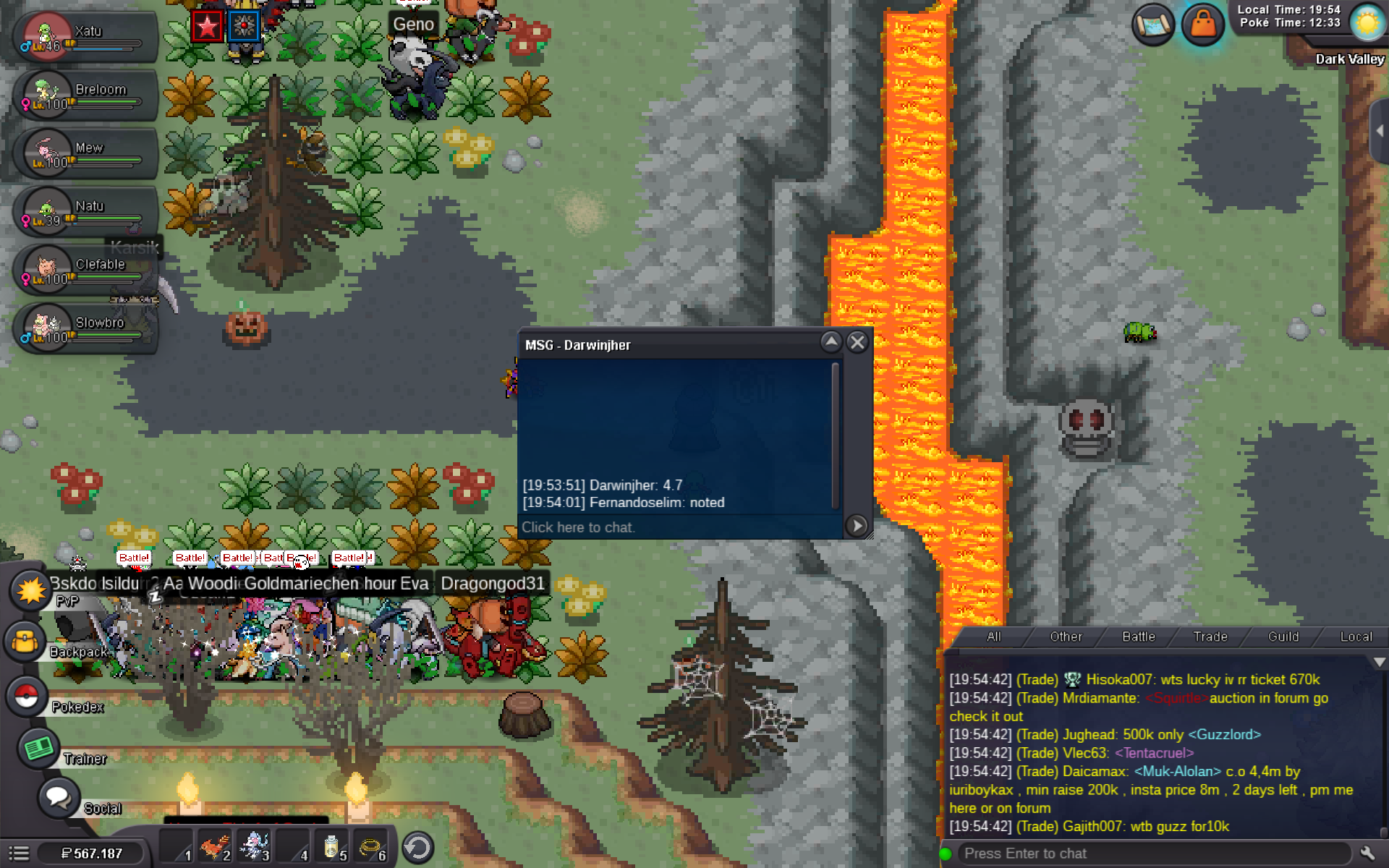
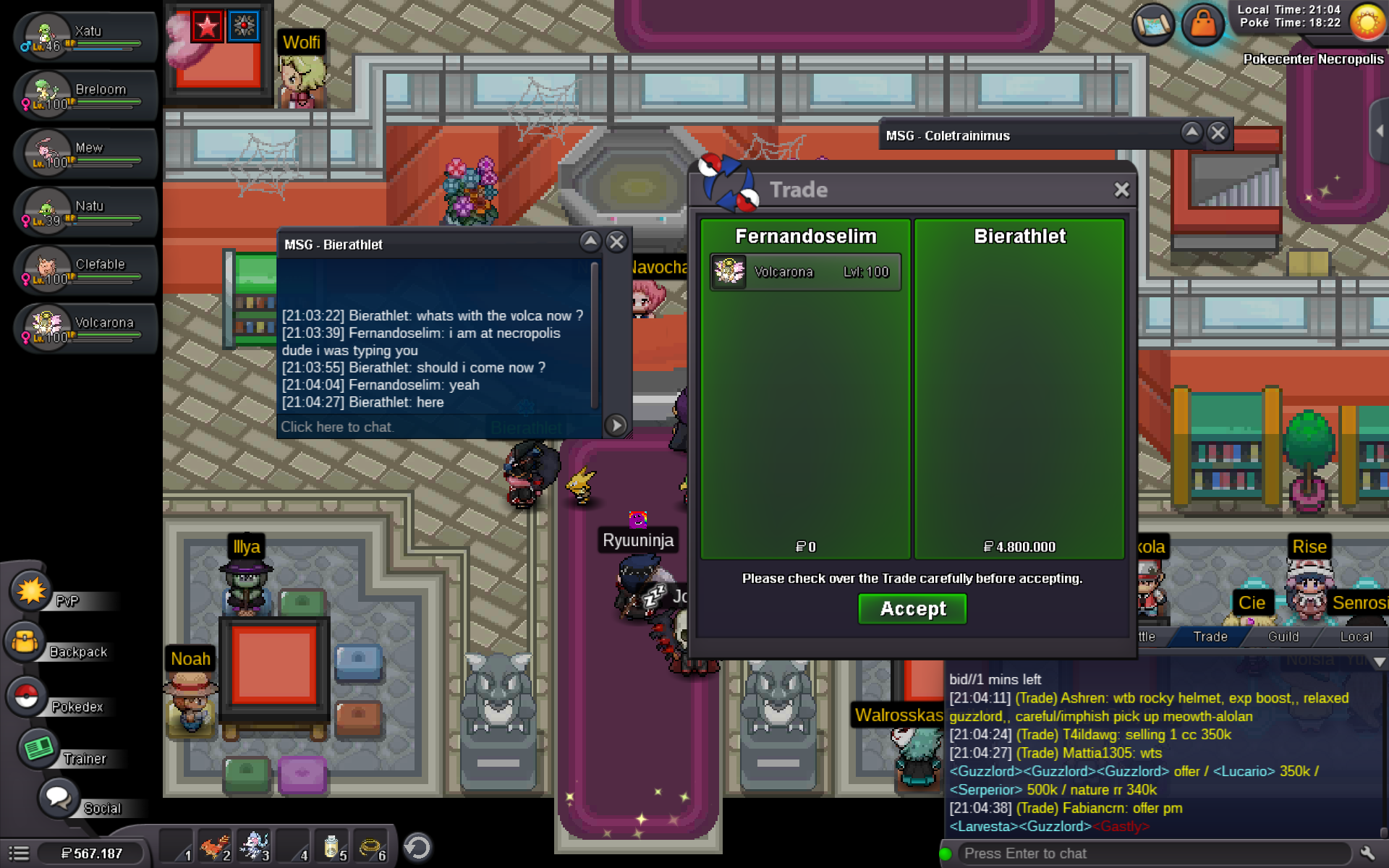 @Irushiasir bierathleth is winner of this auction bcz of 15 mins delay rule right? can you check please.Auction rules 15mins delay after each bid end of the auc time



Account
Navigation
Search
Configure browser push notifications
Chrome (Android)
- Tap the lock icon next to the address bar.
- Tap Permissions → Notifications.
- Adjust your preference.
Chrome (Desktop)
- Click the padlock icon in the address bar.
- Select Site settings.
- Find Notifications and adjust your preference.
Safari (iOS 16.4+)
- Ensure the site is installed via Add to Home Screen.
- Open Settings App → Notifications.
- Find your app name and adjust your preference.
Safari (macOS)
- Go to Safari → Preferences.
- Click the Websites tab.
- Select Notifications in the sidebar.
- Find this website and adjust your preference.
Edge (Android)
- Tap the lock icon next to the address bar.
- Tap Permissions.
- Find Notifications and adjust your preference.
Edge (Desktop)
- Click the padlock icon in the address bar.
- Click Permissions for this site.
- Find Notifications and adjust your preference.
Firefox (Android)
- Go to Settings → Site permissions.
- Tap Notifications.
- Find this site in the list and adjust your preference.
Firefox (Desktop)
- Open Firefox Settings.
- Search for Notifications.
- Find this site in the list and adjust your preference.