




New Trade Zone
Trade Zone is now live
Use the new Trade Zone for auctions and instant-price trades so Pokemon and item offers are easy to find.

Lacomus
Registered User
-
Joined
-
Last visited
Everything posted by Lacomus
-
Enjoy @Inahee007
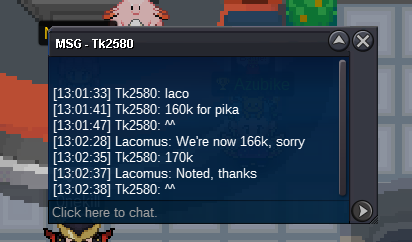
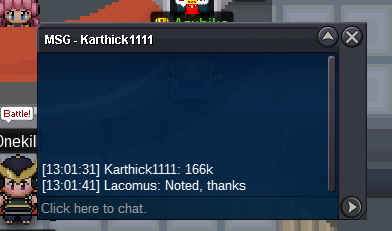
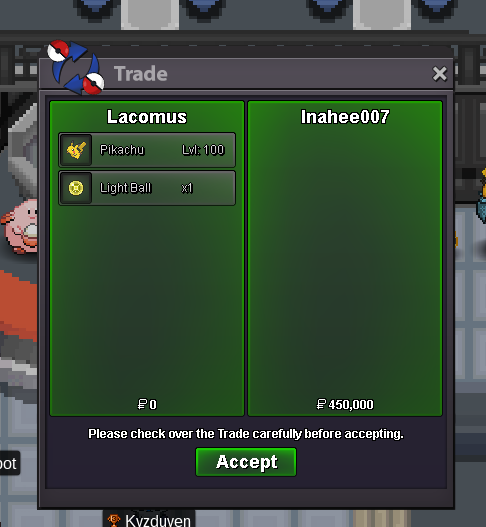 @Inahee007 You win, congrats. I can trade with you in Vermillion? If its a convenient place. Let me know@Kaanalim leads at 200kAuction Details: Start Price: 1 End Point: 1 hour (after start price is met) Insta Price: 1m Minimum Raise: 1 Accepted Payments: Pokedollars, Coin Capsules (x1 Coin Capsule = 400k), IV Reroll Tickets (x1 IV Reroll Ticket = 500k) Important Reminders: This is a Gold Server auction. If bidding from an alternative server, state that you will transfer upon winning. If you intend to purchase with an alt account, specify the account alongside your bid. If a bid is received in the final 15 minutes of the auction, the end point will be delayed by 15 minutes from that bid, and will be delayed by 15 minutes for each new bid thereafter, until the current offer has been held for a full 15 minutes. Happy Bidding!
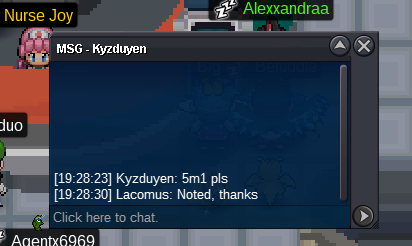
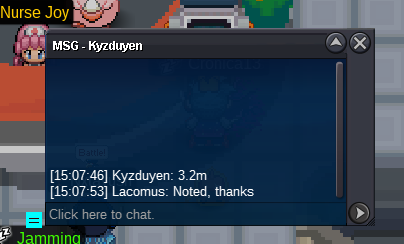
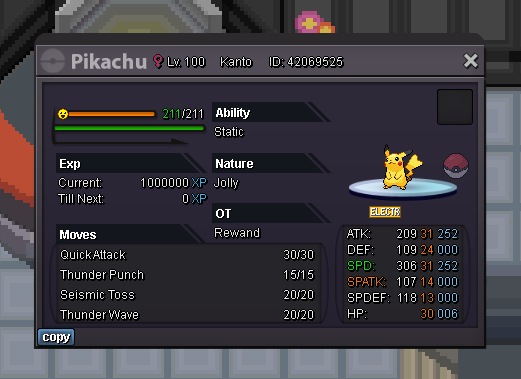 Congrats @JustbillionareBump (auction ends in approx 10 minutes)Auction Details: Start Price: 3m End Point: 48 hours (after start price is met) Insta Price: 10m Minimum Raise: 100k Accepted Payments: Pokedollars, Coin Capsules (x1 Coin Capsule = 400k), IV Reroll Tickets (x1 IV Reroll Ticket = 500k) Important Reminders: This is a Cross Server auction. You may bid from any server, and I will transfer to your preferred server upon winning. If you intend to purchase with an alt account, specify the account alongside your bid. If a bid is received in the final 15 minutes of the auction, the end point will be delayed by 15 minutes from that bid, and will be delayed by 15 minutes for each new bid thereafter, until the current offer has been held for a full 15 minutes. Happy Bidding!
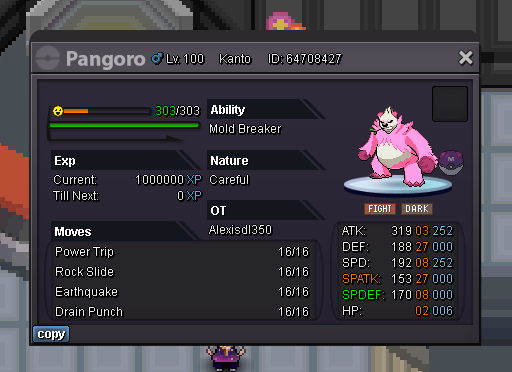 Enjoy @Cronica13
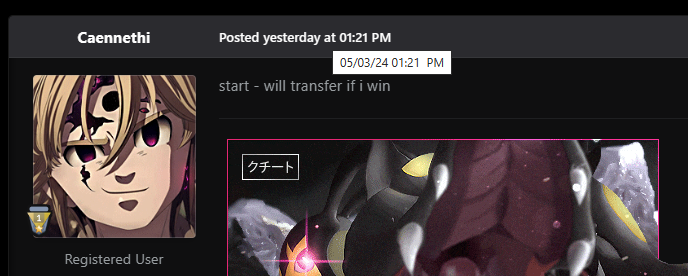
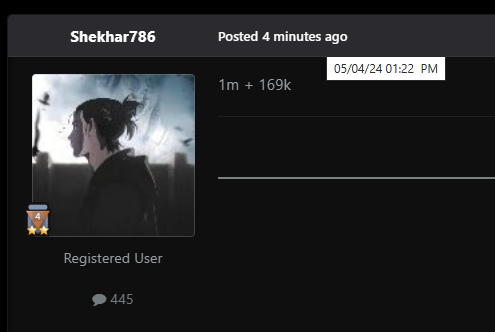
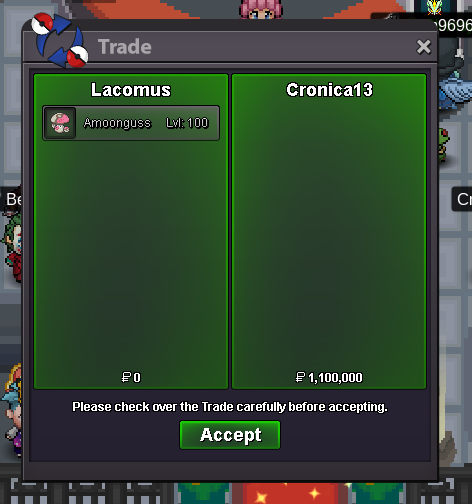 @Shekhar786 I'm sorry, but too late on this one Auction start by @Caennethi at 05/03/24 01:21PM (GMT+1). Auction would be set to end 05/04/24 01:21PM (GMT+1), being a full 24 hours Your bid has come in at 05/04/24 01:22PM (GMT+1). Hence, you'd be a minute over, and not within time. The rightful winner on this occasion is @Cronica13 at his bid of 1.1m
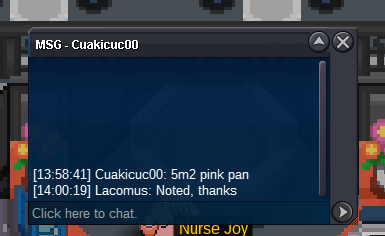
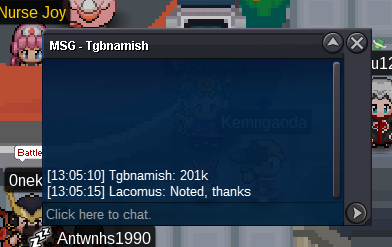
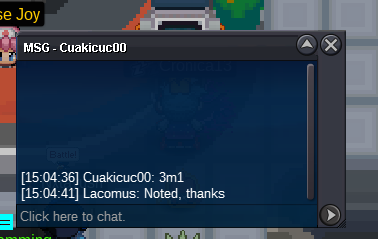
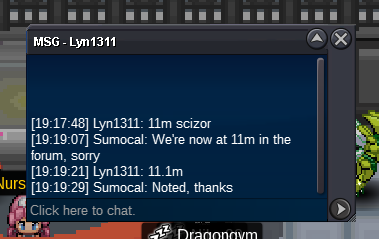
 BumpBelow is a previous auction of mine, as an example. I bump my thread once every 24 hours. Hope this clarifies what bumping is / how to do it https://pokemonrevolution.net/forum/topic/236748-ada-shiny-scizor-auction-closed/There is no bump button. Players typically just write “bump” once every 24 hours as a post, to indicate that they are indeed bumping300kStart 100k Alt account: Sumocal (Silver)Enjoy @Dafcon
 @Dafcon Can you confirm your server please?Congrats @Dafcon

Account
Navigation
Search
Configure browser push notifications
Chrome (Android)
- Tap the lock icon next to the address bar.
- Tap Permissions → Notifications.
- Adjust your preference.
Chrome (Desktop)
- Click the padlock icon in the address bar.
- Select Site settings.
- Find Notifications and adjust your preference.
Safari (iOS 16.4+)
- Ensure the site is installed via Add to Home Screen.
- Open Settings App → Notifications.
- Find your app name and adjust your preference.
Safari (macOS)
- Go to Safari → Preferences.
- Click the Websites tab.
- Select Notifications in the sidebar.
- Find this website and adjust your preference.
Edge (Android)
- Tap the lock icon next to the address bar.
- Tap Permissions.
- Find Notifications and adjust your preference.
Edge (Desktop)
- Click the padlock icon in the address bar.
- Click Permissions for this site.
- Find Notifications and adjust your preference.
Firefox (Android)
- Go to Settings → Site permissions.
- Tap Notifications.
- Find this site in the list and adjust your preference.
Firefox (Desktop)
- Open Firefox Settings.
- Search for Notifications.
- Find this site in the list and adjust your preference.