




New Trade Zone
Trade Zone is now live
Use the new Trade Zone for auctions and instant-price trades so Pokemon and item offers are easy to find.


Lacomus
Registered User
-
Joined
-
Last visited
Everything posted by Lacomus
-
Bump
-
Bump
-
Start 200k
-
Update – 27th August 2025: I’ve had a number of messages asking about hosting the tournament on Pokémon Showdown. If the majority of players are in favor, we may merge the prize pools into one and run the event there — using PRO rules. Since many players are already comfortable with Showdown and enjoy battling on it, this could make the tournament more accessible and exciting, especially with a larger combined prize pool.
-
Bump
-
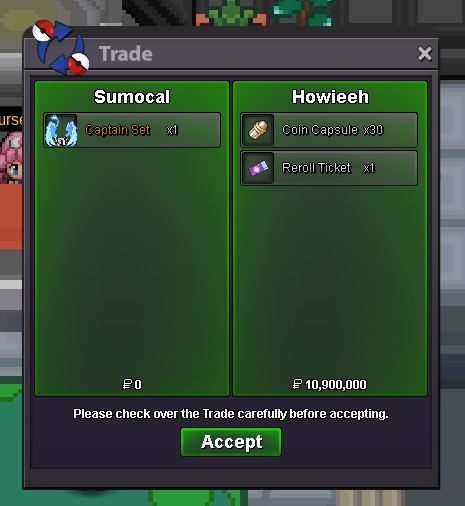
@Achyuki Sure, that's fine. On my way.The auction is now closed. @Achyuki has won.Alt account: Sumocal (Silver Server) PvP Chests: Battle, Win, and Earn Exclusive Rewards! - Announcements - Pokemon Revolution Online Auction Details: Start Price: 10m End Point: 48 hours (after start price is met) Insta Price: N/A Minimum Raise: 200k Accepted Payments: Pokedollars, Coin Capsules (x1 Coin Capsule = 500k), IV Reroll Tickets (x1 IV Reroll Ticket = 700k) Important Reminders: This is a Silver Server auction. If bidding from an alternative server, state that you will transfer upon winning. If you intend to purchase with an alt account, specify the account alongside your bid. If a bid is received in the final 15 minutes of the auction, the end point will be delayed by 15 minutes from that bid, and will be delayed by 15 minutes for each new bid thereafter, until the current offer has been held for a full 15 minutes. Happy Bidding!
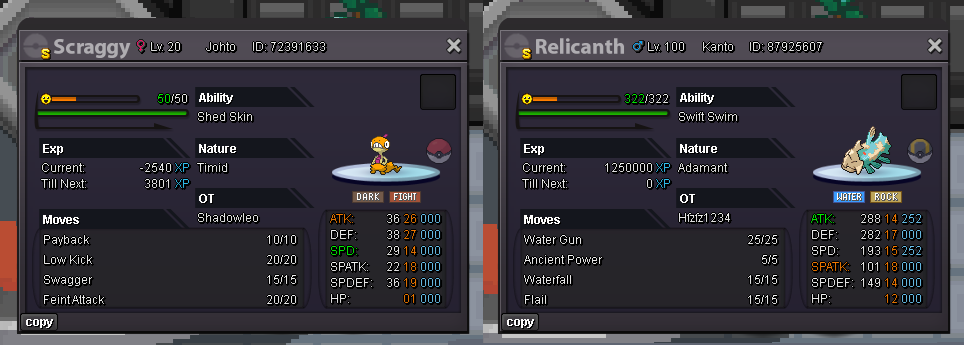
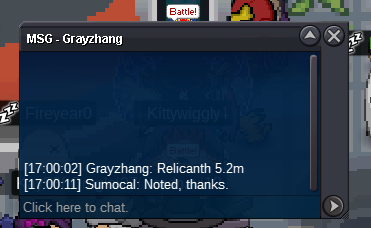
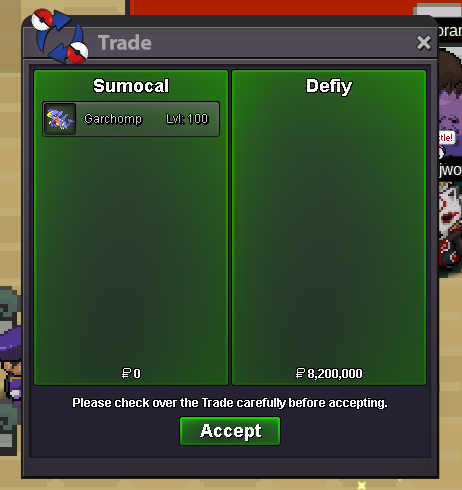
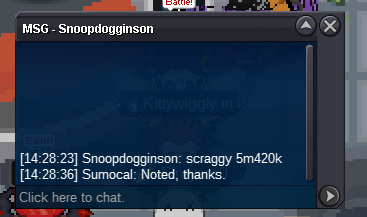
 Alt account: Sumocal (Silver Server) Auction Details: Start Price: Scraggy 5m, Relicanth 5m End Point: 48 hours (after start price is met) Insta Price: N/A Minimum Raise: Scraggy 200k, Relicanth 200k Accepted Payments: Pokedollars, Coin Capsules (x1 Coin Capsule = 500k), IV Reroll Tickets (x1 IV Reroll Ticket = 700k) Important Reminders: This is a Cross Server auction. You may bid from any server, and I will transfer to your preferred server upon winning. If you intend to purchase with an alt account, specify the account alongside your bid. If a bid is received in the final 15 minutes of the auction, the end point will be delayed by 15 minutes from that bid, and will be delayed by 15 minutes for each new bid thereafter, until the current offer has been held for a full 15 minutes. Happy Bidding!
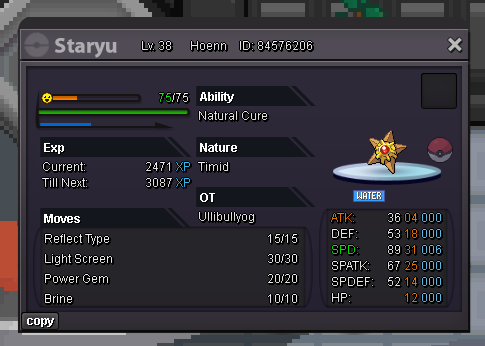
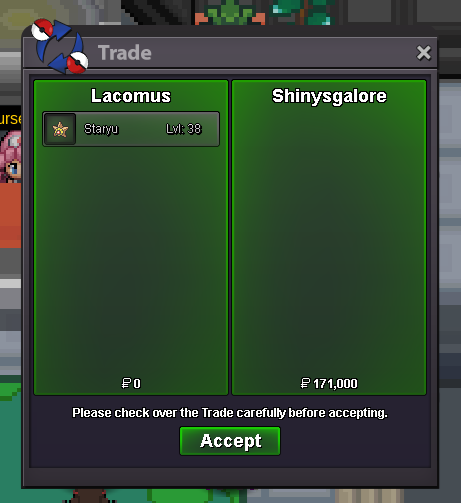
 The auction is now closed. @Shinysgalore has won.@Cydecks Auction goes on (15 minute rule). Have posted the rule below. If a bid is received in the final 15 minutes of the auction, the end point will be delayed by 15 minutes from that bid, and will be delayed by 15 minutes for each new bid thereafter, until the current offer has been held for a full 15 minutes.Auction Details: Start Price: 1k End Point: 30 minutes (after start price is met) Insta Price: N/A Minimum Raise: 1k Accepted Payments: Pokedollars, Coin Capsules (x1 Coin Capsule = 500k), IV Reroll Tickets (x1 IV Reroll Ticket = 700k) Important Reminders: This is a Gold Server auction. If bidding from an alternative server, state that you will transfer upon winning. If you intend to purchase with an alt account, specify the account alongside your bid. If a bid is received in the final 15 minutes of the auction, the end point will be delayed by 15 minutes from that bid, and will be delayed by 15 minutes for each new bid thereafter, until the current offer has been held for a full 15 minutes. Happy Bidding!
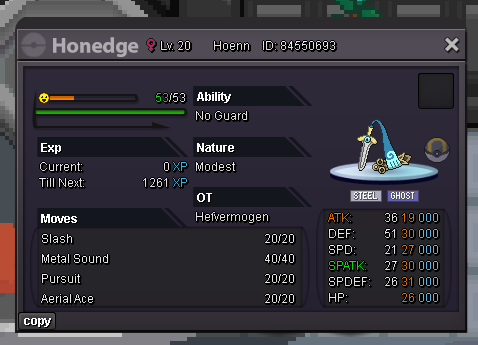
 BumpAuction Details: Start Price: 2m End Point: 48 hours (after start price is met) Insta Price: N/A Minimum Raise: 100k Accepted Payments: Pokedollars, Coin Capsules (x1 Coin Capsule = 500k), IV Reroll Tickets (x1 IV Reroll Ticket = 700k) Important Reminders: This is a Cross Server auction. You may bid from any server, and I will transfer to your preferred server upon winning. If you intend to purchase with an alt account, specify the account alongside your bid. If a bid is received in the final 15 minutes of the auction, the end point will be delayed by 15 minutes from that bid, and will be delayed by 15 minutes for each new bid thereafter, until the current offer has been held for a full 15 minutes. Happy Bidding!
 Start 500k. Will transfer if I win.@Ykhtsu@Subhammaster@Rhulk@Vexdark I’ve just updated the post - feel free to give it a read. If you could edit your post to match the new registration format, I’d really appreciate it. Thanks guys.I’m organizing a 1M Pokédollar Buy-In PvP Tournament. The tournament will launch with a minimum of 10 participants, and the prize pool will be distributed among the Top 5 finishers. Tournament Information 1. Format The Tournament will consist of a double-elimination bracket. The bracket will be randomly seeded. Registration will begin now (26th August 2025), and end on 30th August, 2025, 23:59 UTC (+1). All matches prior to the Finals on both brackets will be best of 3. Winner's Bracket Finals, Loser's Bracket Finals, and Grand Finals will be best of 5. Loser Bracket winner has to win 2x Bo5 against the winner bracket winner in order to win the tournament. 2. In Battle All Ranked PvP Rules apply. Ranked PvP Rules. - PRO Rules - Pokemon Revolution Online Battle MUST be started using the command /battle Username.true - This command enables the PVP rules blocks, like normal ranked. In the event that any Ranked PvP Rules are changed while the tournament is in progress, the change takes effect immediately in this tournament as well. Should any moves, abilities, Pokemon, or items be coded between the start of the tournament and its end, those moves, abilities, Pokemon, or items may not be used. Should any Ranked PvP Rule be broken, the offending player will forfeit the game. Should either player disconnect, the other player may either claim a game victory or allow a rematch at their discretion. Should the server crash during the game, a rematch is to be played with the same teams, unless a player demonstrates that they were in a position where they could not reasonably lose the game. Registration 1. How to Register Fill out the following format and make a post in this thread. Username: Server: Country/Timezone: Example: Username: Lacomus Server: Gold Country/Timezone: UK / UTC+1 Note: A dedicated tournament Discord will be created once we reach 10+ participants on a server. The invite link will be sent directly to your forum DM. Prize Pool & Payouts Below are a few sample payout models for a 10-player event (total pool = 10M). The final payout structure will be chosen by majority vote before the tournament begins. Winner-Heavy (high risk, high reward) 1st: 5M (50%) 2nd: 2.5M (25%) 3rd: 1.25M (12.5%) 4th: 0.75M (7.5%) 5th: 0.5M (5%) Balanced (fair spread, still rewarding the winner) 1st: 4M (40%) 2nd: 2.5M (25%) 3rd: 1.5M (15%) 4th: 1.2M (12%) 5th: 0.8M (8%) Flat (more even for finalists) 1st: 3M (30%) 2nd: 2.5M (25%) 3rd: 2M (20%) 4th: 1.5M (15%) 5th: 1M (10%) Registration closes on 30th August, 23:59 UTC+1 — secure your spot today. Update – 27th August 2025: I’ve had a number of messages asking about hosting the tournament on Pokémon Showdown. If the majority of players are in favor, we may merge the prize pools into one and run the event there — using PRO rules. Since many players are already comfortable with Showdown and enjoy battling on it, this could make the tournament more accessible and exciting, especially with a larger combined prize pool.
 Bump
Bump


Account
Navigation
Search
Configure browser push notifications
Chrome (Android)
- Tap the lock icon next to the address bar.
- Tap Permissions → Notifications.
- Adjust your preference.
Chrome (Desktop)
- Click the padlock icon in the address bar.
- Select Site settings.
- Find Notifications and adjust your preference.
Safari (iOS 16.4+)
- Ensure the site is installed via Add to Home Screen.
- Open Settings App → Notifications.
- Find your app name and adjust your preference.
Safari (macOS)
- Go to Safari → Preferences.
- Click the Websites tab.
- Select Notifications in the sidebar.
- Find this website and adjust your preference.
Edge (Android)
- Tap the lock icon next to the address bar.
- Tap Permissions.
- Find Notifications and adjust your preference.
Edge (Desktop)
- Click the padlock icon in the address bar.
- Click Permissions for this site.
- Find Notifications and adjust your preference.
Firefox (Android)
- Go to Settings → Site permissions.
- Tap Notifications.
- Find this site in the list and adjust your preference.
Firefox (Desktop)
- Open Firefox Settings.
- Search for Notifications.
- Find this site in the list and adjust your preference.