




New Trade Zone
Trade Zone is now live
Use the new Trade Zone for auctions and instant-price trades so Pokemon and item offers are easy to find.


Nxtaryan
Registered User
-
Joined
-
Last visited
Everything posted by Nxtaryan
-
bro litreally did my bulba in 2hours super fastttt highly recommended
.png.0f165c590805871da470e8b5d23879d7.png)
-
@Pvpking1 https://discord.gg/pokemonrevolution
-
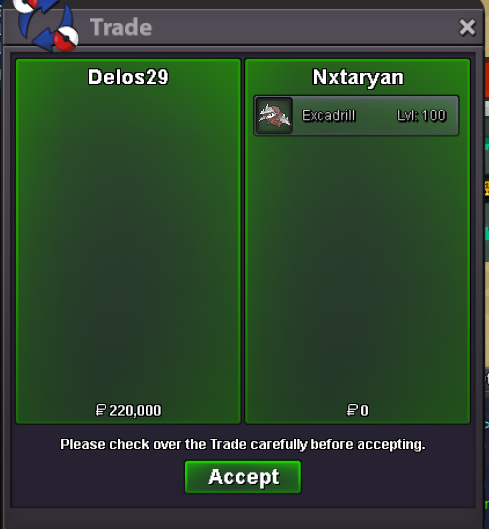
winner is @Dleslie1996 120k once you come online msg me my DC id :- aryan_3109
-
i have misorder the ss coz of my dms now i want to clear c.o is 120k by @Dleslie1996
-
@Aurousplease check the c.os.o - 1k min raise 1 pokedollor time - 1 hr ( after the 1 bid ) 15 min wil extend if a offer comes in the last 15min HAPPY BIDDING
.png.caeecc9c877754d813d40759cee7a049.png) ups.o-50k min raise- 10k instant 500k time - 2hours after first bid ign-nxtaryan
ups.o-50k min raise- 10k instant 500k time - 2hours after first bid ign-nxtaryan.png.dc3fd0ff62637e214ad0be57d4ccef78.png) The dude gone off so , and not in my friendlist so , the guy @Haiiinyfewill be the highest bidder?the guys don't know how to use forums and its difficut because of launguage barrier to tell him 💀sold to diego11 instant price 500k
The dude gone off so , and not in my friendlist so , the guy @Haiiinyfewill be the highest bidder?the guys don't know how to use forums and its difficut because of launguage barrier to tell him 💀sold to diego11 instant price 500kAccount
Navigation
Search
Configure browser push notifications
Chrome (Android)
- Tap the lock icon next to the address bar.
- Tap Permissions → Notifications.
- Adjust your preference.
Chrome (Desktop)
- Click the padlock icon in the address bar.
- Select Site settings.
- Find Notifications and adjust your preference.
Safari (iOS 16.4+)
- Ensure the site is installed via Add to Home Screen.
- Open Settings App → Notifications.
- Find your app name and adjust your preference.
Safari (macOS)
- Go to Safari → Preferences.
- Click the Websites tab.
- Select Notifications in the sidebar.
- Find this website and adjust your preference.
Edge (Android)
- Tap the lock icon next to the address bar.
- Tap Permissions.
- Find Notifications and adjust your preference.
Edge (Desktop)
- Click the padlock icon in the address bar.
- Click Permissions for this site.
- Find Notifications and adjust your preference.
Firefox (Android)
- Go to Settings → Site permissions.
- Tap Notifications.
- Find this site in the list and adjust your preference.
Firefox (Desktop)
- Open Firefox Settings.
- Search for Notifications.
- Find this site in the list and adjust your preference.

.png.814860fbac3dd770c3bc89270a56da68.png)
.png.13ce6a273a39363e0cd2c6b8afa311e4.png)
.png.bf6c88b13f6ccae28d3a6af689474934.png)
.png.c00309eedd31ca4d226ea3cf4b3ba8e2.png)
.png.d41762f4c3d02b420bec80a1d0a6caaf.png)
.png.e84a294ba2d795c93e7f5f46ce903f16.png)
.png.387a6ca63bf6952faa33ed0c3d3810dd.png)
.png.91792d142a7e3abe4b8c32c81ba5b39e.png)
.png.c031975659244b15af44ab9cdbbfd59f.png)
.png.4ec508b924f140374884a4f8b04e0b99.png)
.png.47f8a029e4f2ec3c16e335bfd66b48aa.png)
.png.4aca472b9935defddbf066a75c160279.png)
.png.ad2966b9f6546daeec0f7cd2b8018194.png)