New Trade Zone
Trade Zone is now live
Use the new Trade Zone for auctions and instant-price trades so Pokemon and item offers are easy to find.
Viscabarcaa
Registered User
-
Joined
-
Last visited
Everything posted by Viscabarcaa
-
bump
-
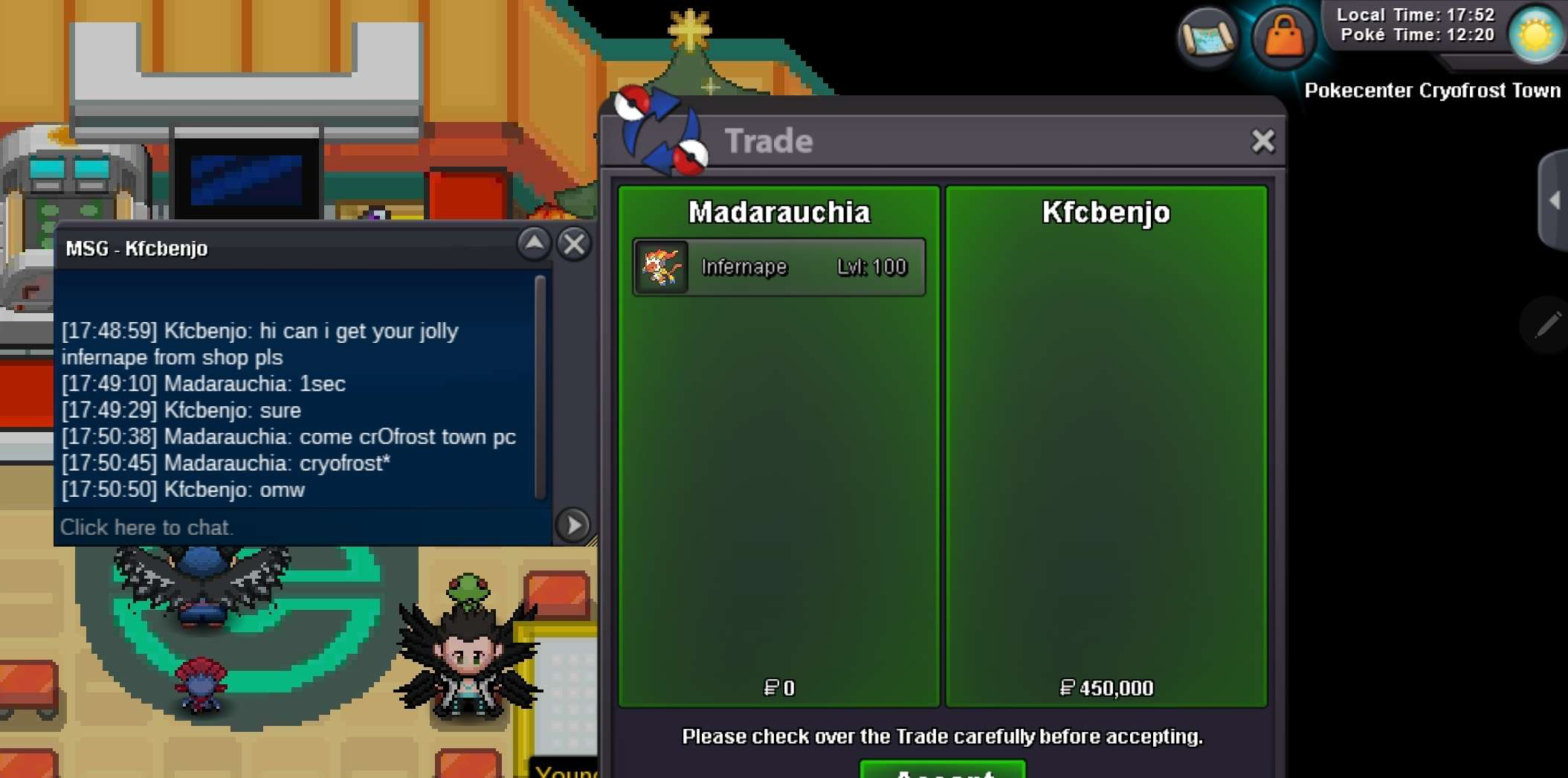
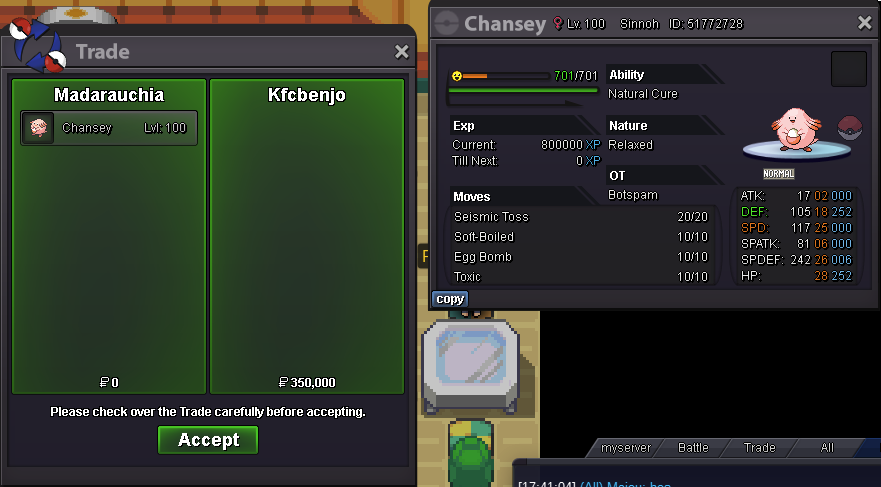
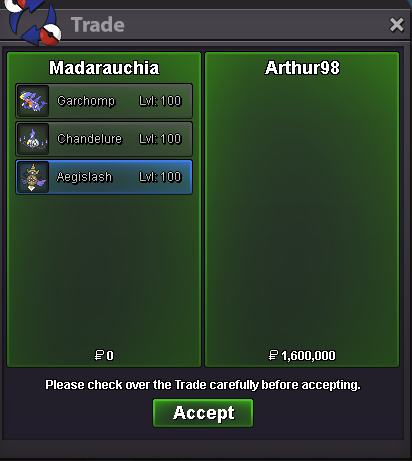
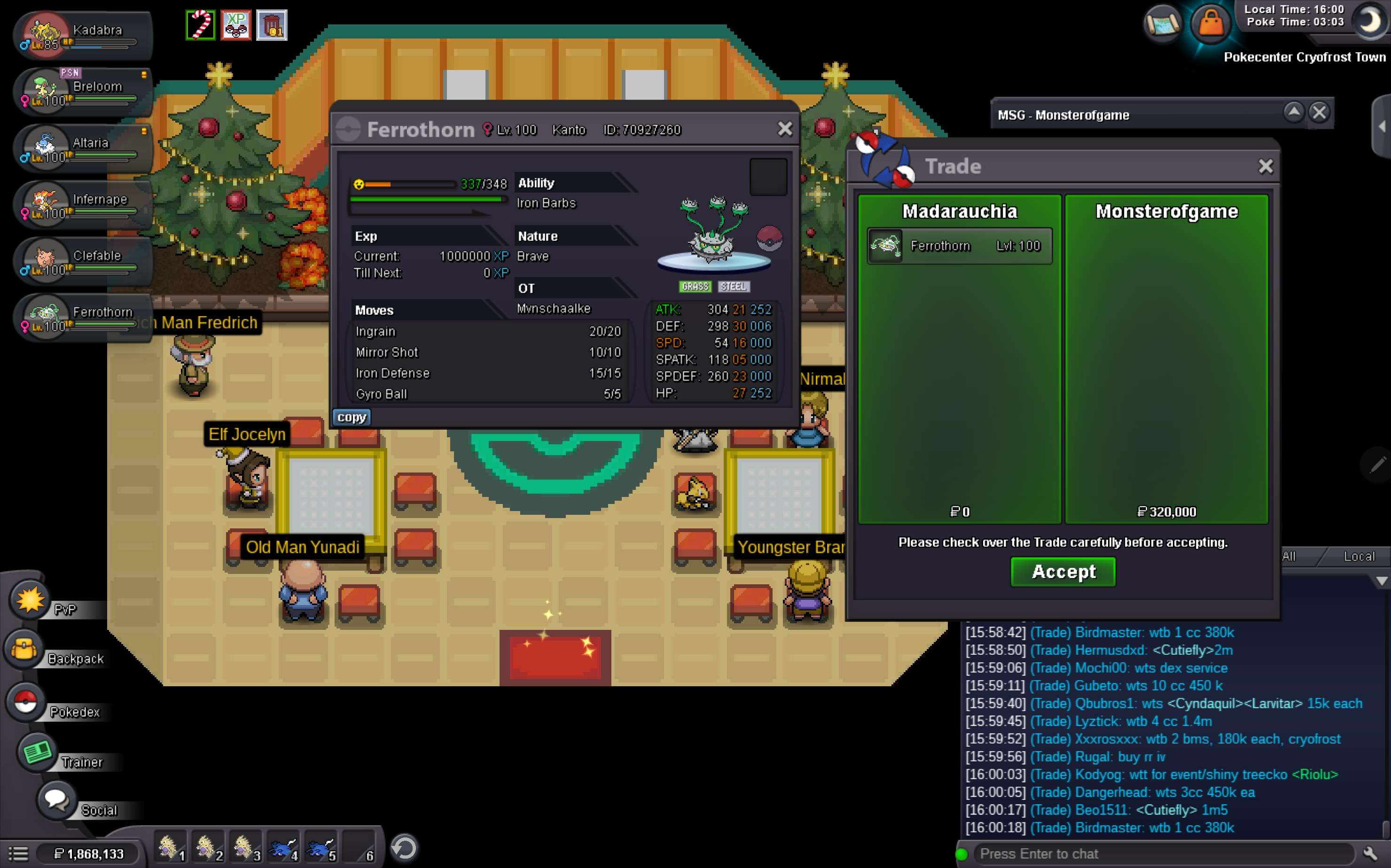
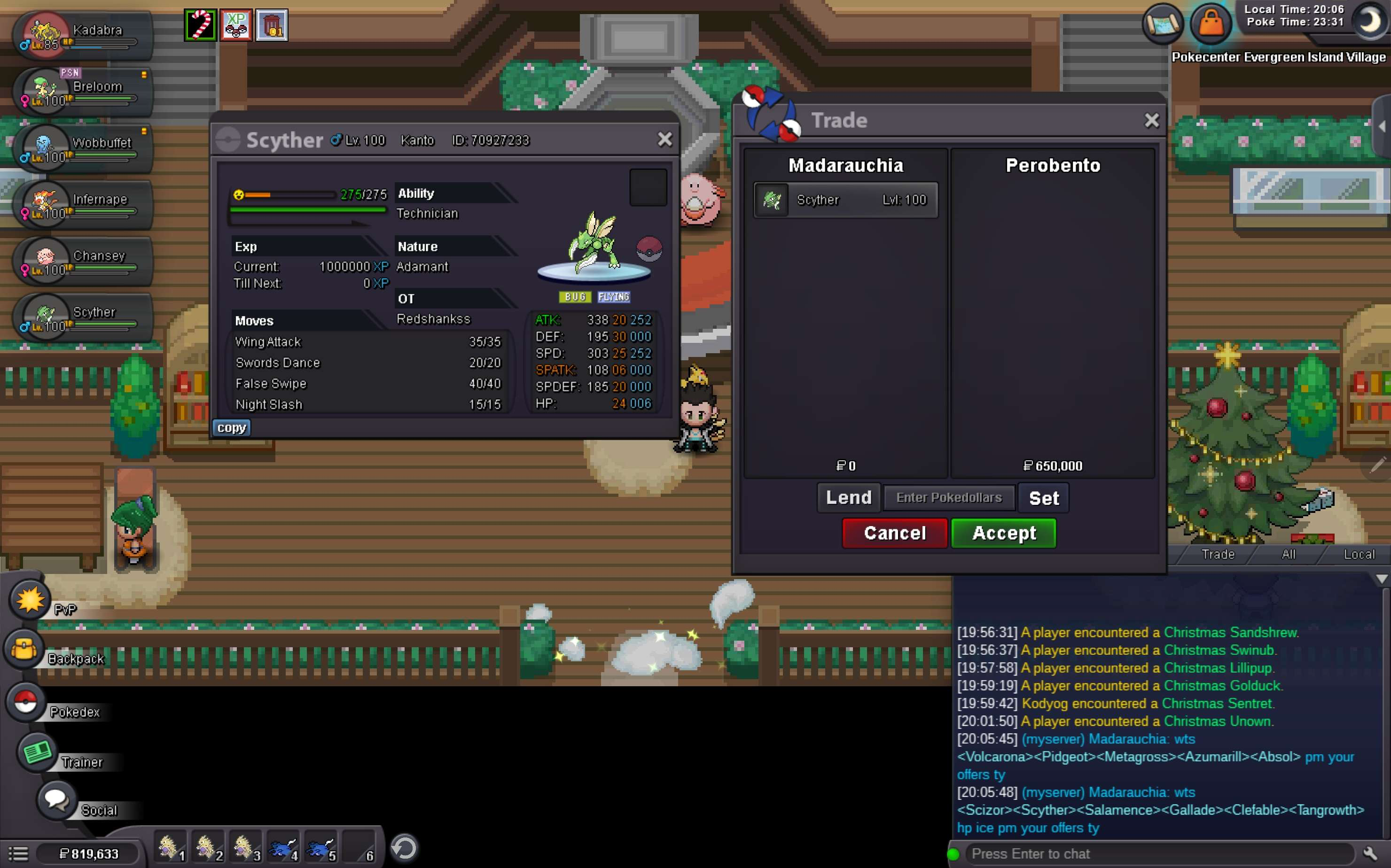
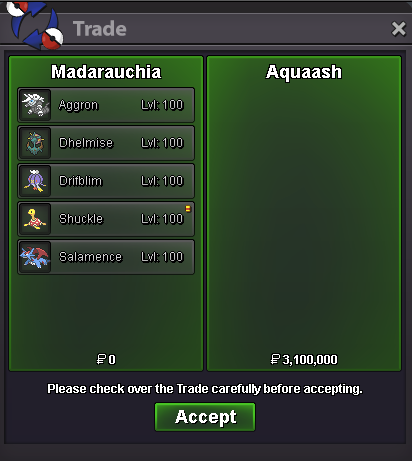
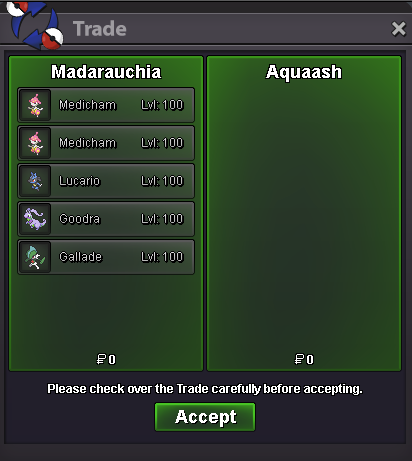
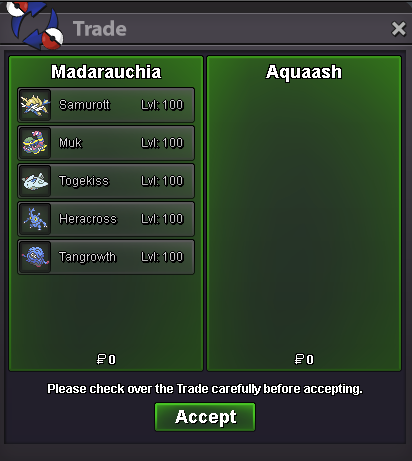
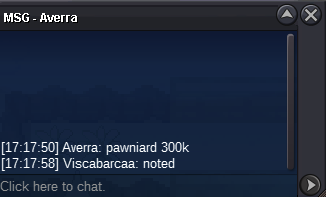
added Prices+1 same thing at my Account, I bought both Chromas for each 500k6m@HayoungieNew shop here: https://pokemonrevolution.net/forum/topic/230631-viscabarcaa-pokeshop-coming-soon/ Prices coming soon1) Fake offers will be reported 2) Prices are negotiable, if u buy more pokes ( ill do the new price, if u buy more pokes !) 3) You can't take back your offer 4) PM me on Discord with Picture of the Pokemon you want from this Shop Payment Methods: Pokedollars CC = 500K Nature Reroll = 350K IV Reroll Ticket = 700K Contact: INGAME: Viscabarcaa Madarauchia Discord: alexi1999 redshankss97 Untrained Spoiler Trained Spoiler
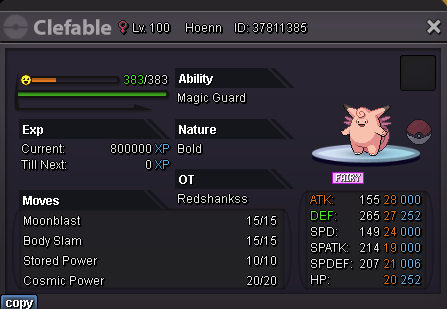

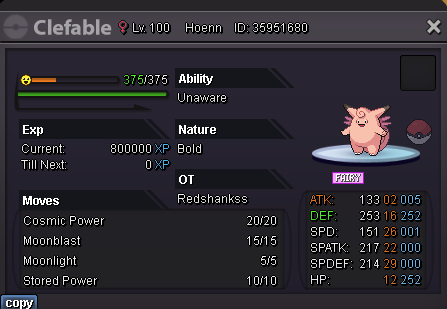


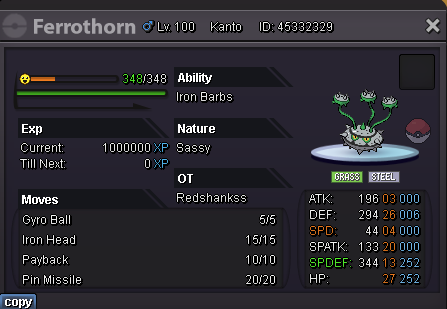


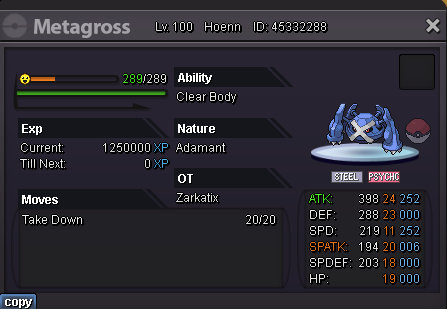

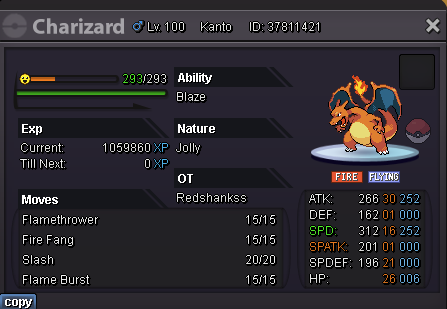
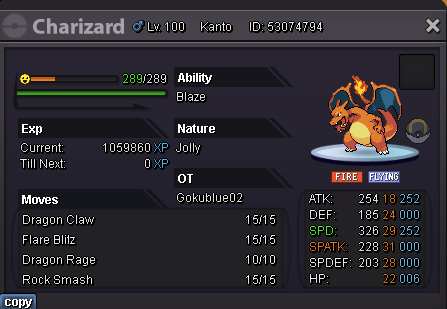
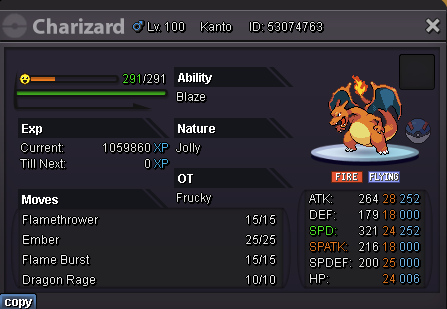
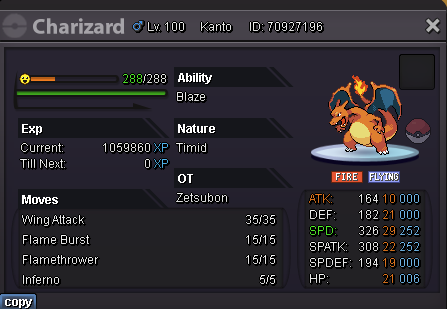
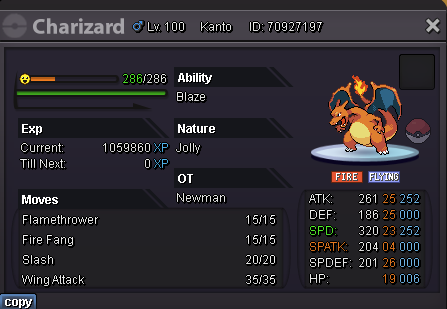

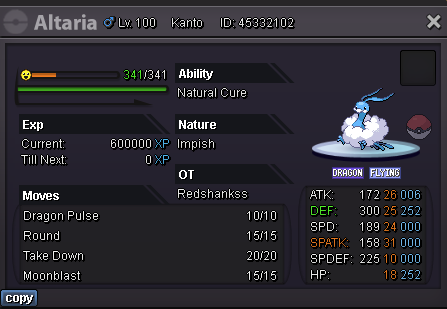


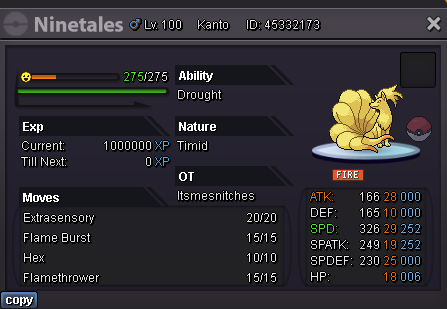


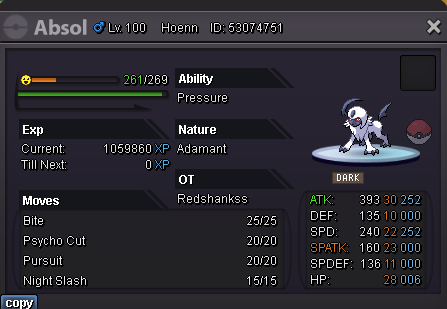


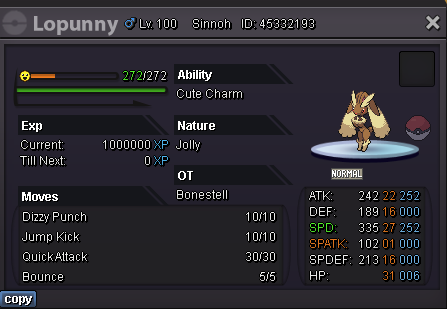


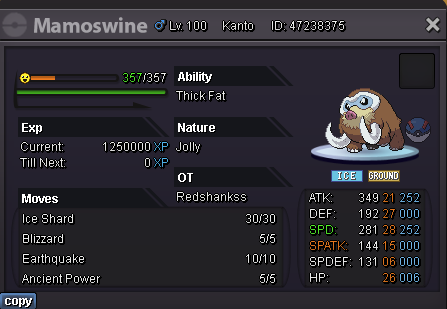

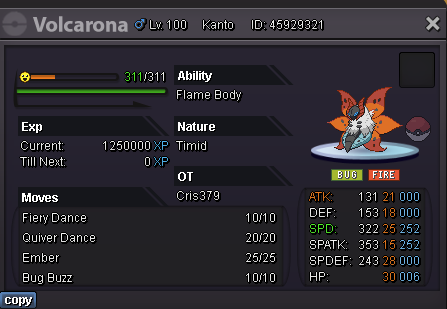
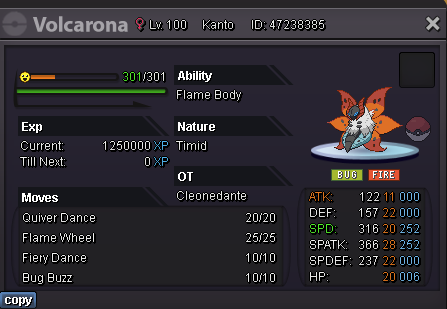

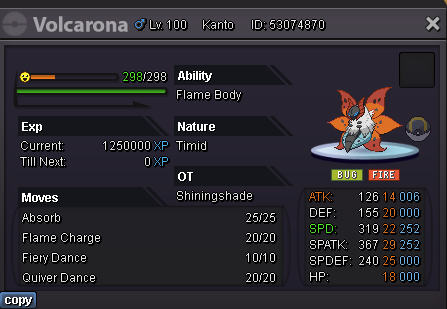
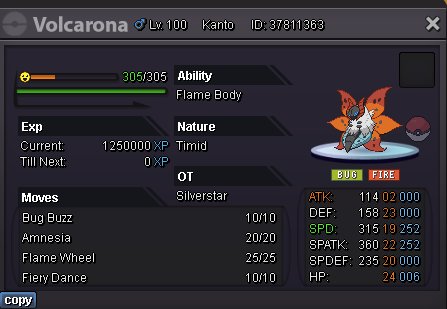
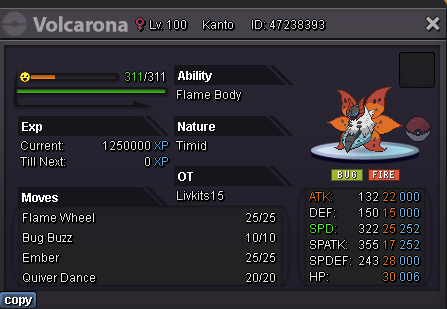


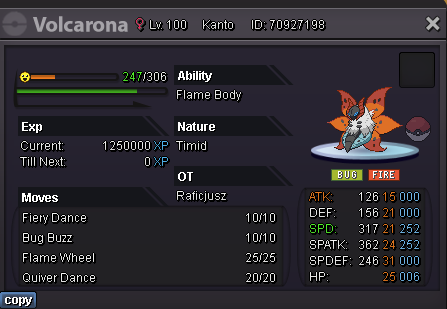


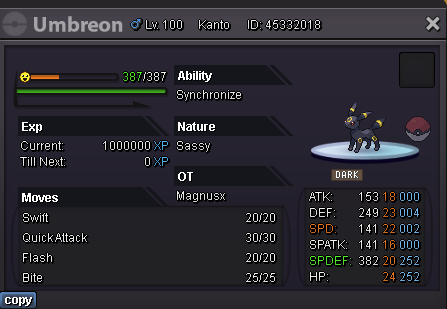


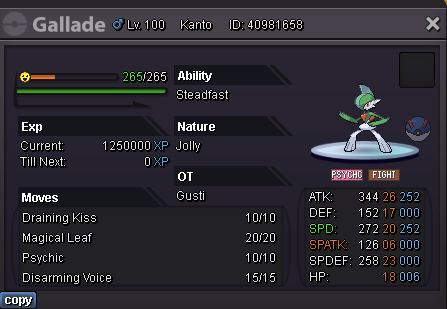


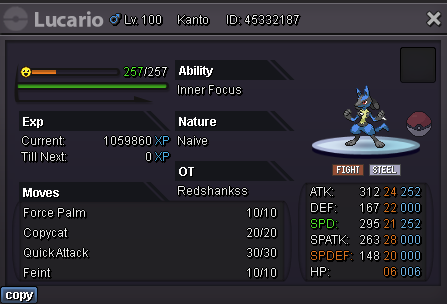


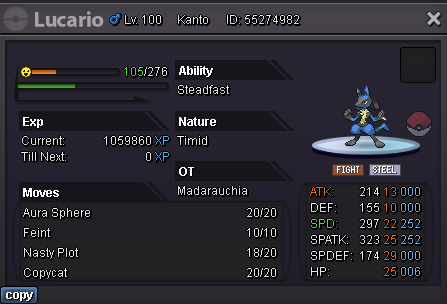
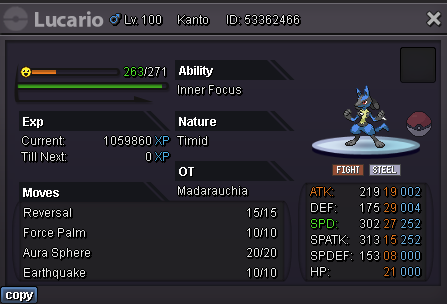


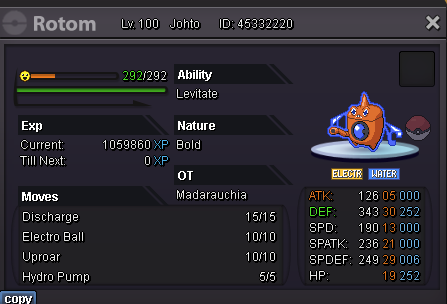

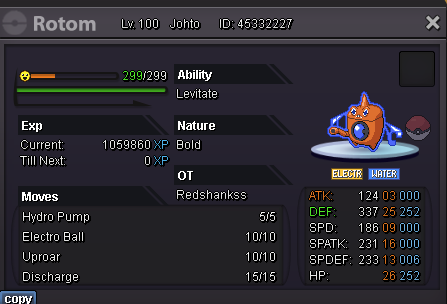


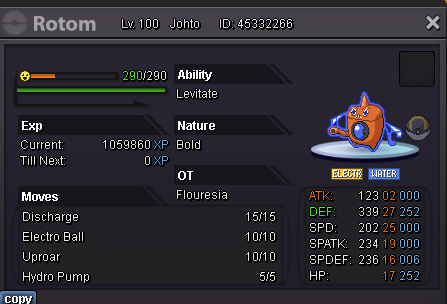


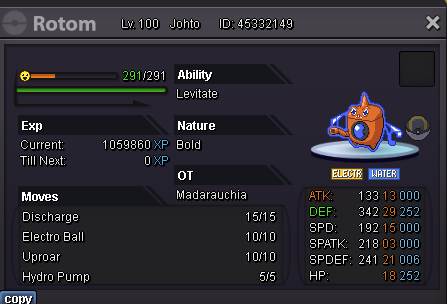

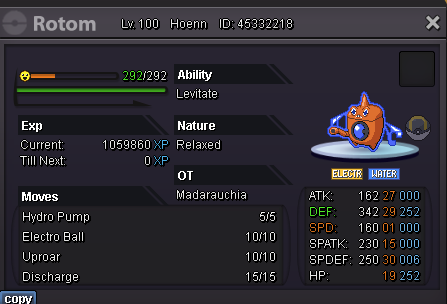
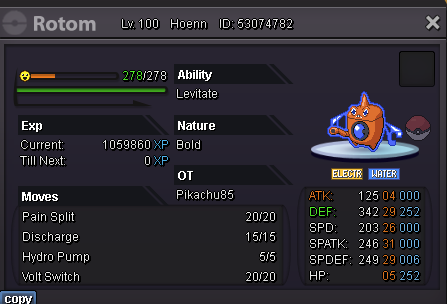

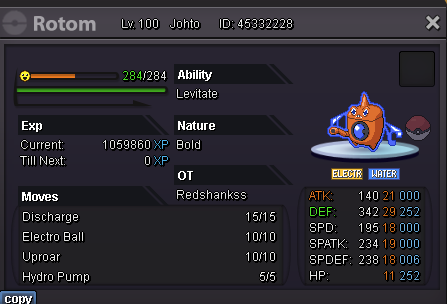

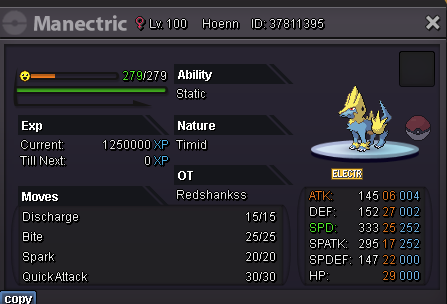


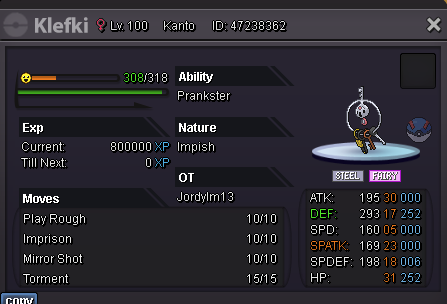

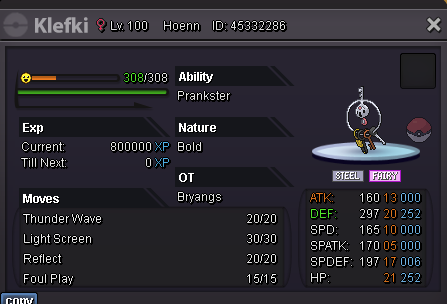
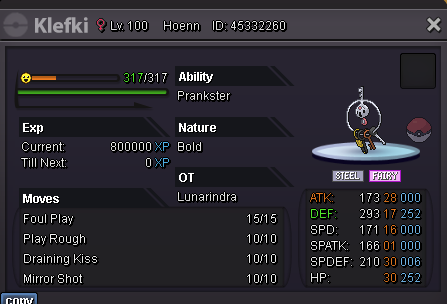


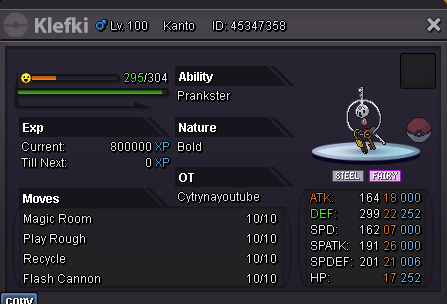
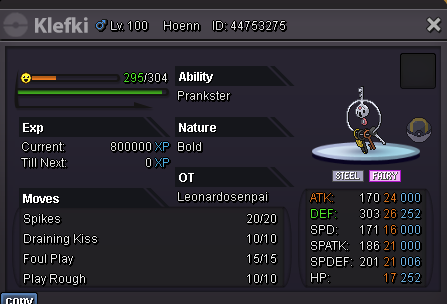
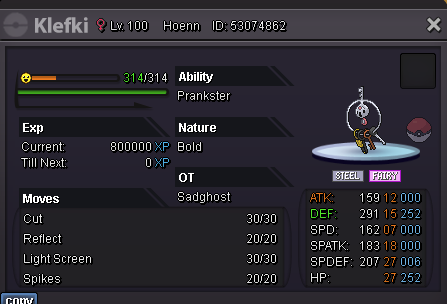


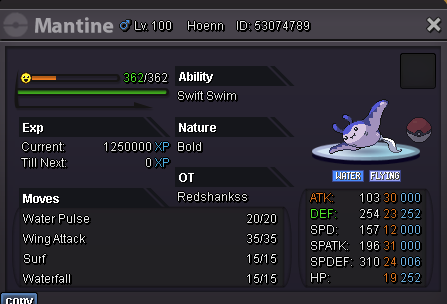


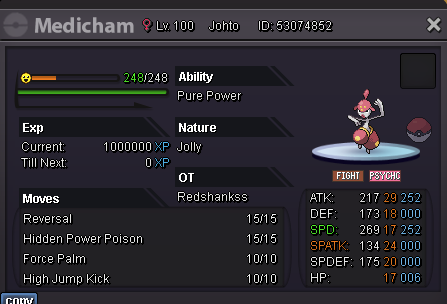
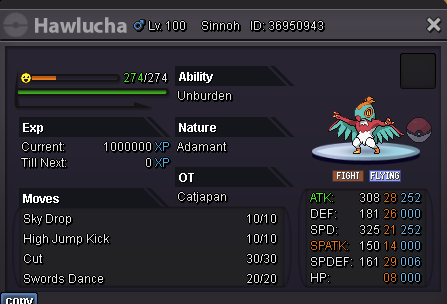


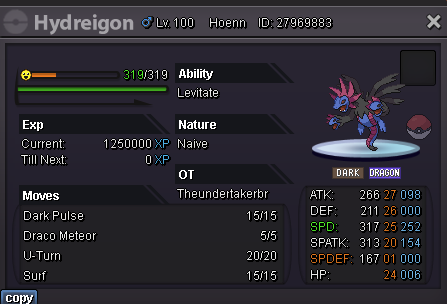


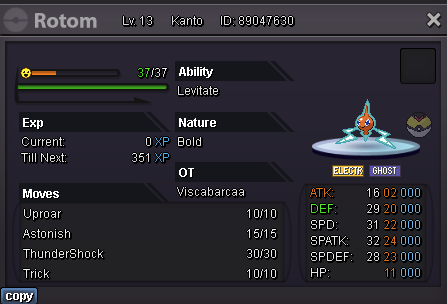
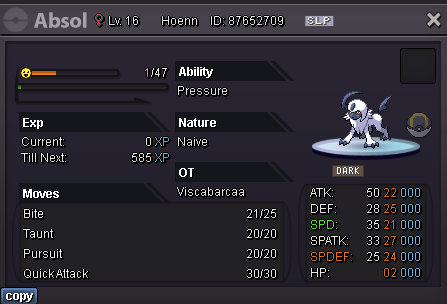


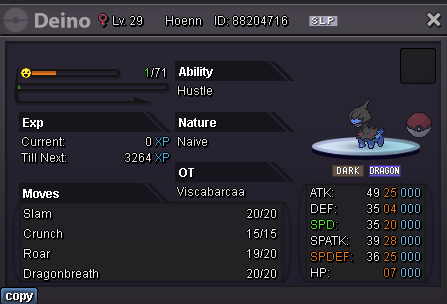


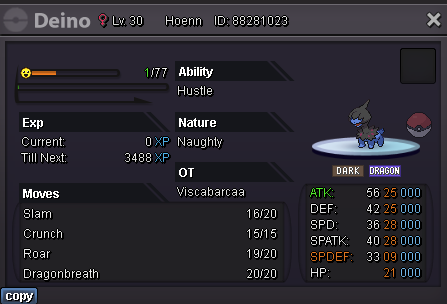


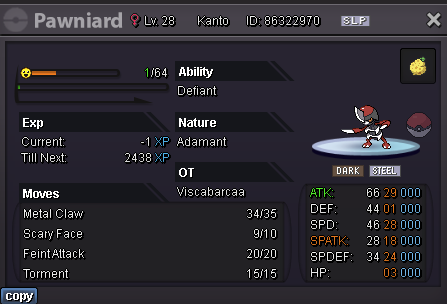
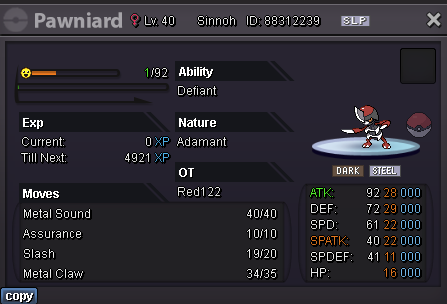


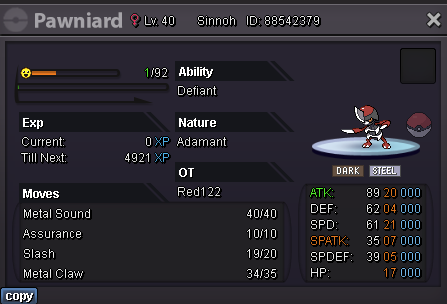

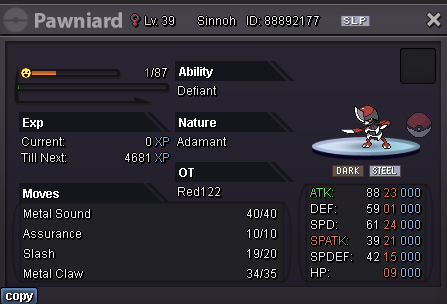


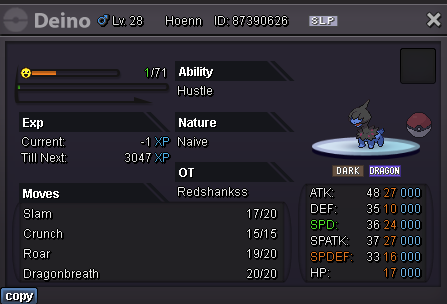
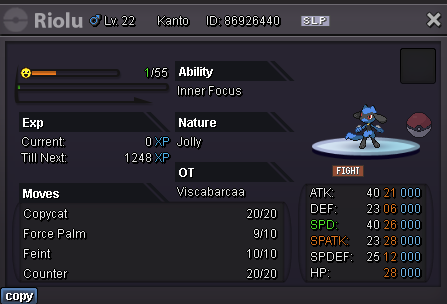
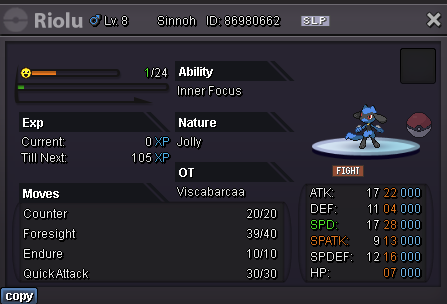

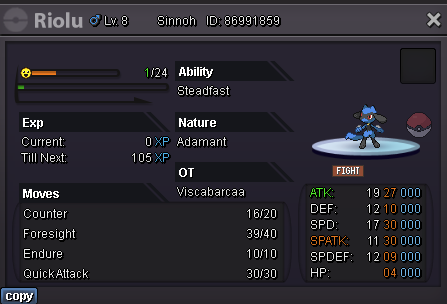


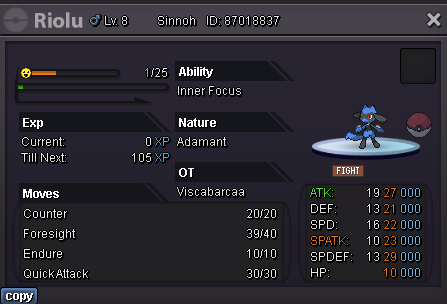
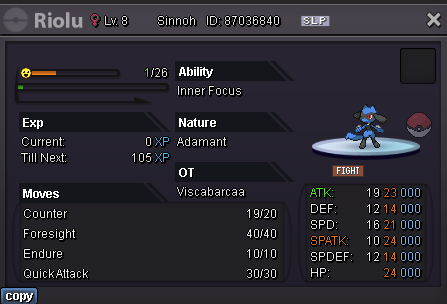


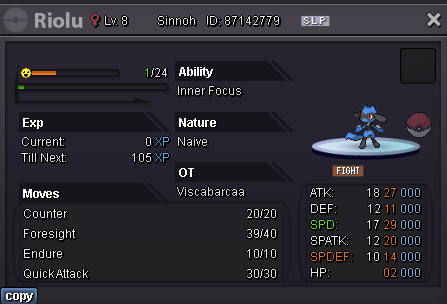
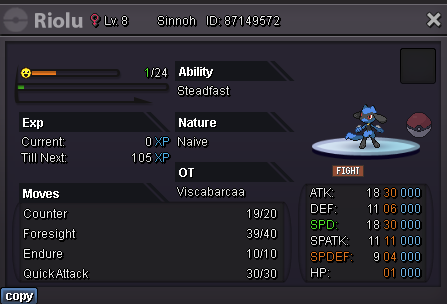


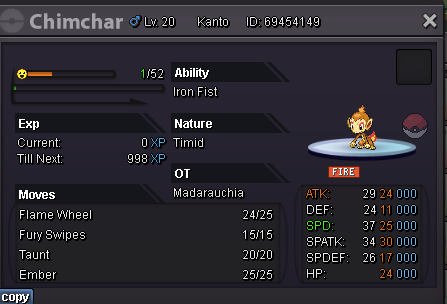
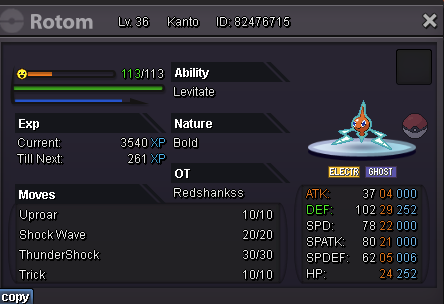


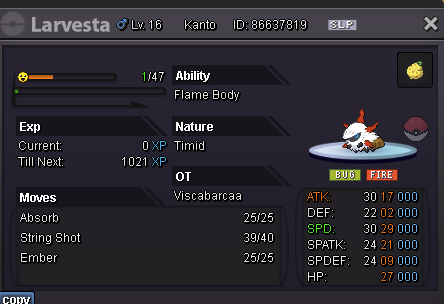

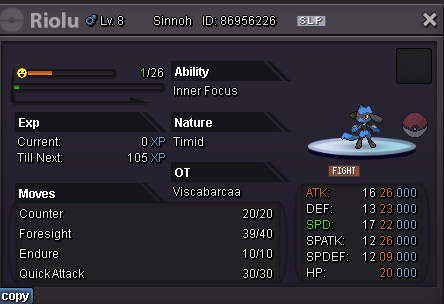

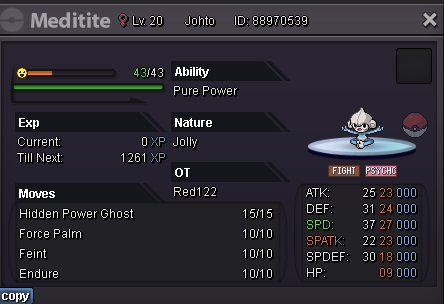
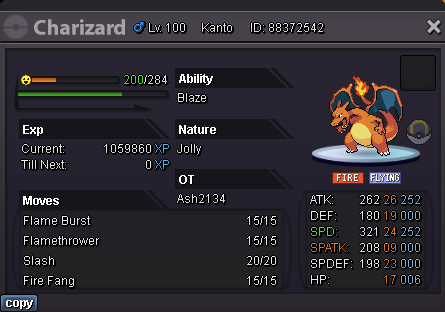
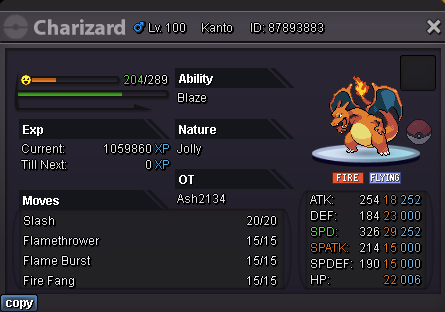


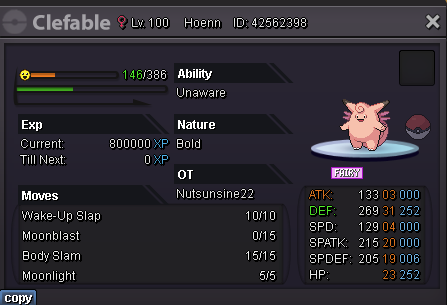

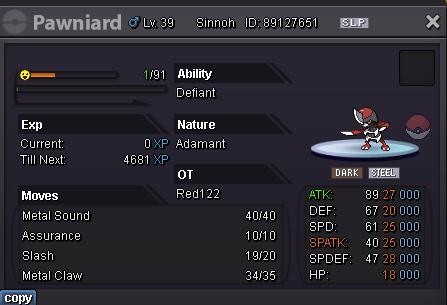
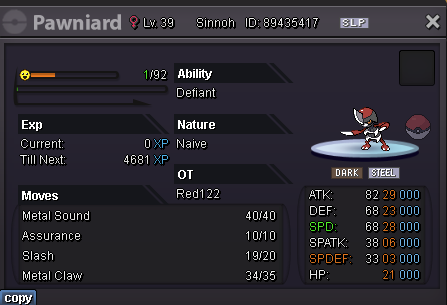
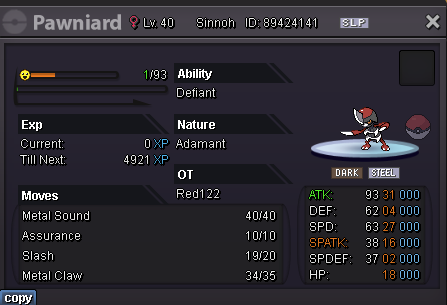


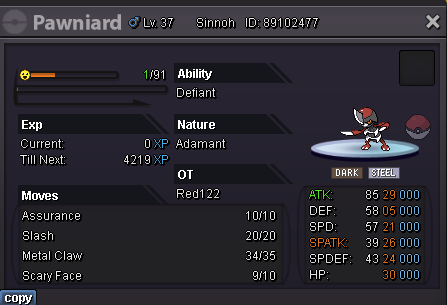


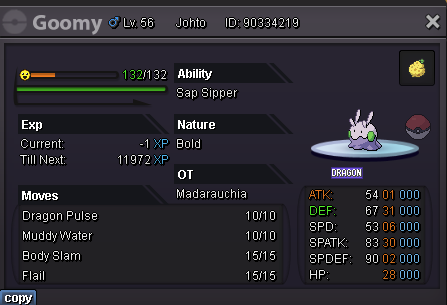


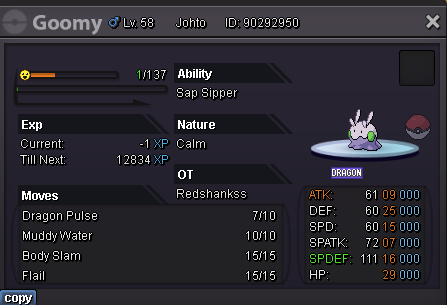
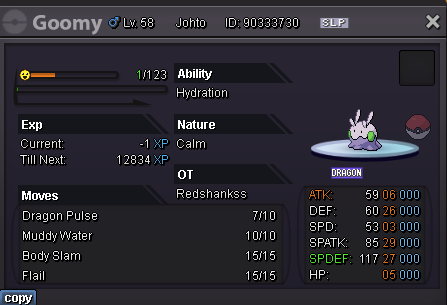
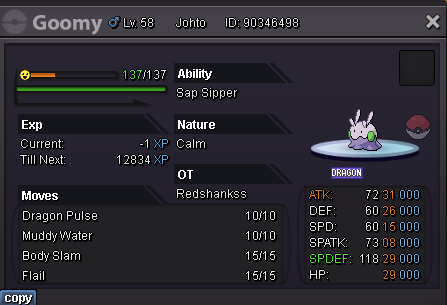
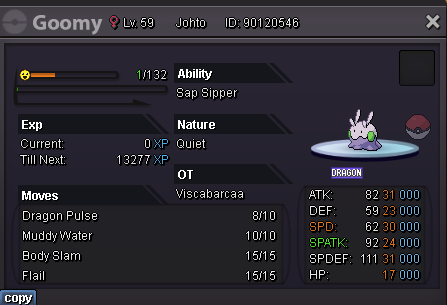
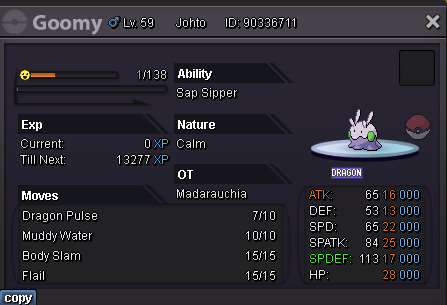


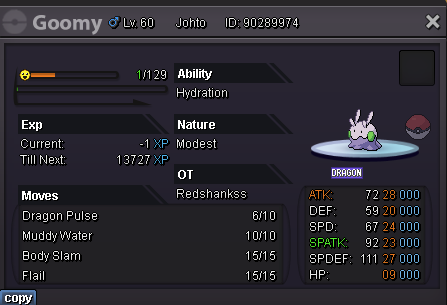

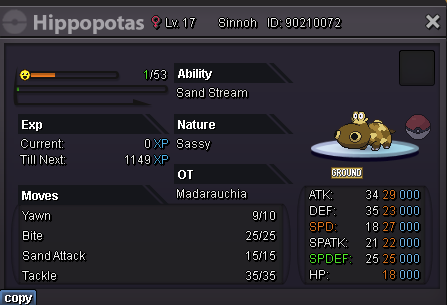


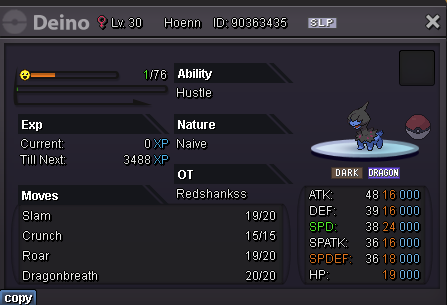
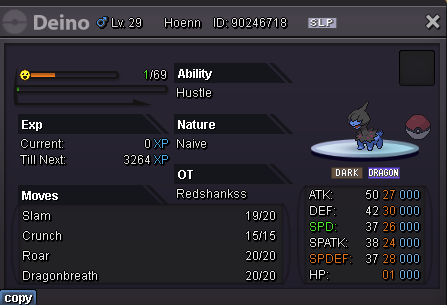


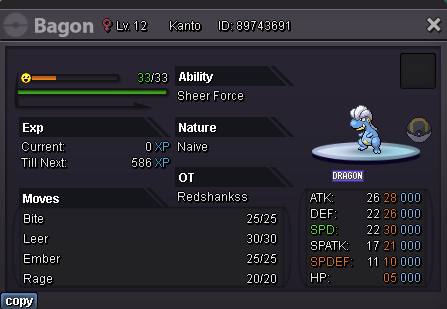
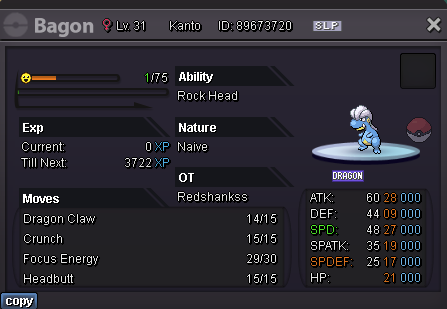


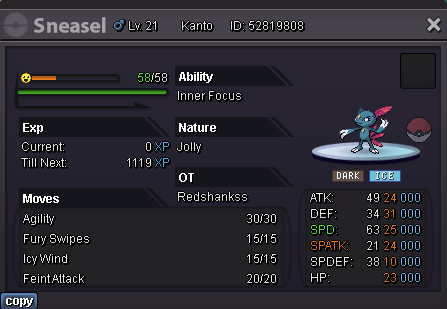
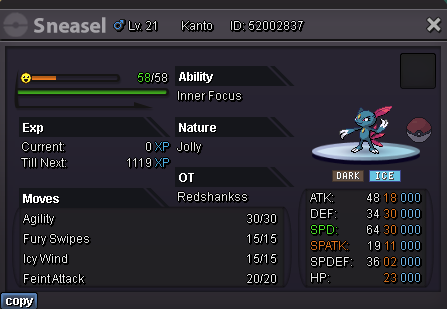

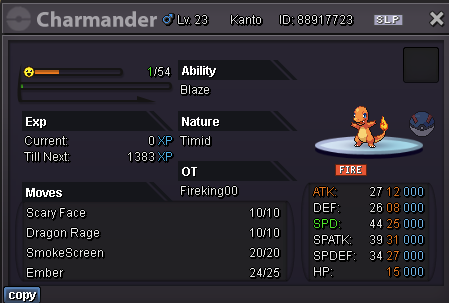


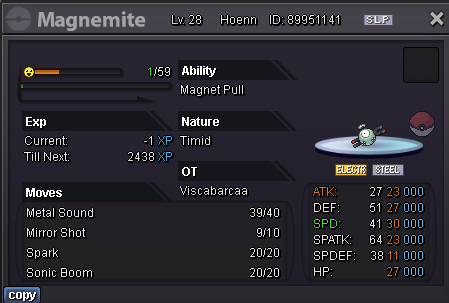


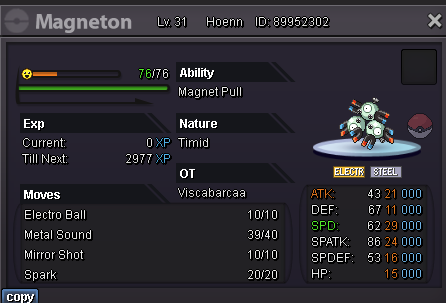
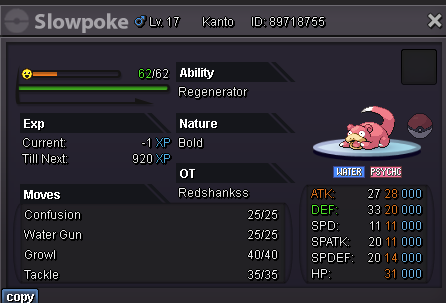


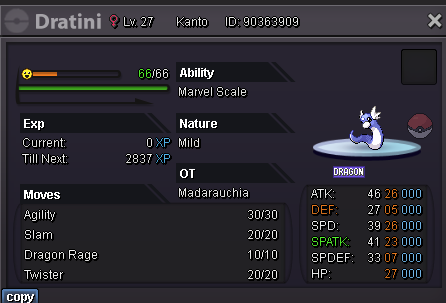

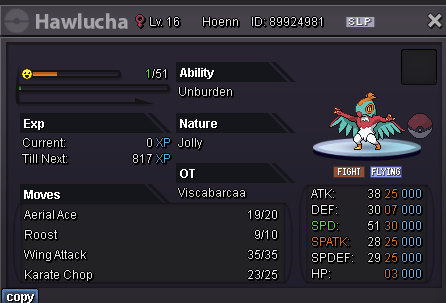
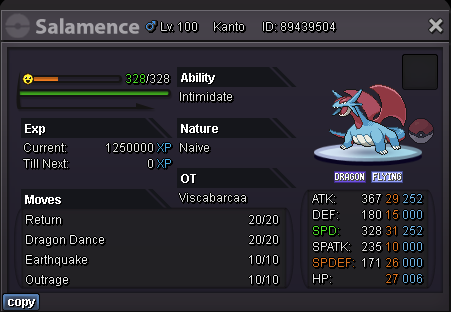

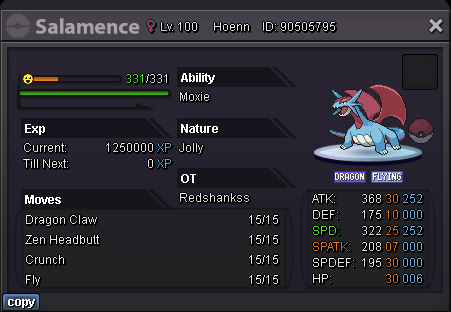
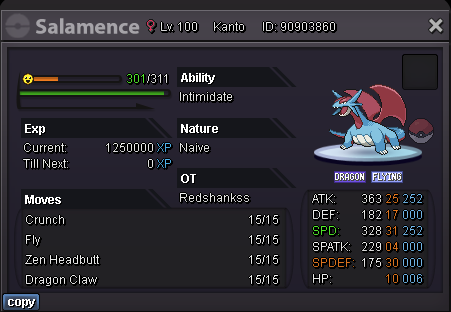

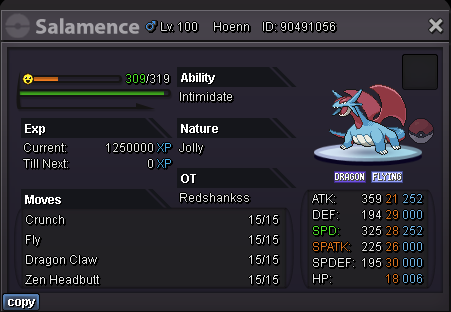
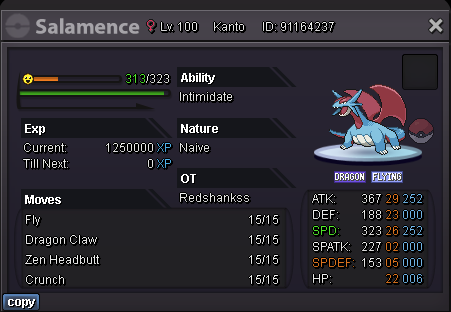


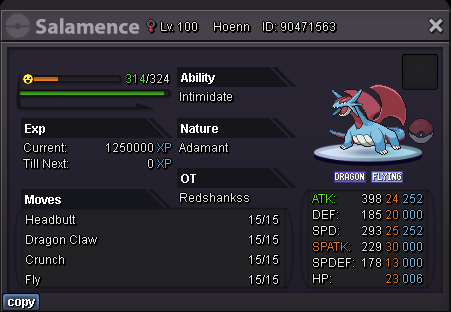


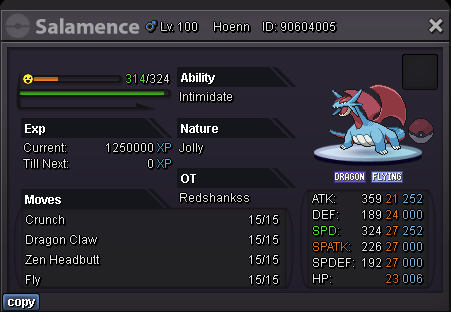
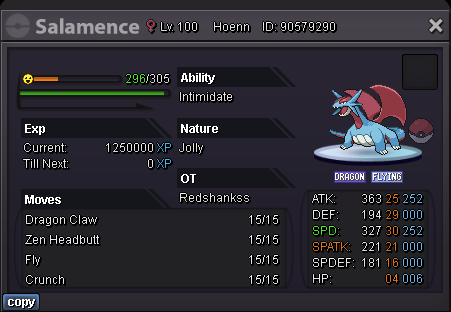


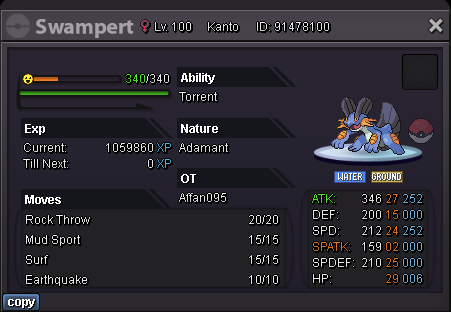


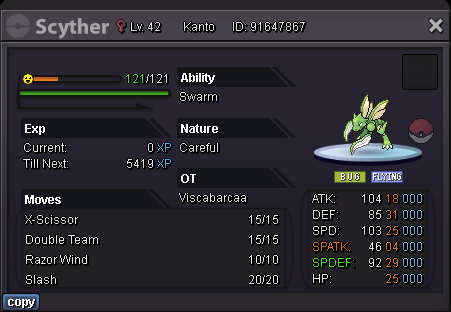
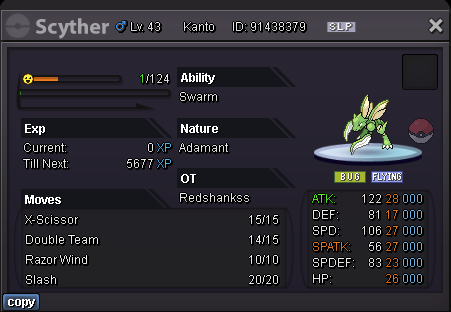


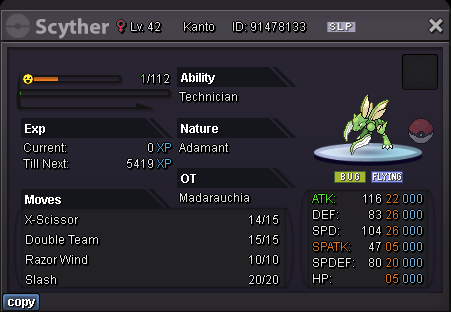
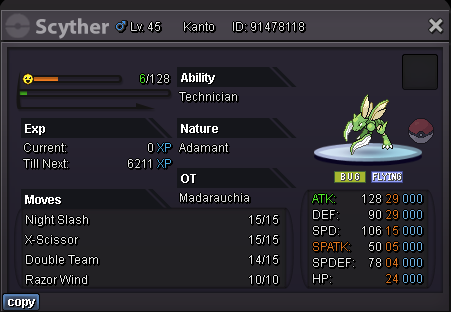


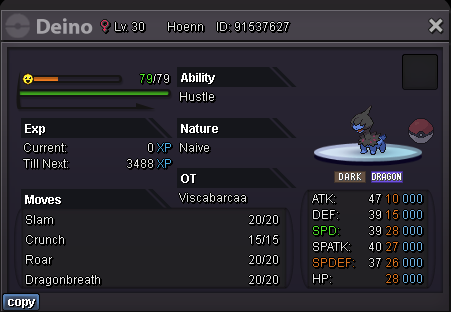

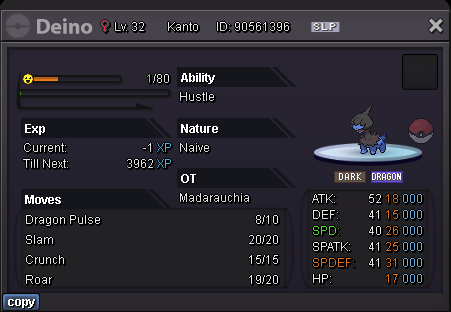
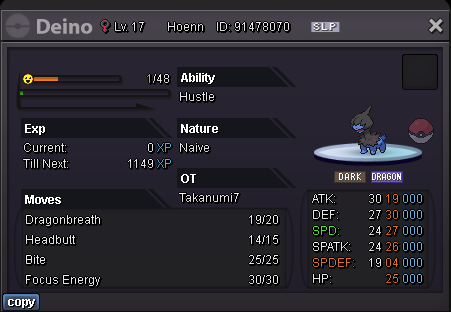


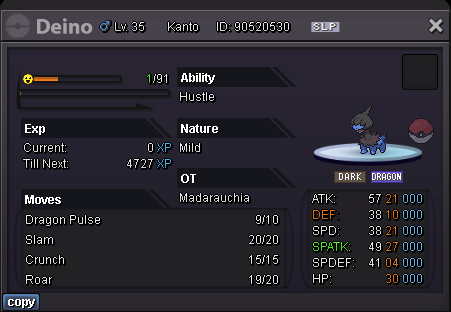
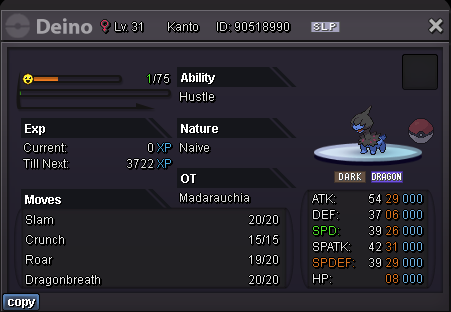


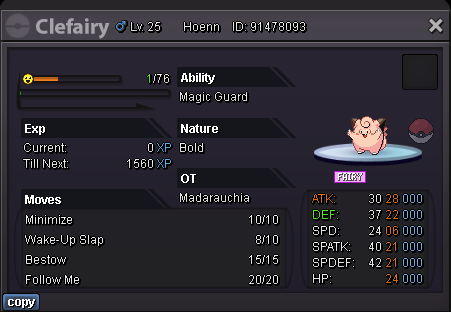


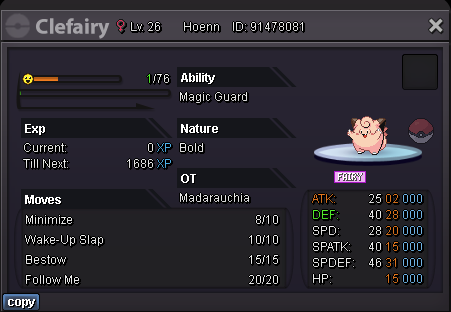


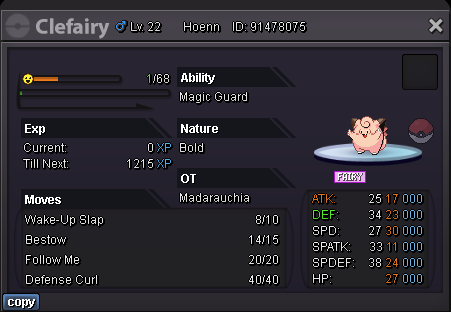

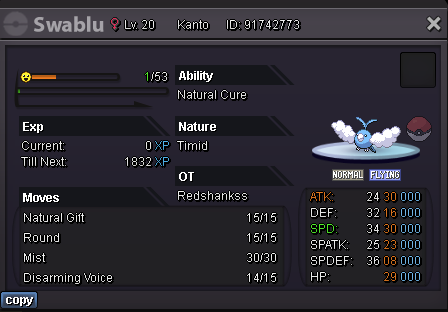
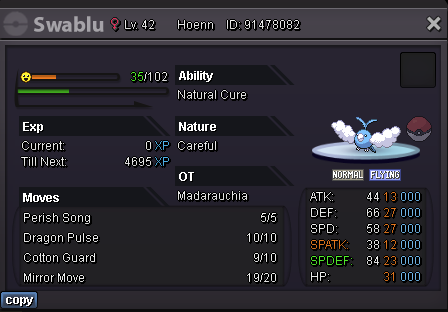

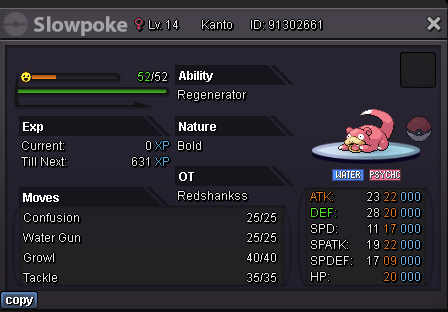


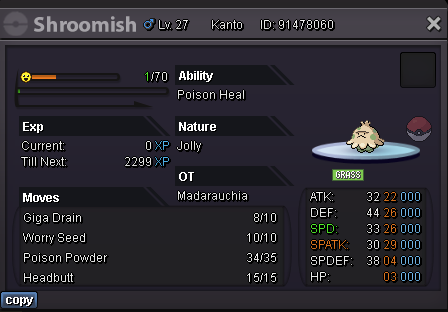


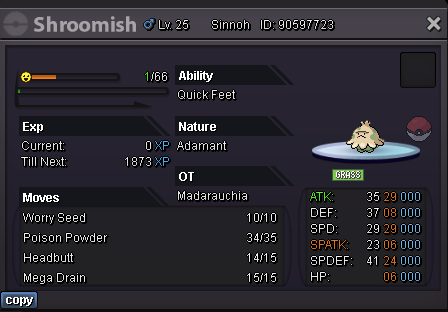

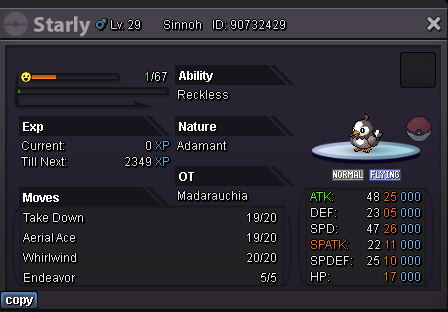

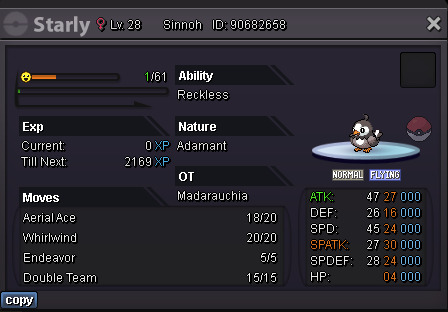

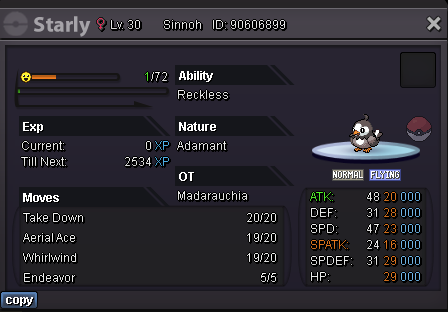
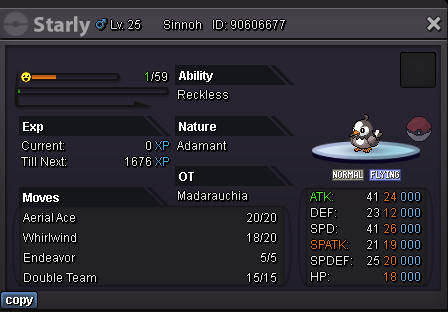


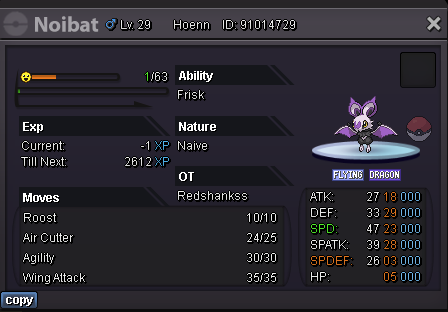


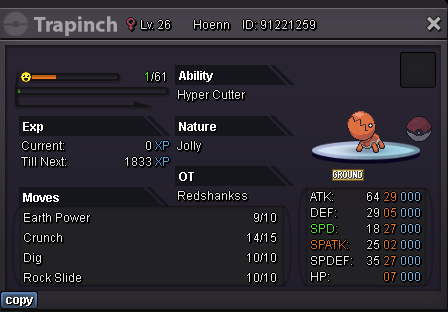
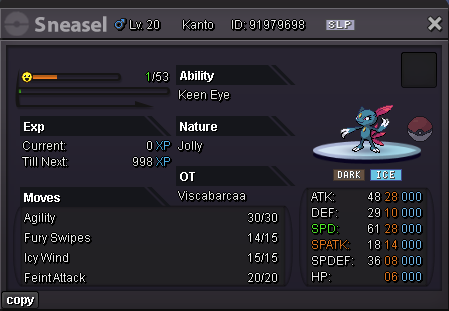
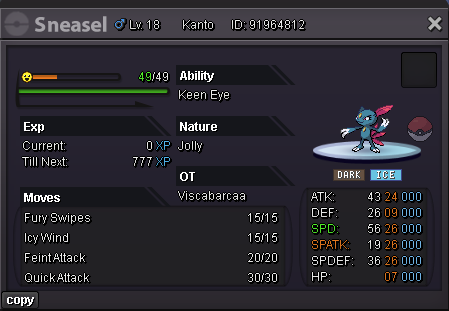
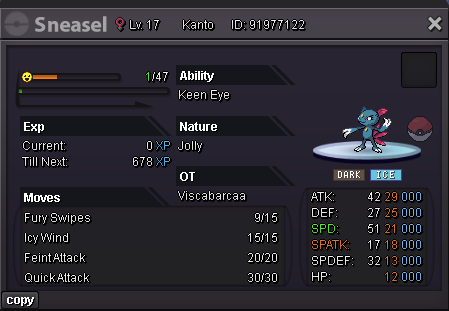
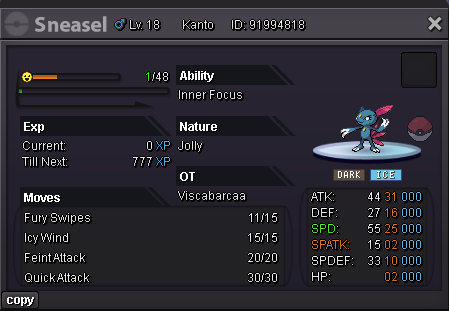
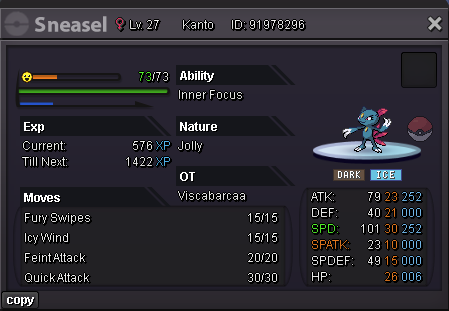
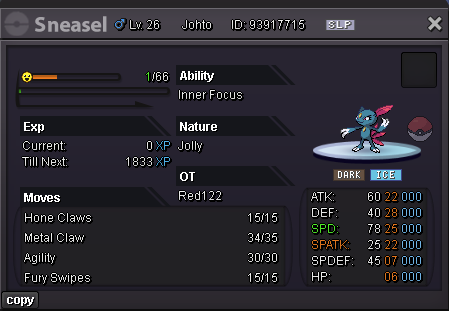
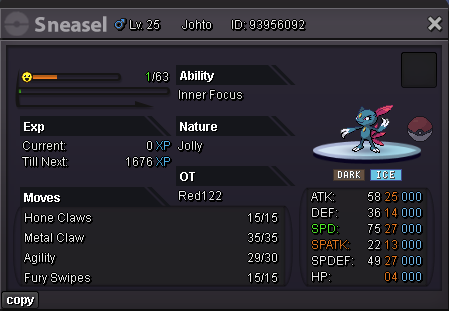
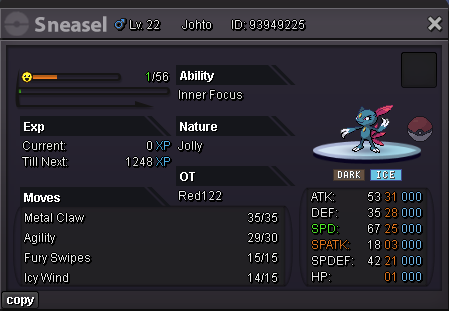
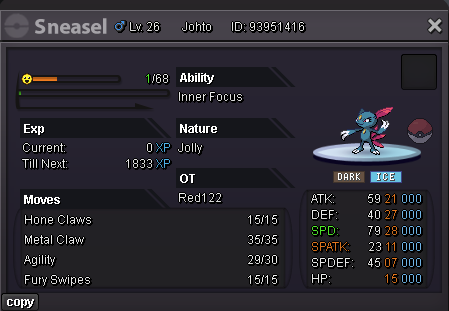
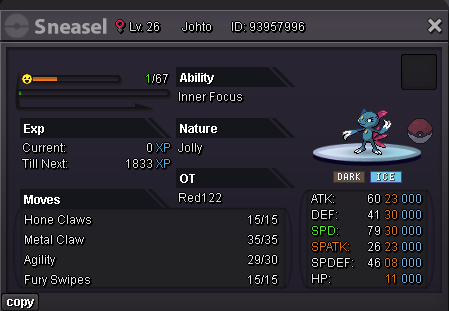
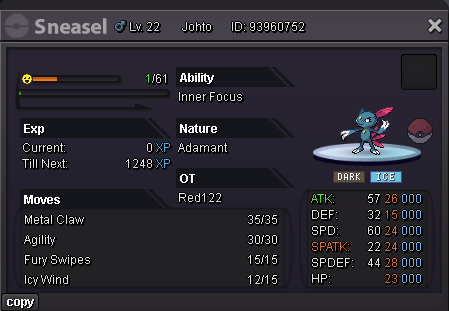
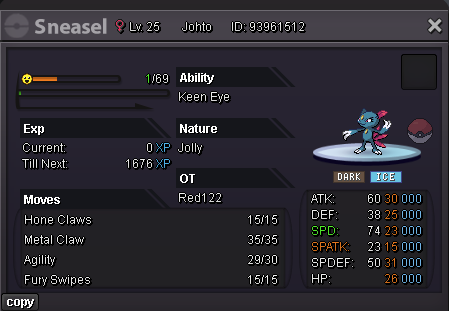
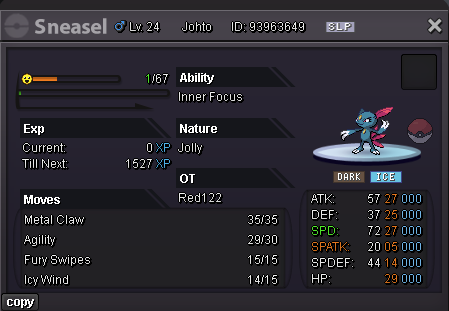
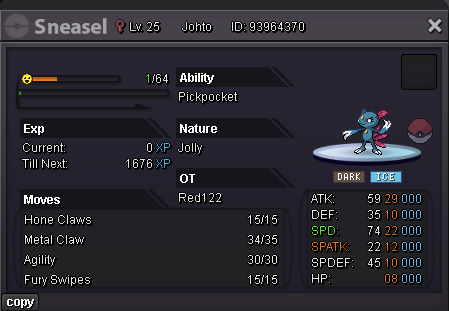
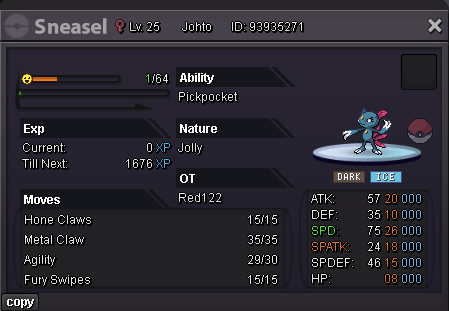
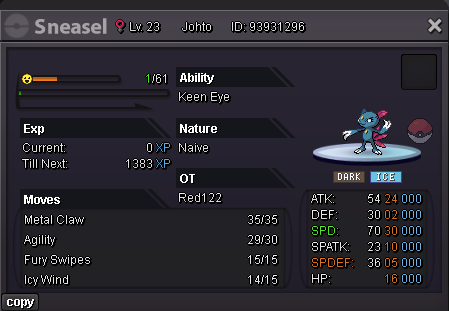
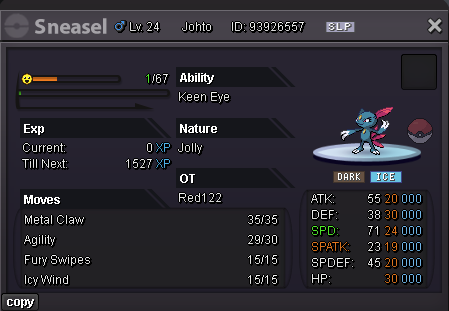
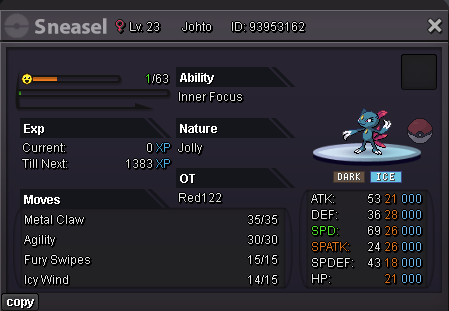
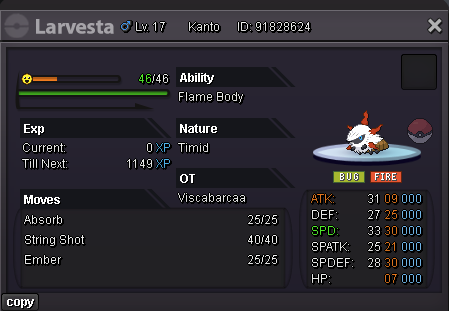

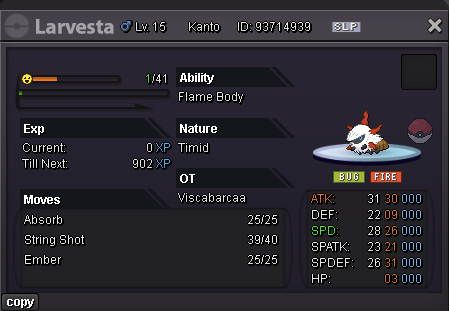
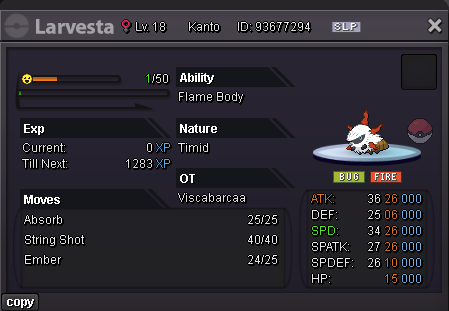
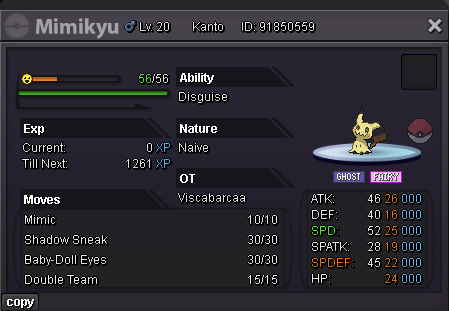
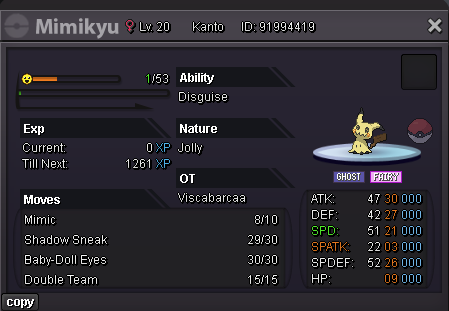
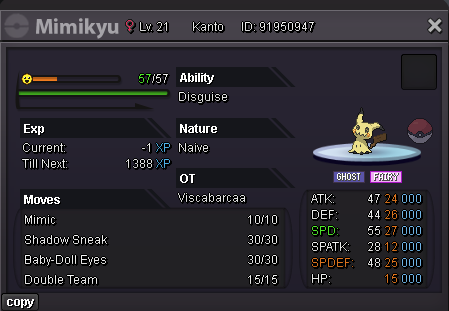
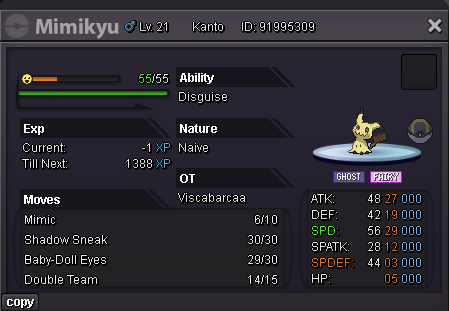
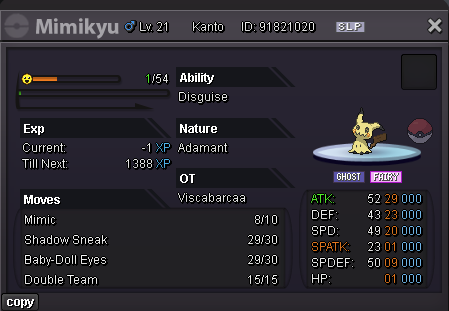
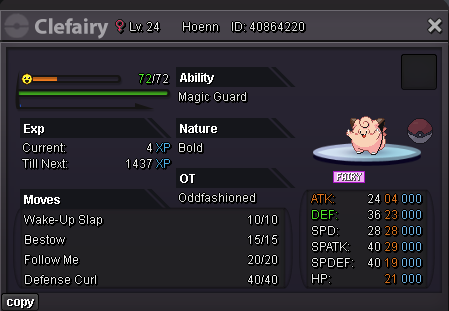
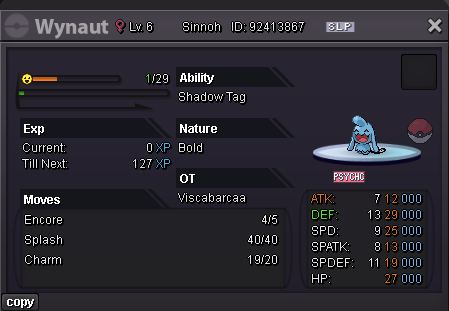
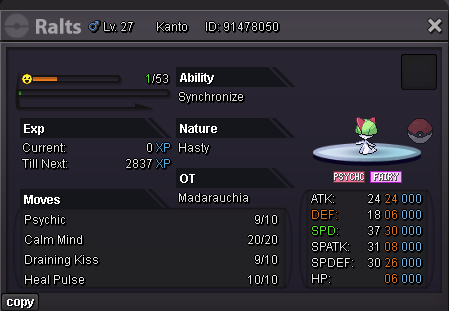
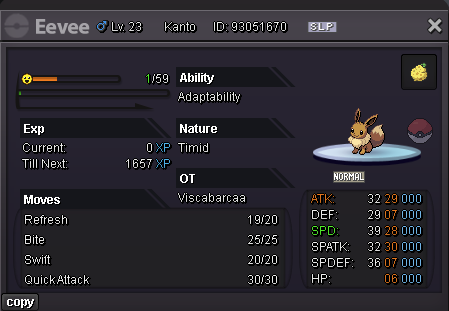
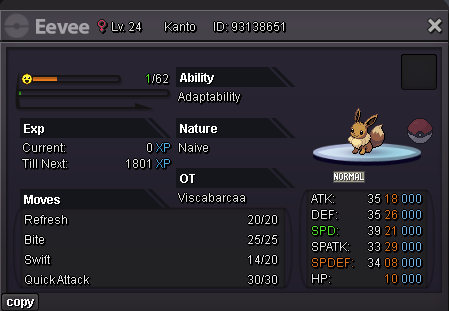
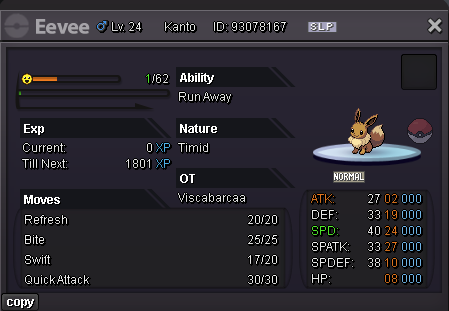
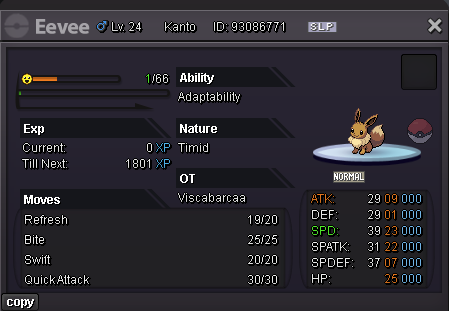
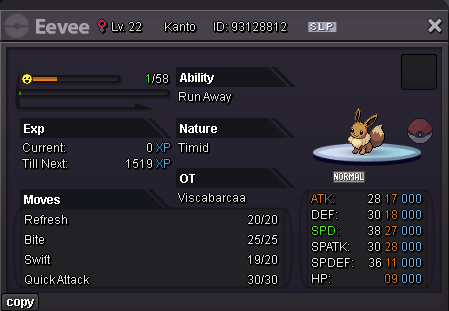
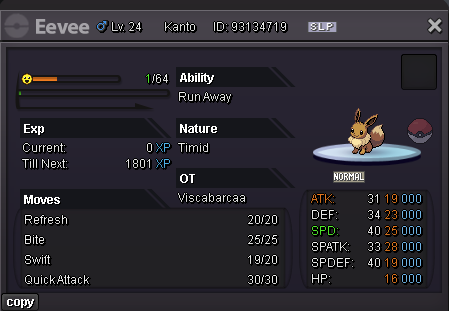
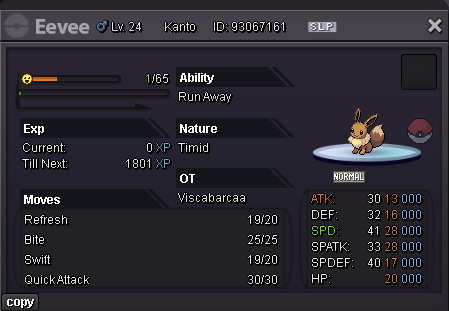
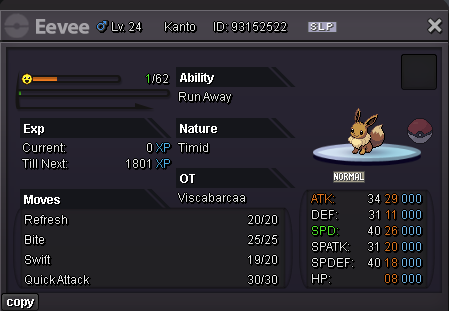
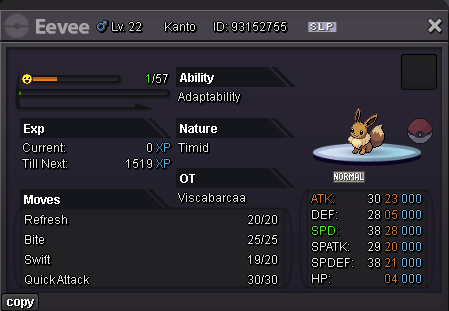
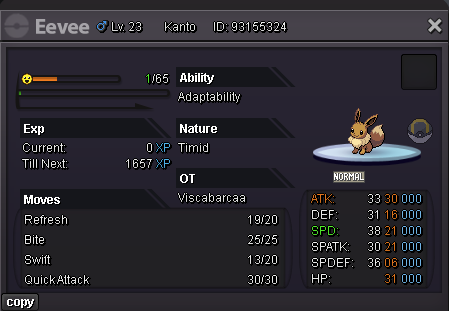
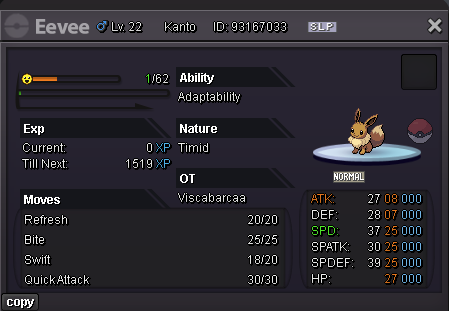
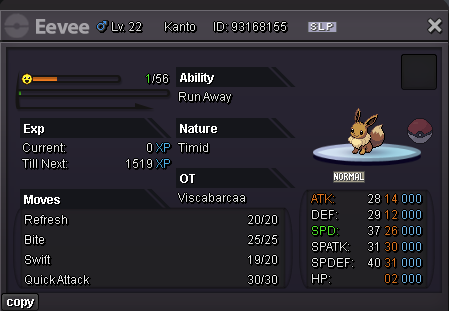
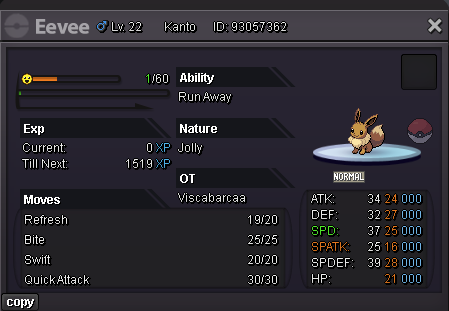
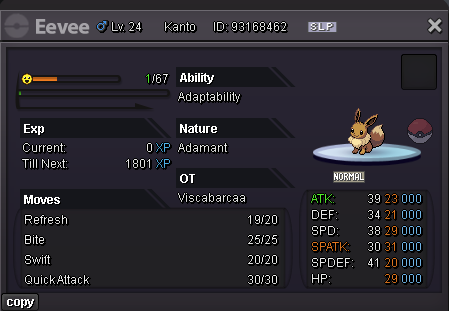
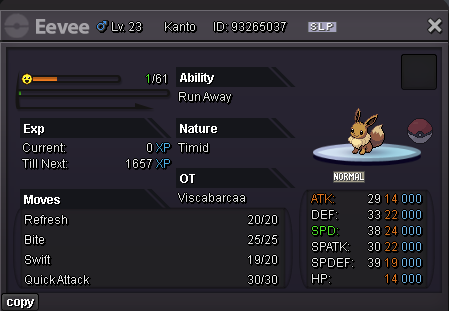
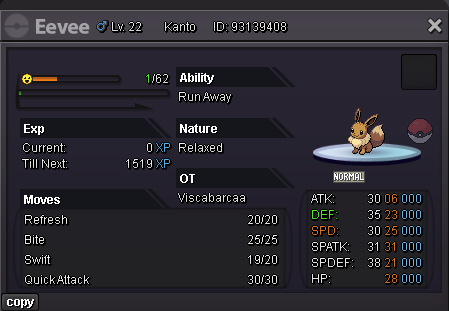
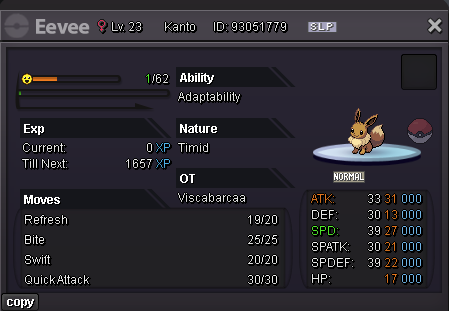
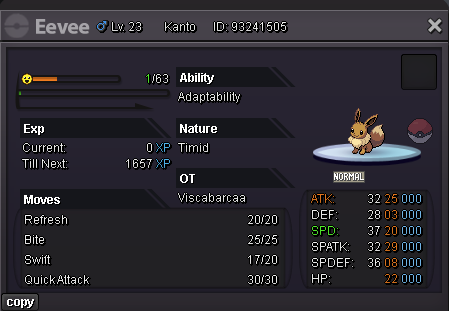
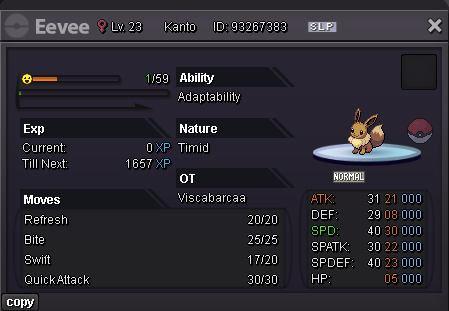
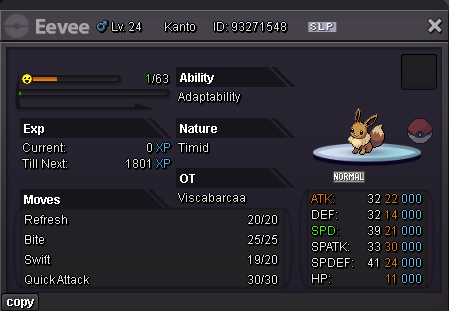
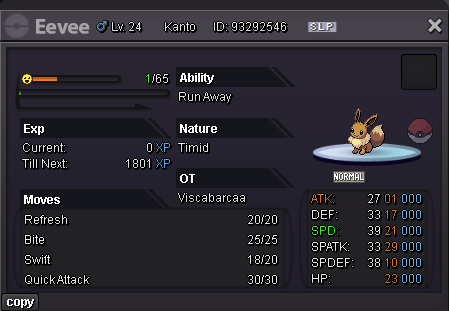
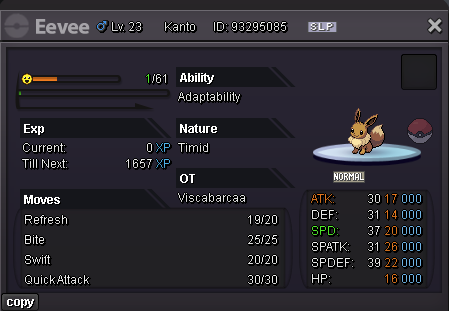
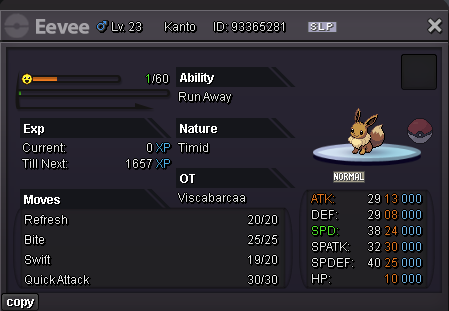
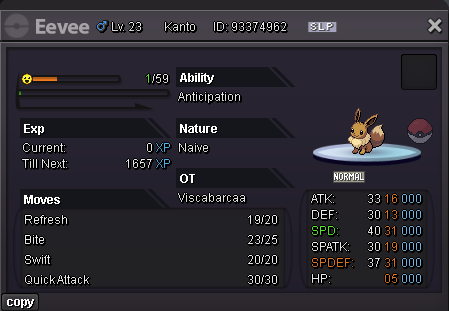
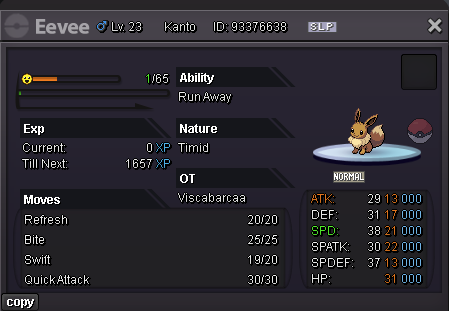
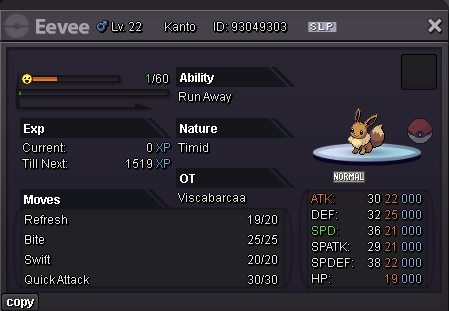
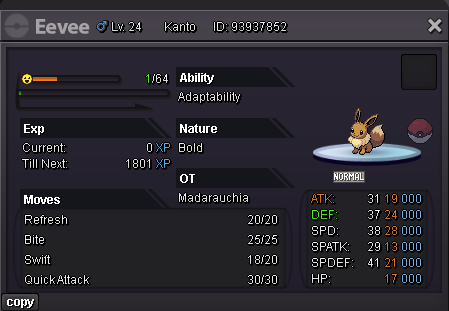
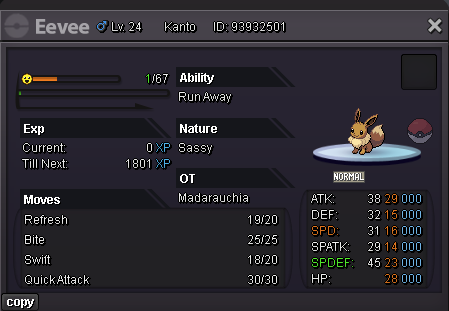
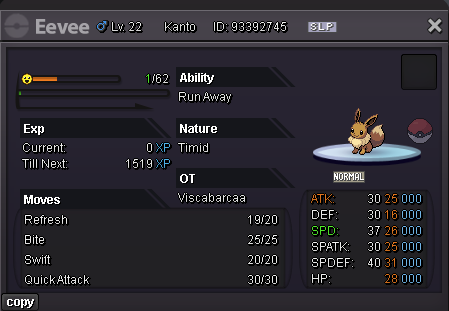
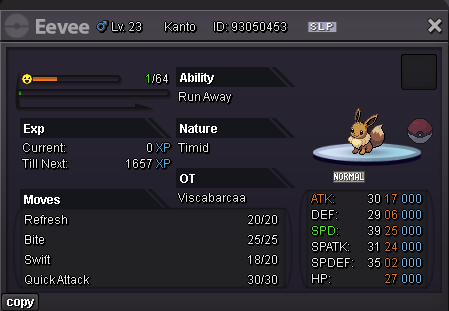
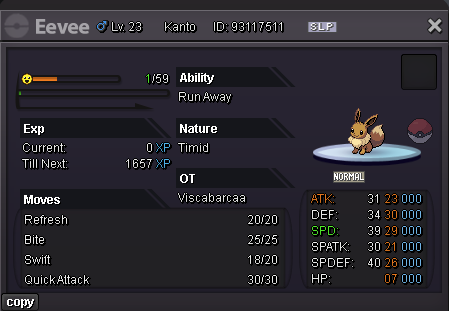
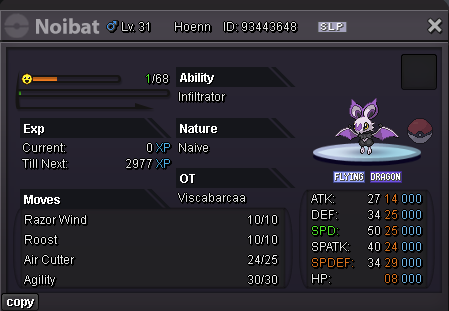
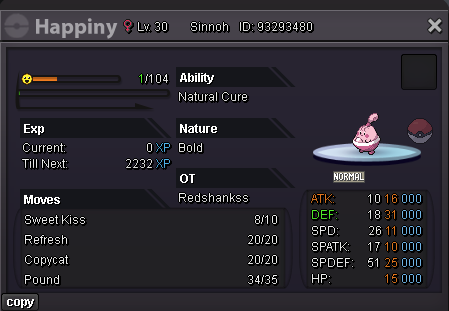
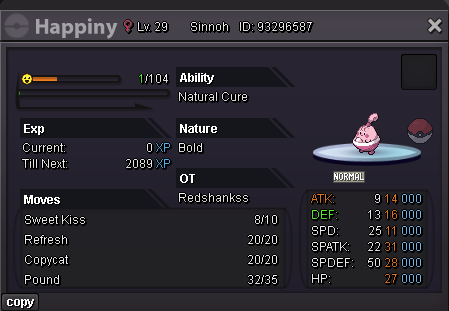
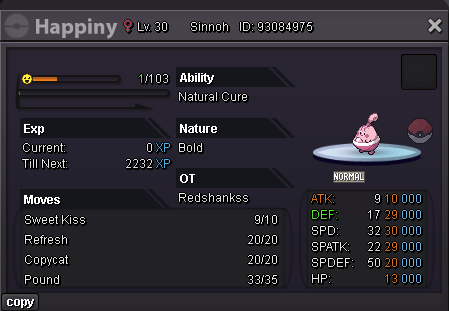
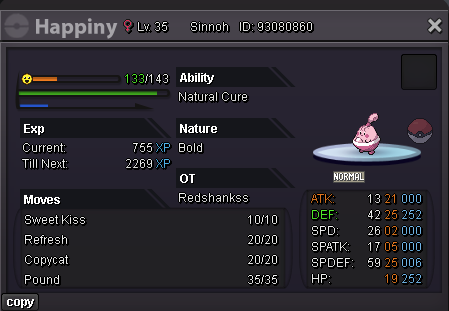
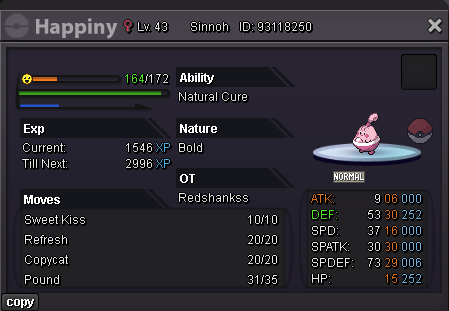
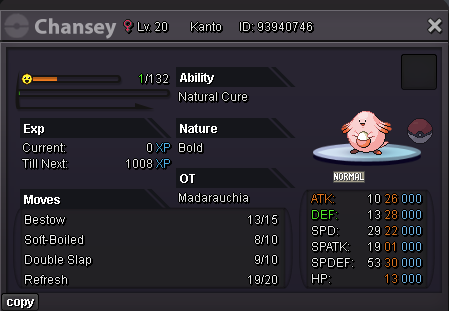
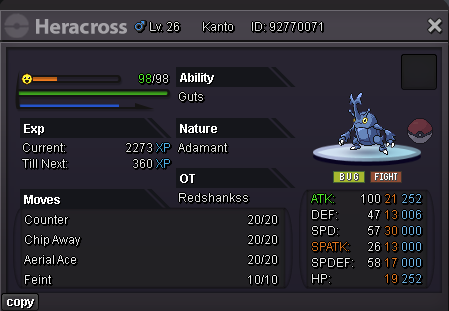
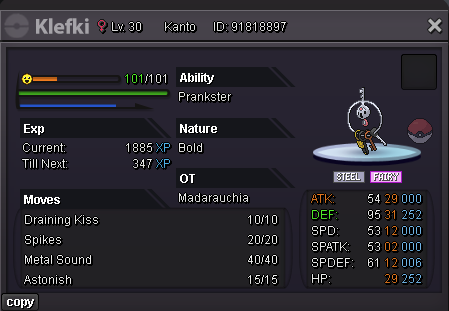
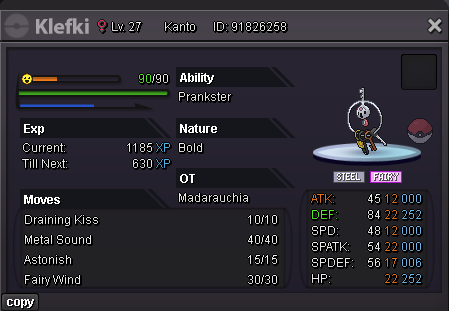
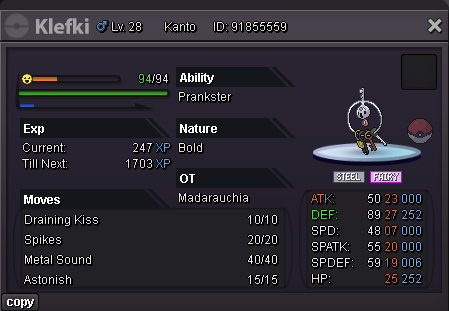
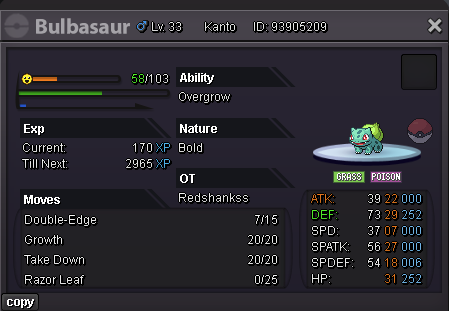
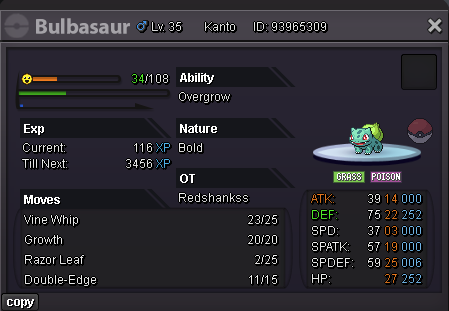
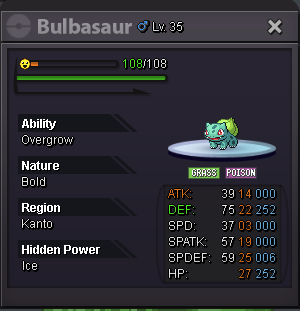

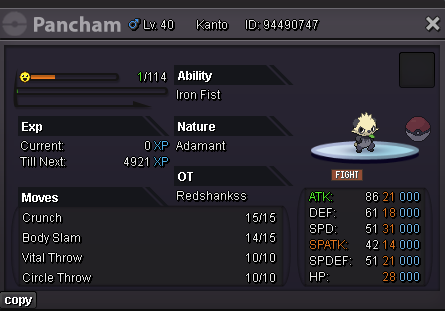
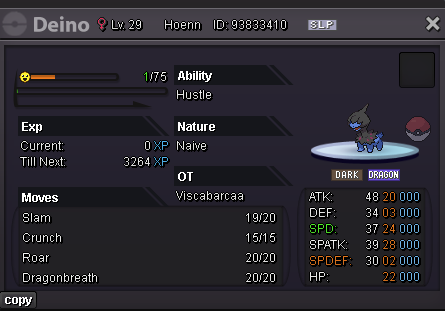
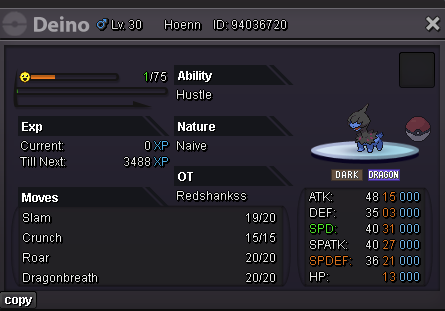
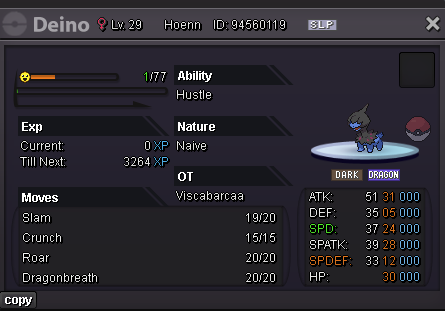
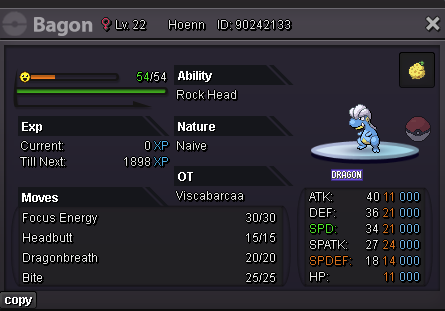
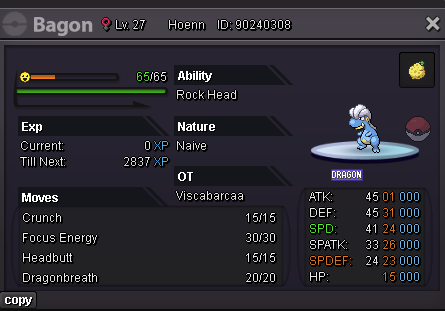
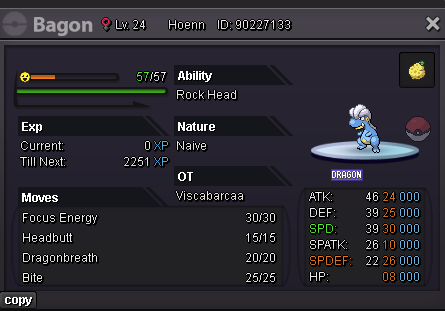
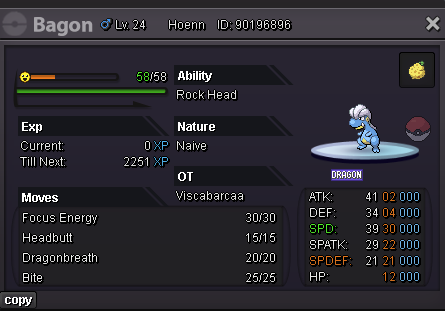
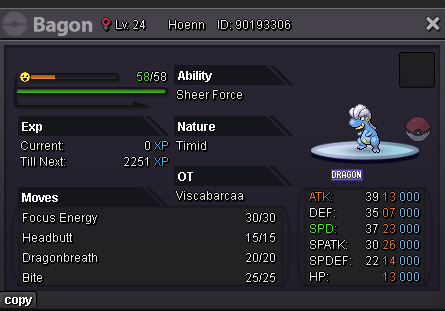
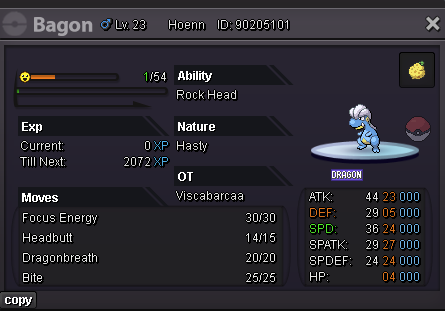
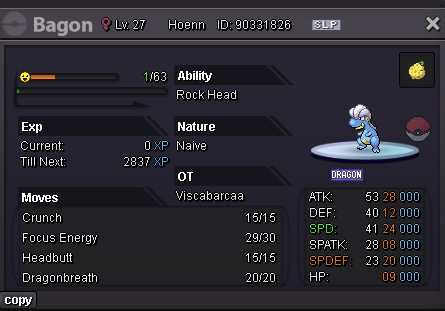
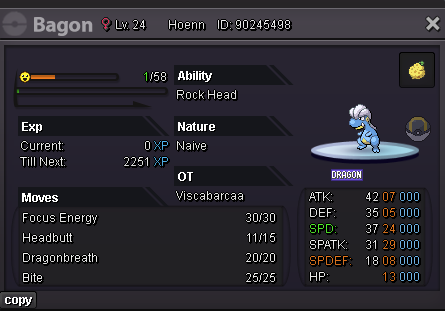
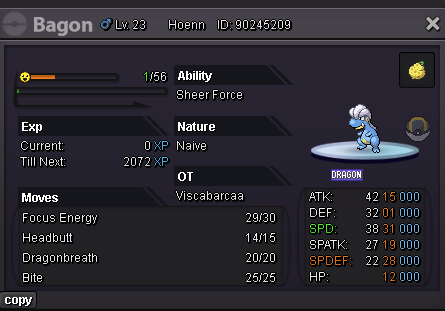
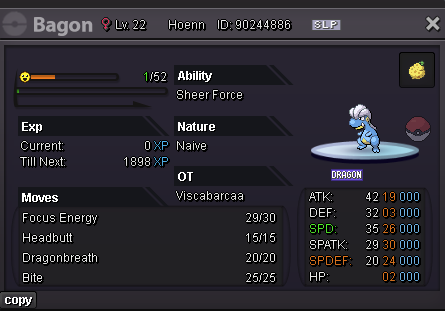
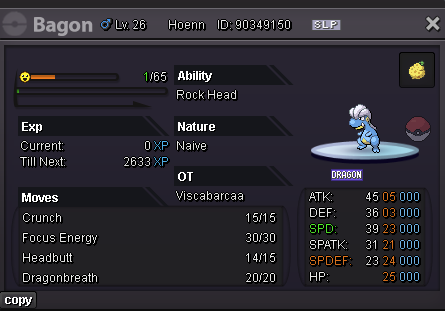
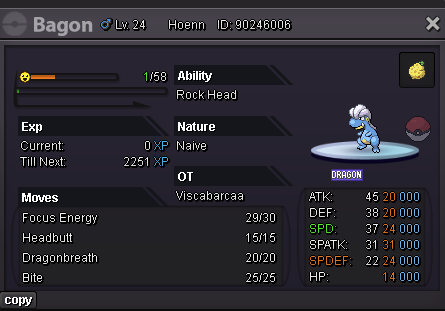
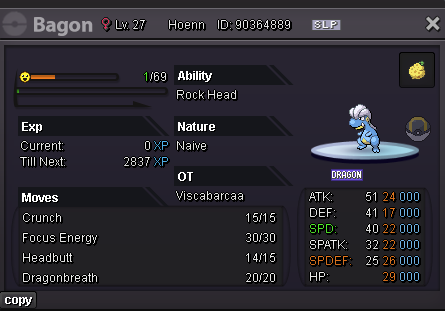
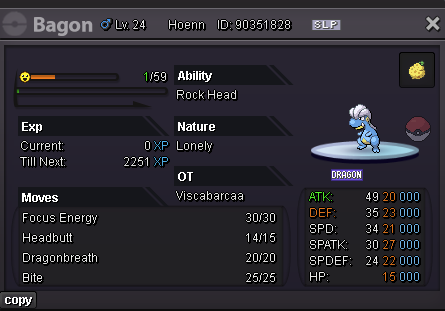
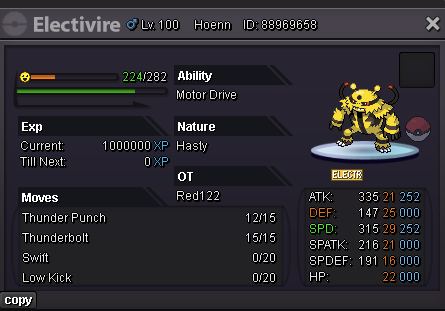
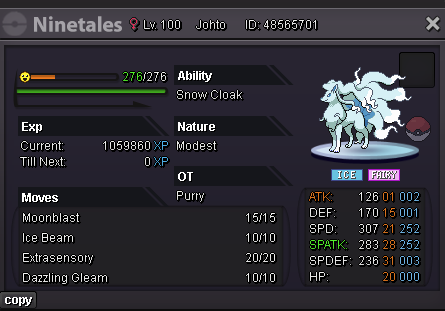
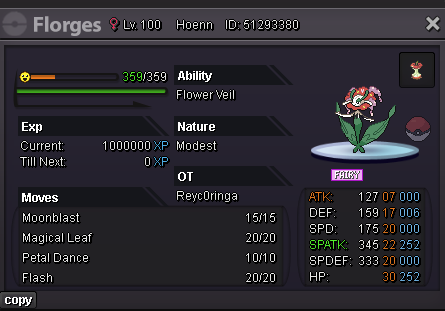
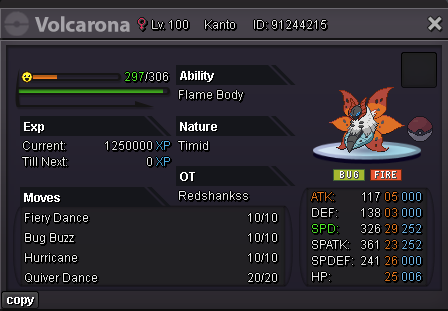
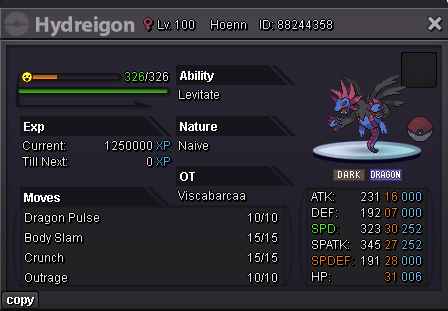
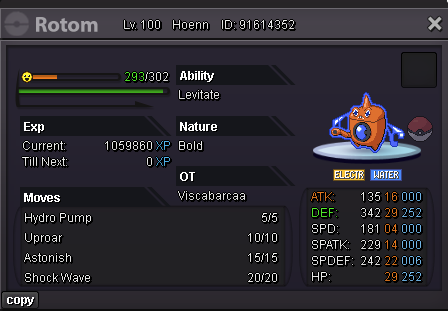
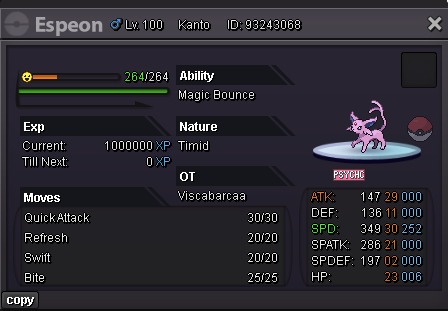
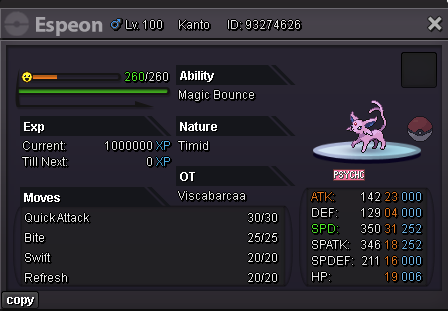
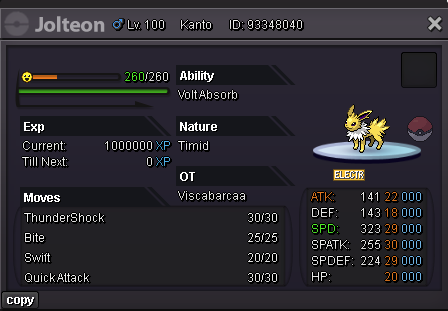
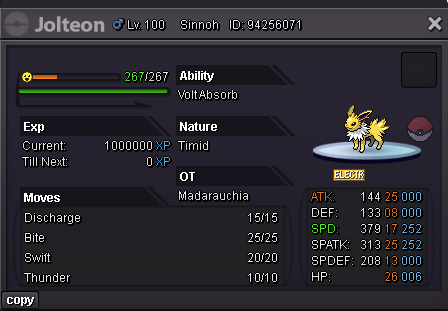
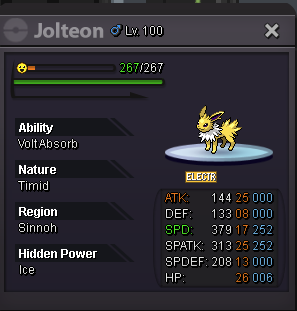
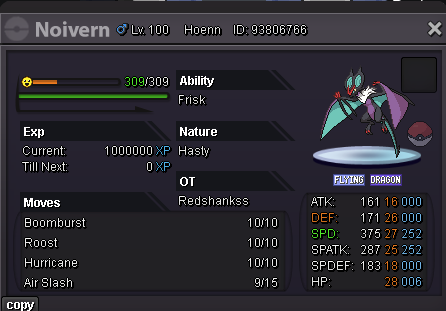
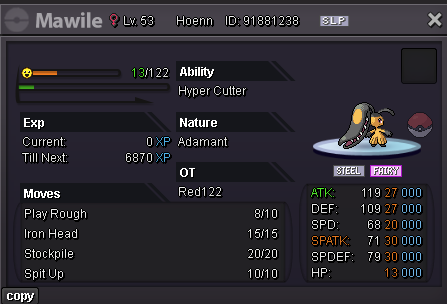
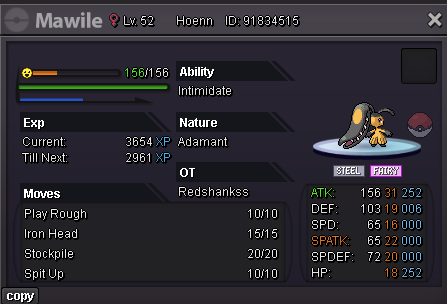
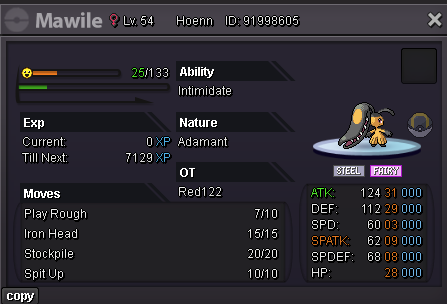
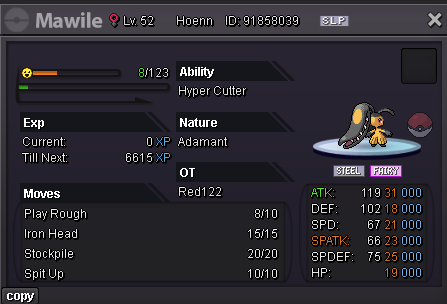
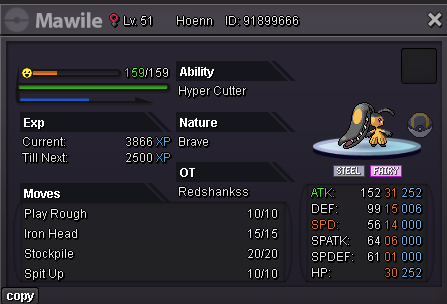
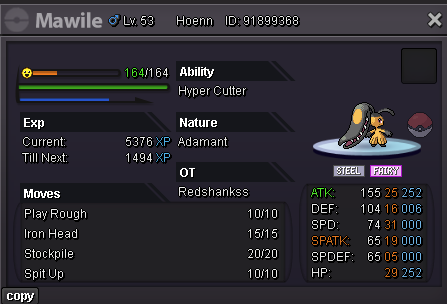
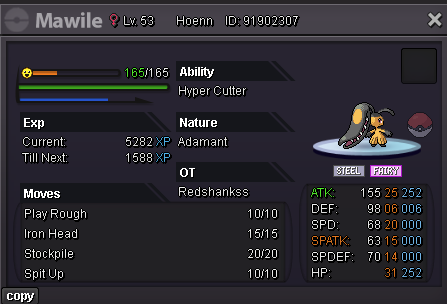
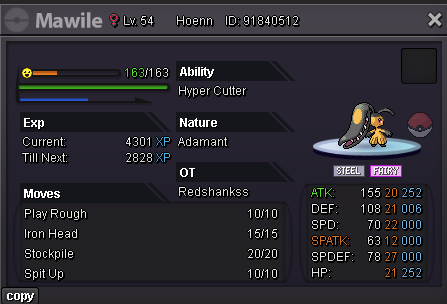
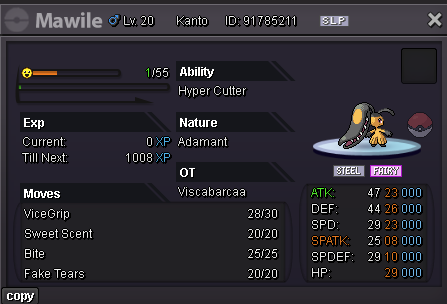
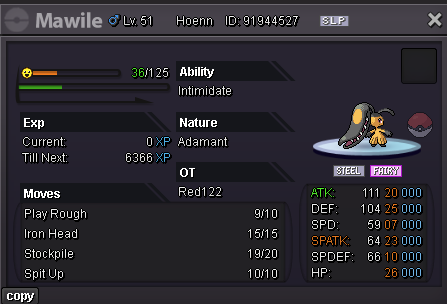
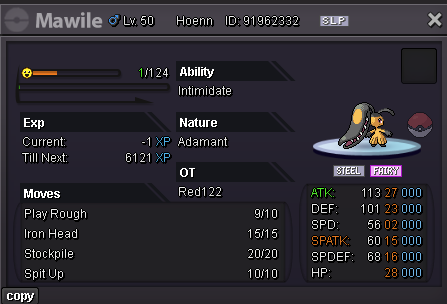

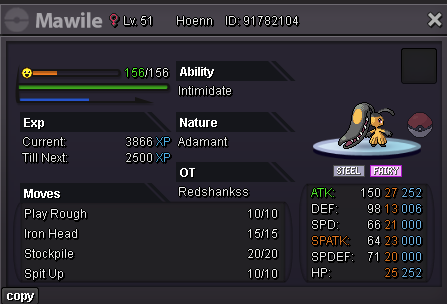
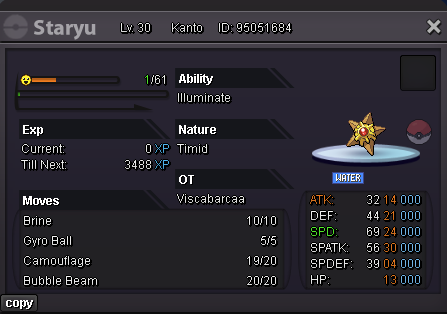
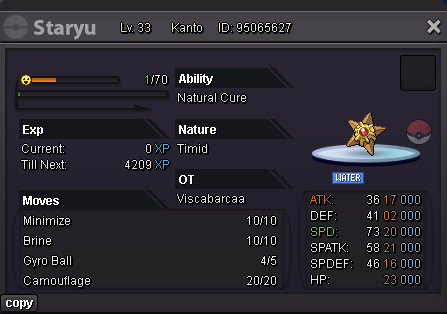
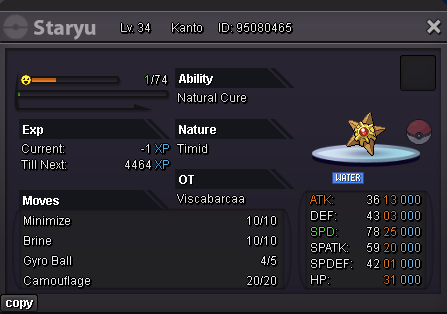
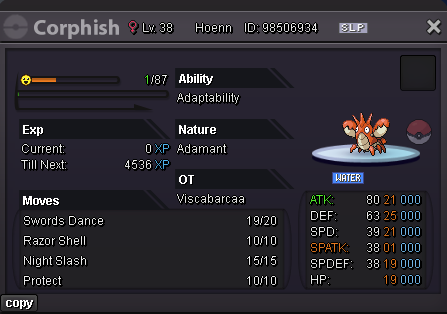
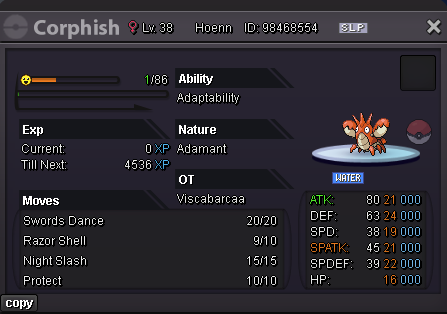
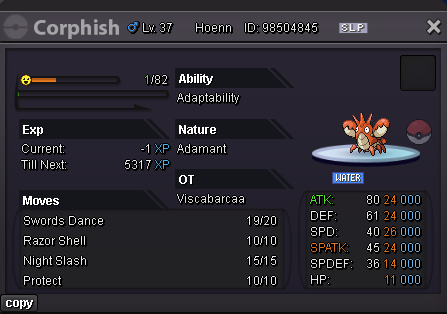
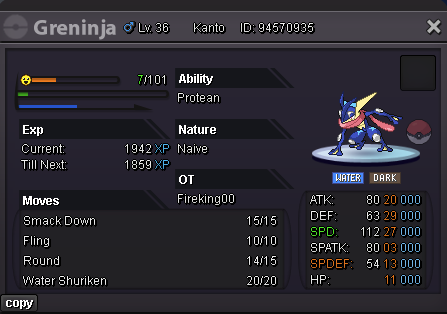
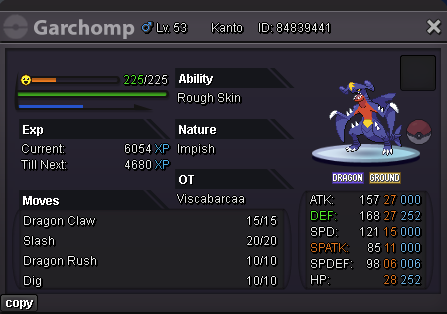
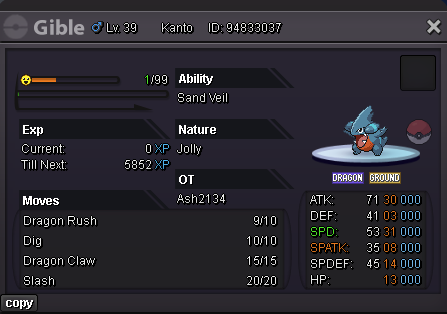
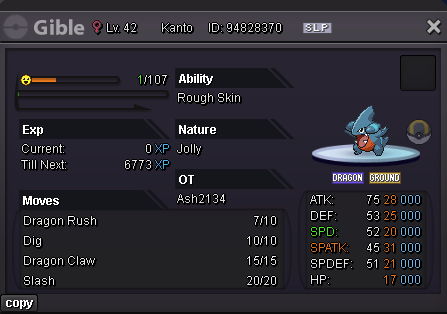
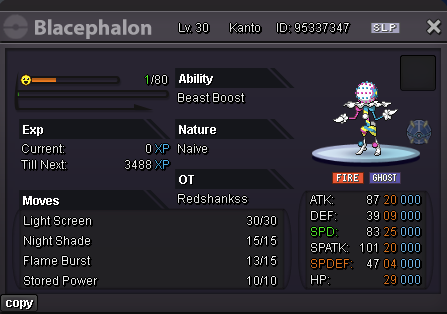
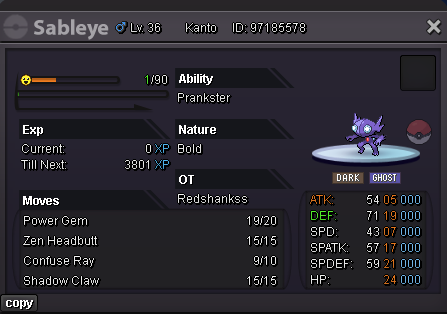
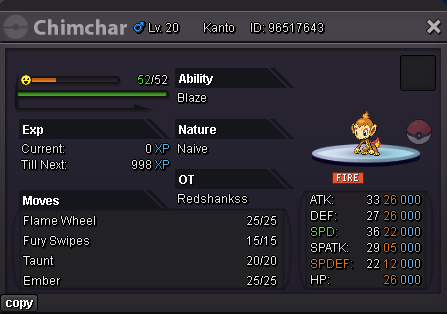
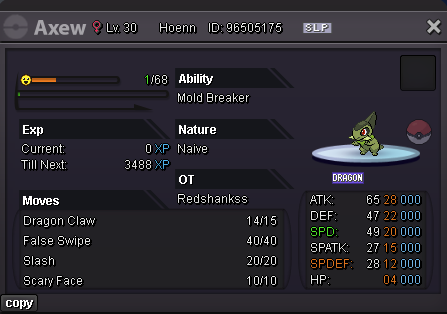
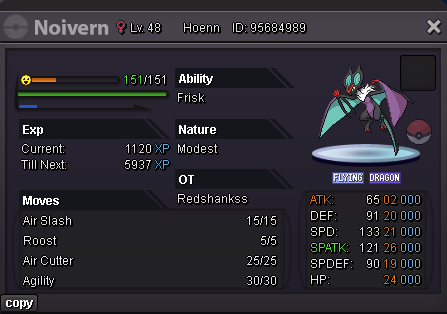
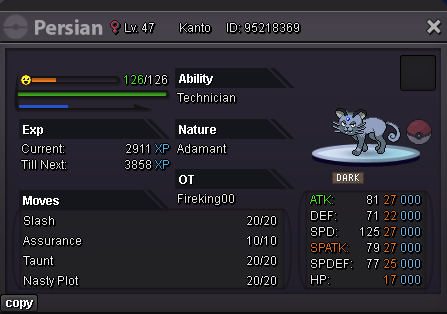
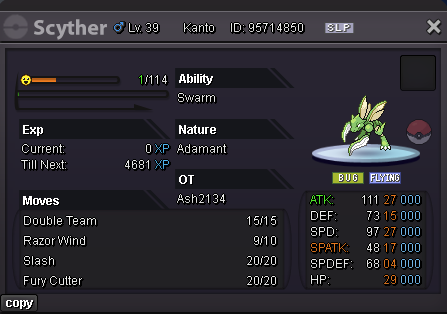
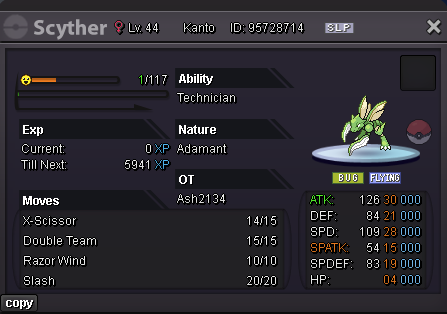
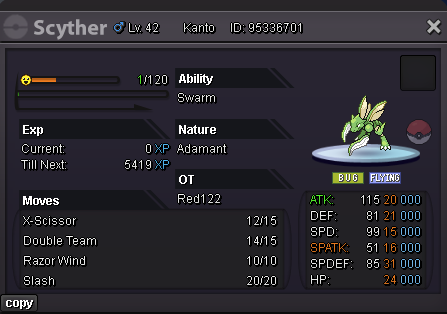
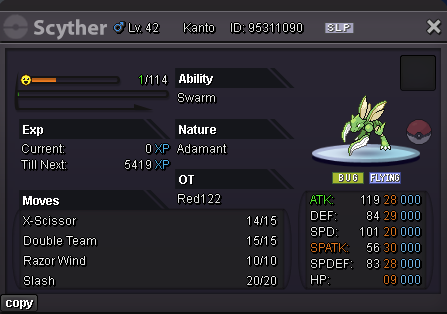
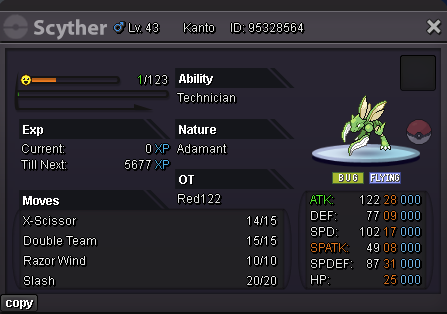
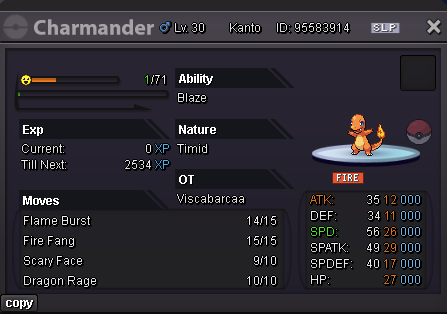
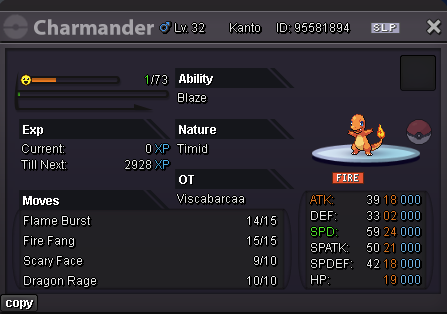
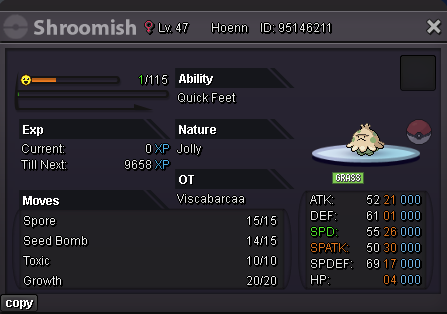
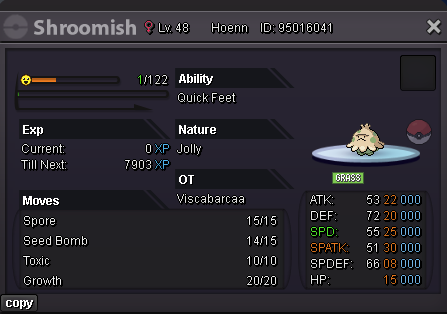
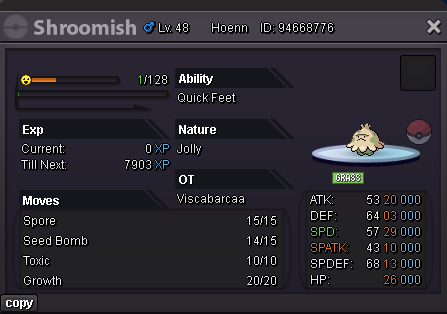
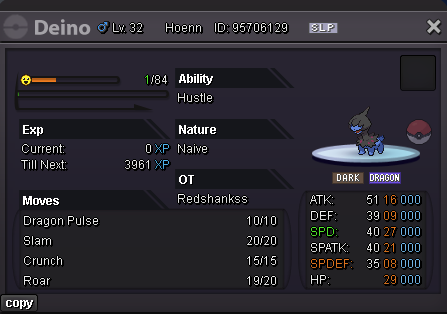
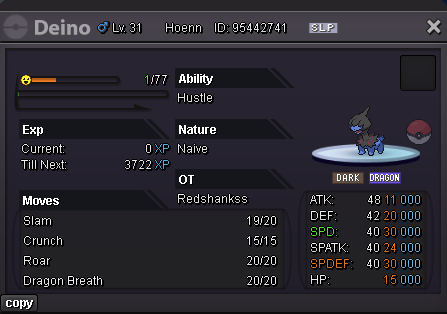
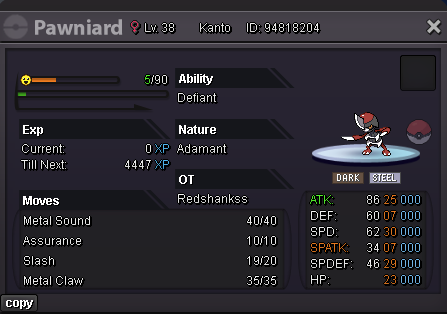
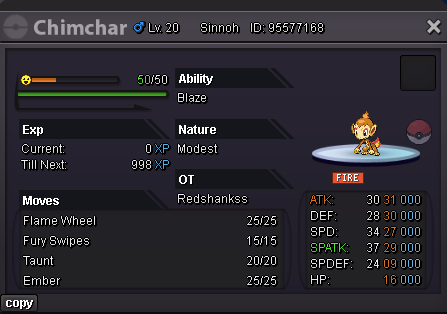
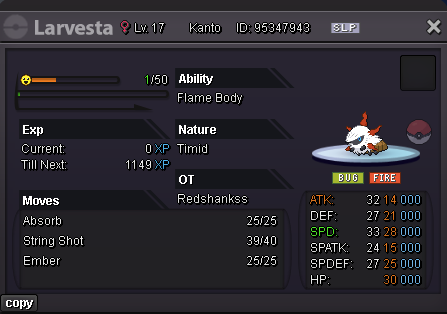
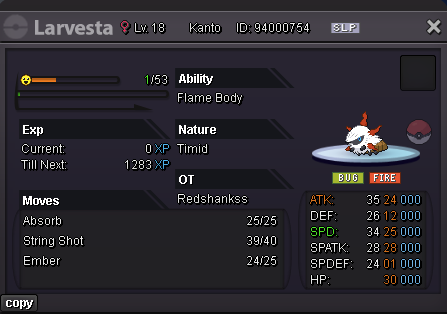
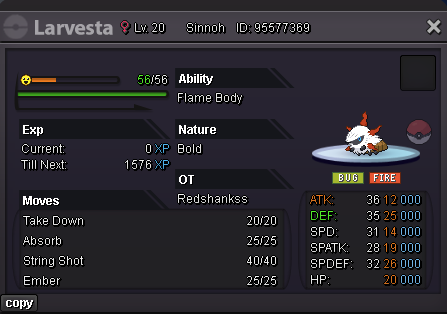
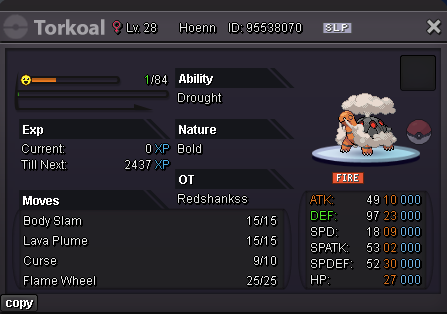
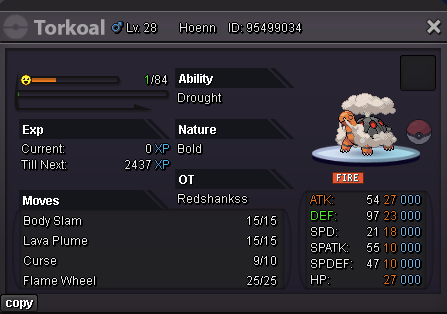
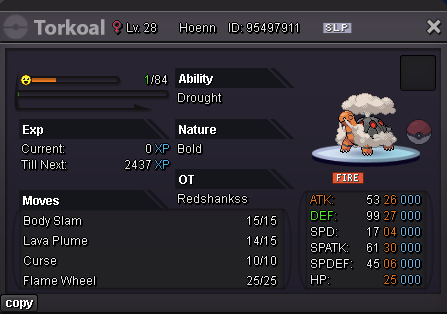
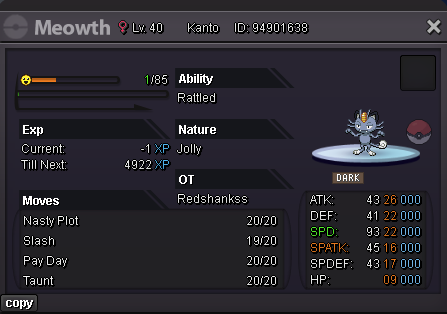
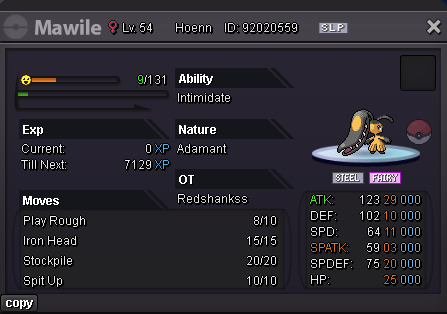
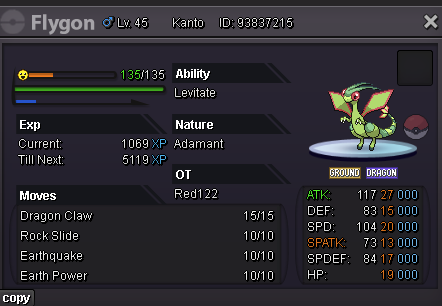
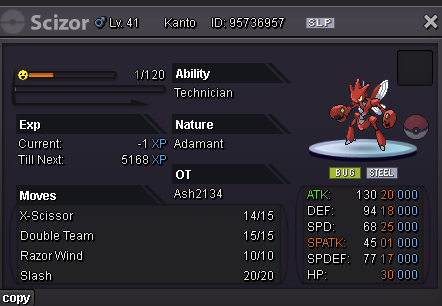
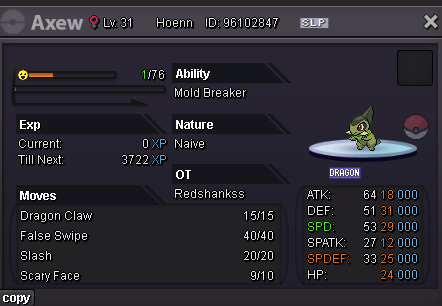
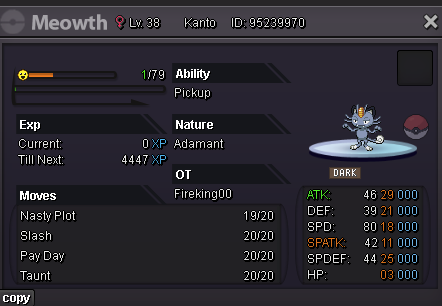
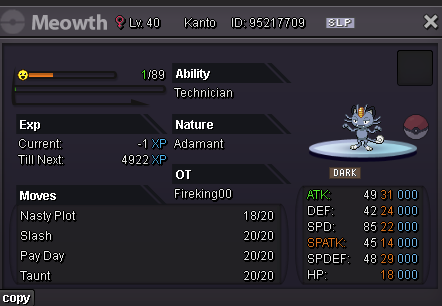
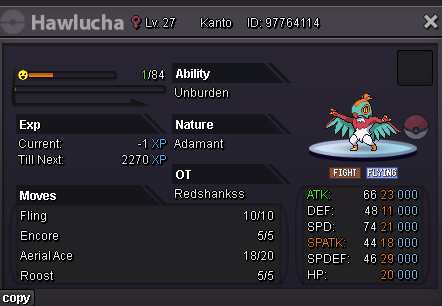
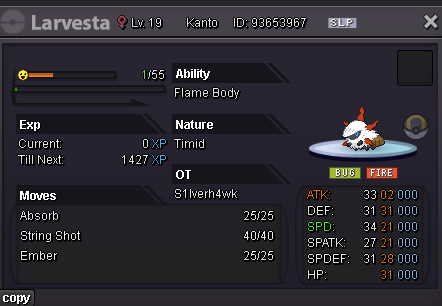
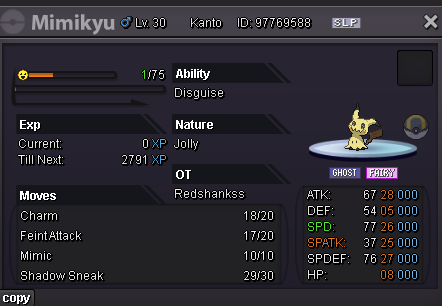
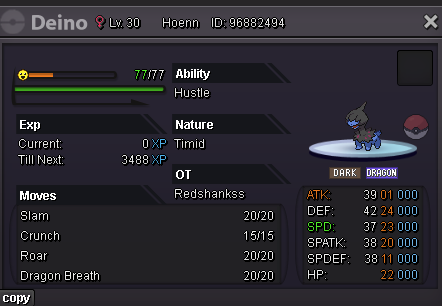
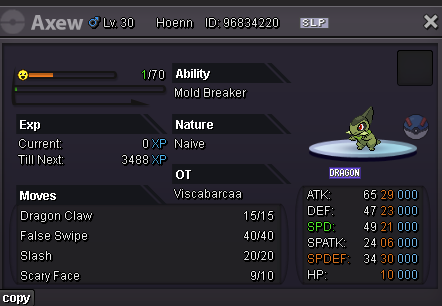
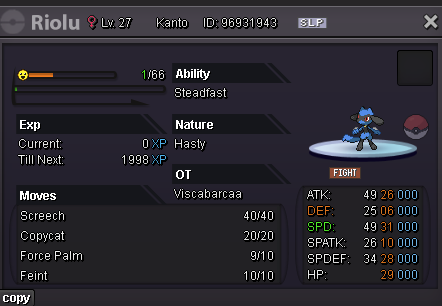
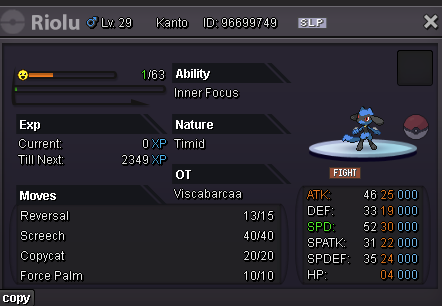
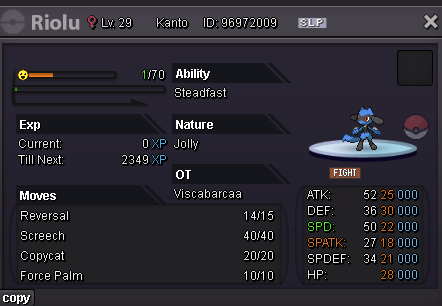
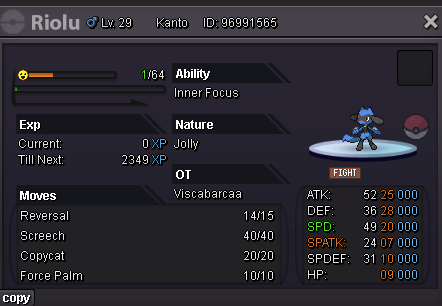
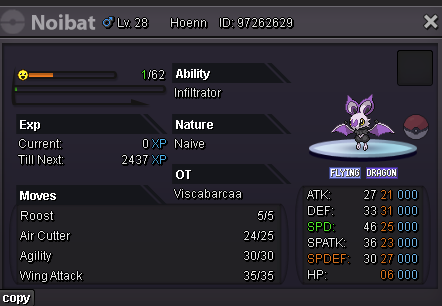
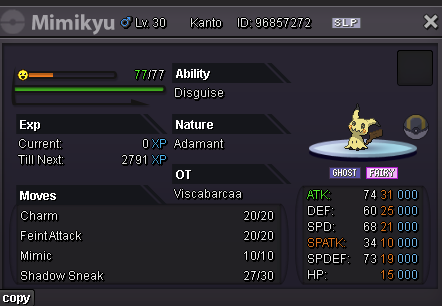
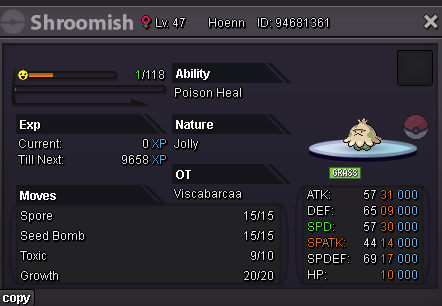
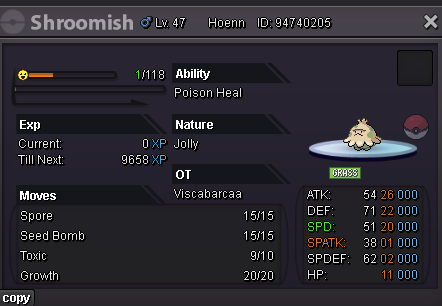
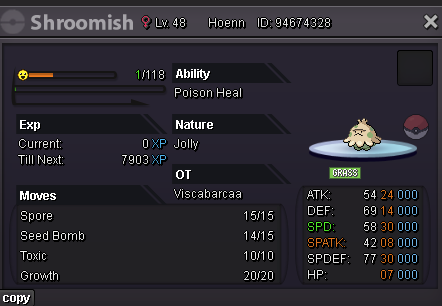
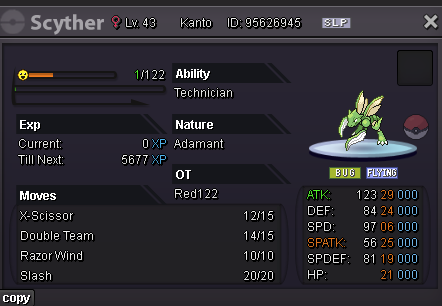
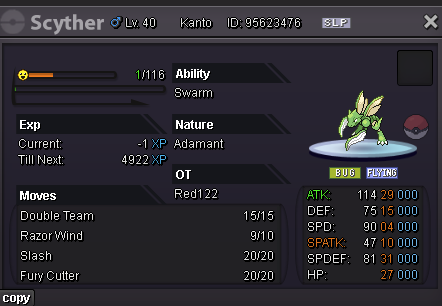
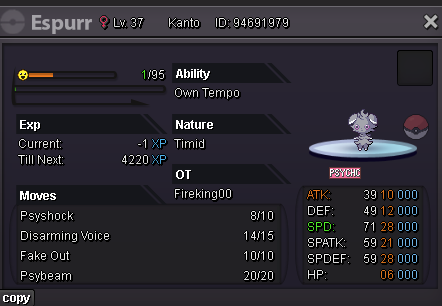
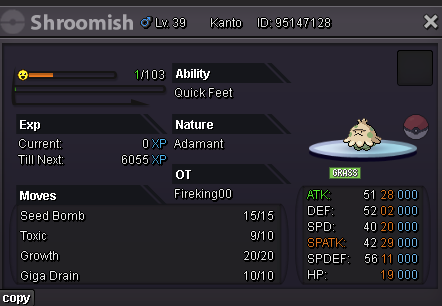
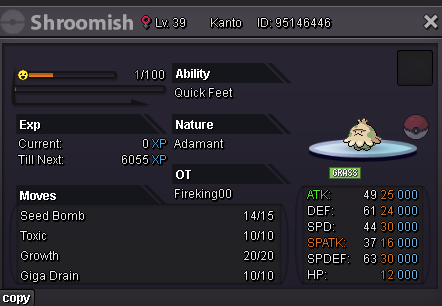
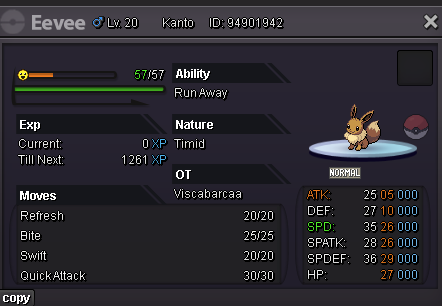
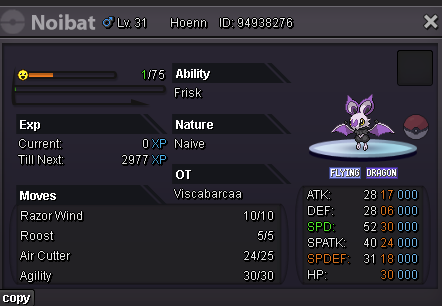
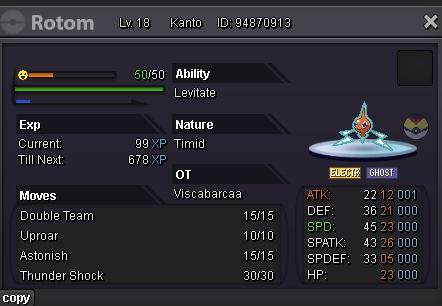
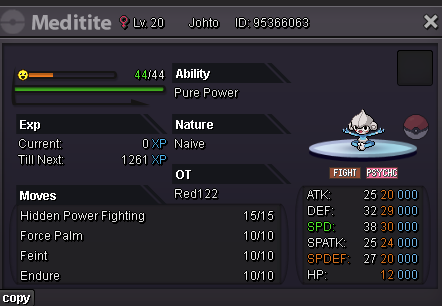
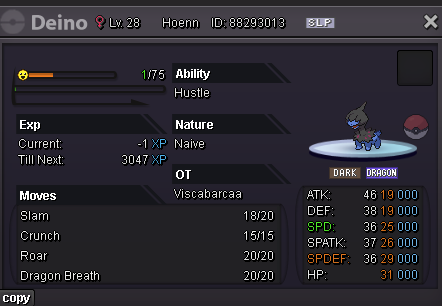
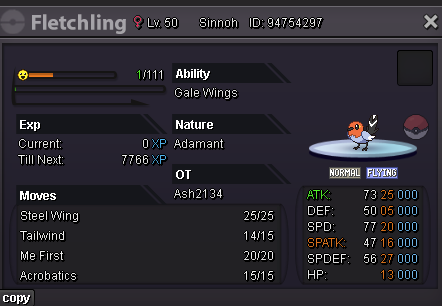
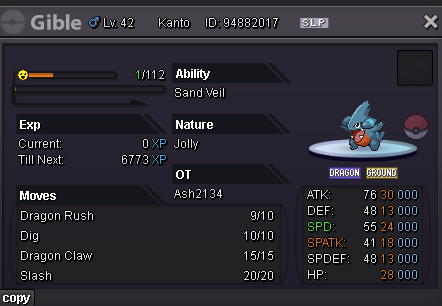
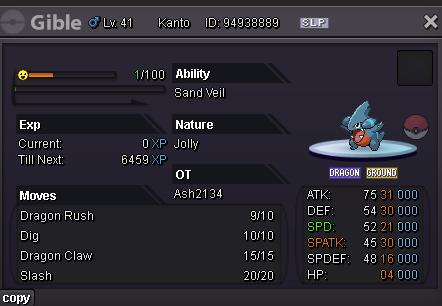
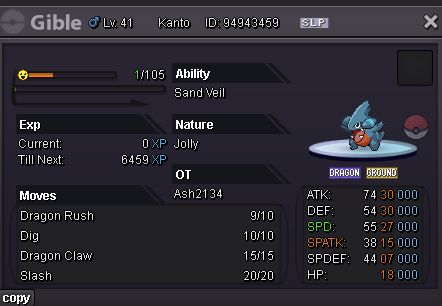
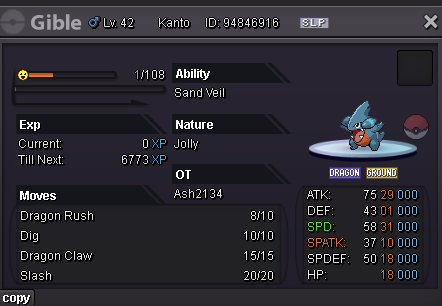
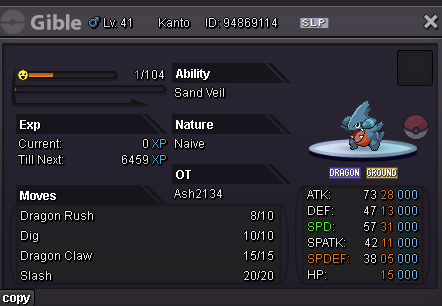
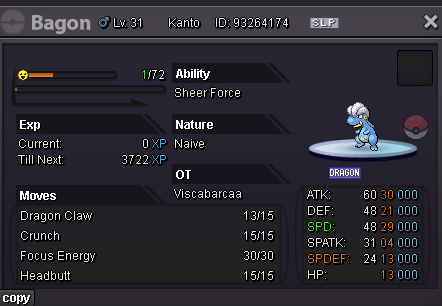
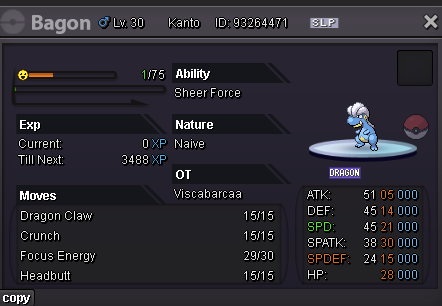
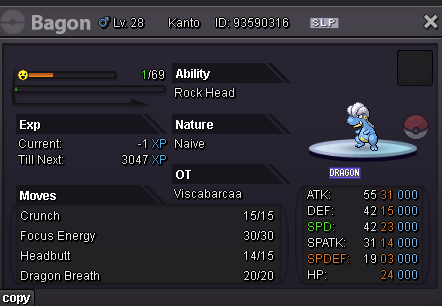
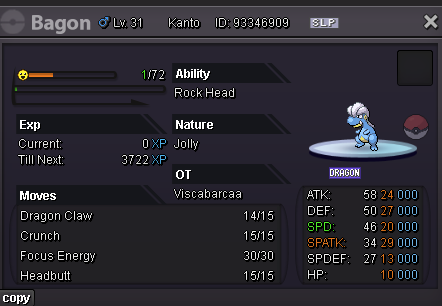
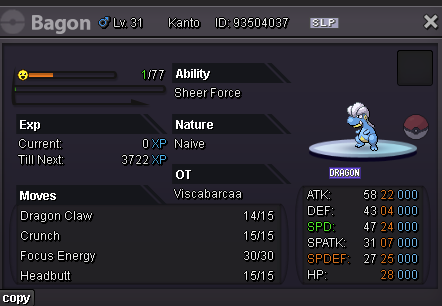
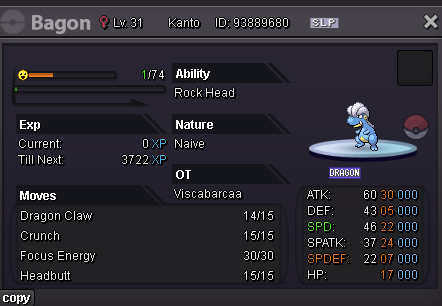
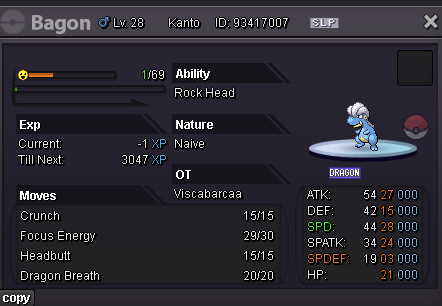
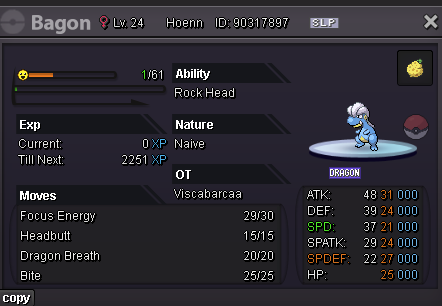
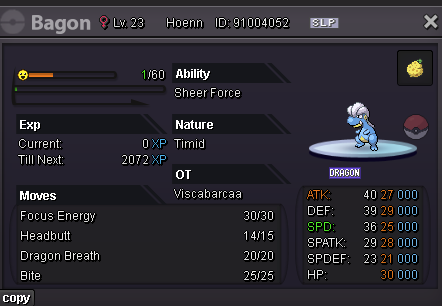
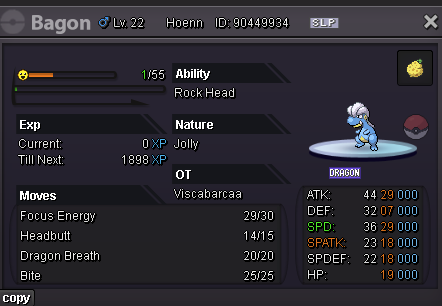
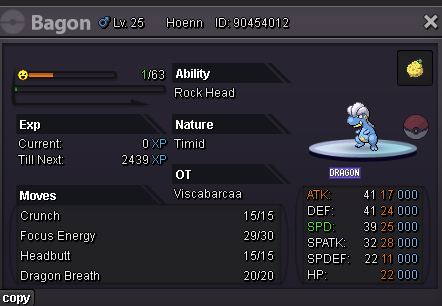
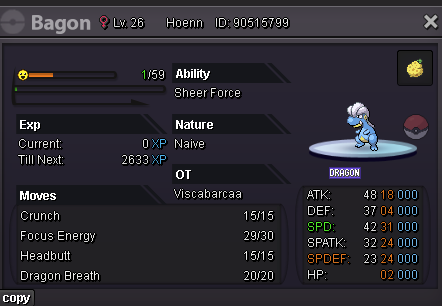
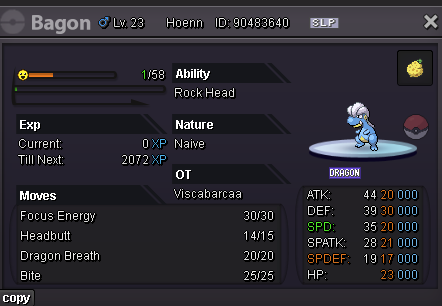
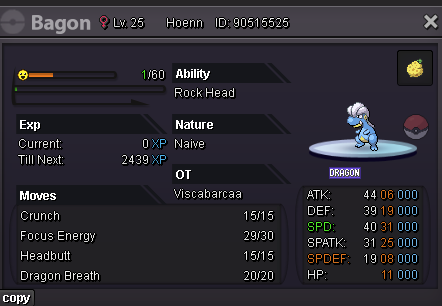
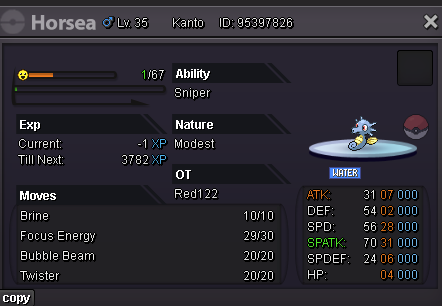
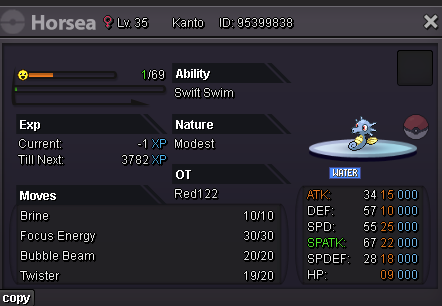
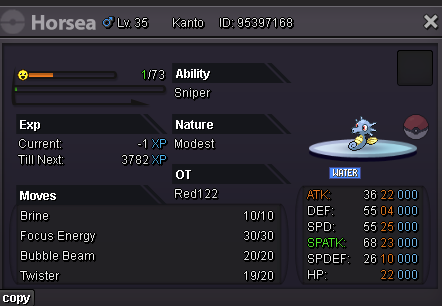
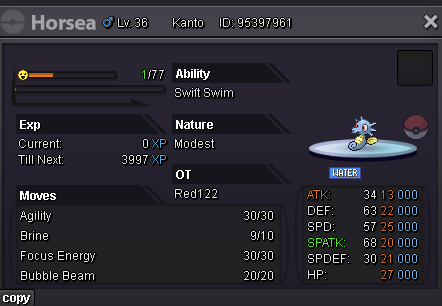
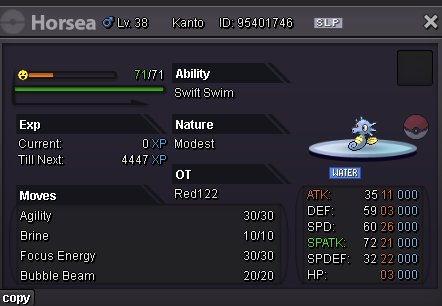
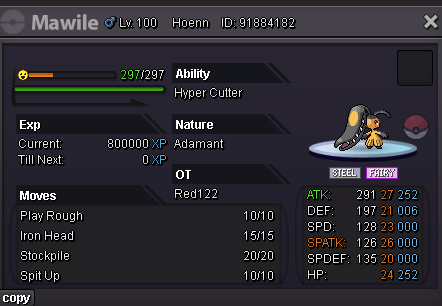
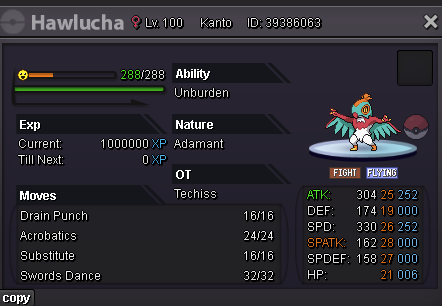
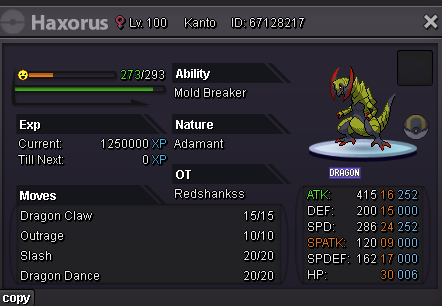
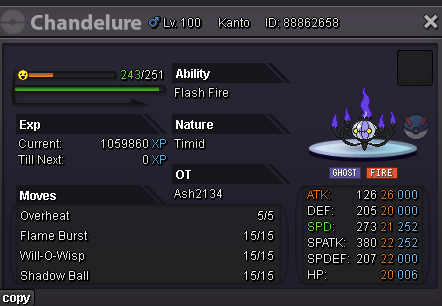
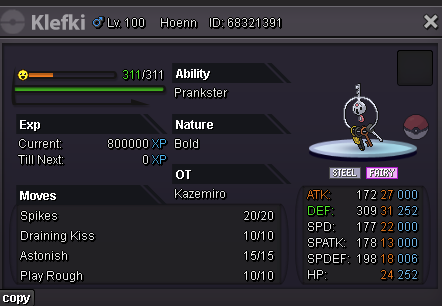
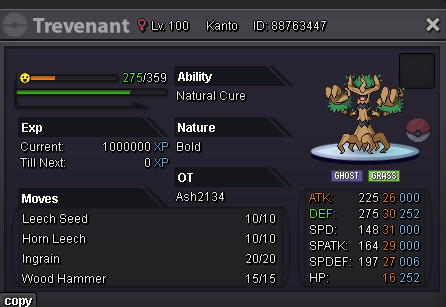
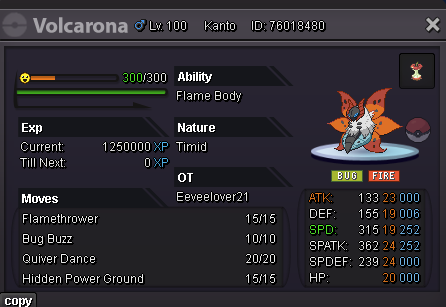
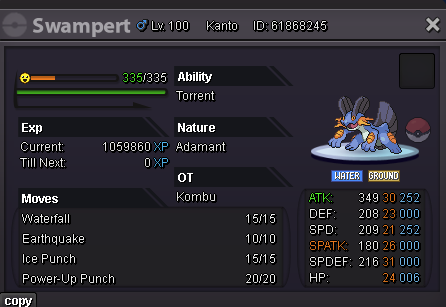
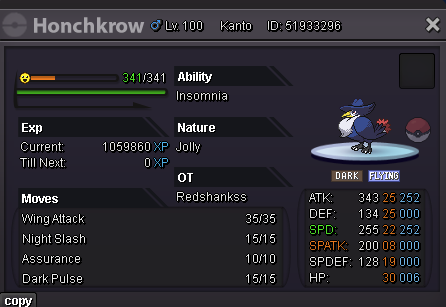
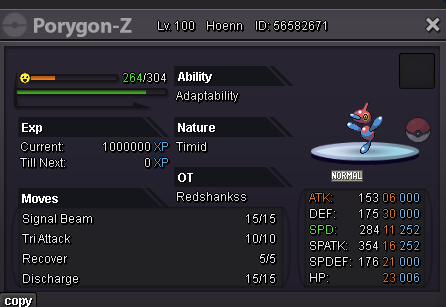
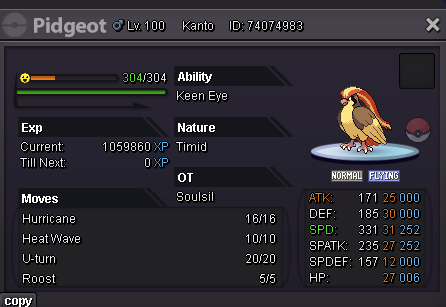
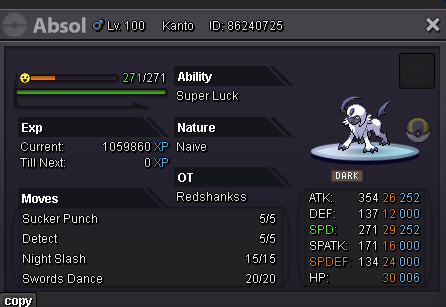
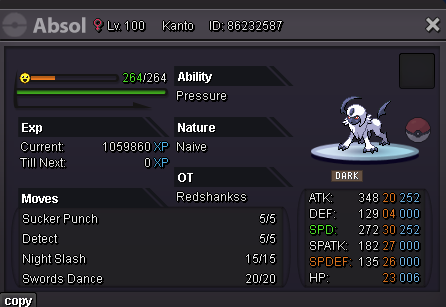
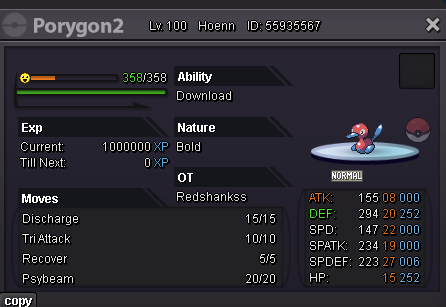
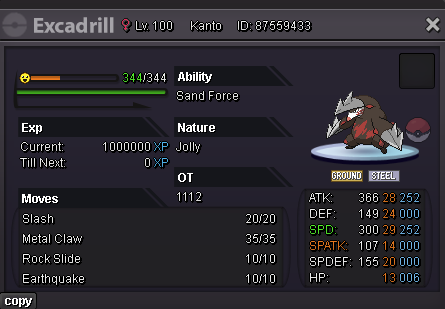
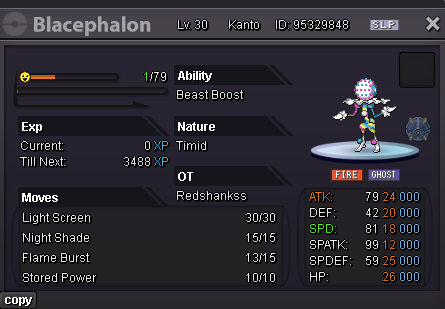
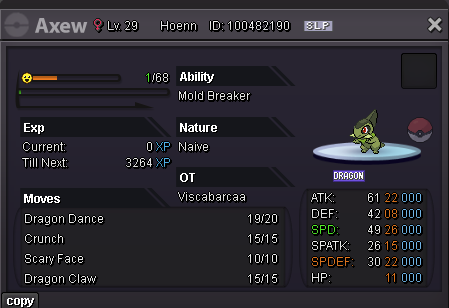
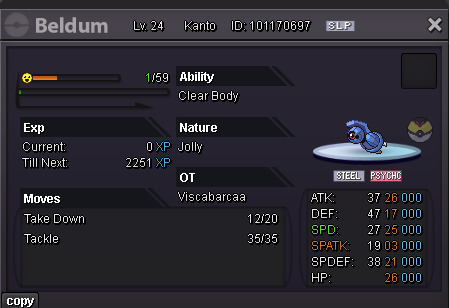

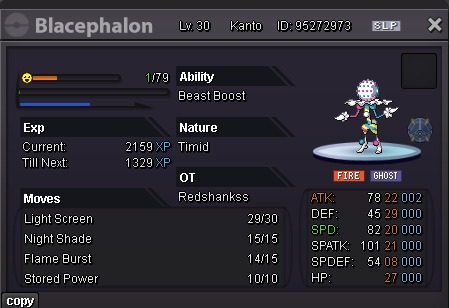
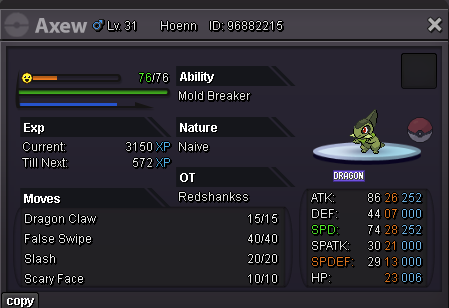
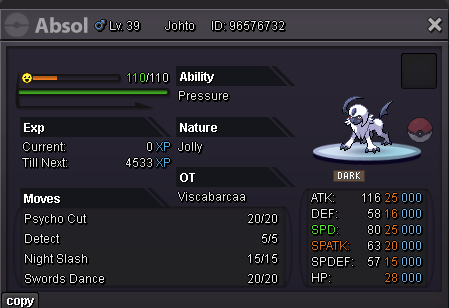
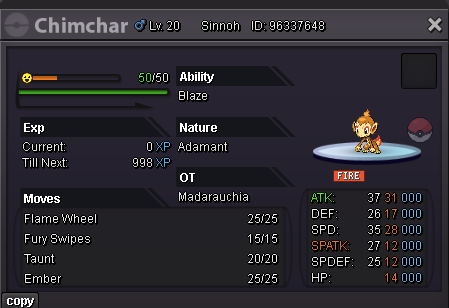
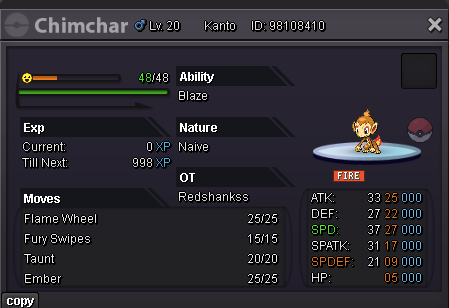
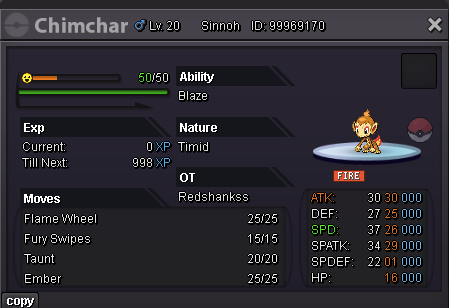
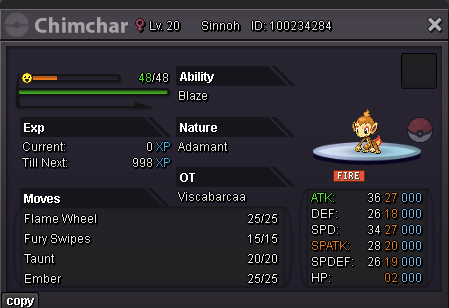
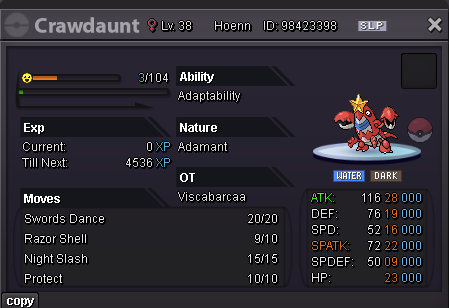
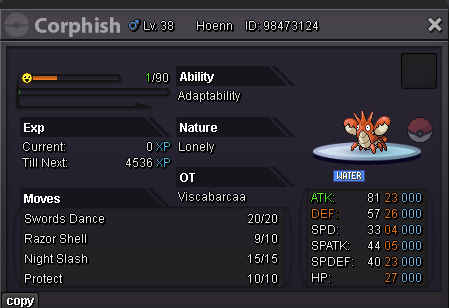
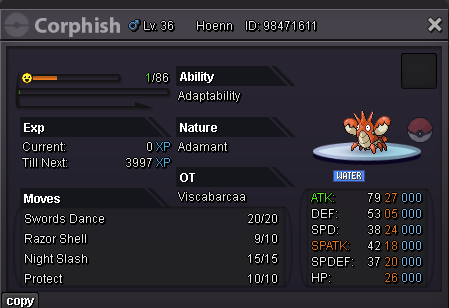
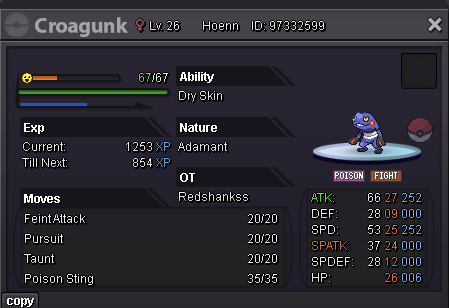
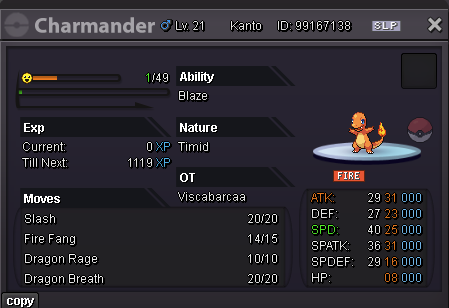
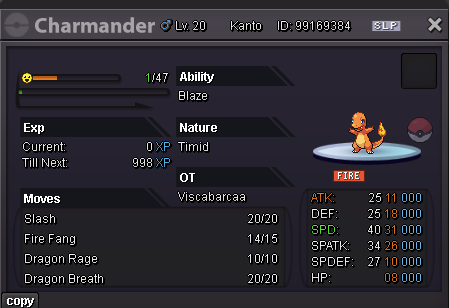
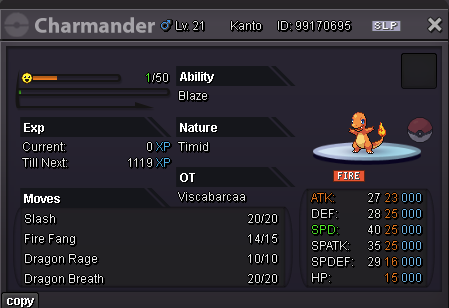
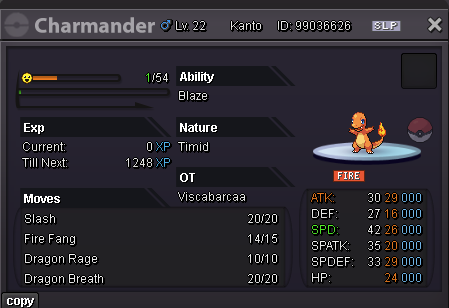
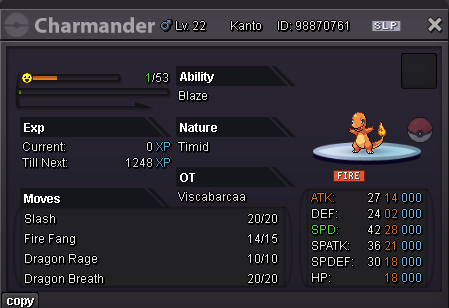
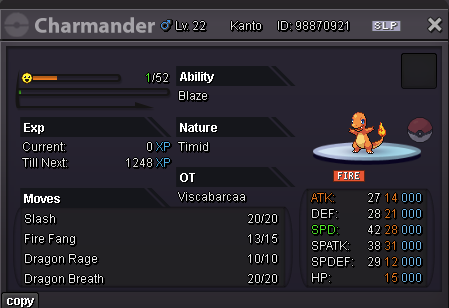

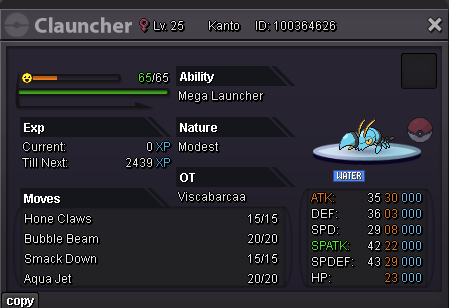
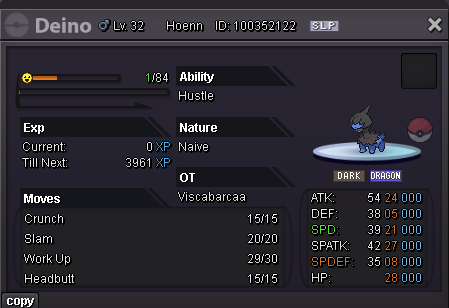
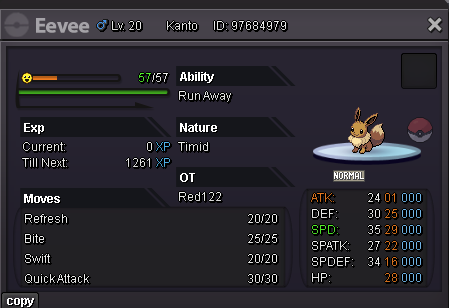
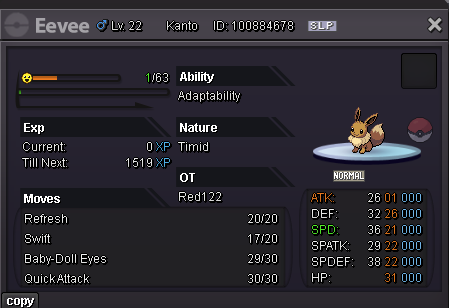
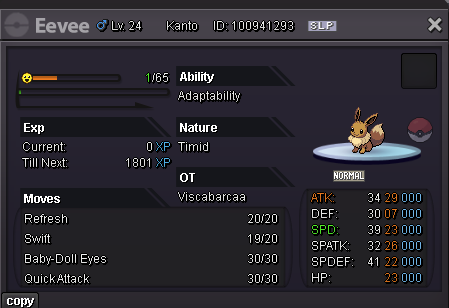
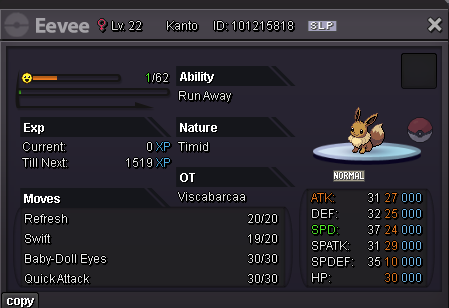
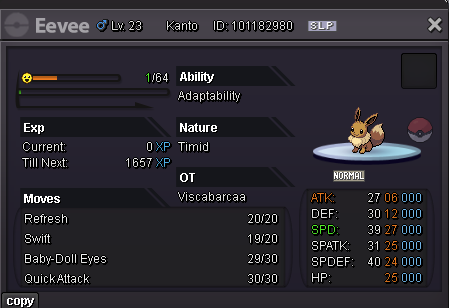
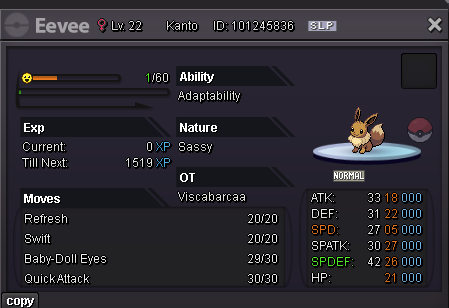
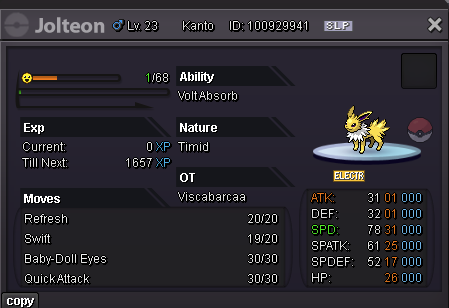
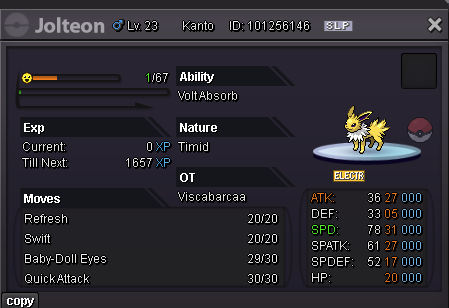
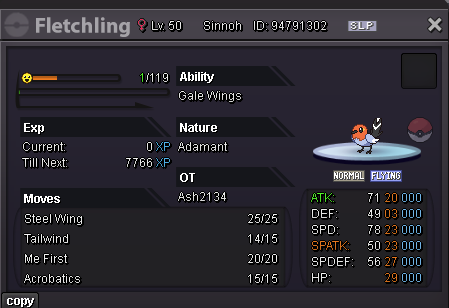

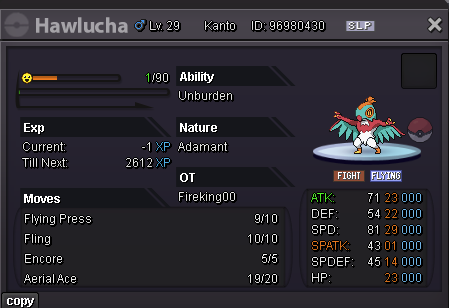
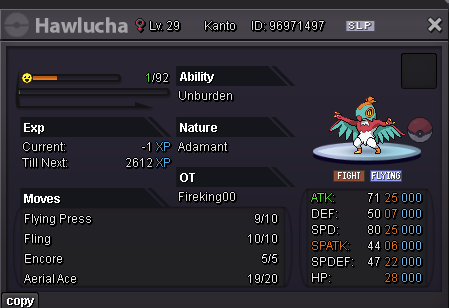
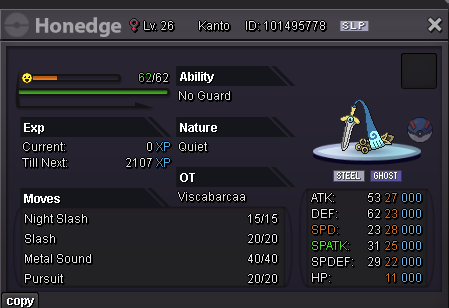
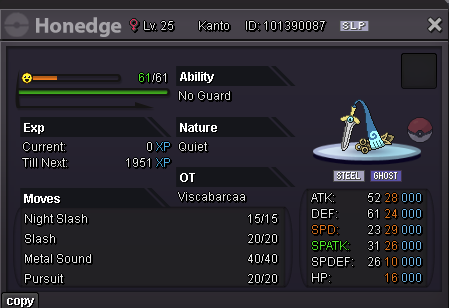
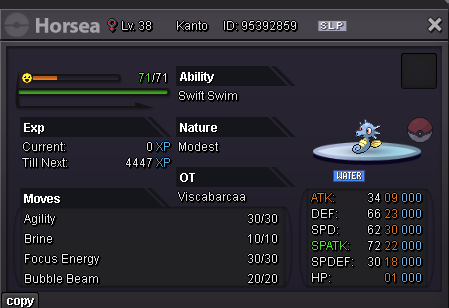
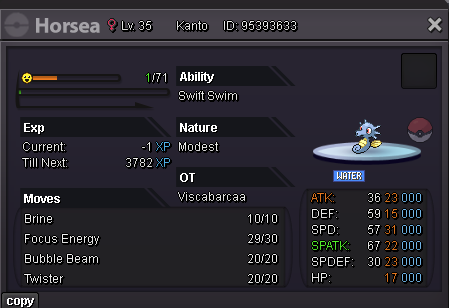
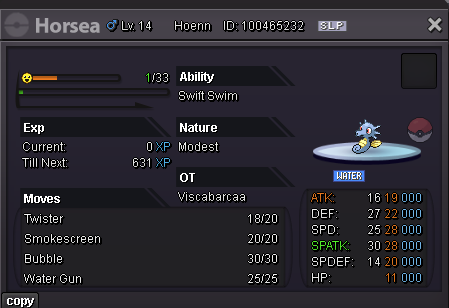
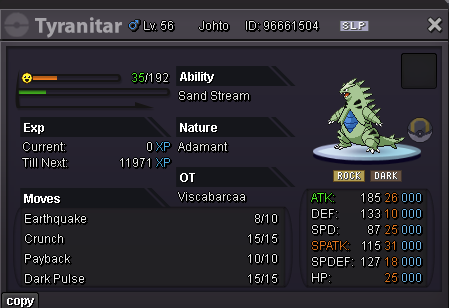
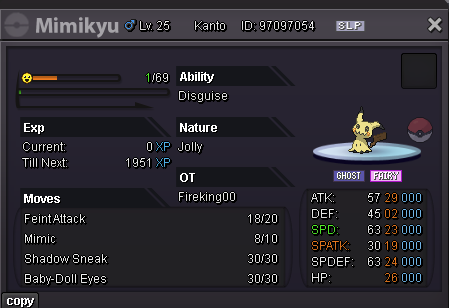
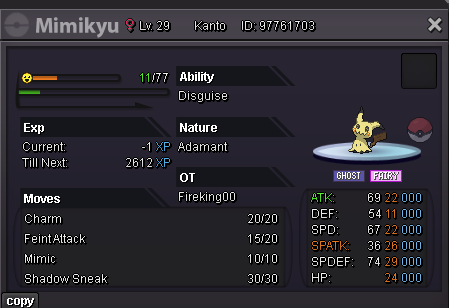
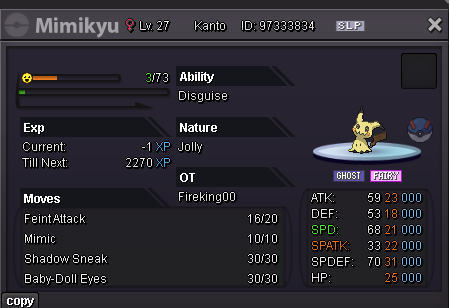
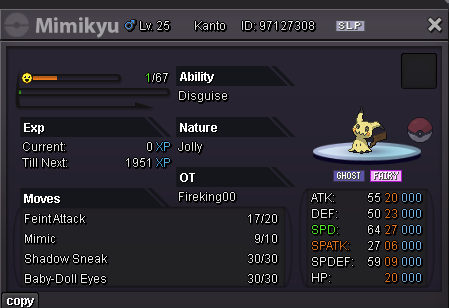
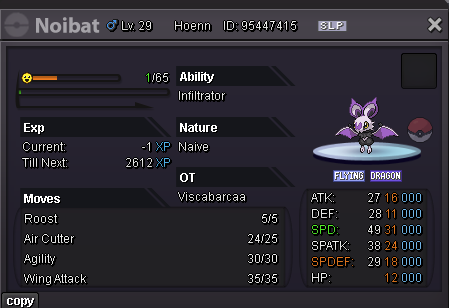
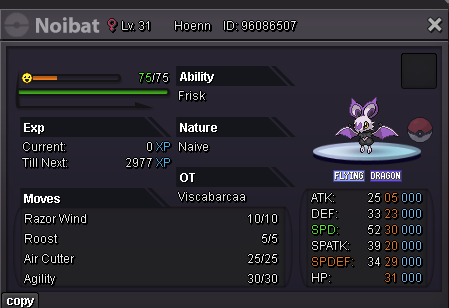
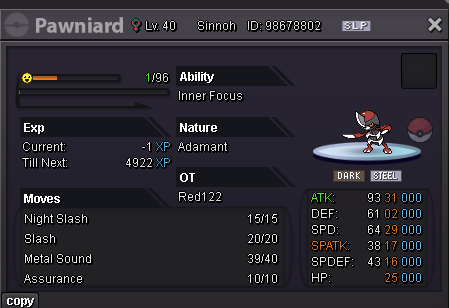
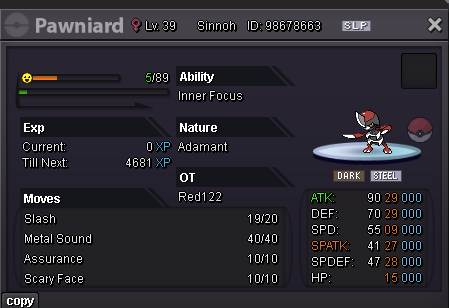
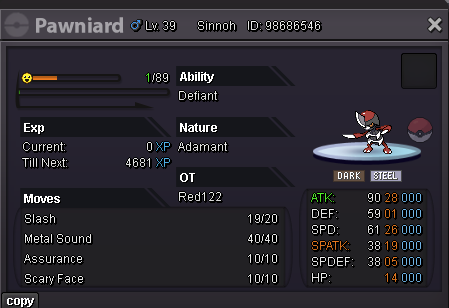
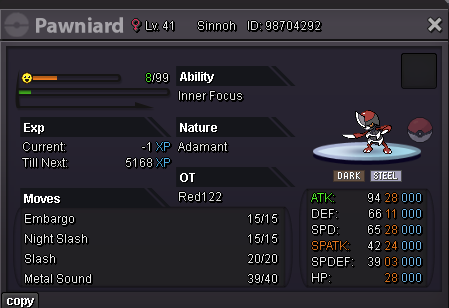
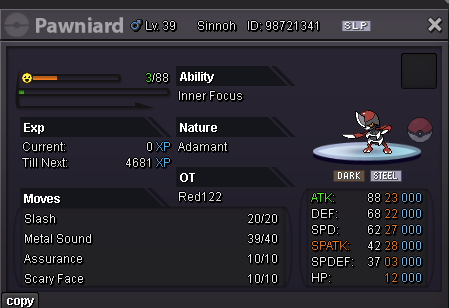
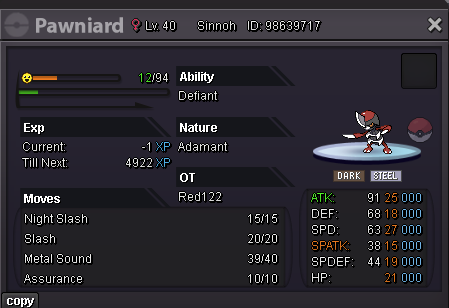
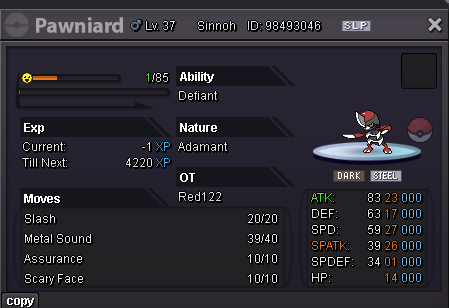
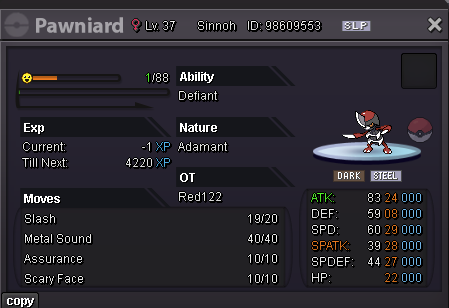
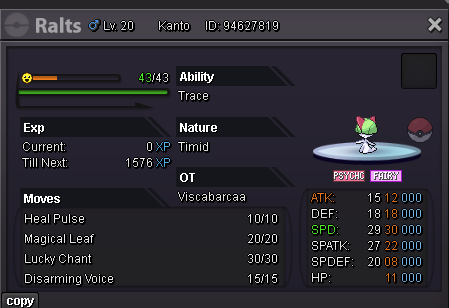
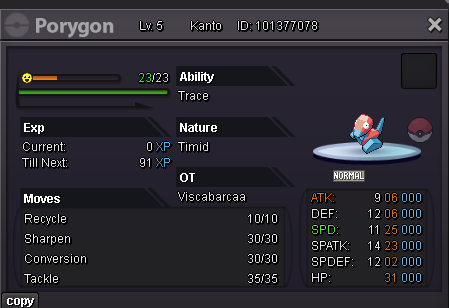
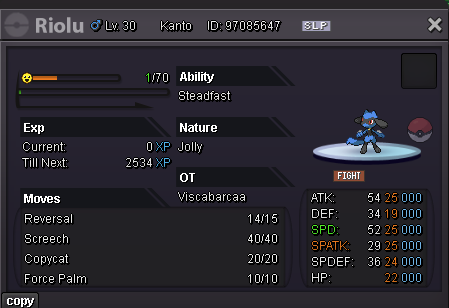
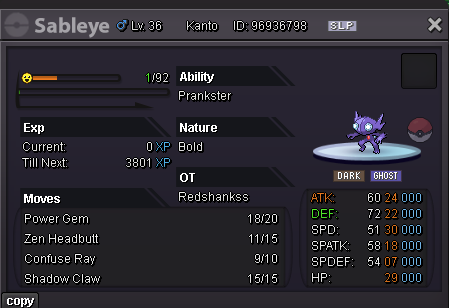
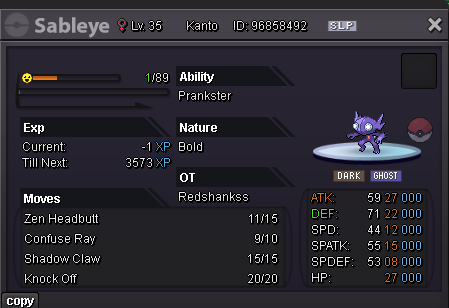
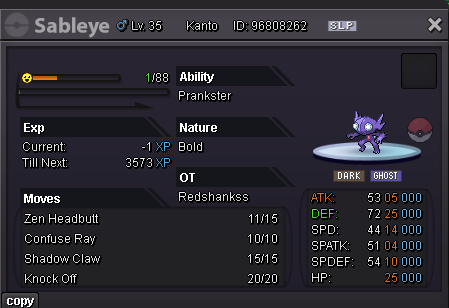
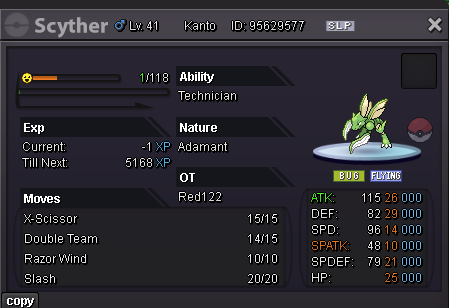
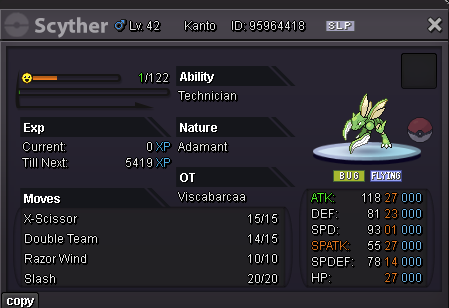
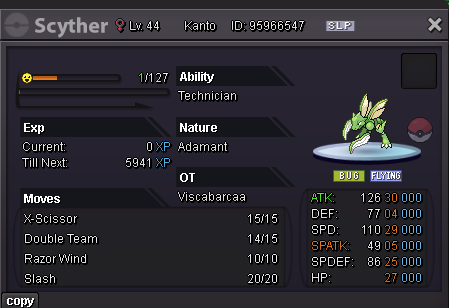
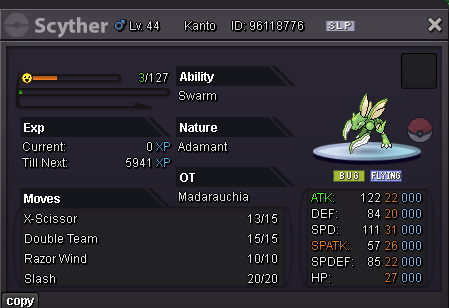
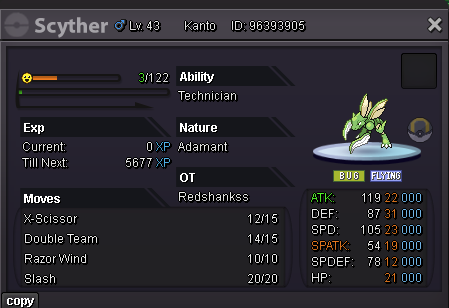
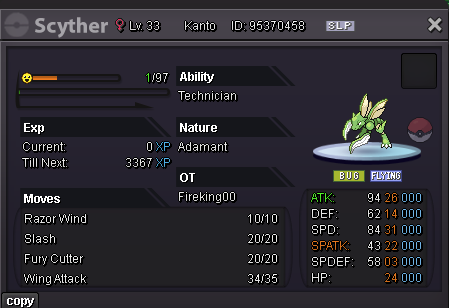
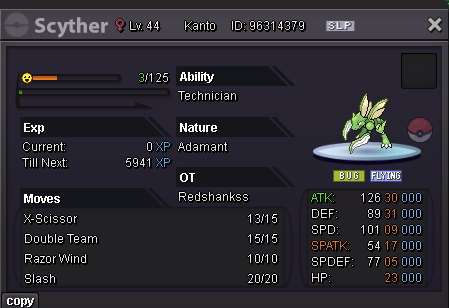
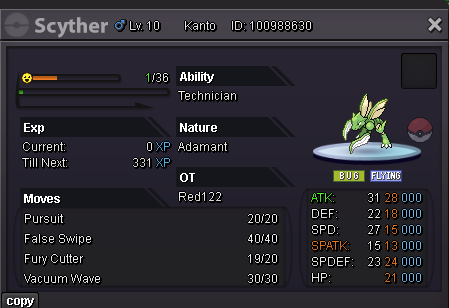
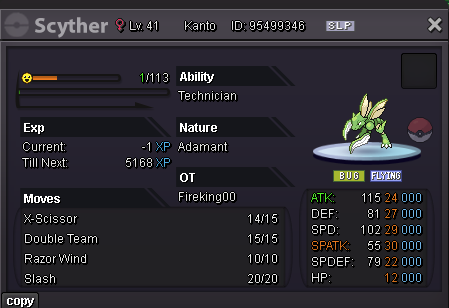
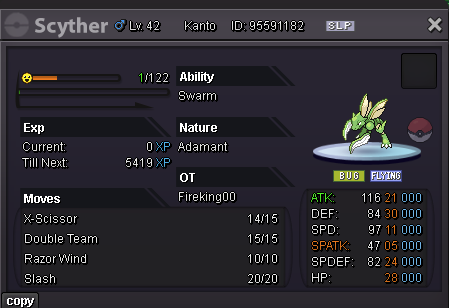
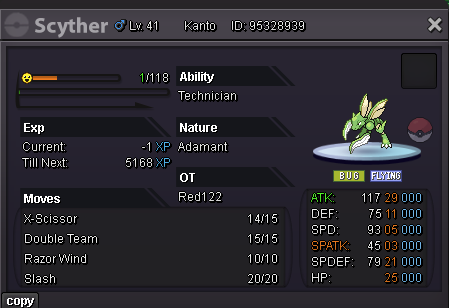
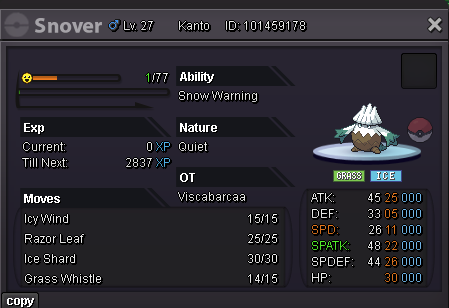
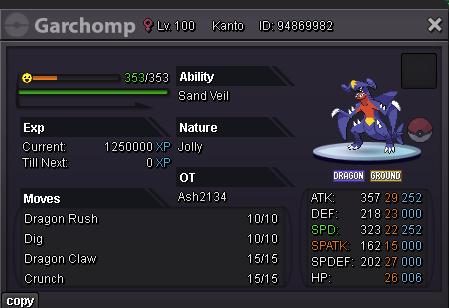
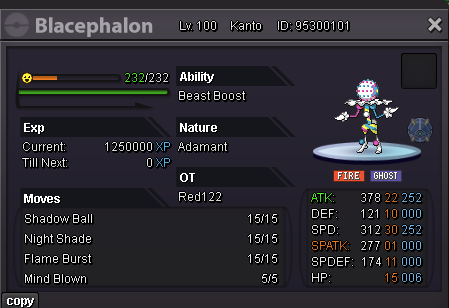
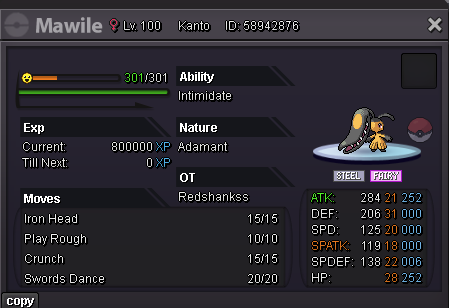
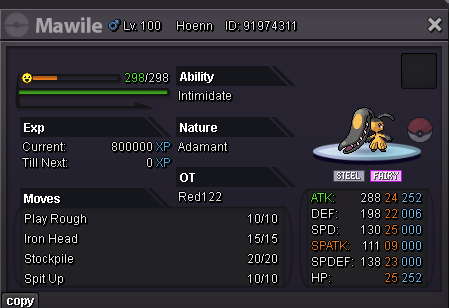
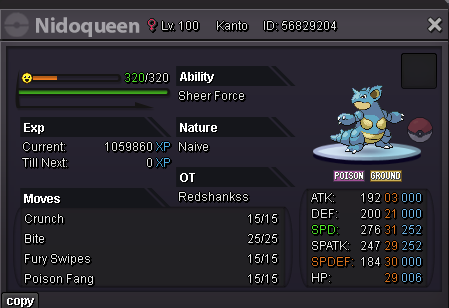
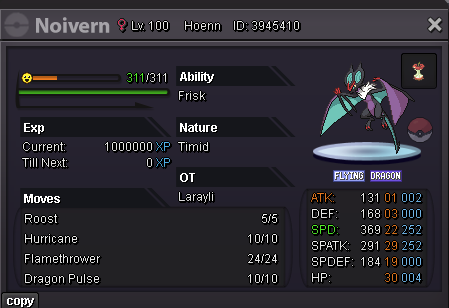
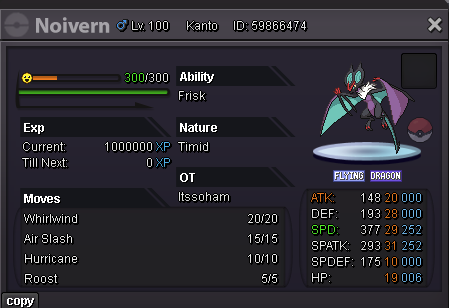
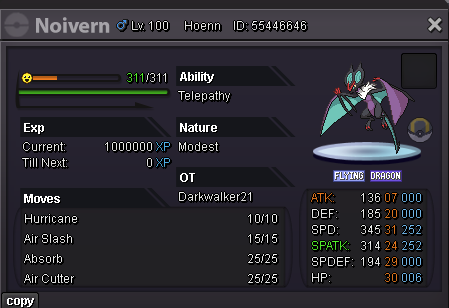
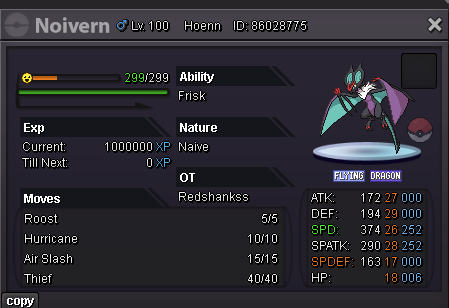
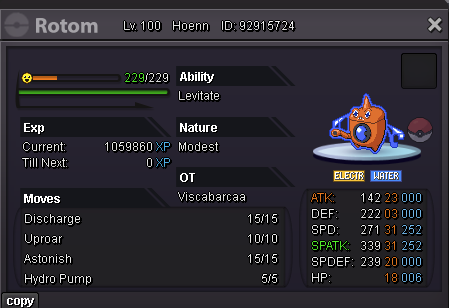

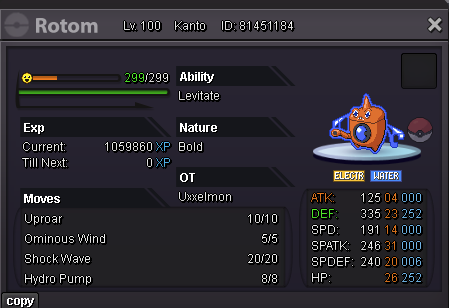
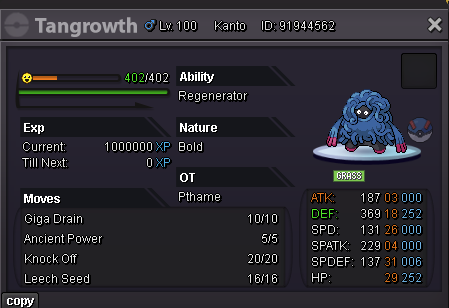
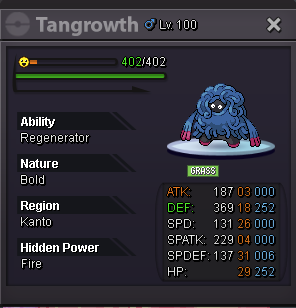
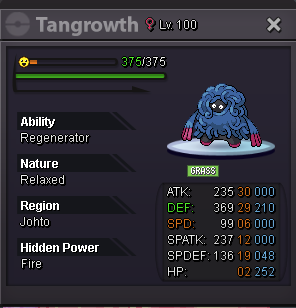
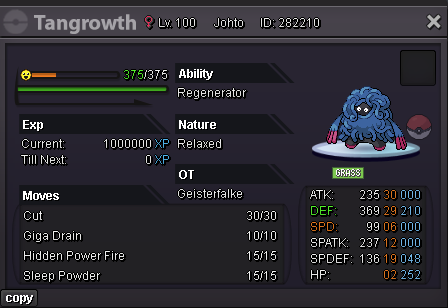
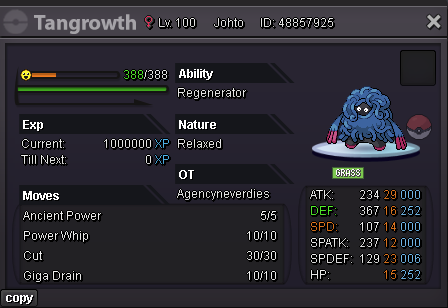
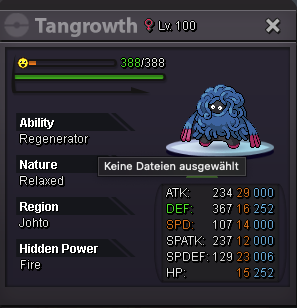
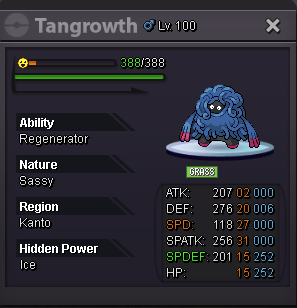
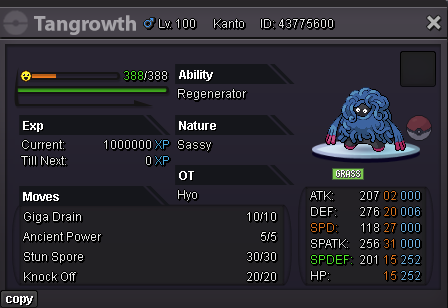
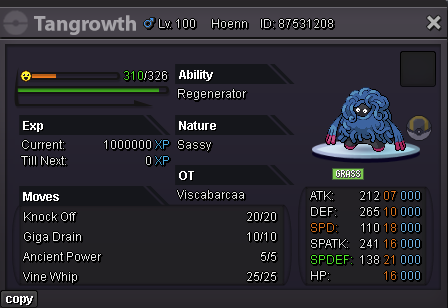
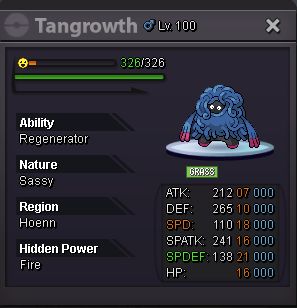
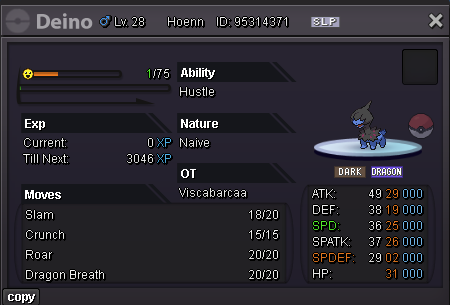
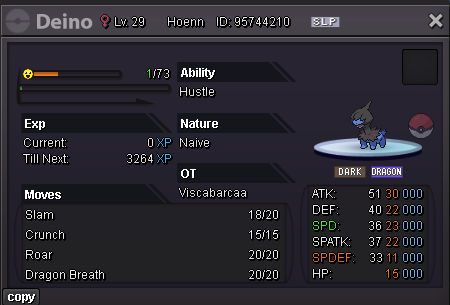
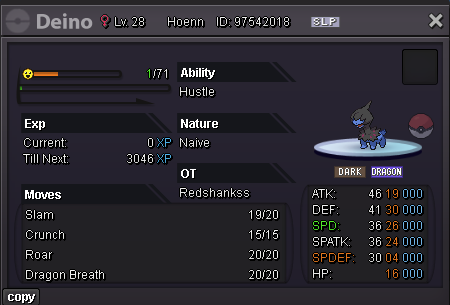
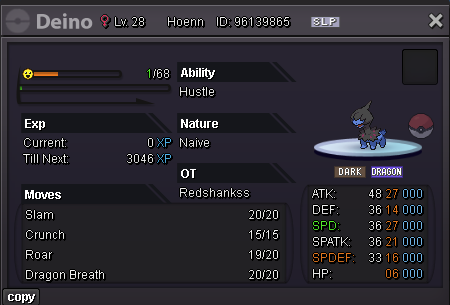
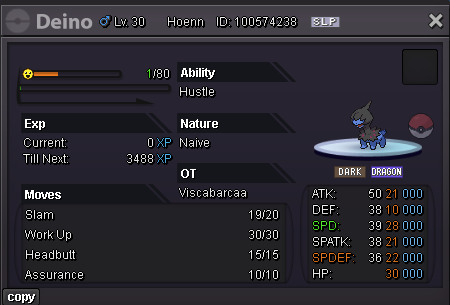
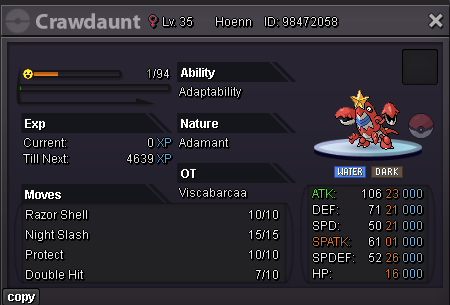
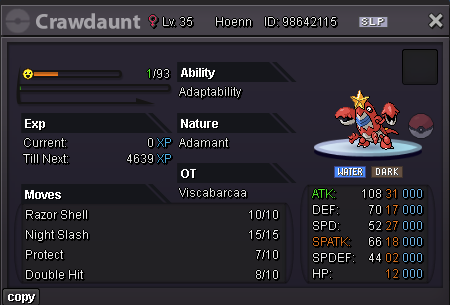
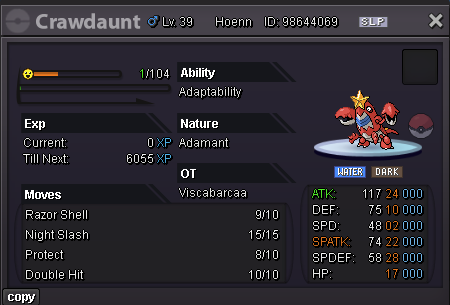
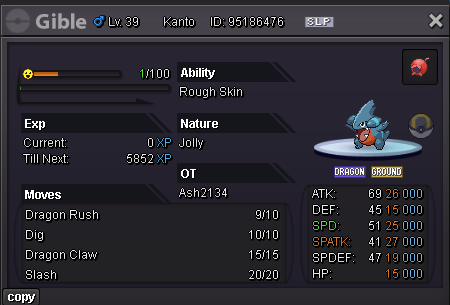
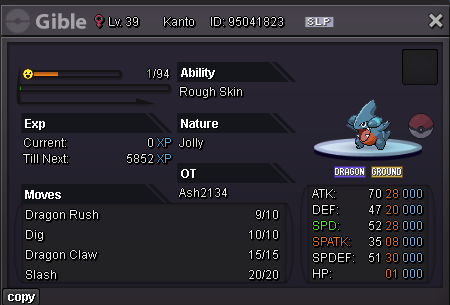
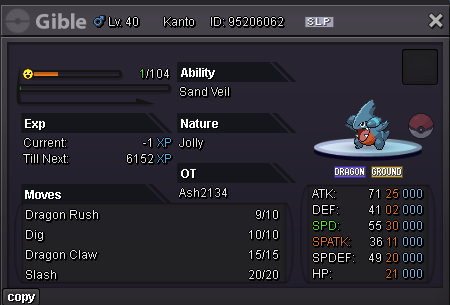
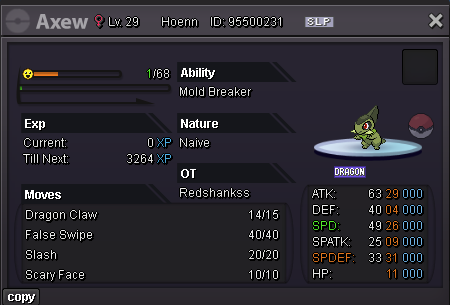
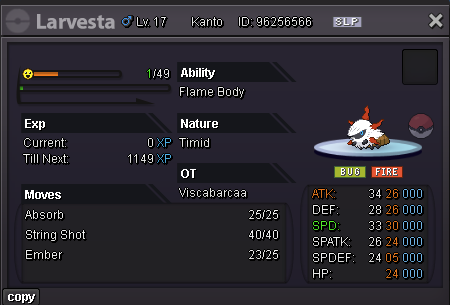
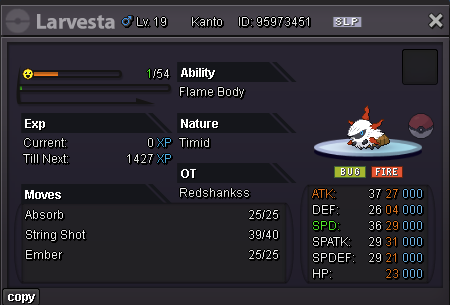
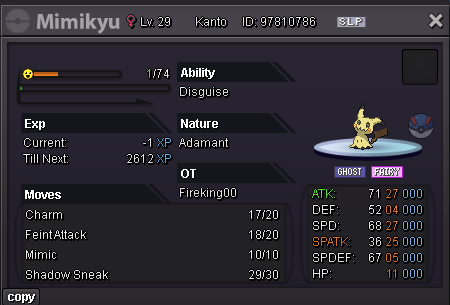
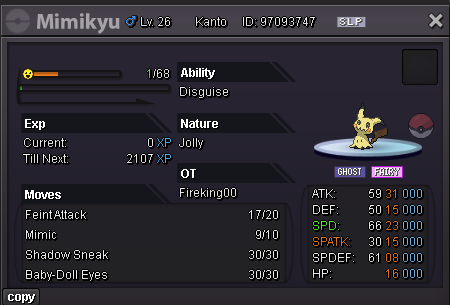
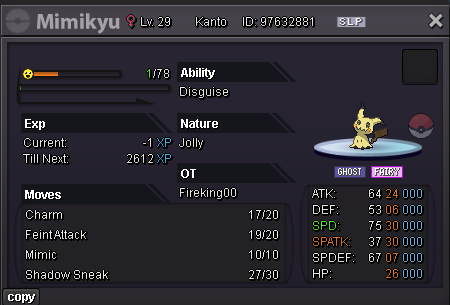
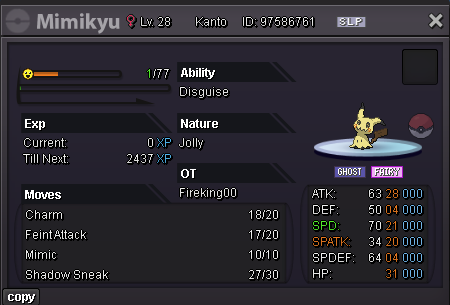
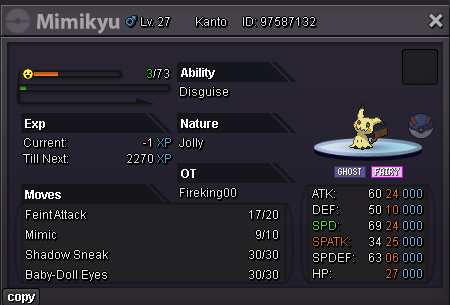
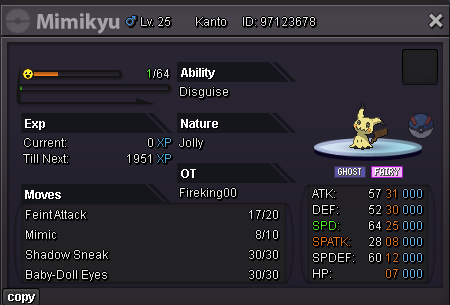
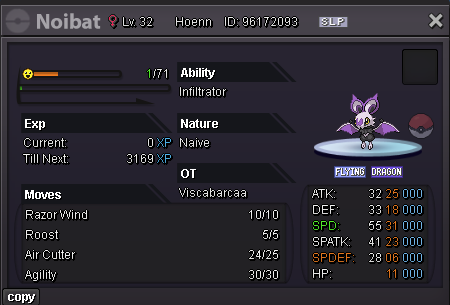
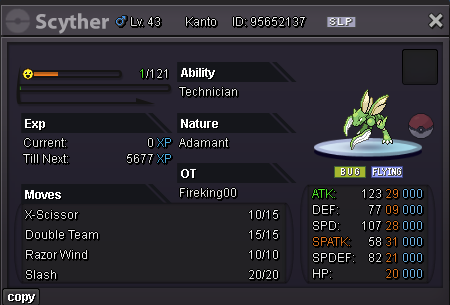
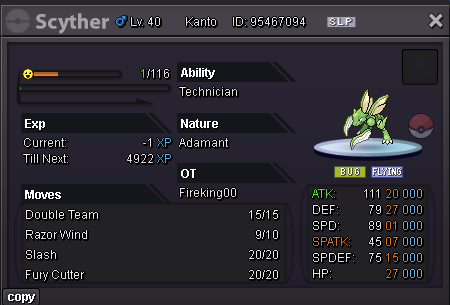
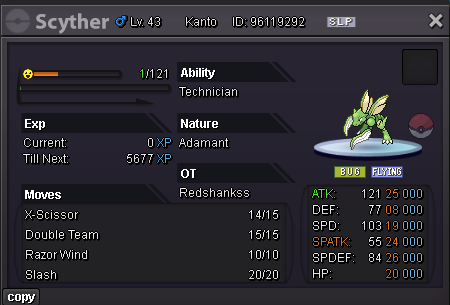
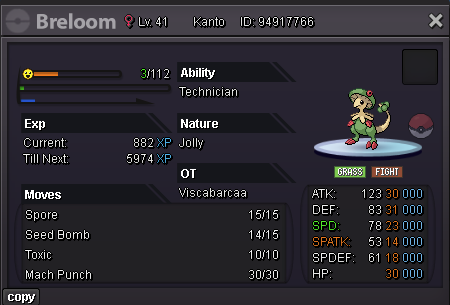

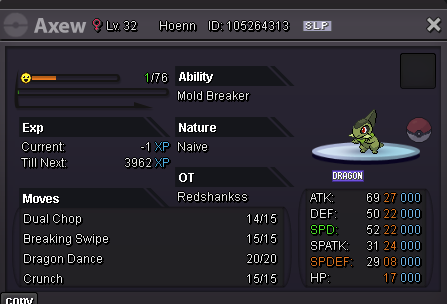
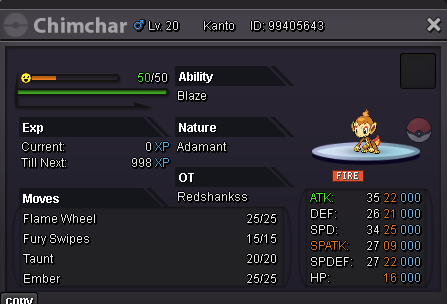
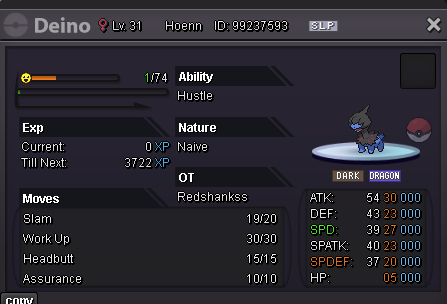
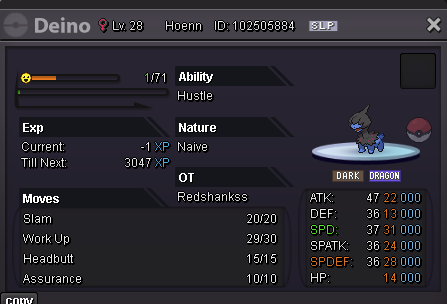
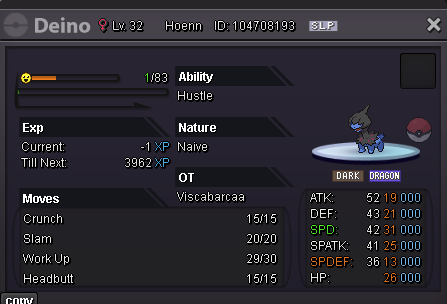
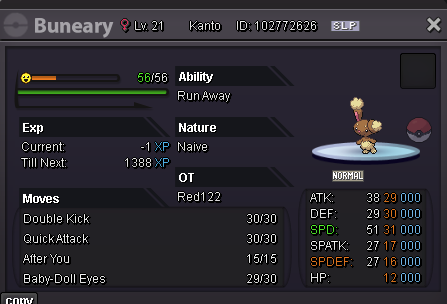
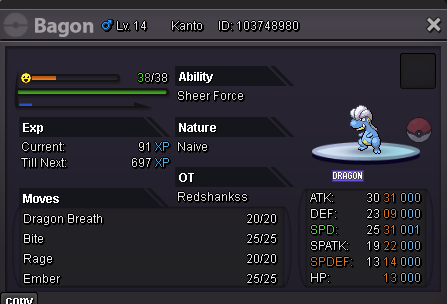
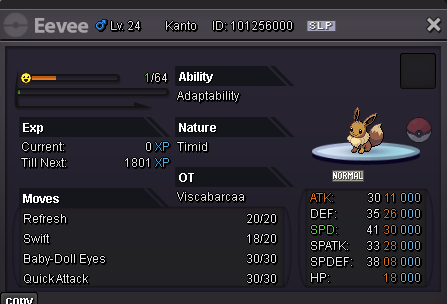
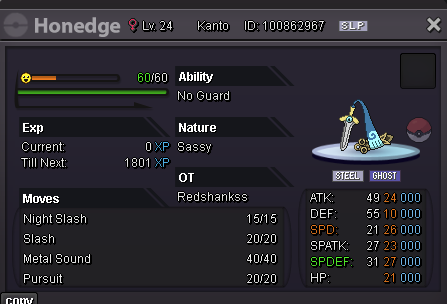
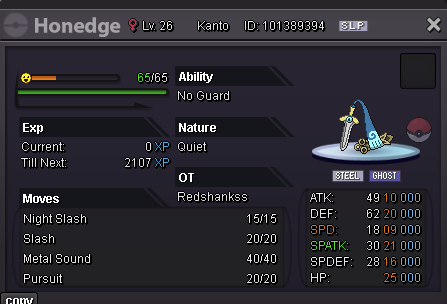
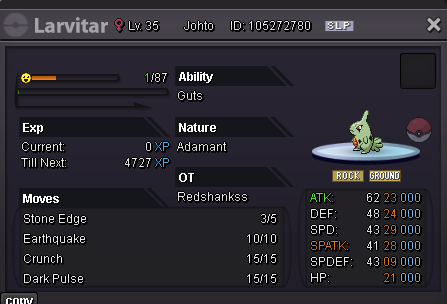
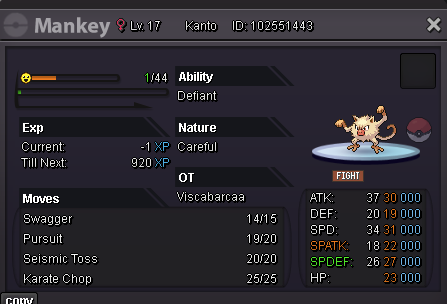
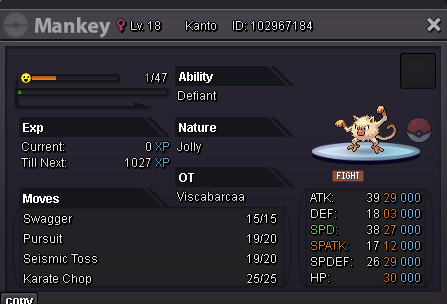
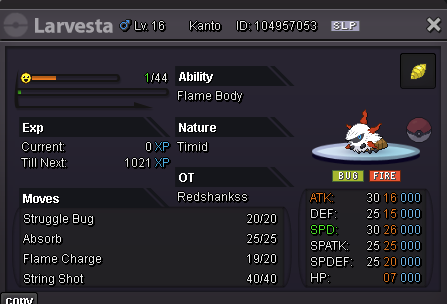
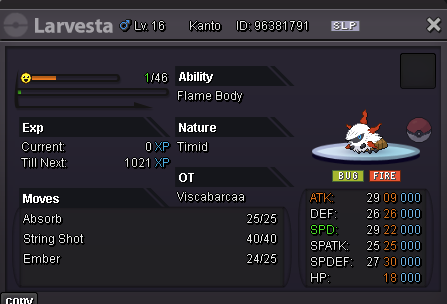
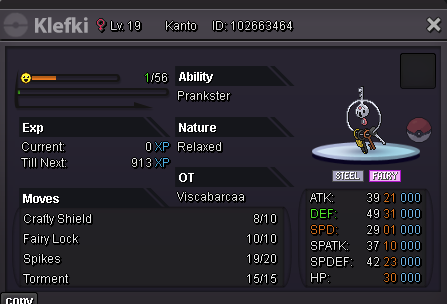
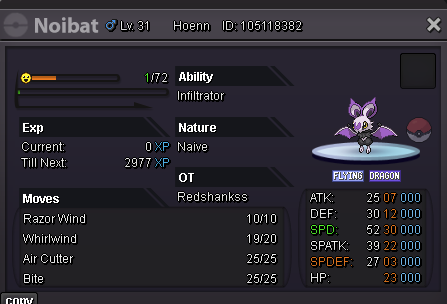
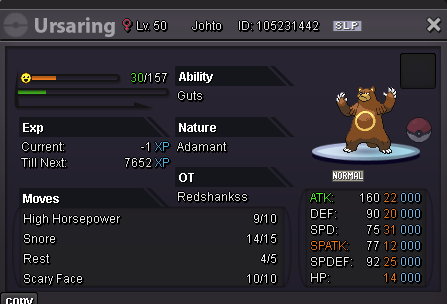
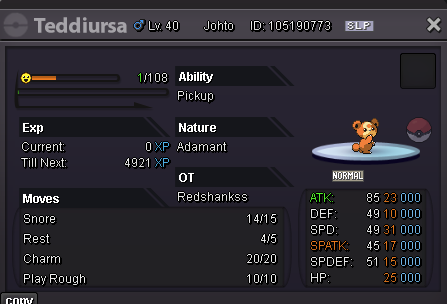
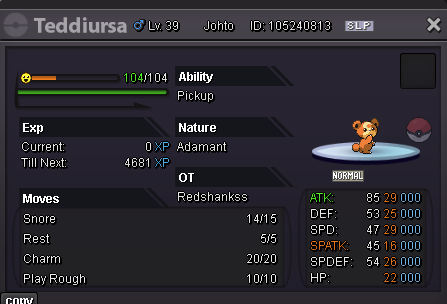
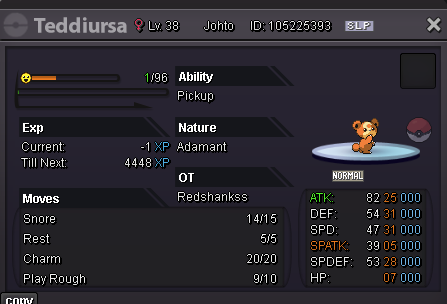
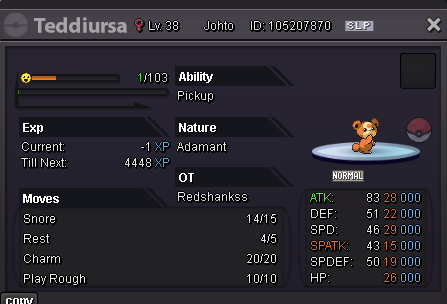
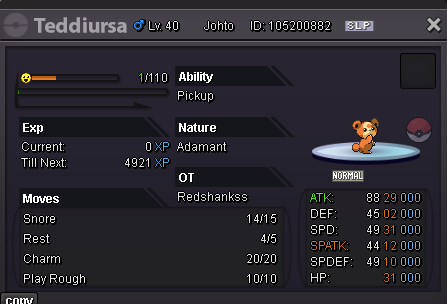
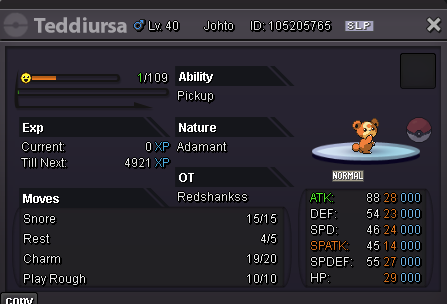
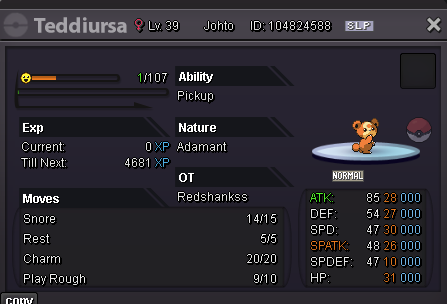
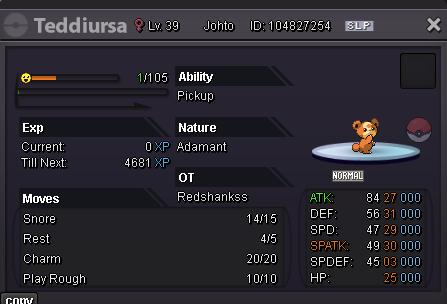
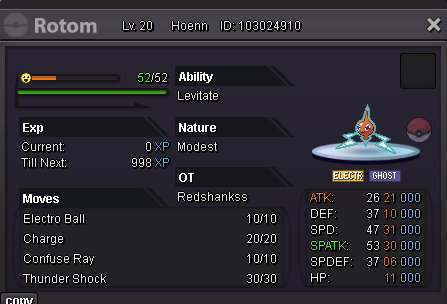
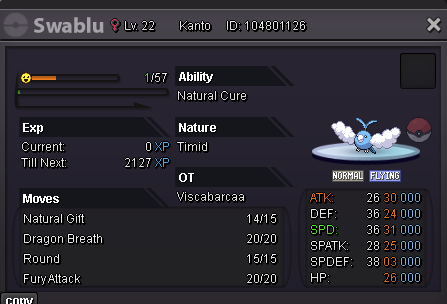
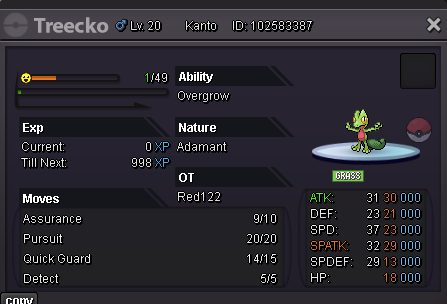
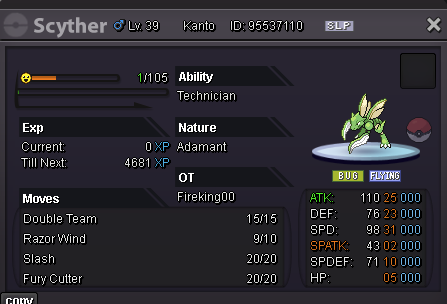
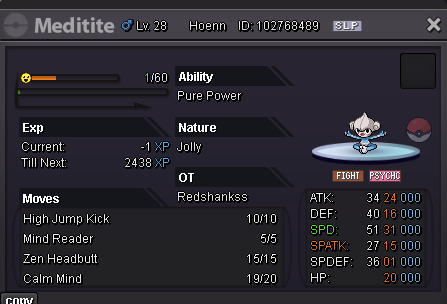
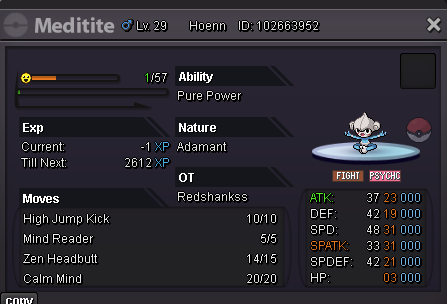
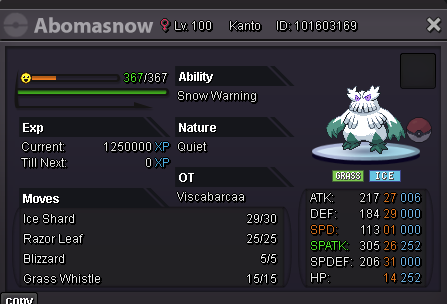
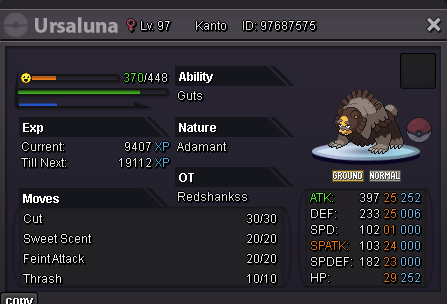
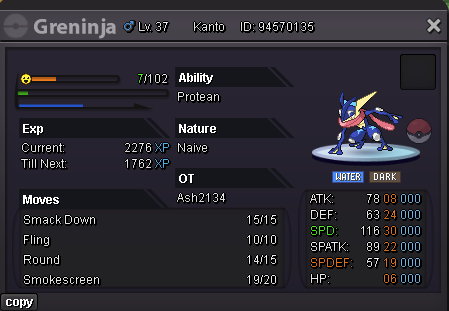
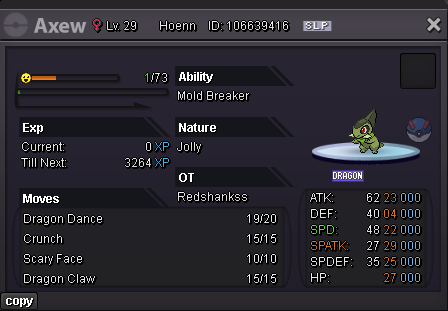
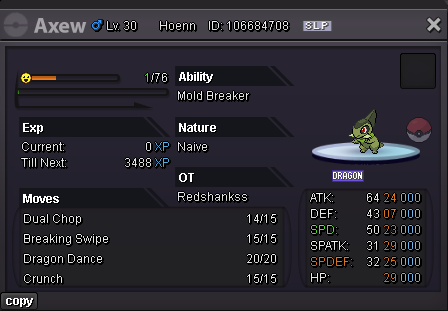
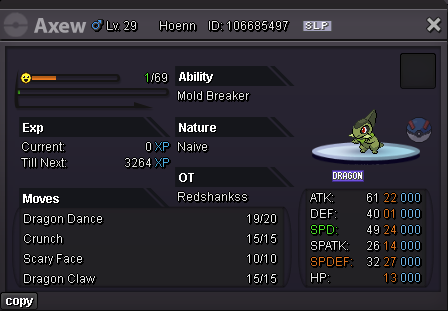
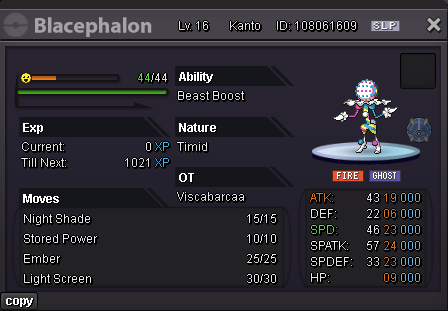
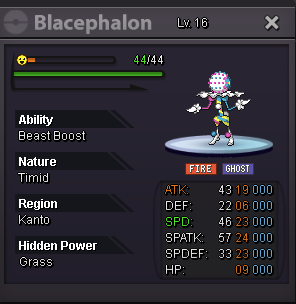
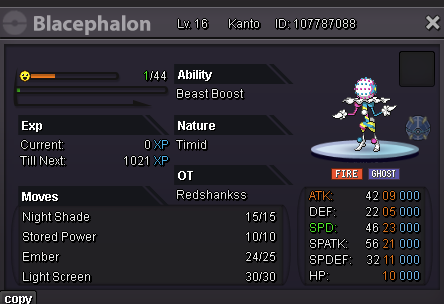
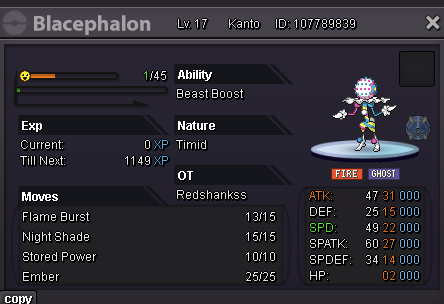
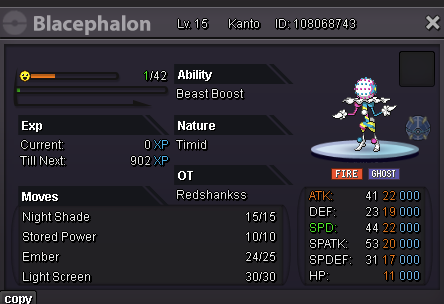
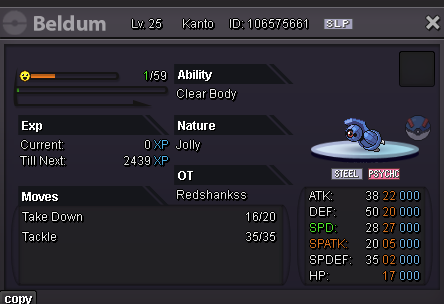
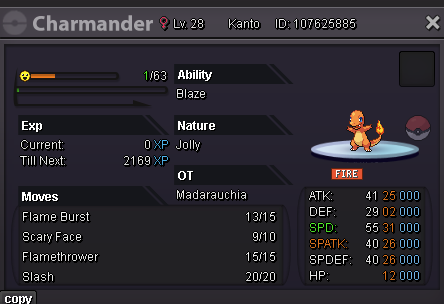
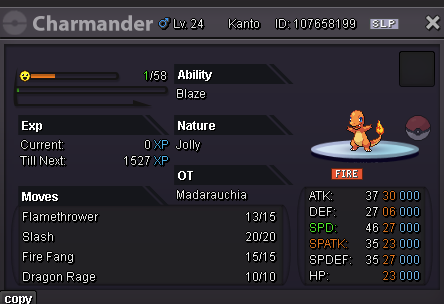
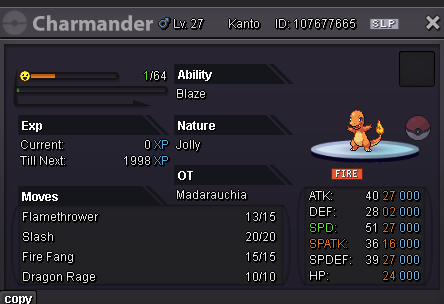
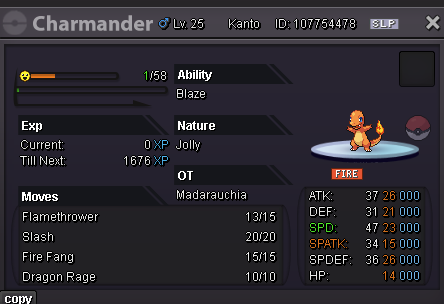
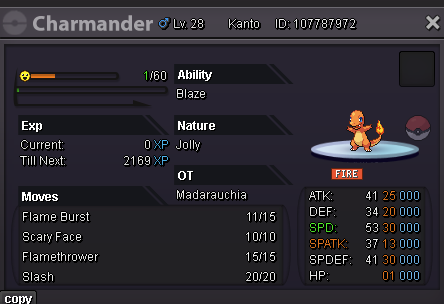
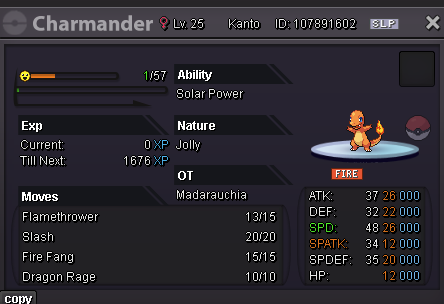
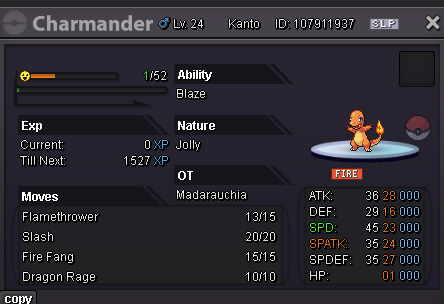
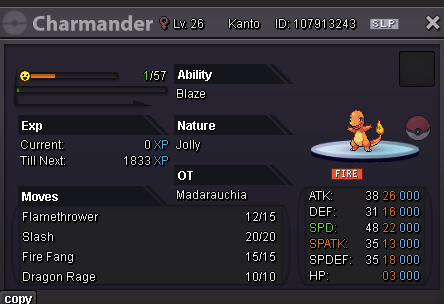
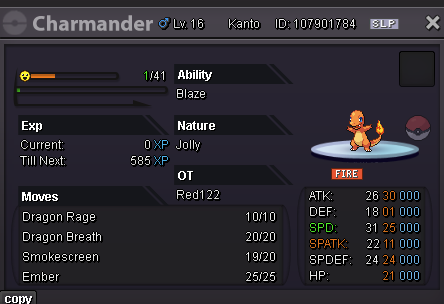
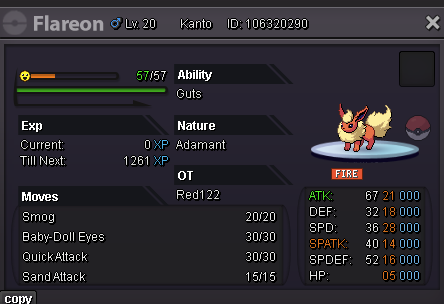
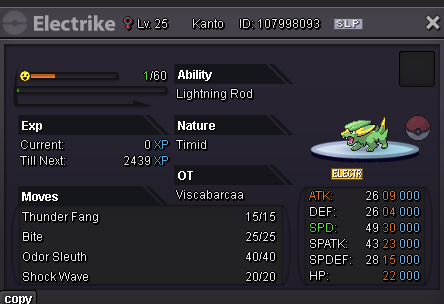
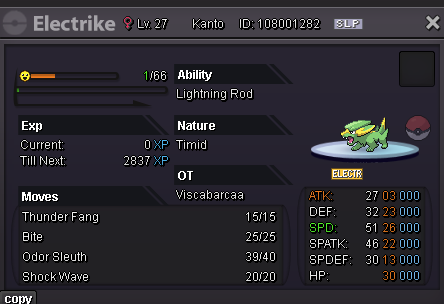
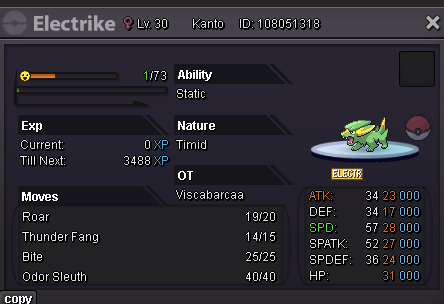
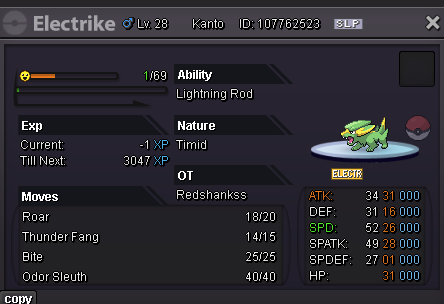
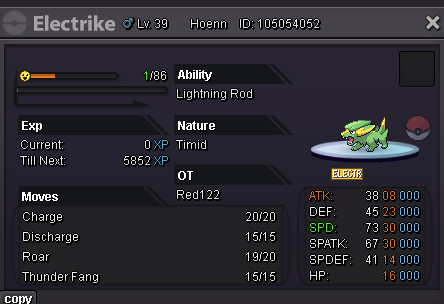
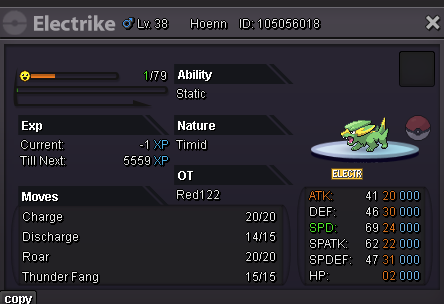
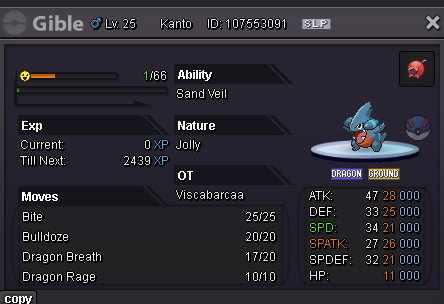
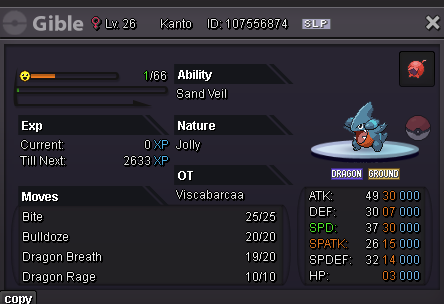
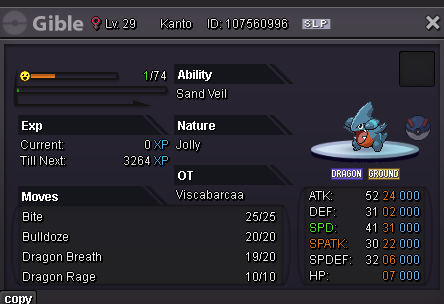
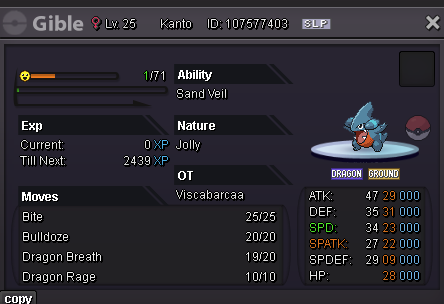
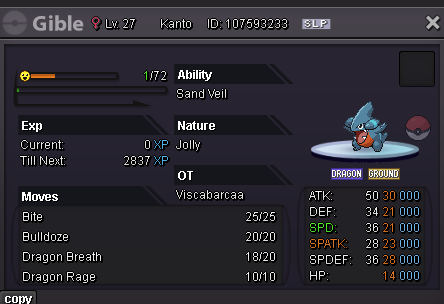
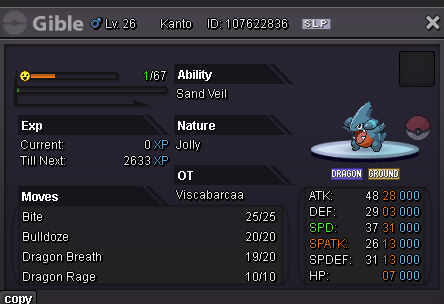
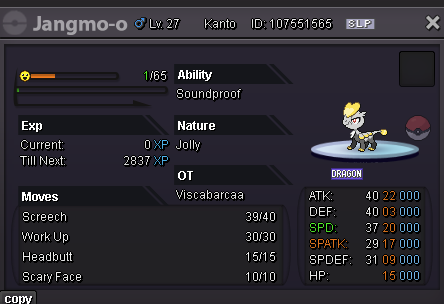
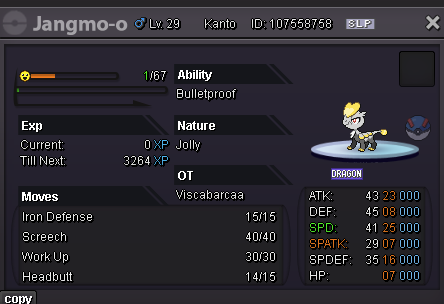
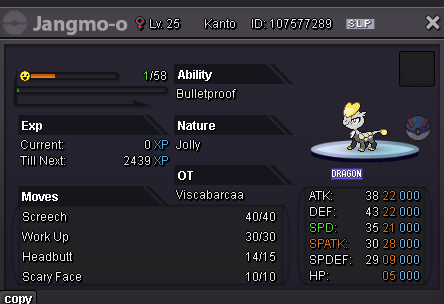
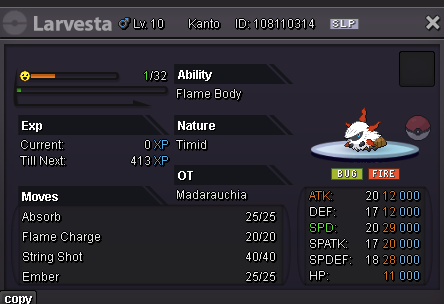
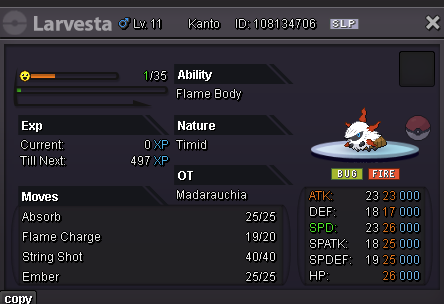
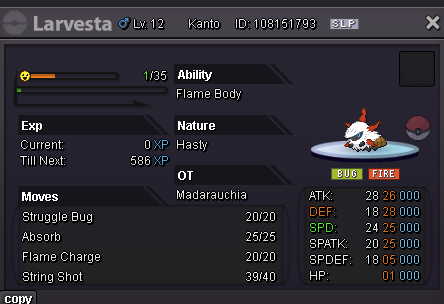
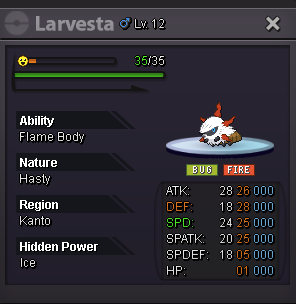
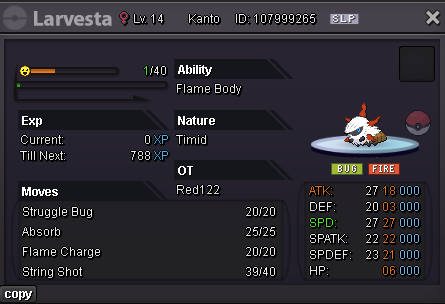
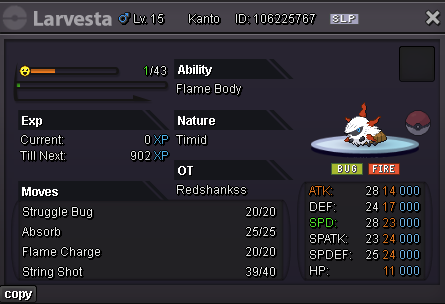
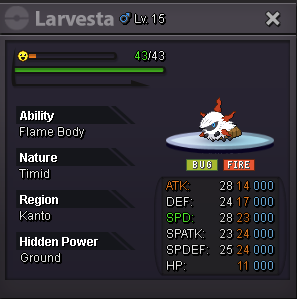
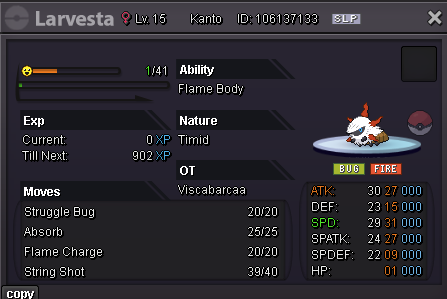
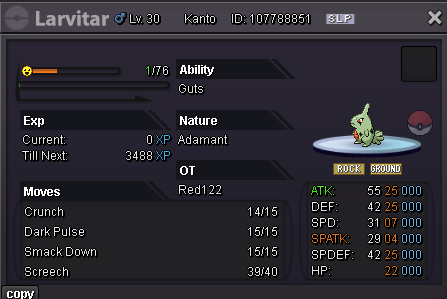
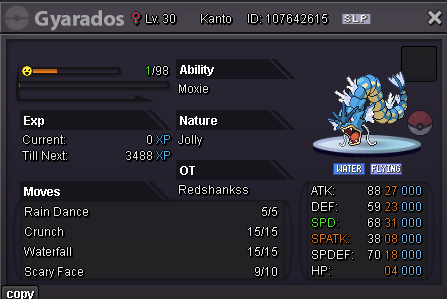
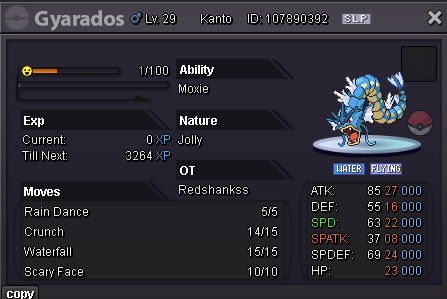
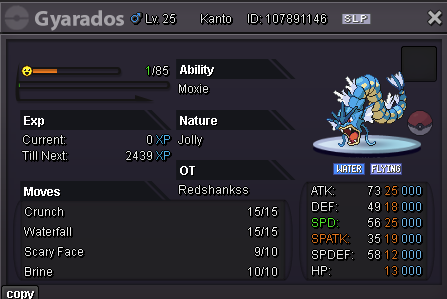
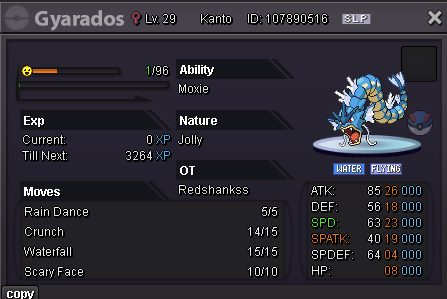
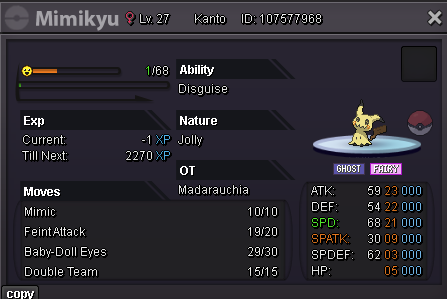
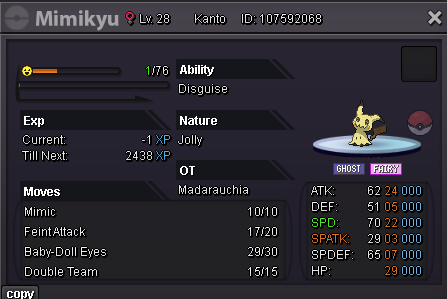
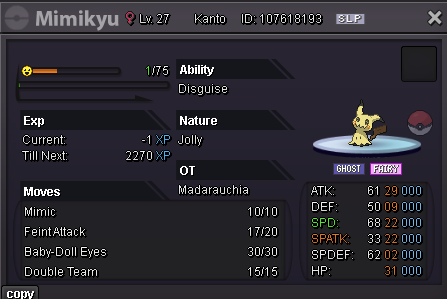
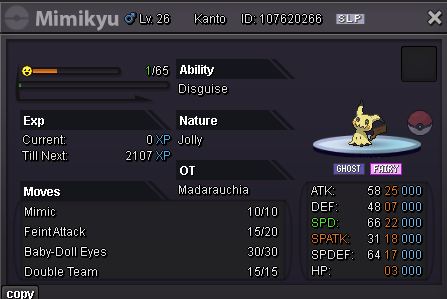
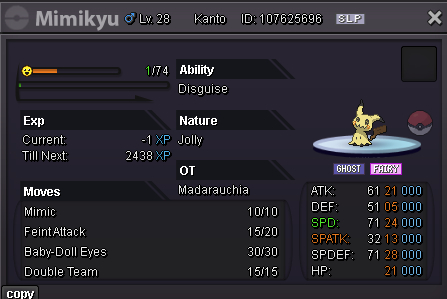
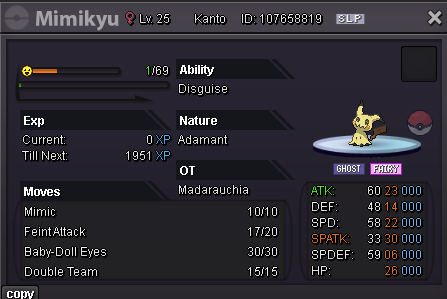
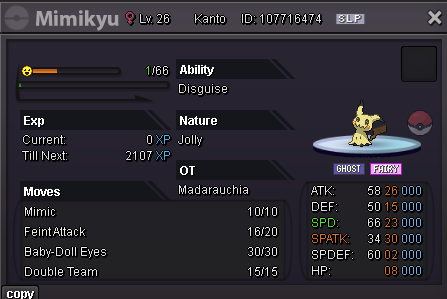
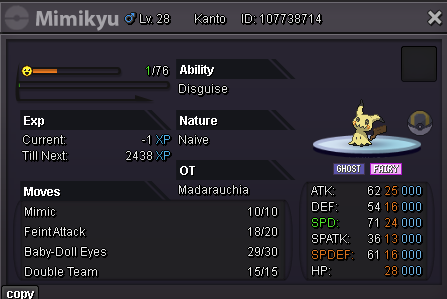
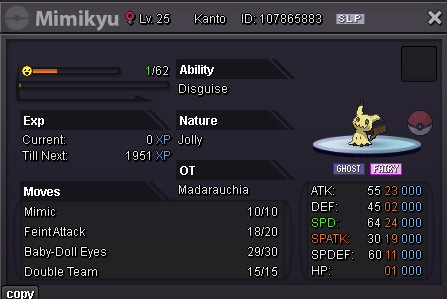
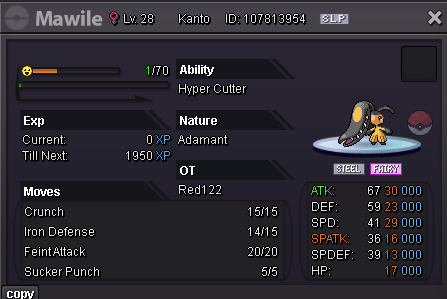
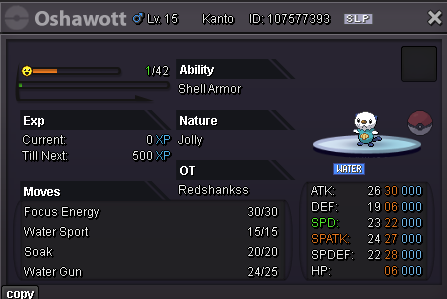
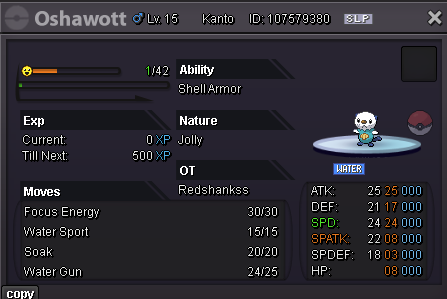
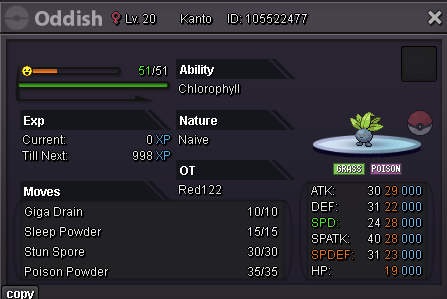
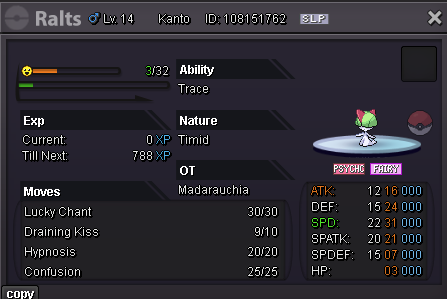
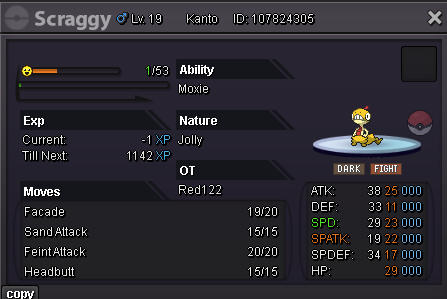
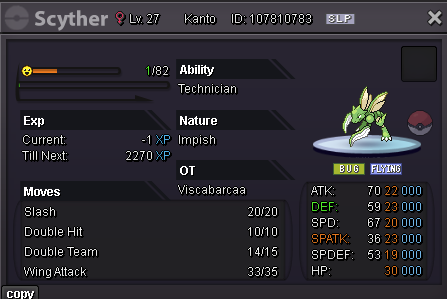
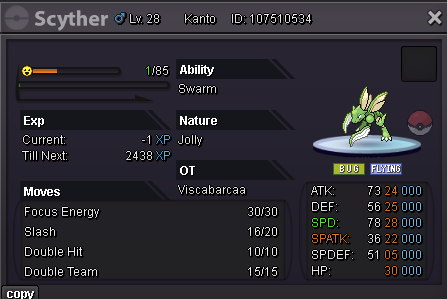
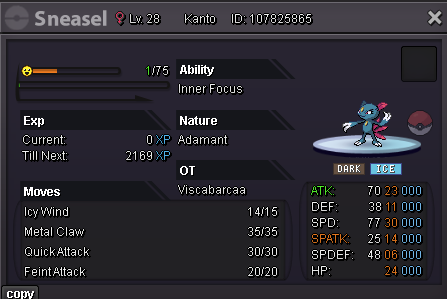
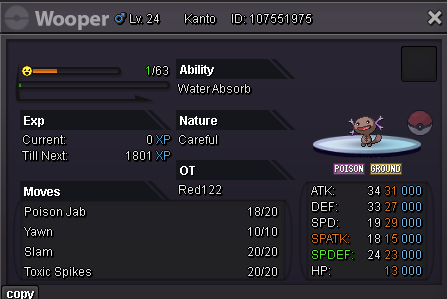
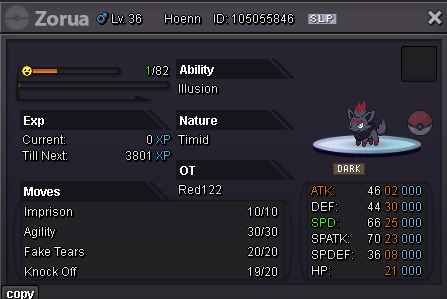
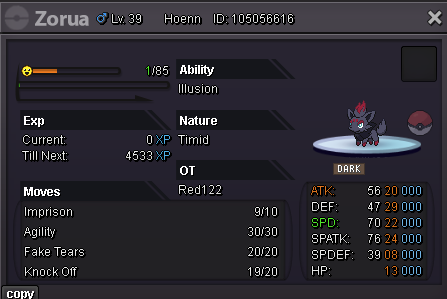
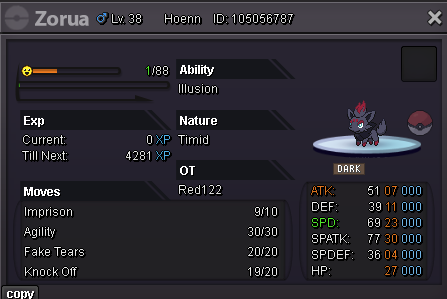
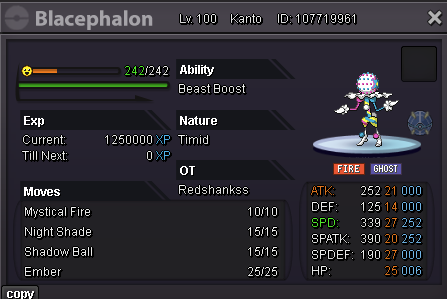
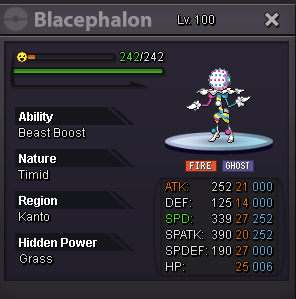
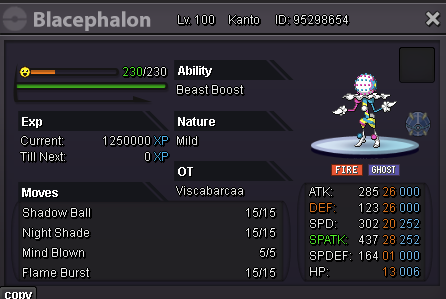
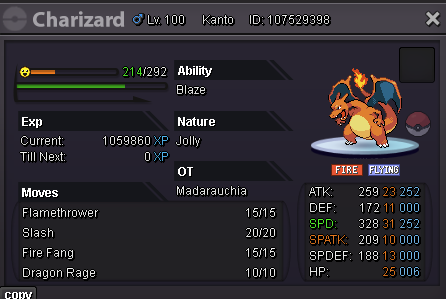
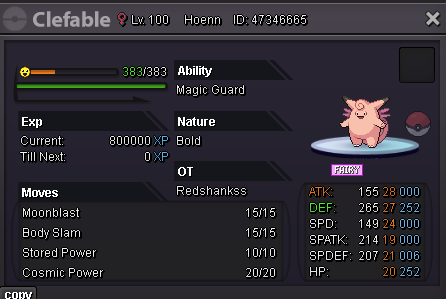
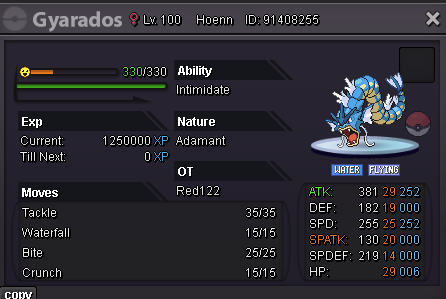
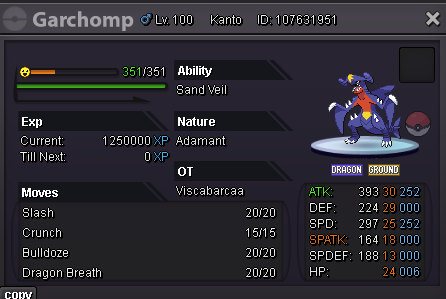
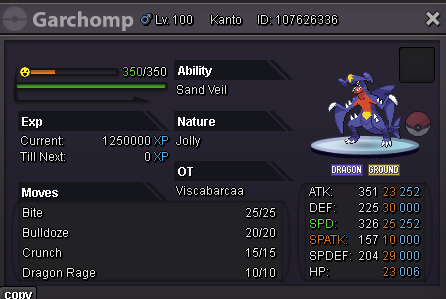
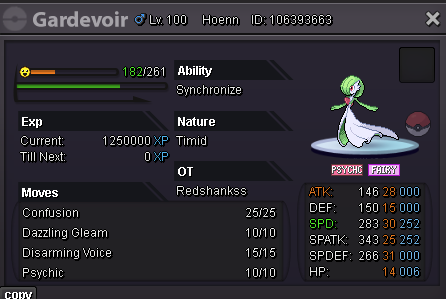
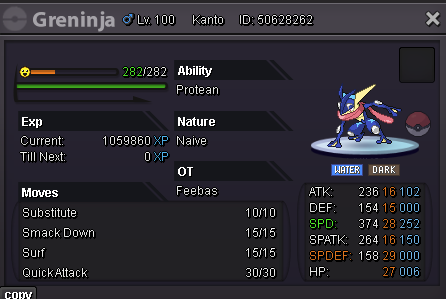
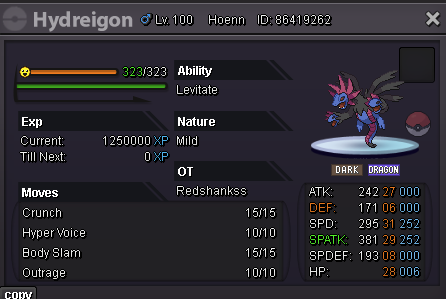
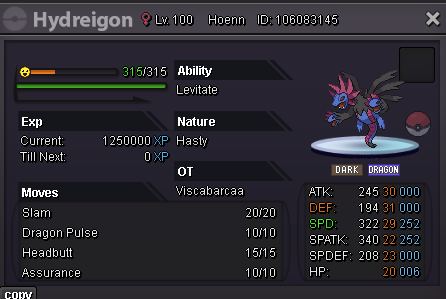
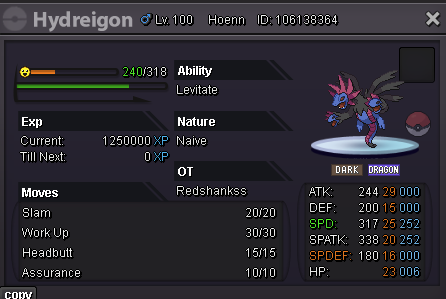
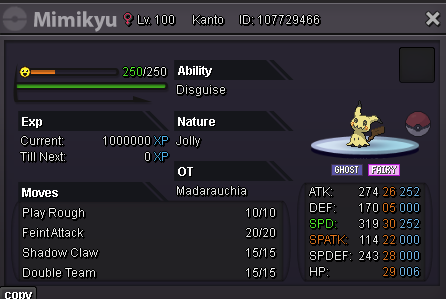
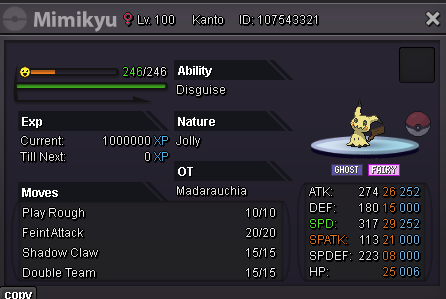
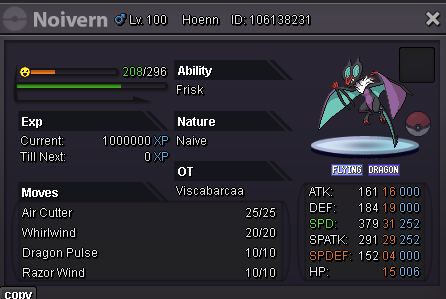
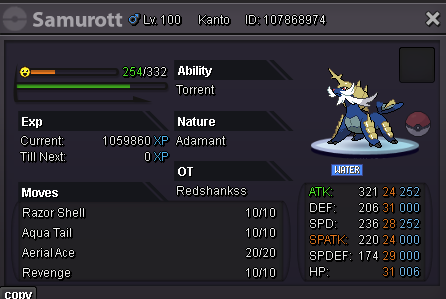
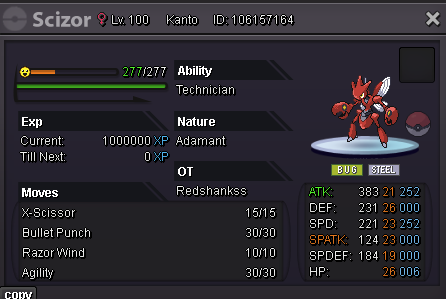
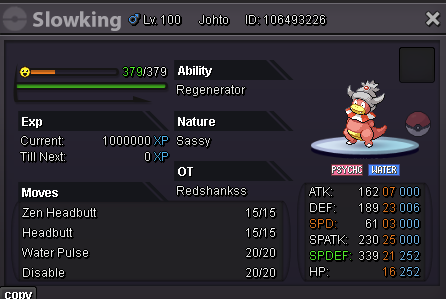
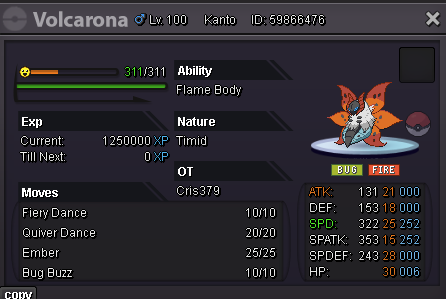
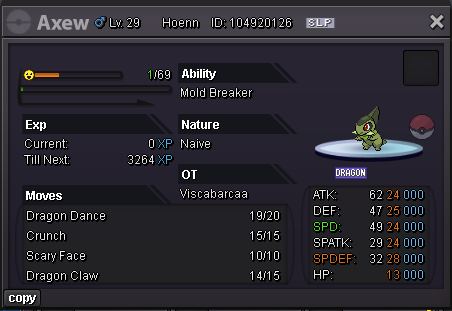
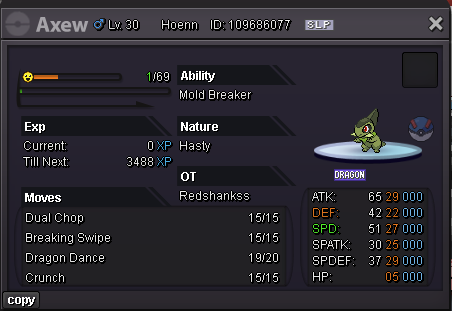
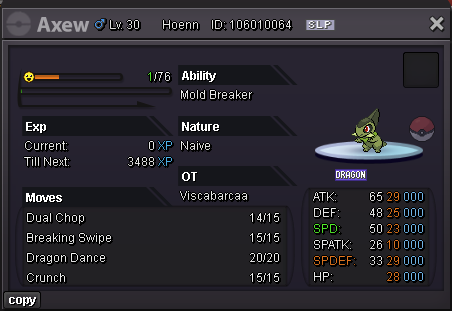
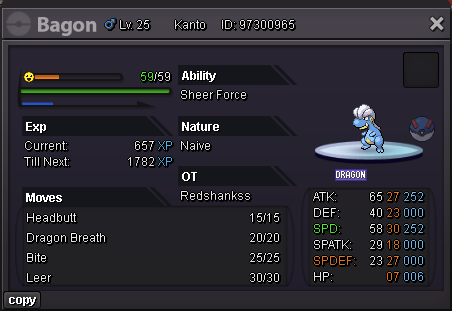
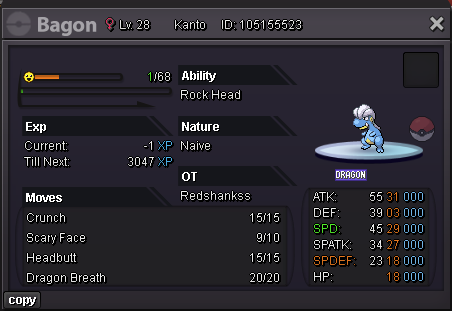
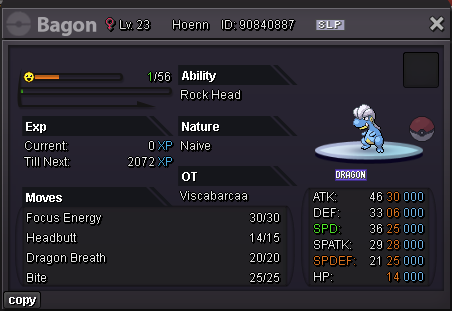
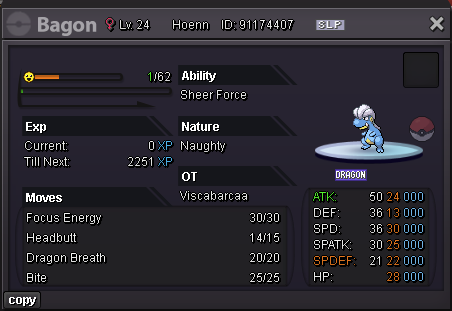
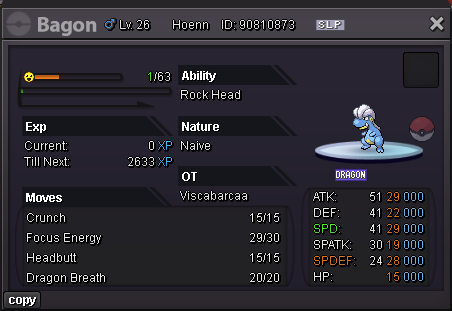
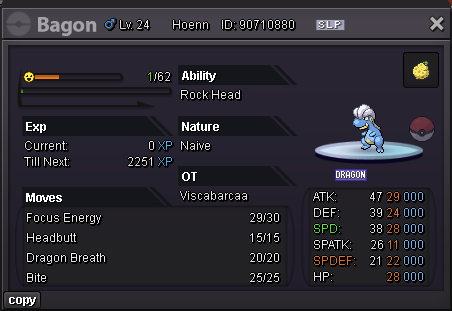
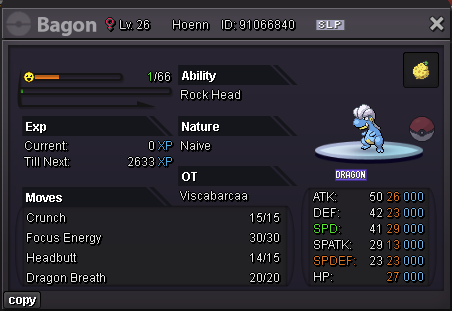
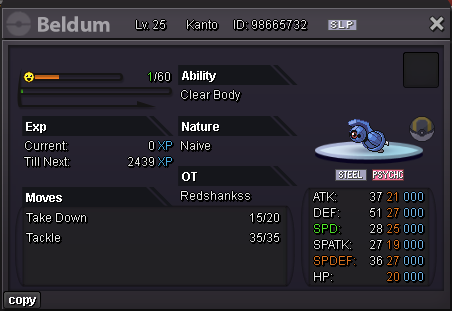
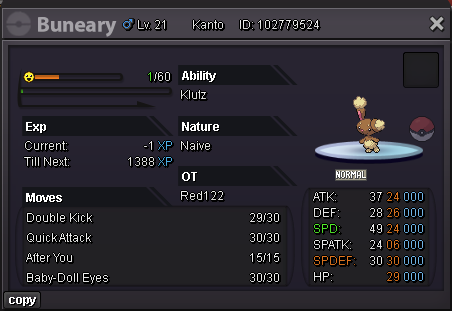
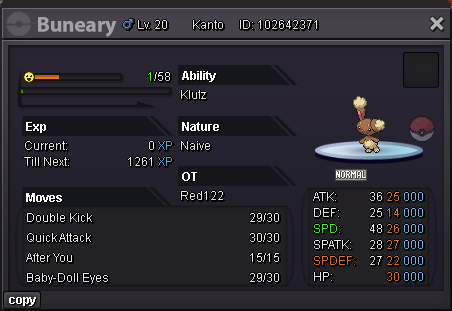
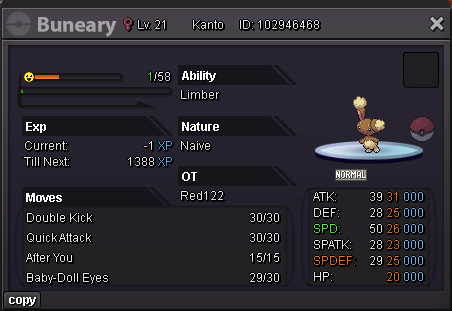
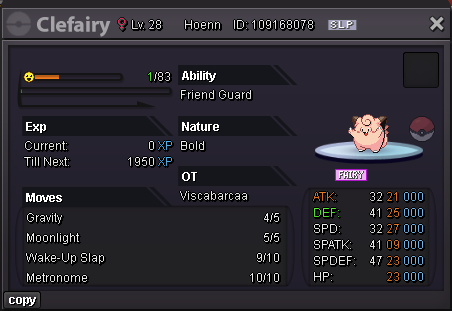
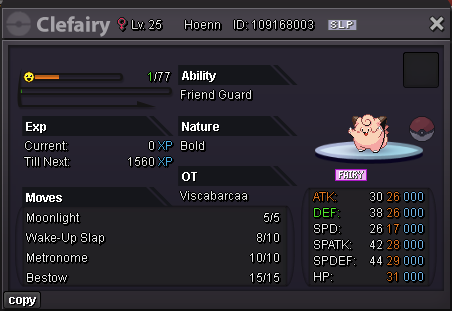
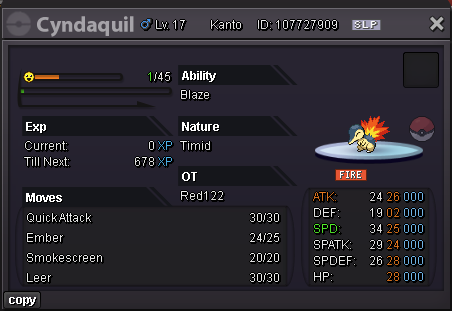
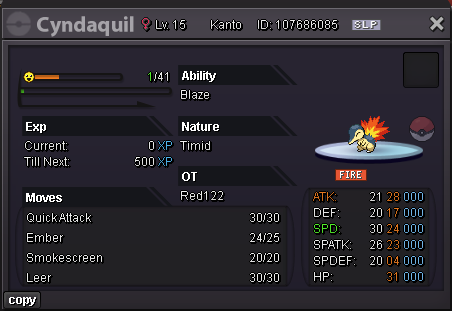
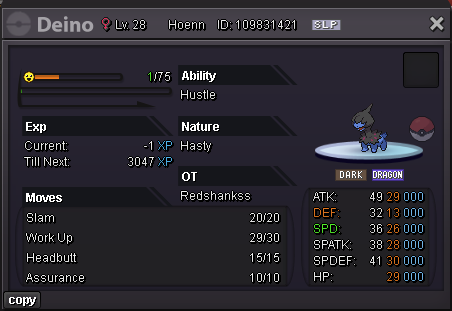
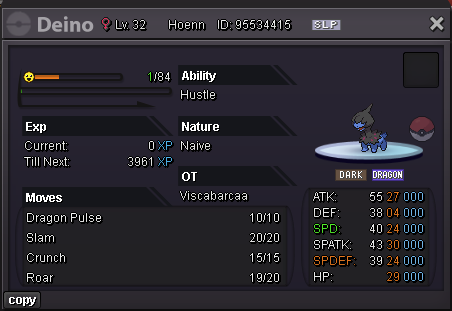
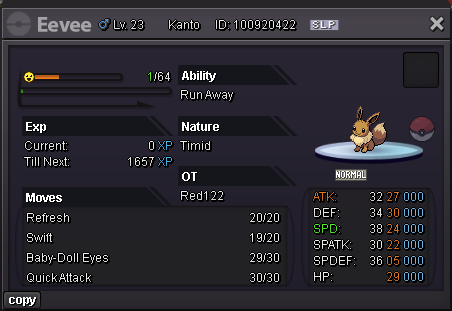
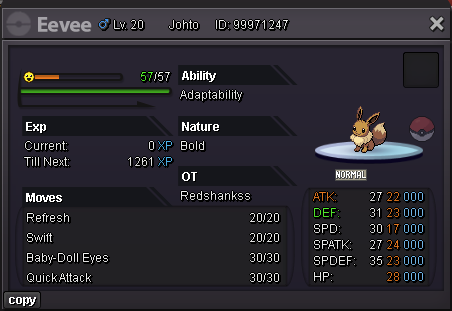
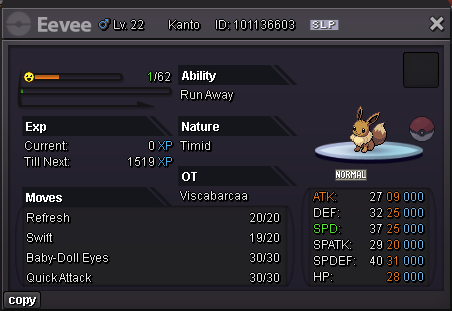
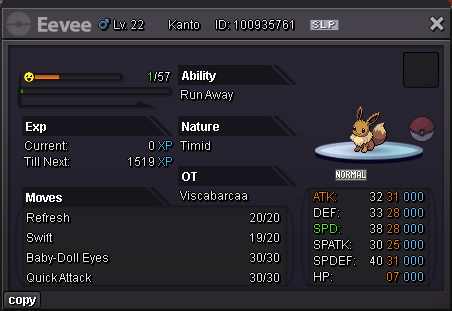
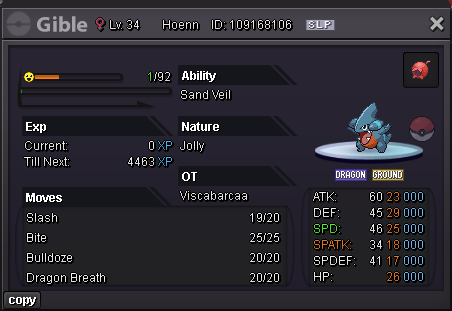
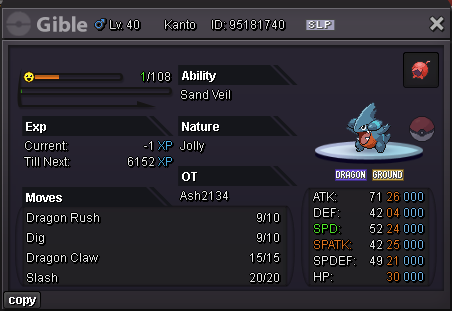
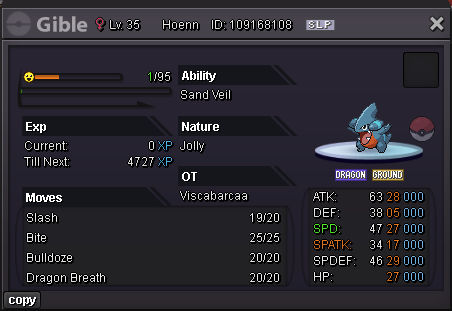
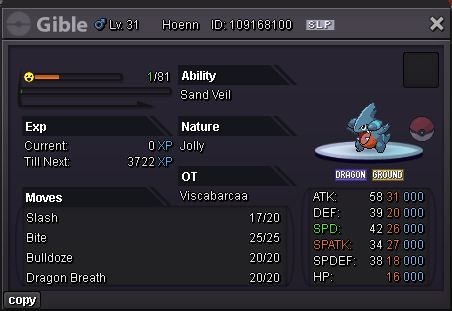
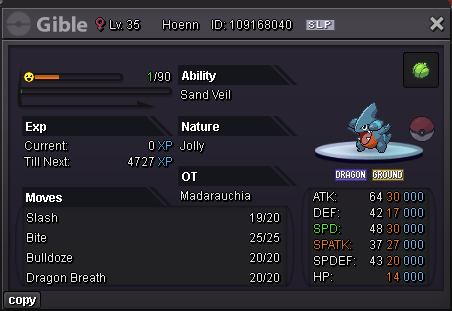
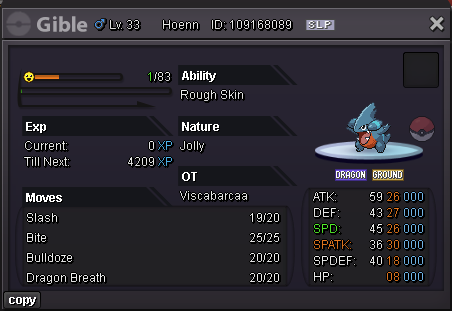
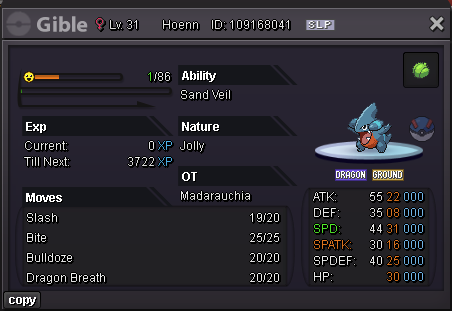
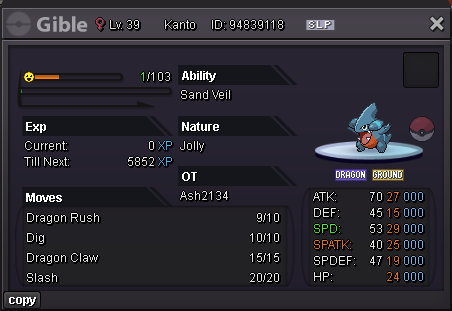
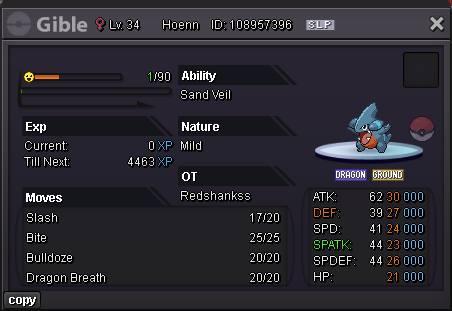
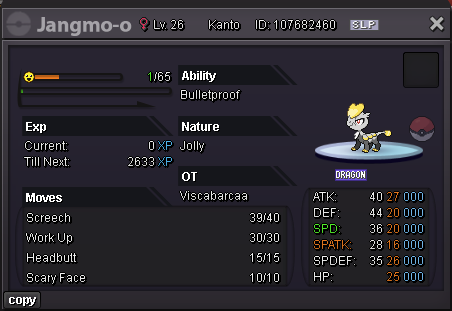
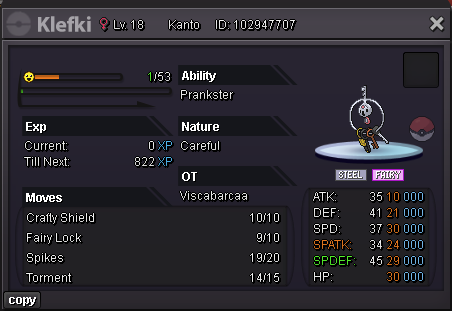
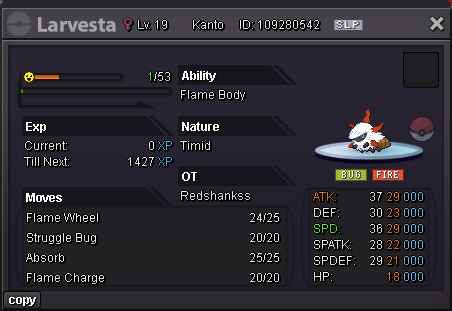
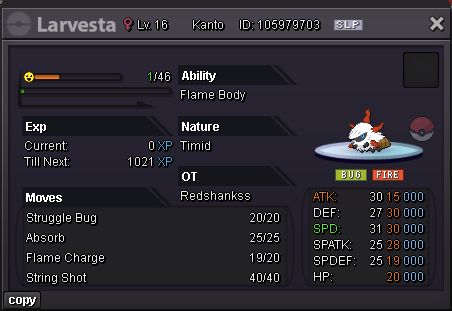
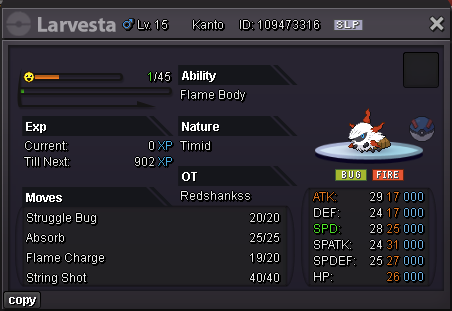
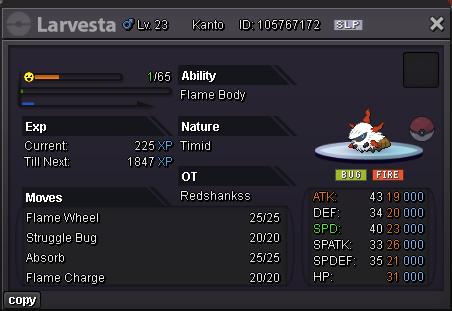
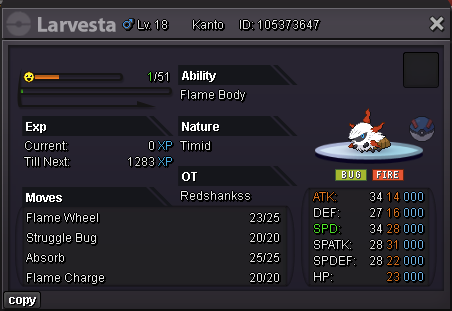
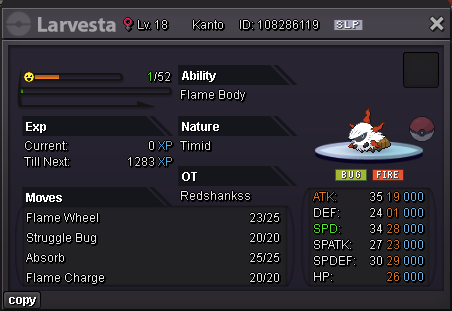
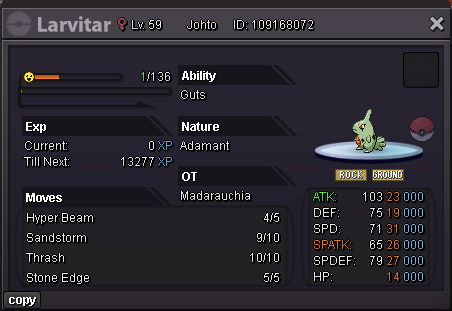
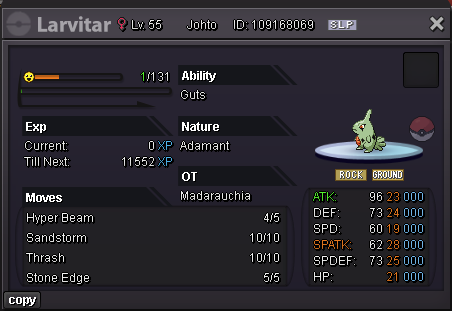
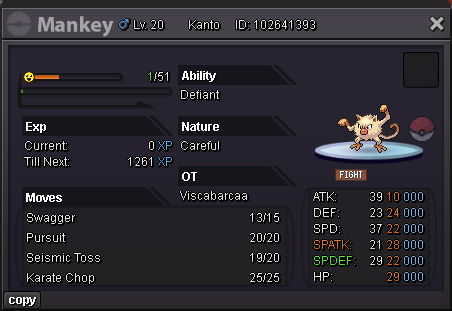
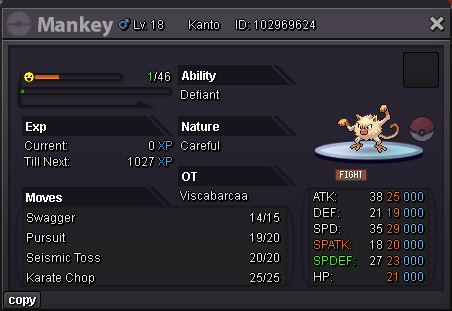
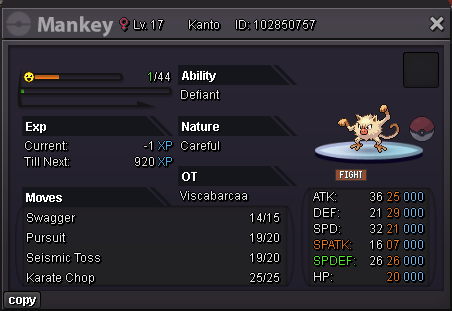
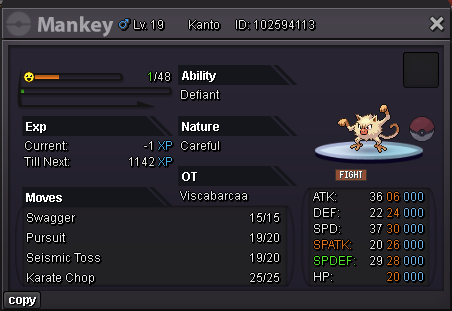
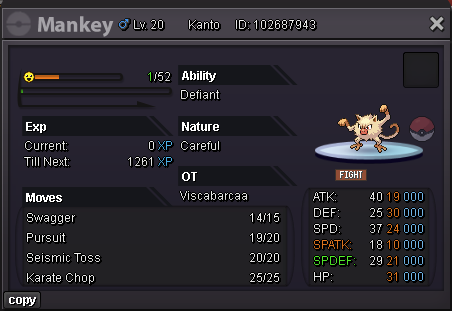
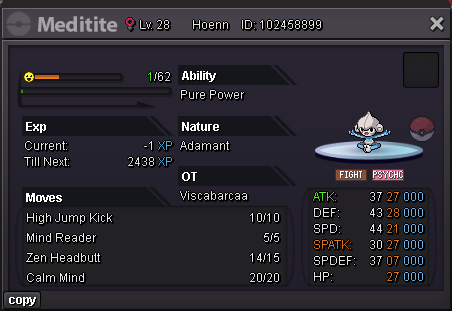
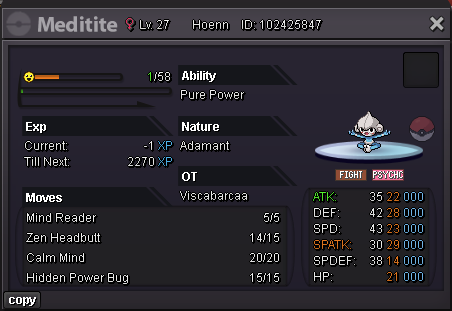
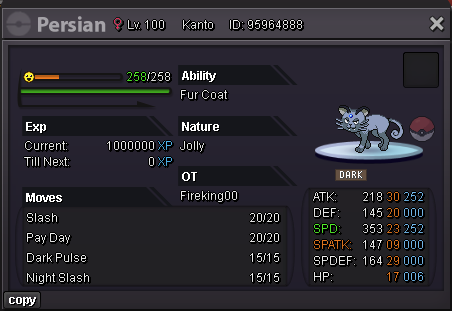
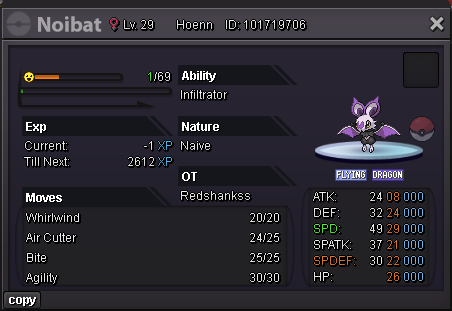
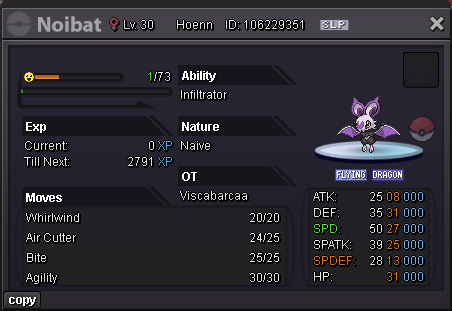
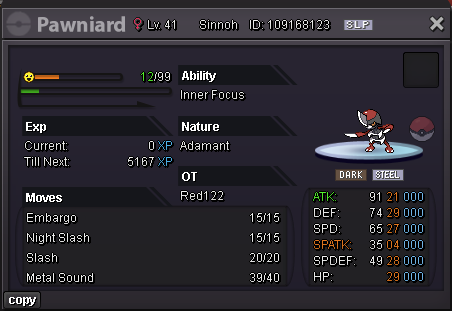
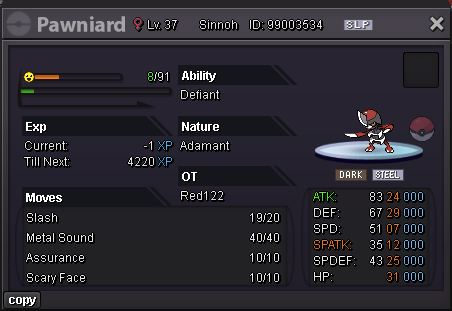
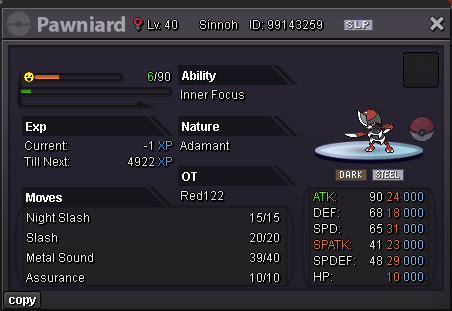
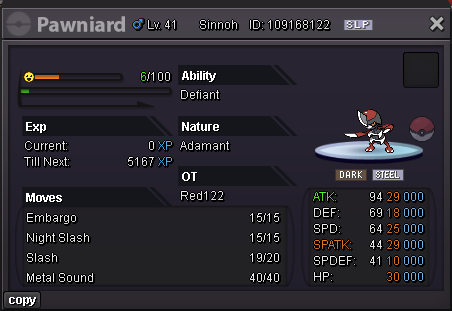
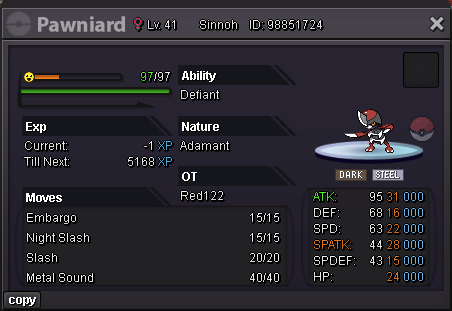
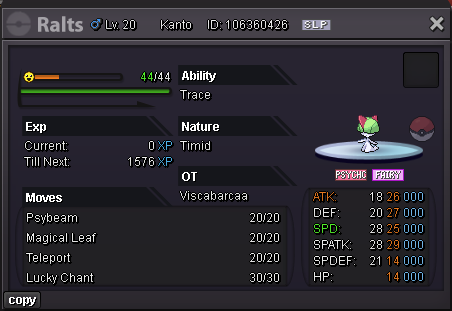
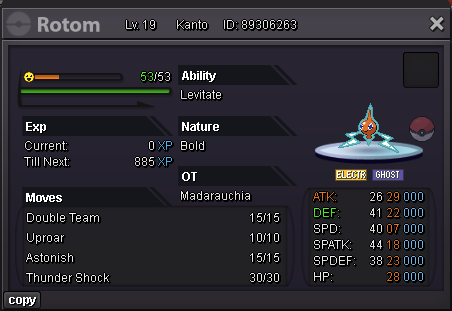
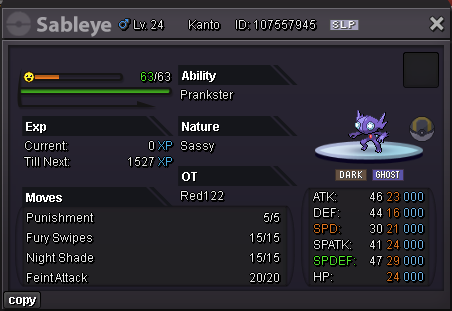
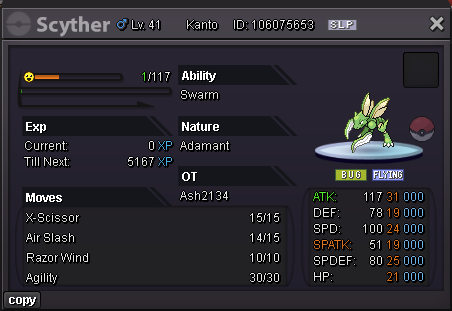
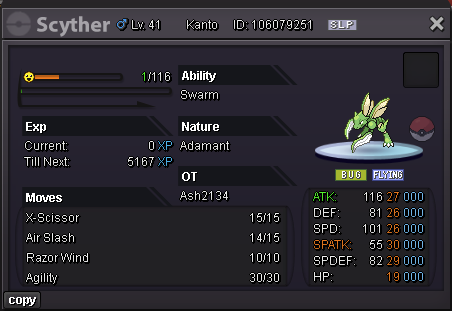
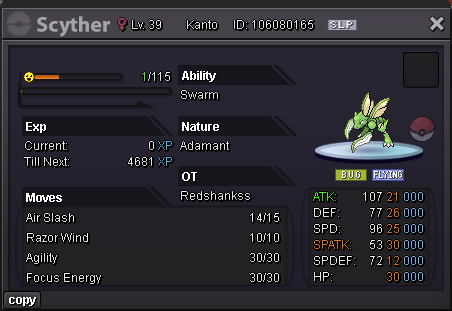
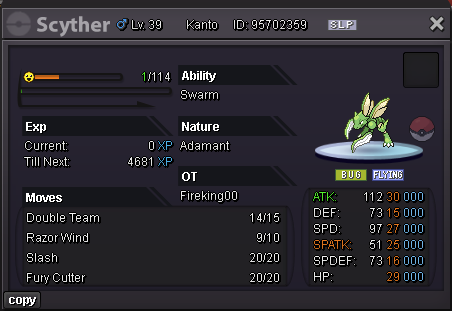
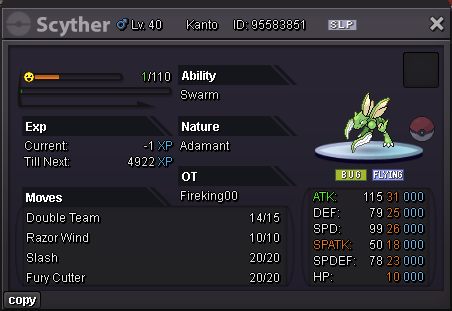
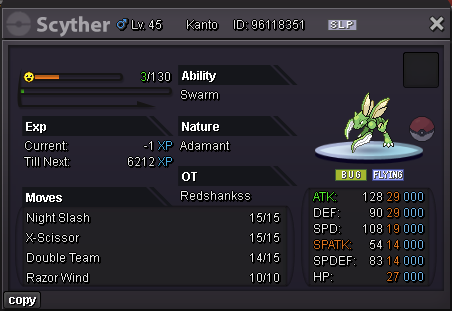
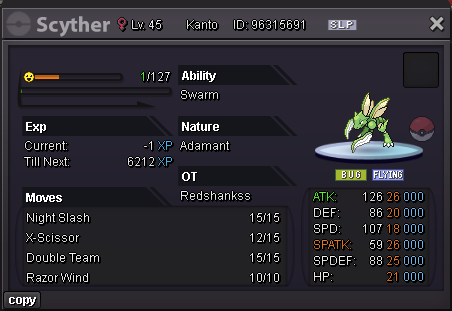
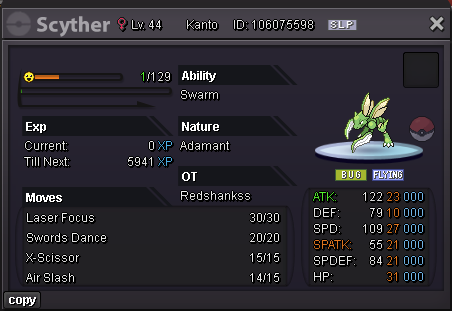
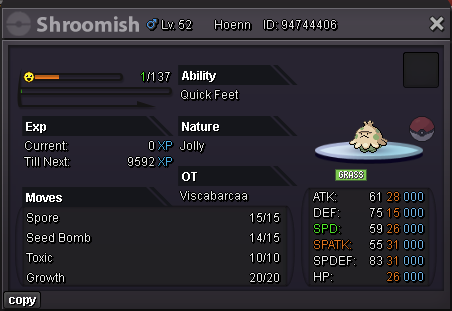
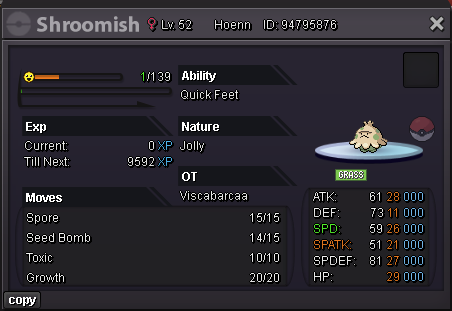
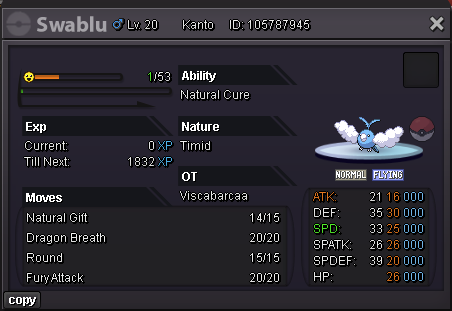
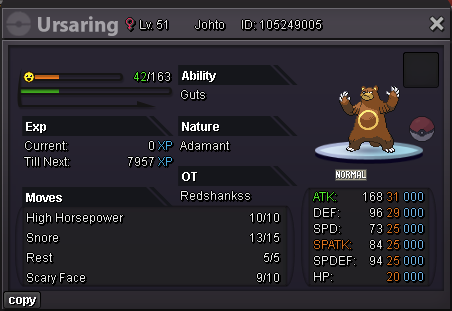
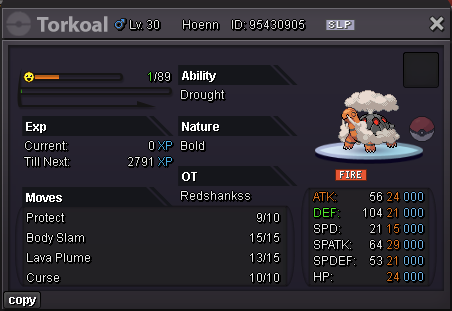
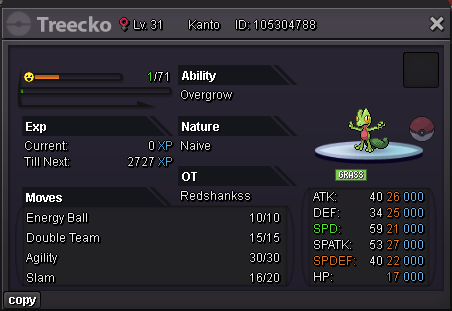
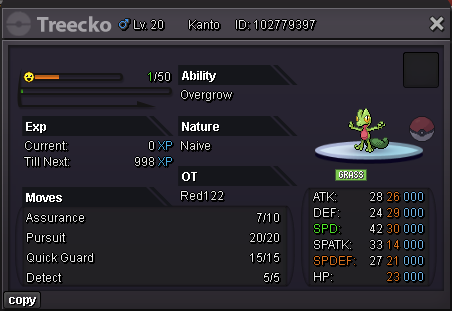
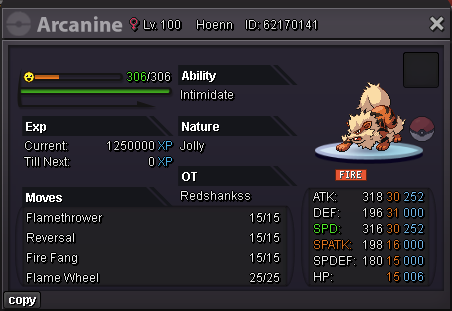
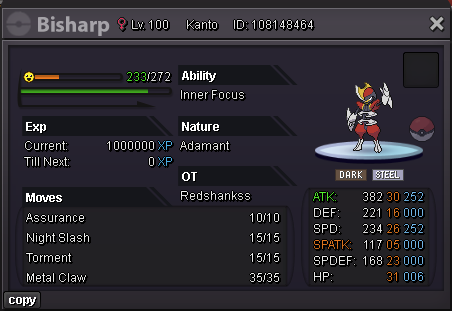
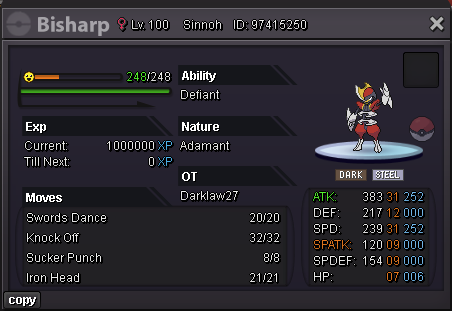
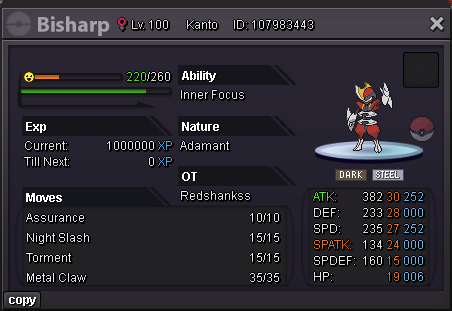
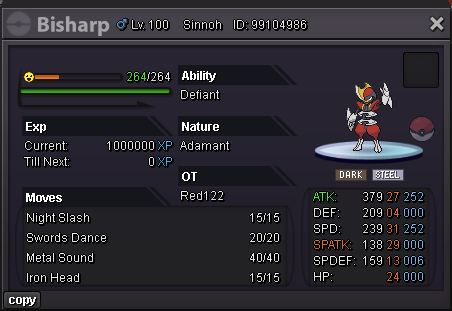
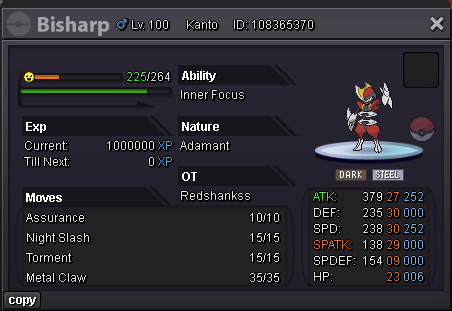
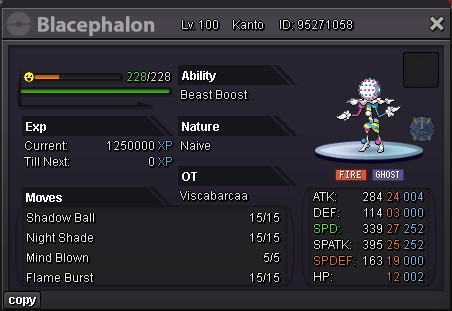
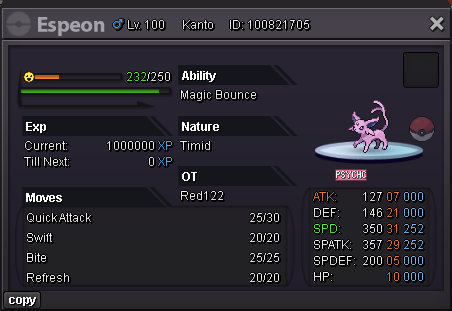
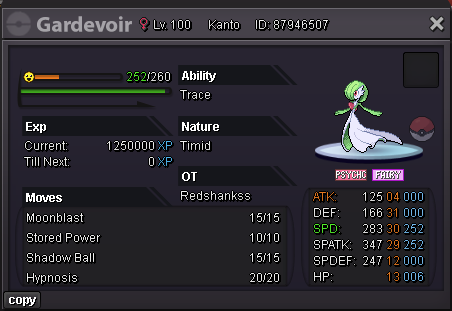
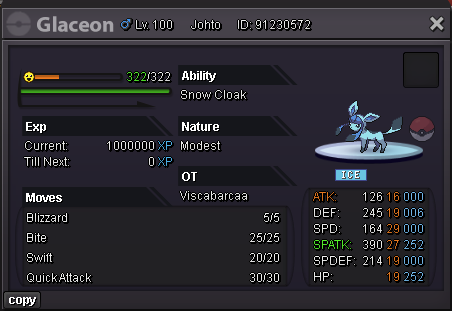
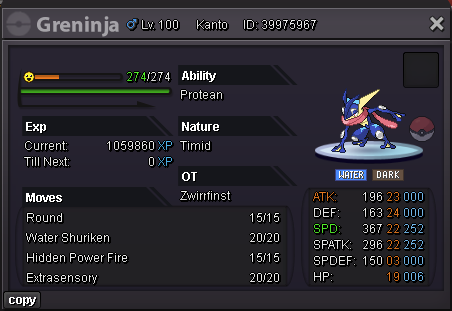
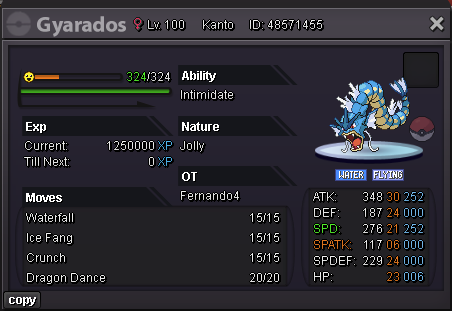
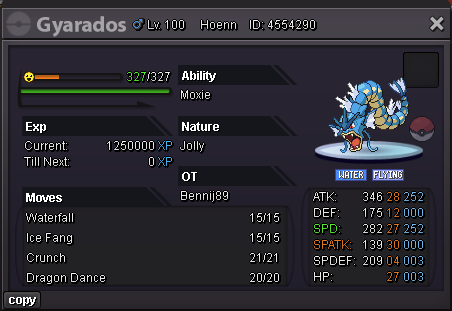
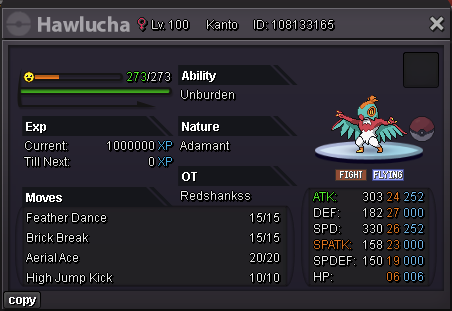
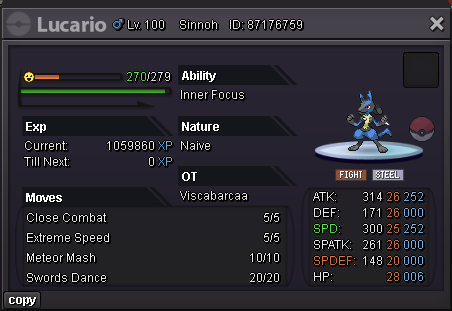
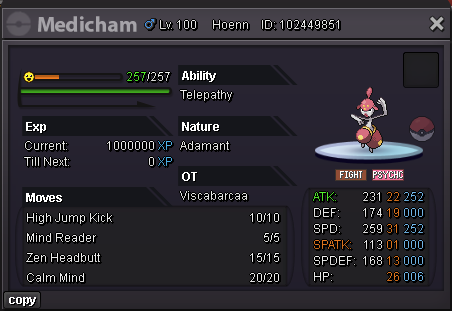
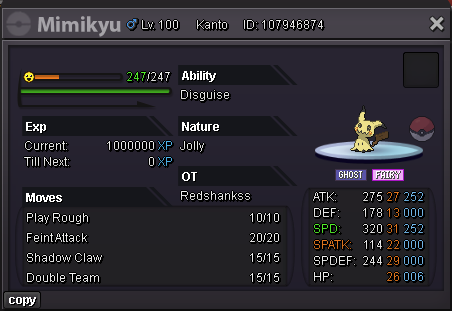
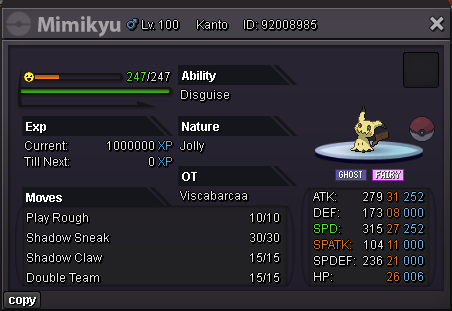
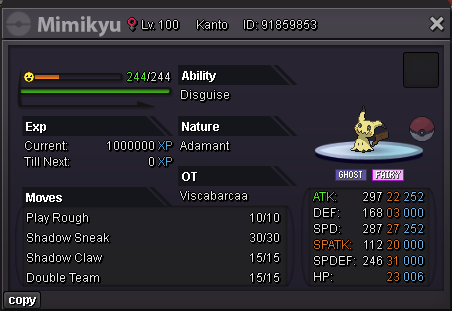
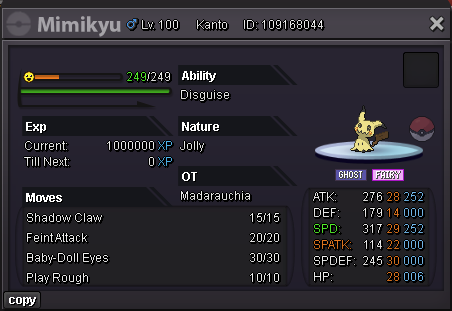
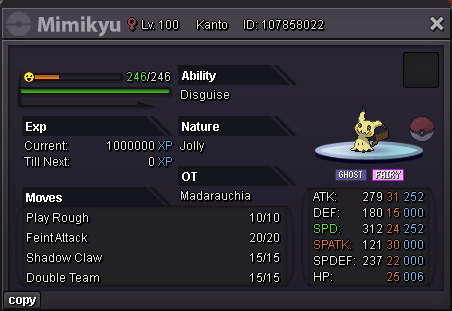
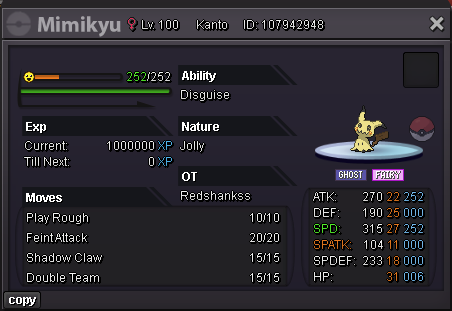
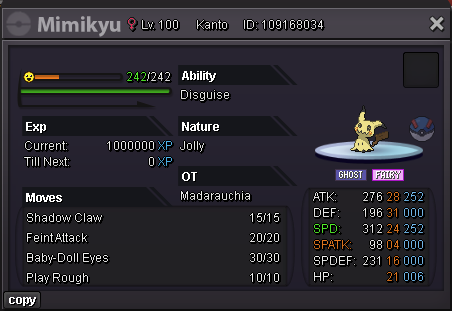
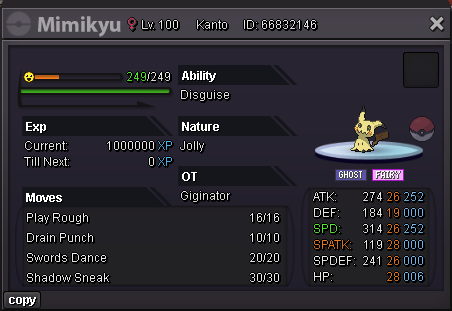
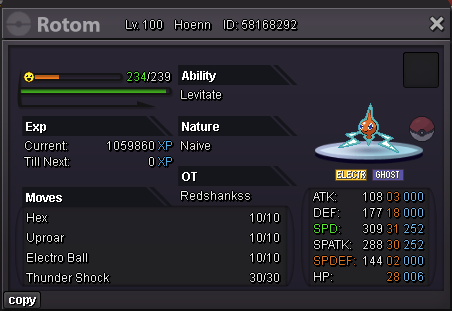
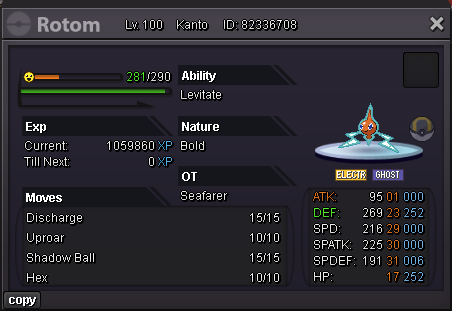
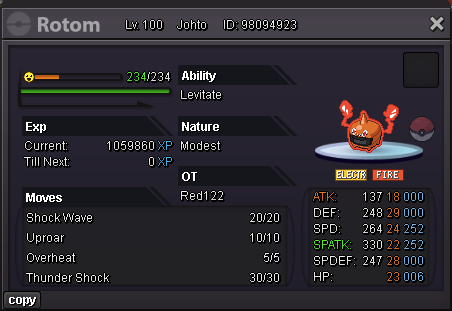
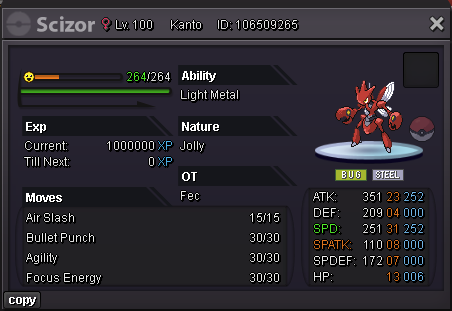
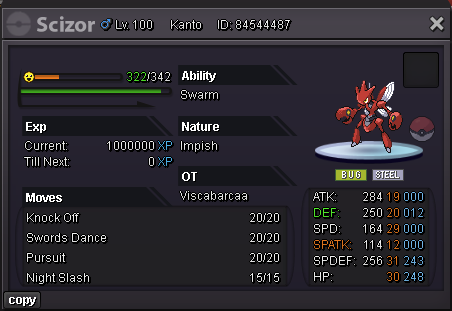
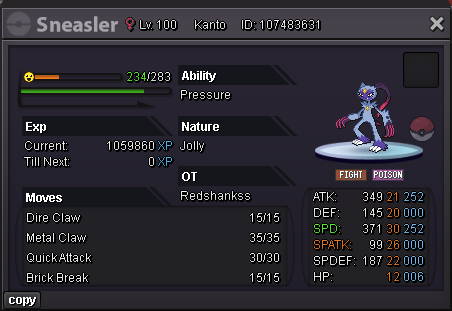
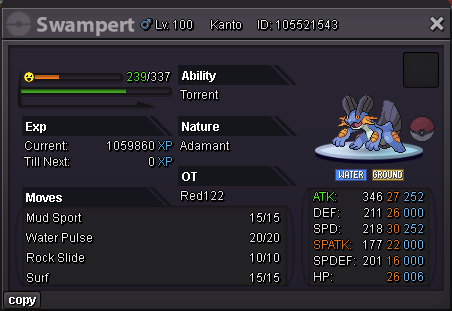
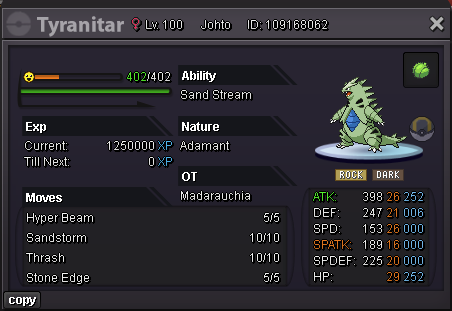
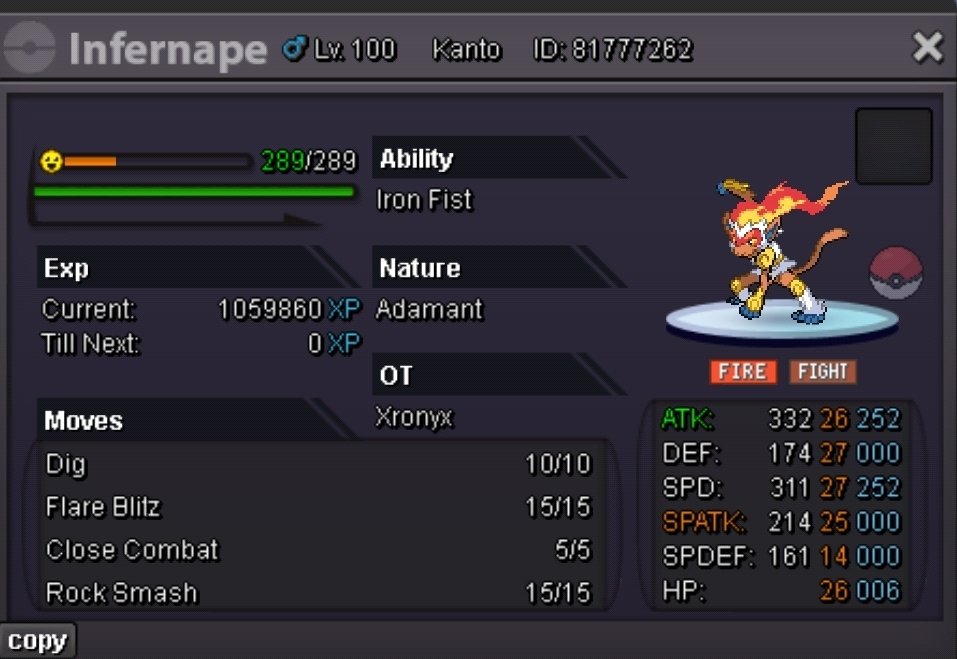 startServer: Silver Pokemon: Carbink, level 20
 Hello @Haruyukio my Natu xmas form is still missing. Can you check it?+1 happened the same to me, I lost my Pokemons too. A Weavile, Jolly Natu Synchronize Xmas Form, Charizard Xmas Form jolly, Wobbuffet Bold and Breloom Jolly,nice shop, credits to @Brockx for the image
Account
Navigation
Search
Configure browser push notifications
Chrome (Android)
- Tap the lock icon next to the address bar.
- Tap Permissions → Notifications.
- Adjust your preference.
Chrome (Desktop)
- Click the padlock icon in the address bar.
- Select Site settings.
- Find Notifications and adjust your preference.
Safari (iOS 16.4+)
- Ensure the site is installed via Add to Home Screen.
- Open Settings App → Notifications.
- Find your app name and adjust your preference.
Safari (macOS)
- Go to Safari → Preferences.
- Click the Websites tab.
- Select Notifications in the sidebar.
- Find this website and adjust your preference.
Edge (Android)
- Tap the lock icon next to the address bar.
- Tap Permissions.
- Find Notifications and adjust your preference.
Edge (Desktop)
- Click the padlock icon in the address bar.
- Click Permissions for this site.
- Find Notifications and adjust your preference.
Firefox (Android)
- Go to Settings → Site permissions.
- Tap Notifications.
- Find this site in the list and adjust your preference.
Firefox (Desktop)
- Open Firefox Settings.
- Search for Notifications.
- Find this site in the list and adjust your preference.