




New Trade Zone
Trade Zone is now live
Use the new Trade Zone for auctions and instant-price trades so Pokemon and item offers are easy to find.

Nerdpanda
Registered User
-
Joined
-
Last visited
Everything posted by Nerdpanda
-
@Kbary i am in vermi come for trade
-
@Kbary i will text u when i am online
-
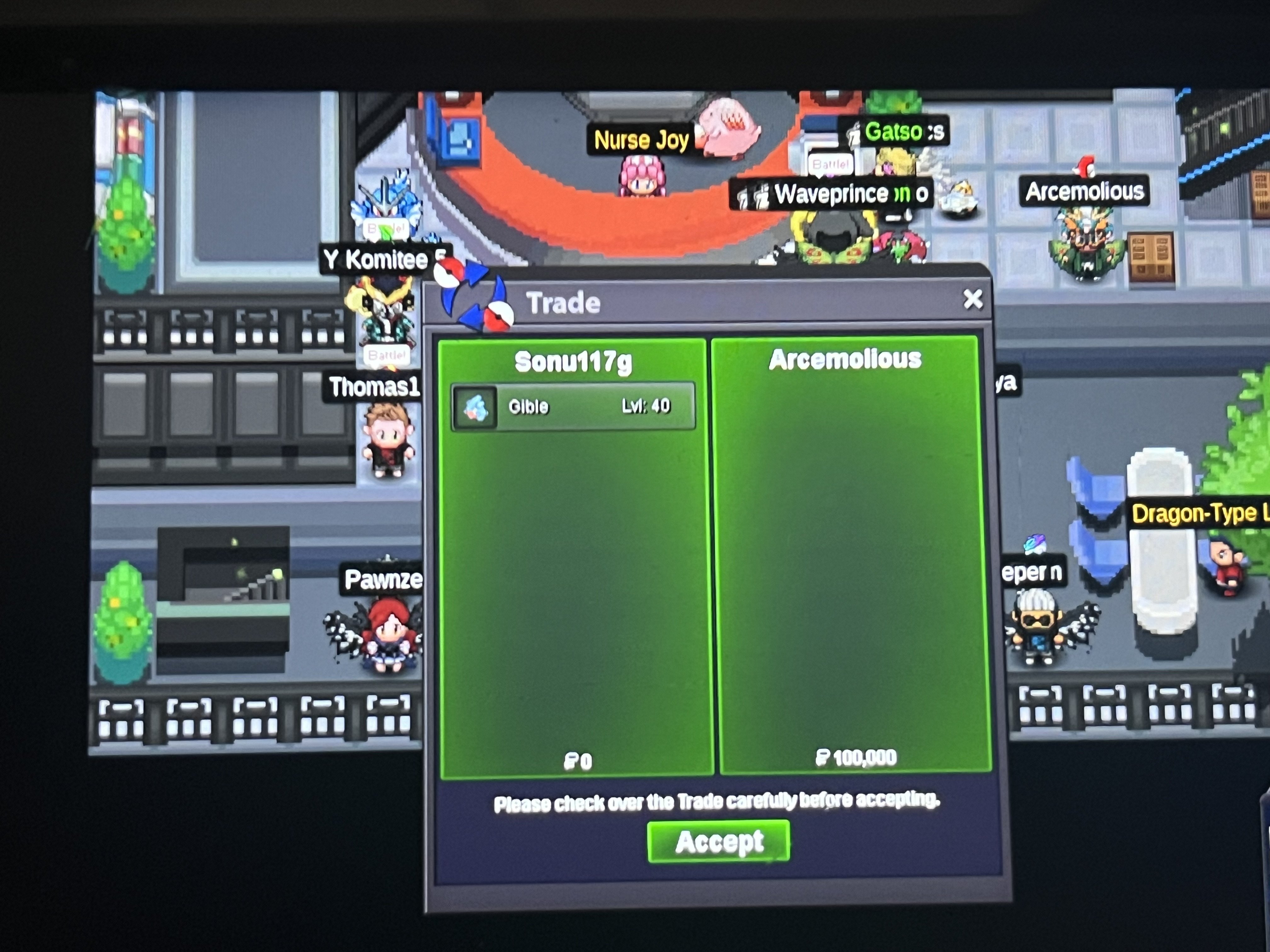
sold for 100k
-
-
-
1.1m
-
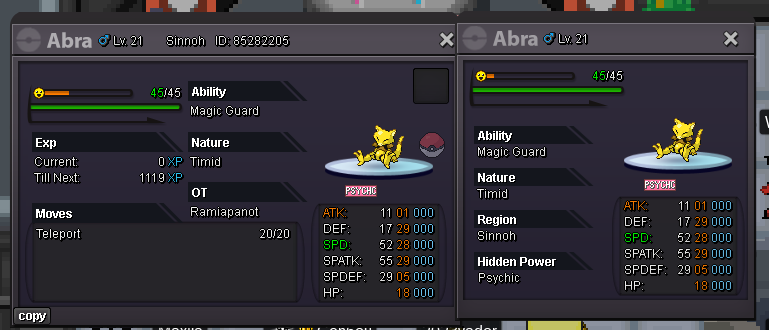
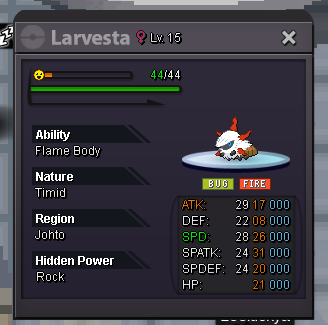
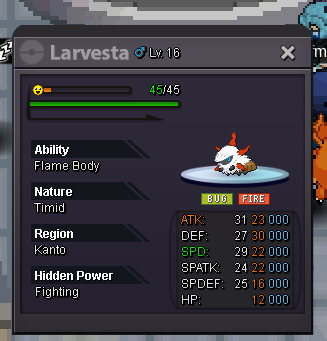
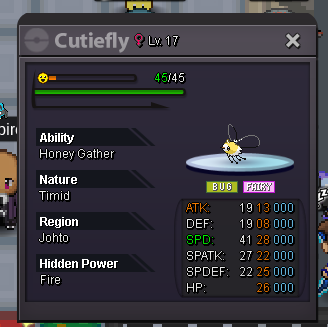
1) Fake offers will be reported 2) Prices are negotiable, if u buy more pokes 3) You can't take back your offer 4) PM me on Discord with Picture of the Pokemon you want from this Shop Payment Methods: Pokedollars CC = 400k Nature Reroll = 250K IV Reroll Ticket = 500K Rare Candies = 6k each Contact: INGAME: Sonu117g Discord: charliechaplin2784 UNTRAINED SOLD

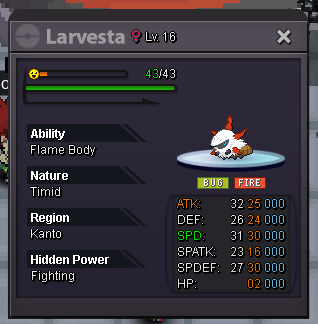

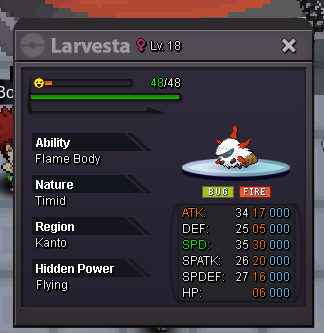
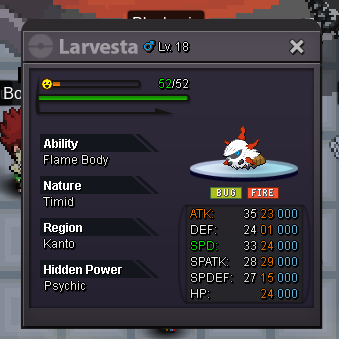
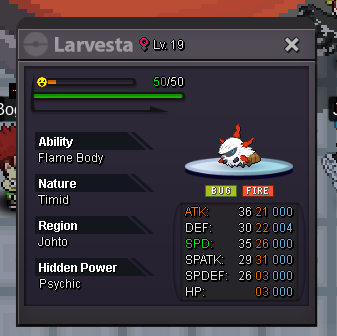

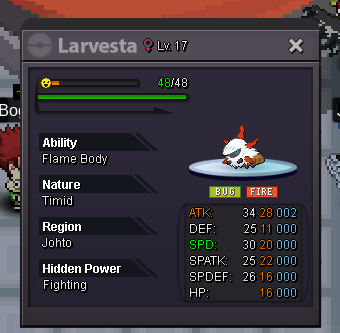


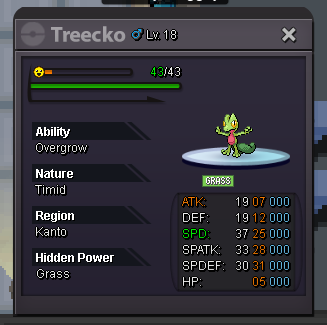
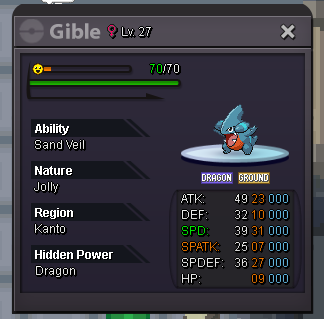
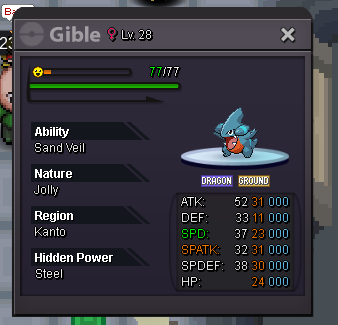

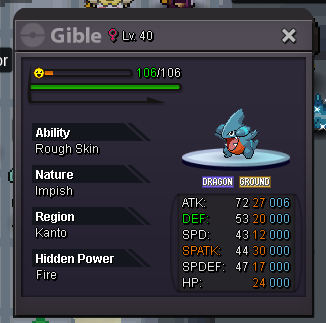
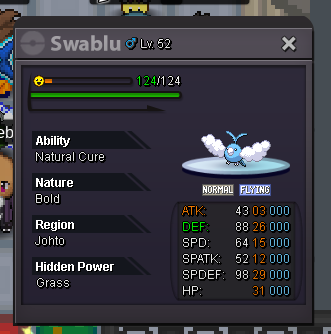
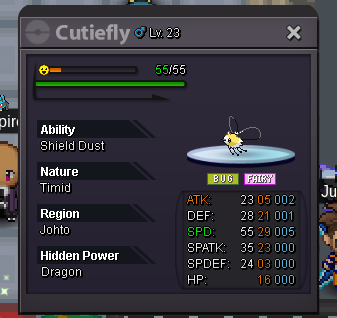

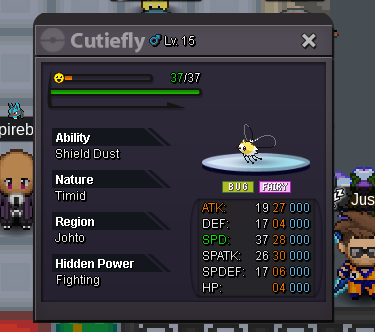
-
650k breloom
-
-
-
100k for klefki
-
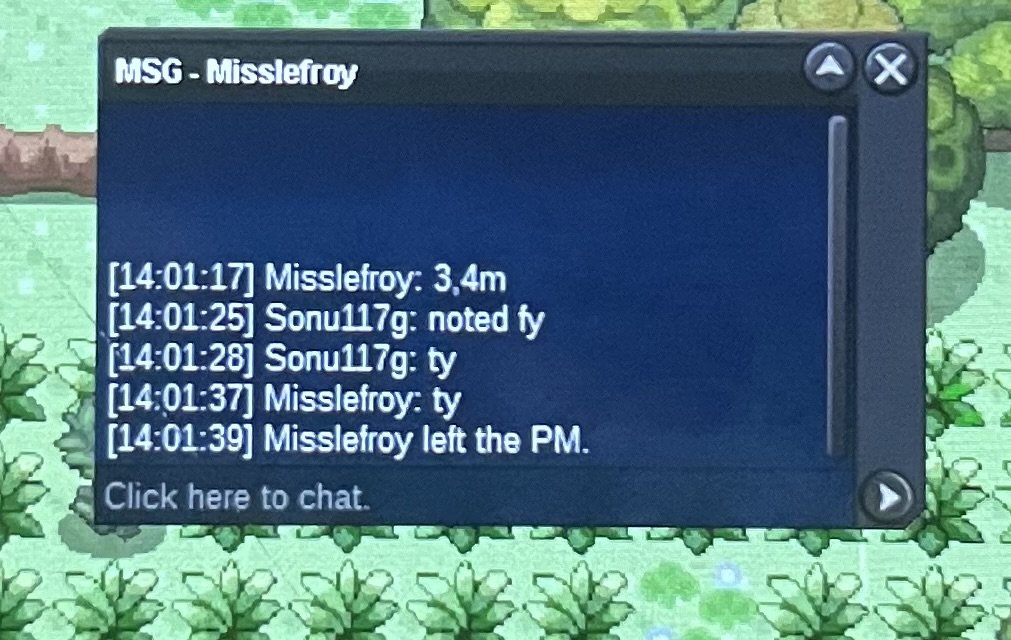
auction ended misslefroy won 3.4m 3

-
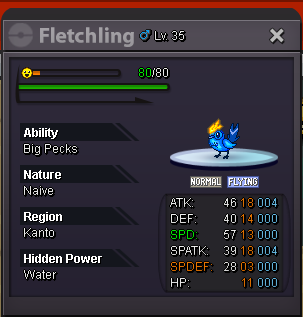
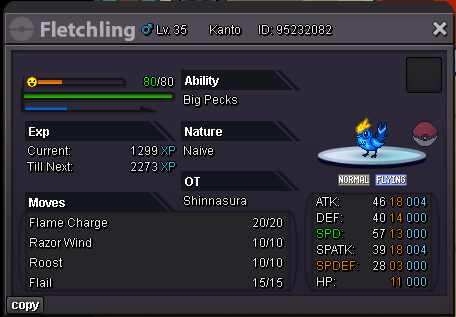
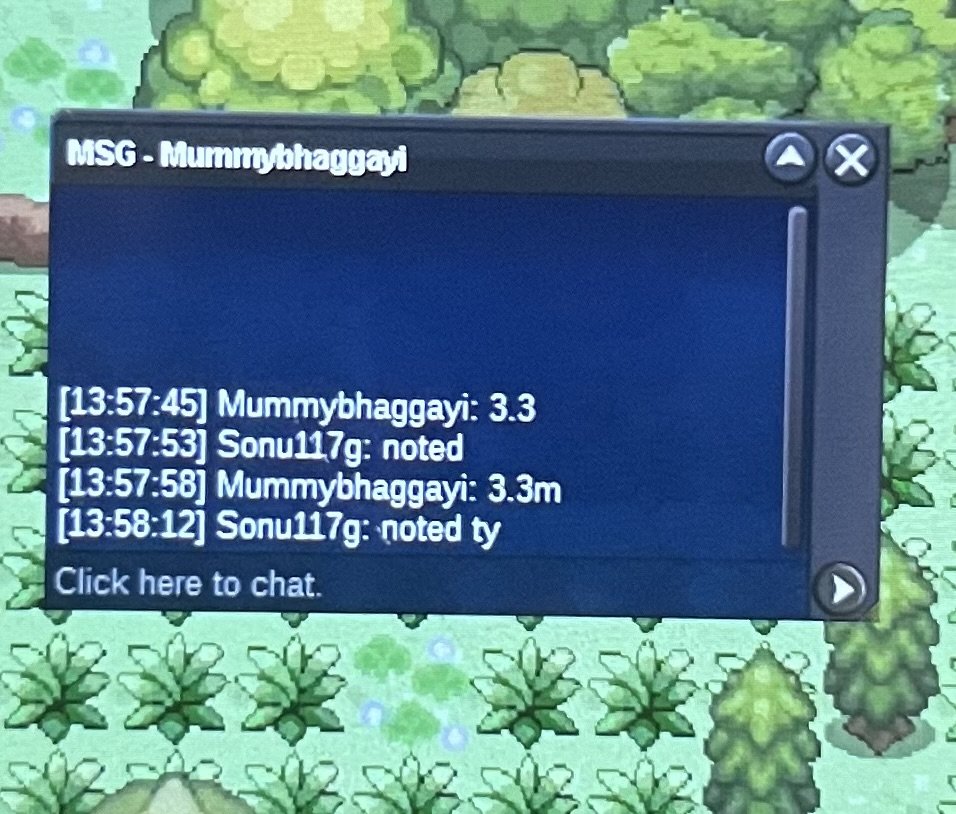
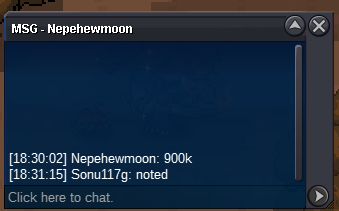
1.15mJolly 900k@HeycavalierEevila already started the auction before uC.O. 3.4m min bid 100k end 48 hours after first bid accepted payment methods : cc - 400k iv reroll ticket - 500k nature reroll ticket - 250k
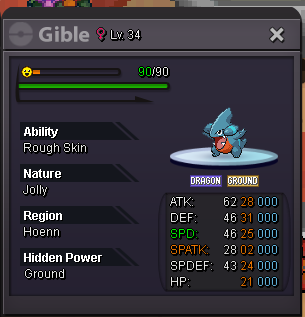
 350k galladeS.O. 800k min bid 50k end 24 hours after first bid accepted payment methods : cc - 400k iv reroll ticket - 500k nature reroll ticket - 250k





Account
Navigation
Search
Configure browser push notifications
Chrome (Android)
- Tap the lock icon next to the address bar.
- Tap Permissions → Notifications.
- Adjust your preference.
Chrome (Desktop)
- Click the padlock icon in the address bar.
- Select Site settings.
- Find Notifications and adjust your preference.
Safari (iOS 16.4+)
- Ensure the site is installed via Add to Home Screen.
- Open Settings App → Notifications.
- Find your app name and adjust your preference.
Safari (macOS)
- Go to Safari → Preferences.
- Click the Websites tab.
- Select Notifications in the sidebar.
- Find this website and adjust your preference.
Edge (Android)
- Tap the lock icon next to the address bar.
- Tap Permissions.
- Find Notifications and adjust your preference.
Edge (Desktop)
- Click the padlock icon in the address bar.
- Click Permissions for this site.
- Find Notifications and adjust your preference.
Firefox (Android)
- Go to Settings → Site permissions.
- Tap Notifications.
- Find this site in the list and adjust your preference.
Firefox (Desktop)
- Open Firefox Settings.
- Search for Notifications.
- Find this site in the list and adjust your preference.