




New Trade Zone
Trade Zone is now live
Use the new Trade Zone for auctions and instant-price trades so Pokemon and item offers are easy to find.
.png.f01b5a9dce686bd8875ca7559a2aa95d.png)

Benvirisback
Registered User
-
Joined
-
Last visited
Everything posted by Benvirisback
-
hello @Galareah, sorry for the inconvenience but i do not provide legendary quests at moment, once i start providing it, ill surely do it
-
hello @Vaakko, do you have discord? its easier to talk over there
-
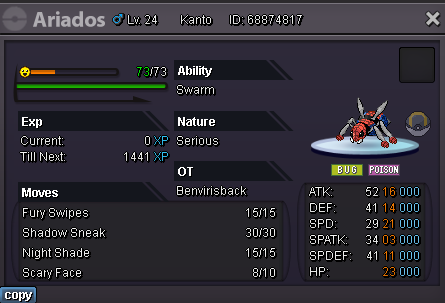
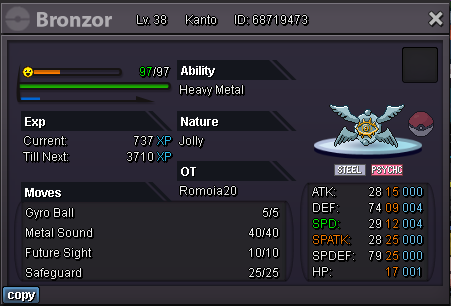
bundle auction s.o- 100k min bid- 20k no insta 24hrs after first bid you can get two of them for 1 bid
-
hey, i want whimsicott + pangaroo, do u have discord?
-
Hey, how many gyms have you done so far?
-
2000
-
-
Dm me in discord sir, ( Benvir )
-
yes you can do it, Dm me in discord ( Benvir )
-
SELLING STORY SERVICE FOR GOLD KANTO- 300k (500k including first 4gyms) JOHTO- 300K HOEEN- 350K ALL THE 3 REGIONS COMBINED- 900k sinnoh- 380k all 4 regions combined- 1.2m (basic requirement is 4gyms done in kanto) if 4 gyms are not done i am gonna charge 1.5m for the full story NOTE: -> I will not catch any rare, shiny, event pokemon which comes during the story, -> I wont take any rewards in between the service from your account to mine. -> Whatever i catch/earn during the service is all yours not a single penny is mine. SUBWAY QUEST- 230k OTHER QUESTS - 200K-600K (Depends on the quest) ACCEPTED PAYMENTS: Iv reroll- 550k Coin Capsule- 360k Nature reroll- 280k rare candy- 8k pokecoins (thats obvious dude) Guild: https://pokemonrevolution.net/forum/topic/226070-slytherins-gold/
