New Trade Zone
Trade Zone is now live
Use the new Trade Zone for auctions and instant-price trades so Pokemon and item offers are easy to find.

Luffygear05
Registered User
-
Joined
-
Last visited
Everything posted by Luffygear05
-
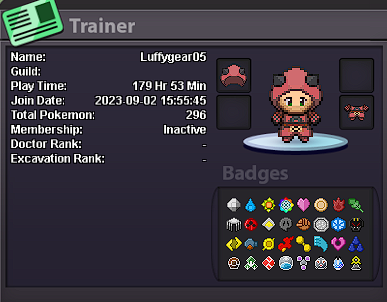
What's your Player name (IGN)? Luffygear05 Number of hours played? 200(on this account) + 290 (on another) What's your favourite Pokemon? Garchomp What country are you from? Singapore How old are you? 24 Which server do you play on? Gold
-
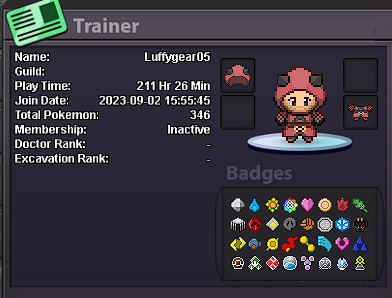
WHATS YOUR IGN (GAME NAME): Luffygear05 DISCORD ID: luffygear5 or luffygear5#0474 FAVOURITE POKEMON : Garchomp WHAT KIND OF PLAYER YOU ARE (PVP/PVE): pve SCREENSHOT OF TRAINERS ID :
-
WHATS YOUR IGN (GAME NAME): Luffygear05 DISCORD ID: luffygear5 or luffygear5#0474 FAVOURITE POKEMON : Garchomp WHAT KIND OF PLAYER YOU ARE (PVP/PVE): pve SCREENSHOT OF TRAINERS ID :
-
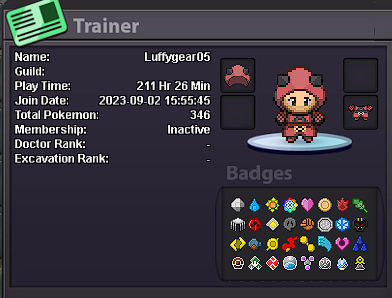
1. In-Game Name (IGN): Luffygear05 2. Country of Origin: Singapore 3. Your favorite Pokemon: Garchomp 4. Preferred Activity in PRO?: Pokemon hunting and chilling with friends 5. What Motivates You to Join Nemesis? Wanted to join a guild and chill after returning to the game after 4 years of hiatus (0LD Account) 6. Highest PvP Rating Achieved: None so far 7. Discord Tag: luffygear5 (or) LuffyGear5#0474 8. Age: 24 9. Share a screenshot of your Trainer Card (New Account)