New Trade Zone
Trade Zone is now live
Use the new Trade Zone for auctions and instant-price trades so Pokemon and item offers are easy to find.


Lordofthetrades
Registered User
-
Joined
-
Last visited
Everything posted by Lordofthetrades
-
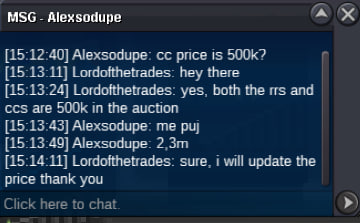
Welcome everyone! S.O = 2m Min bid = 100k Duration = 48hs after first bid Insta price = 10m 15-minutes rule applies CCs and RRs = 500k Good luck!
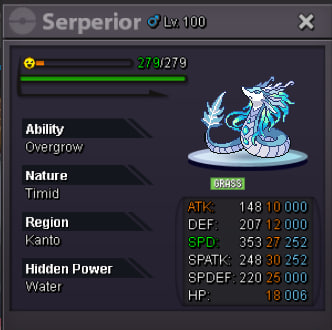 Welcome everyone! S.O = 500k Min bid = 50k Duration = 48hs after first bid No insta price 15-minutes rule applies CCs and RRs = 500k Good luck!
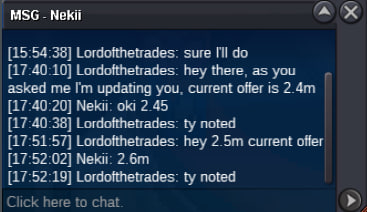
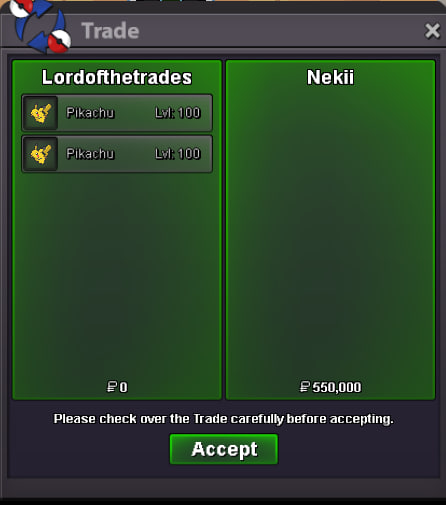
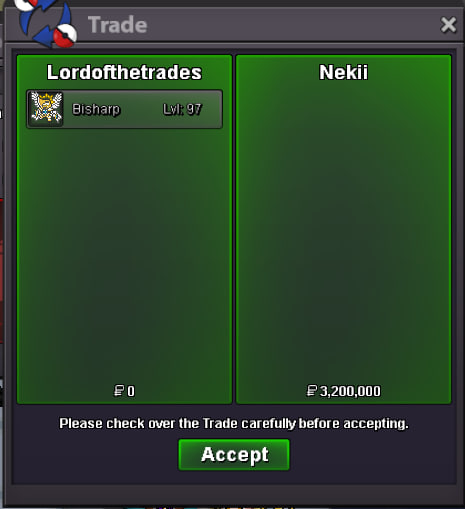
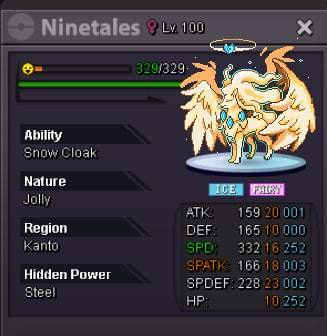 Congrats @Nekii you won!
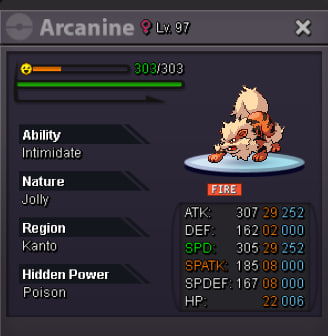
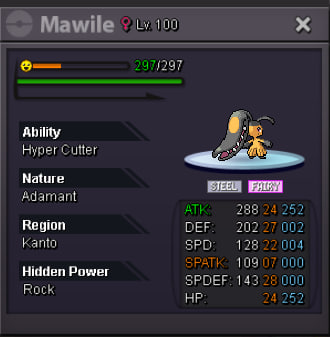
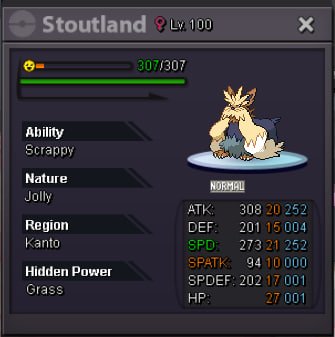
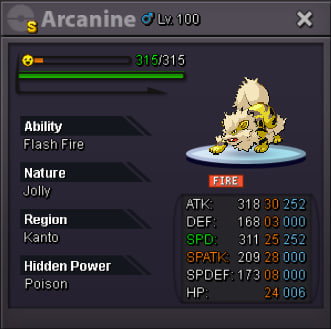
 StartWelcome! Be sure to check out often to stay updated with new mons and offers! IGN = lordofthetrades Discord = thewhitegandalf Accepted payment methods: RRs = 600k CCs = 450k Nature RRs = 250k RCs = 5k each Pokedollars Rules: Offers cannot be canceled Some prices are negotiable, ask for them No auctions, only instant prices This is a Gold server shop, if you are from Silver you should afford the costs of server transfer Featured Mons (new or special offers) Untrained Mons Forms / Shinies Trained / PVP Mons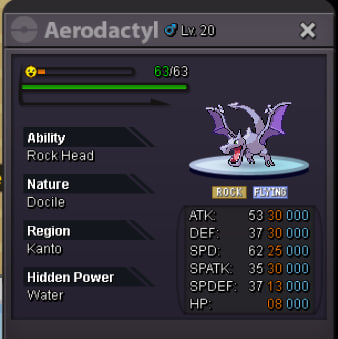
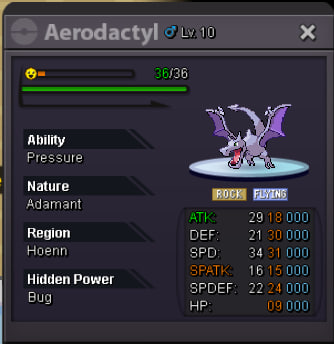
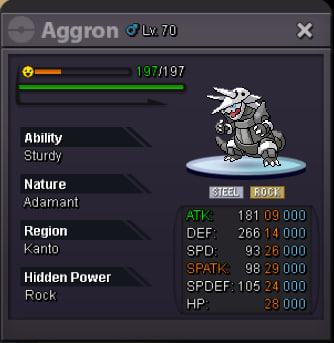
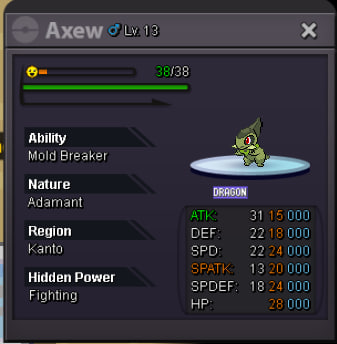
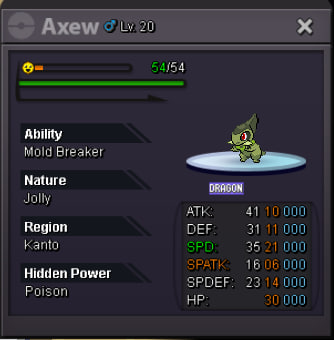
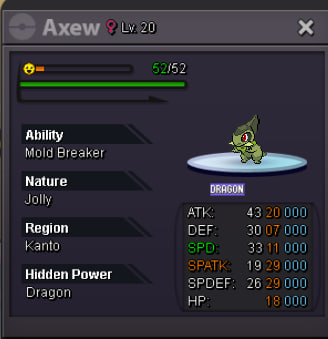
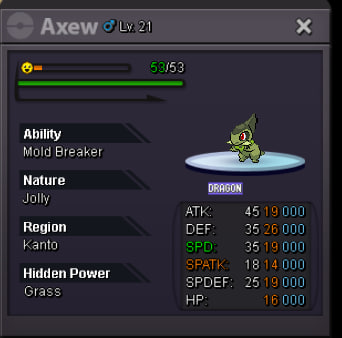
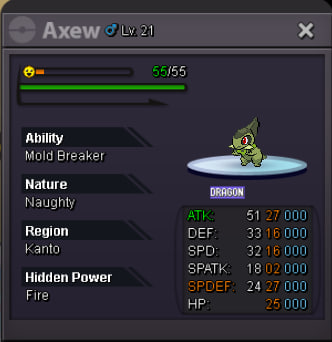
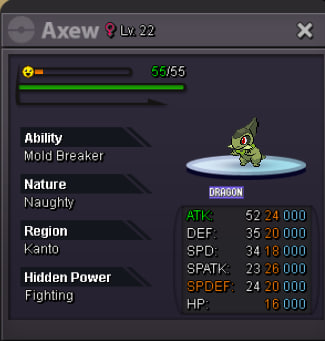
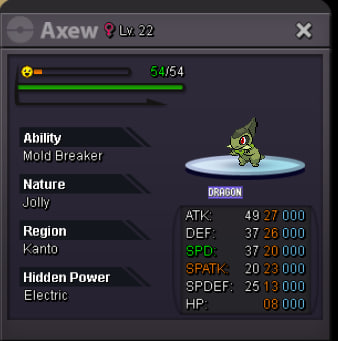
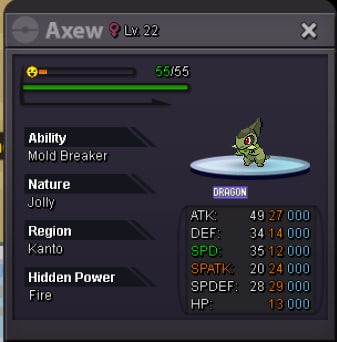
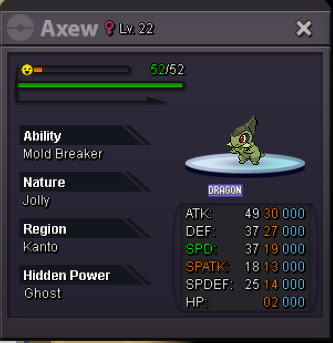
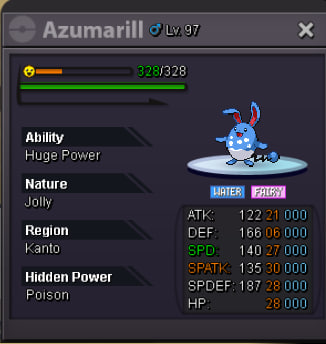
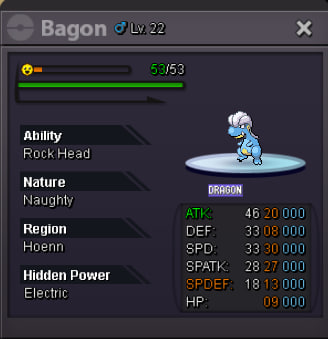
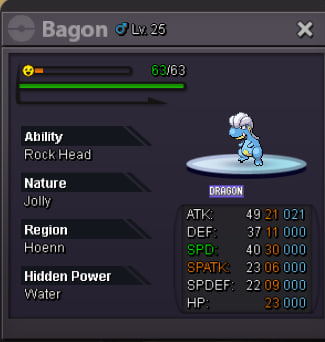
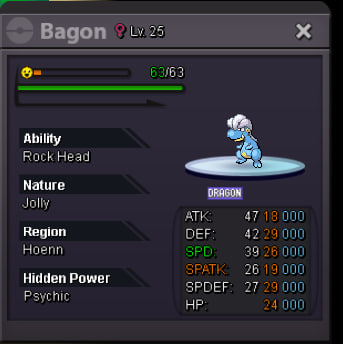
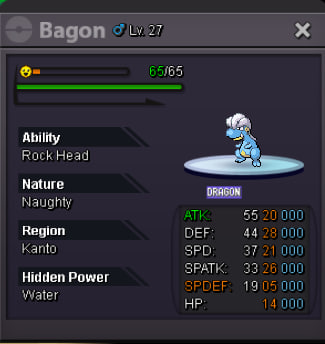
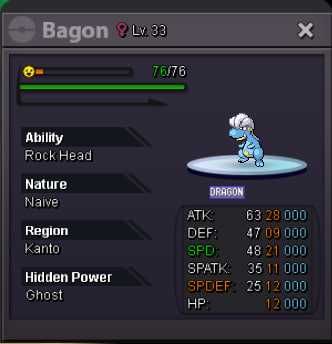
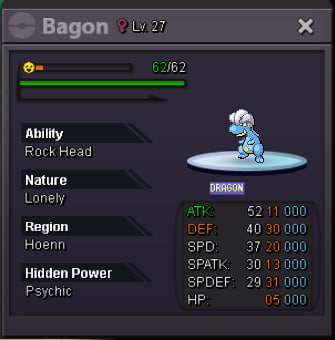
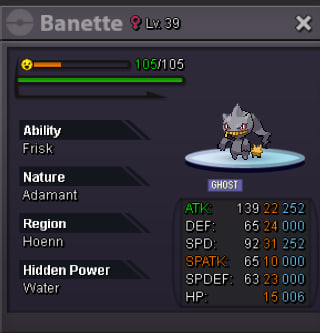
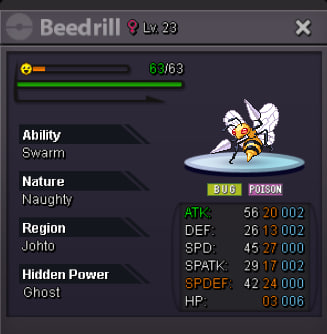
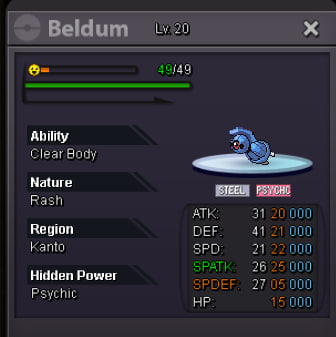
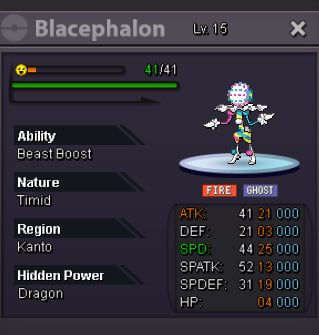
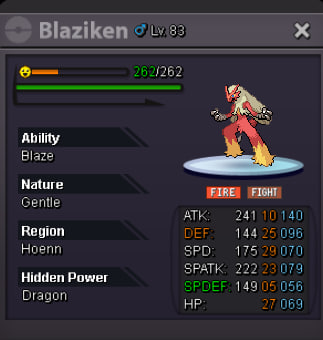
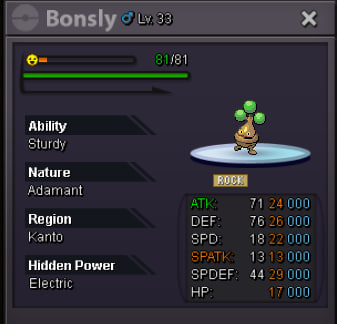
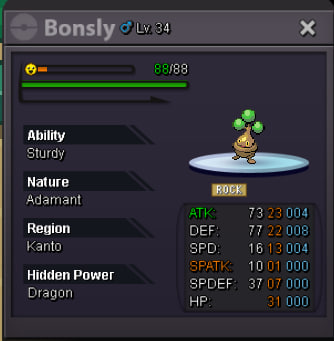
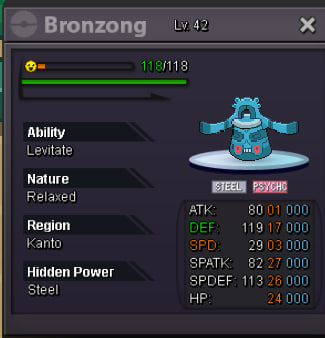
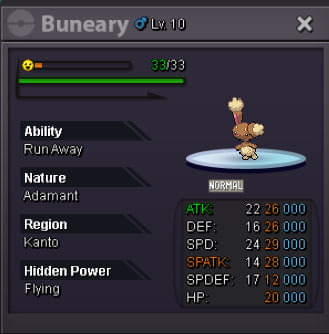
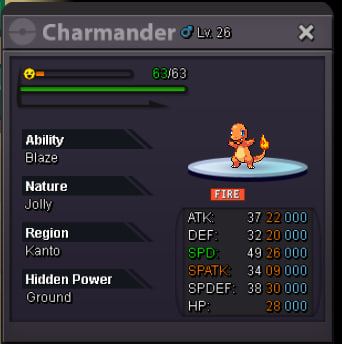

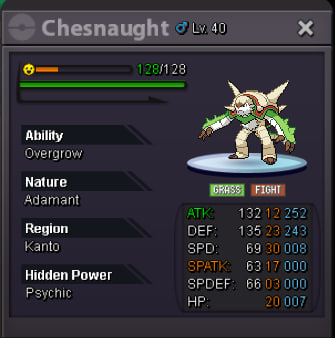
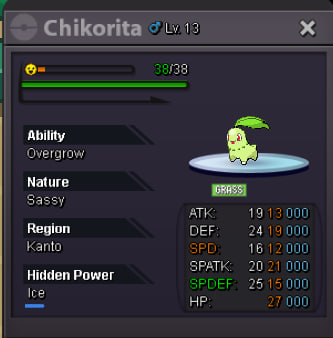
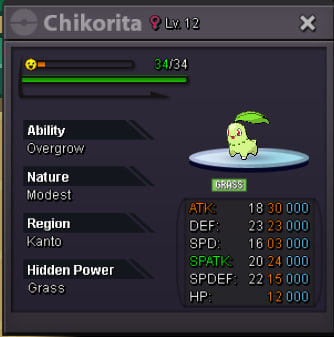
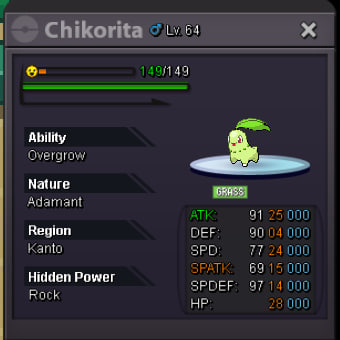
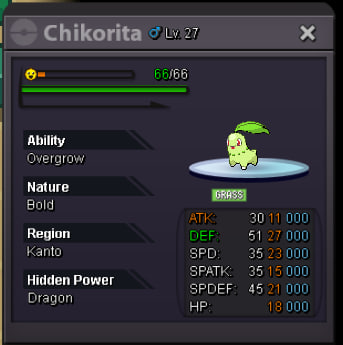
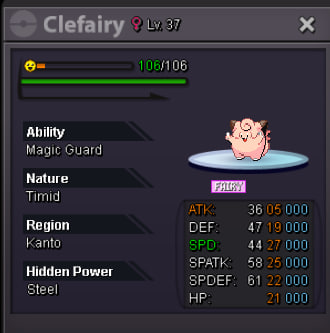
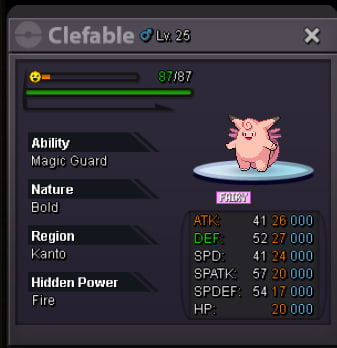
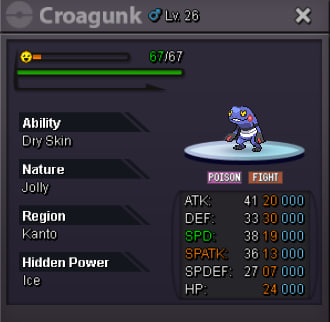
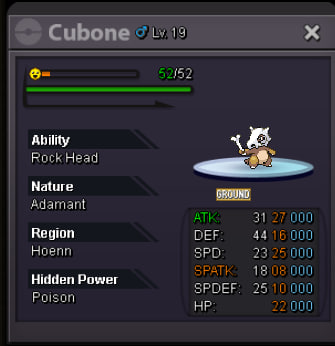
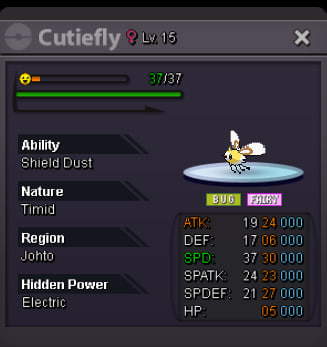
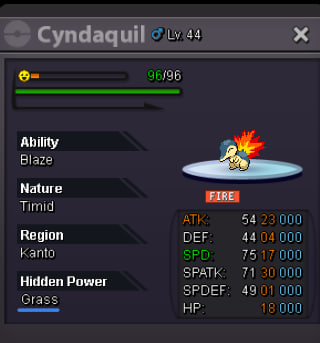
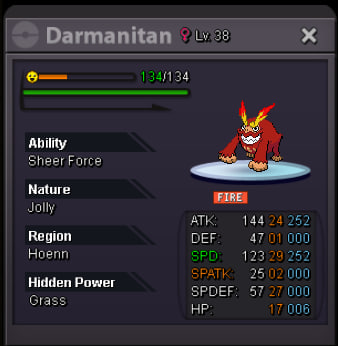
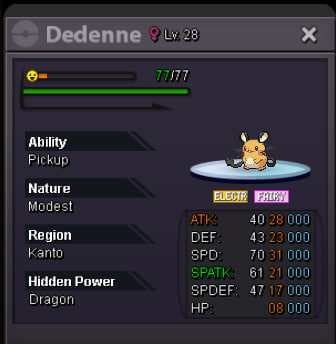
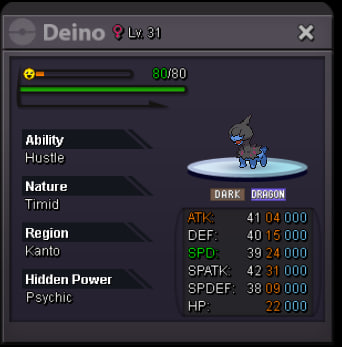
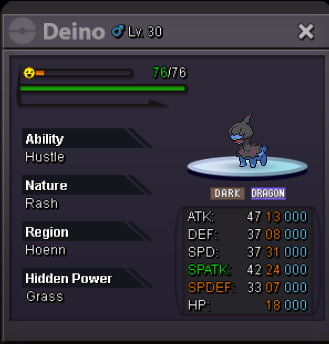
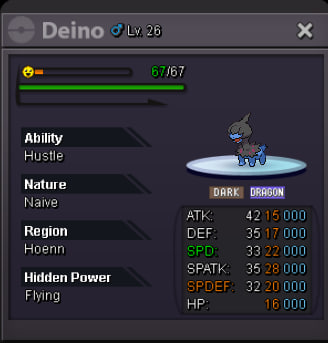
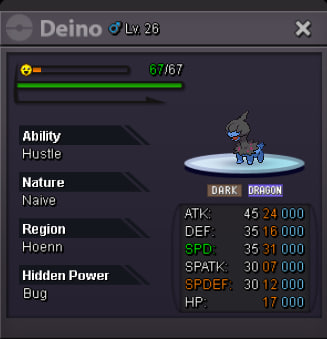
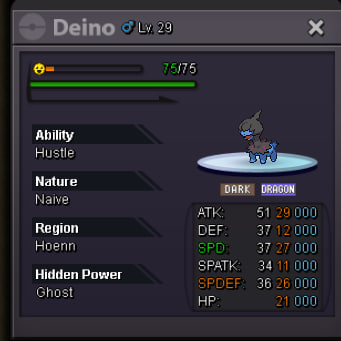
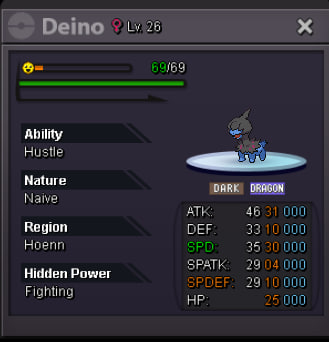
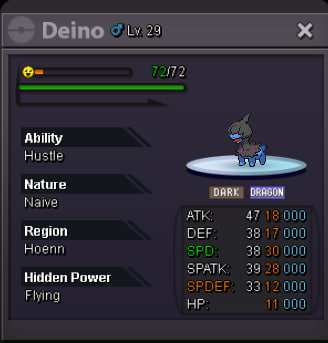
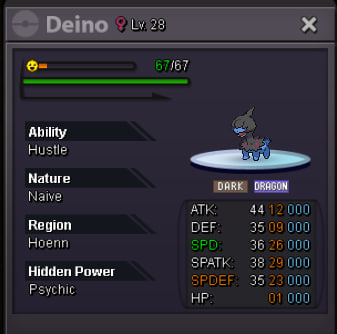
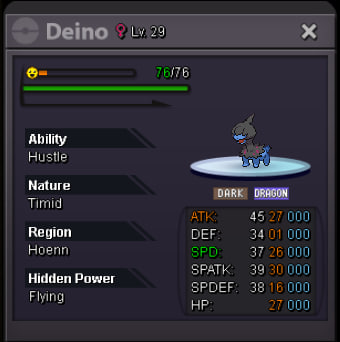
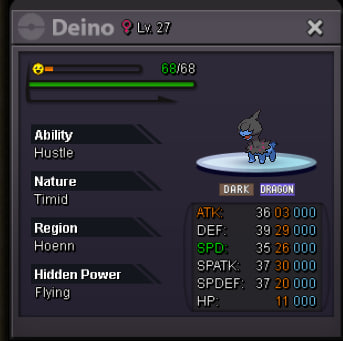
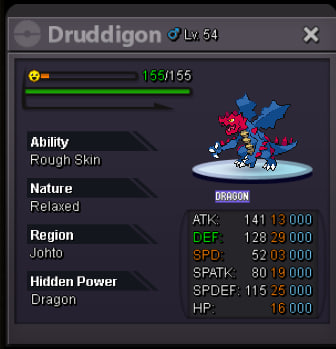
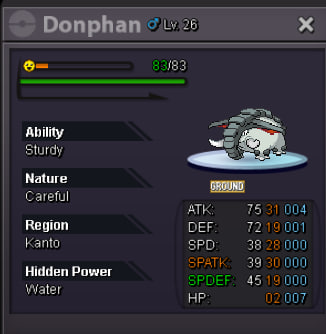
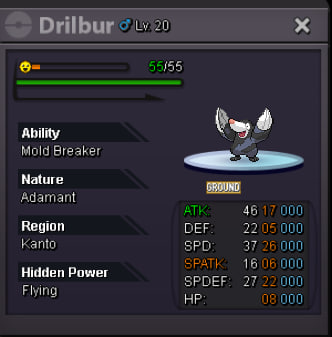
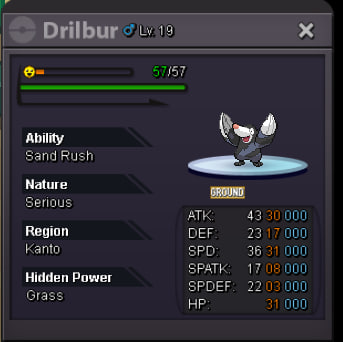
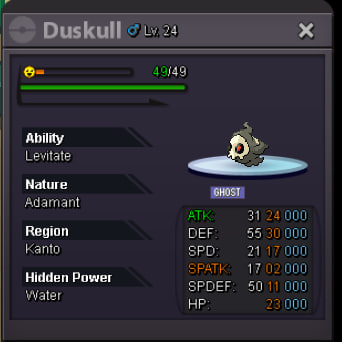
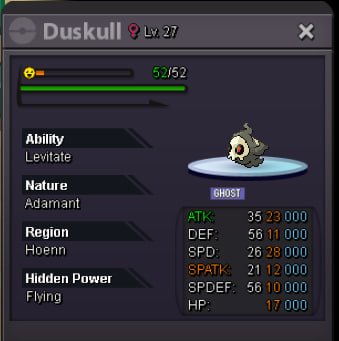
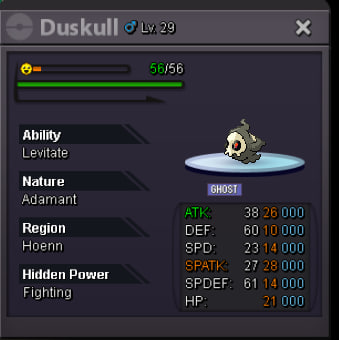
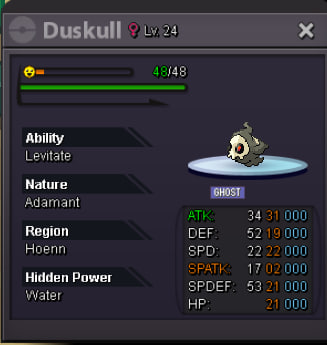
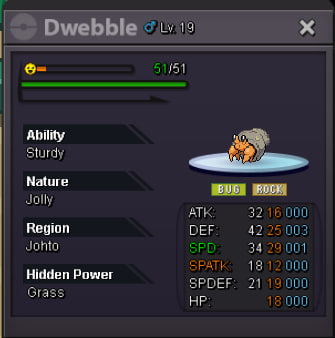
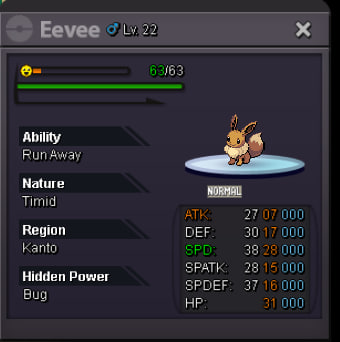
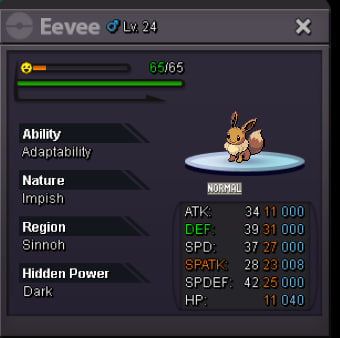
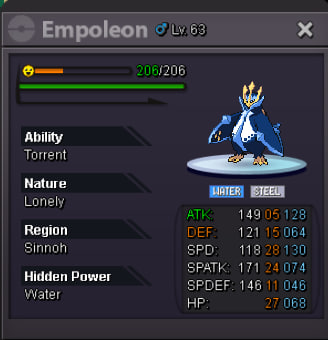
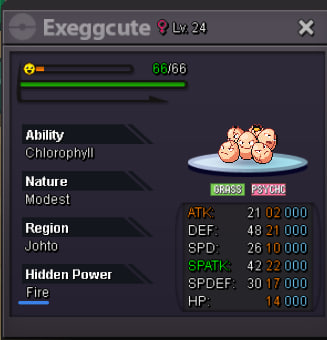
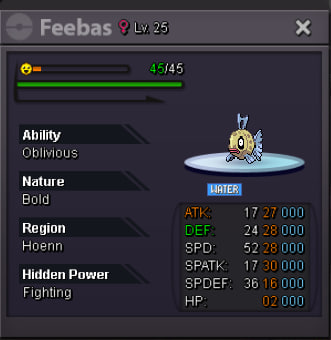
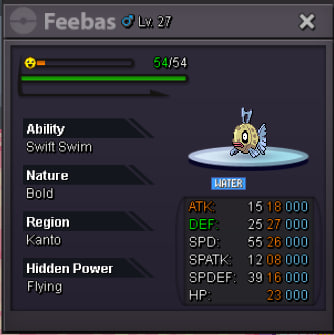
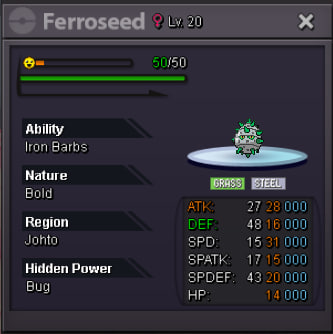
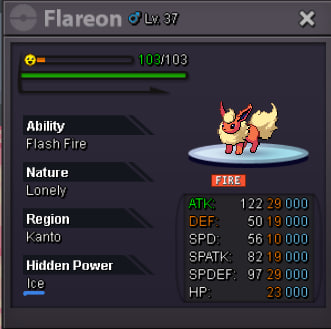
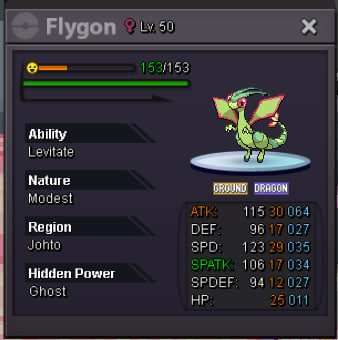
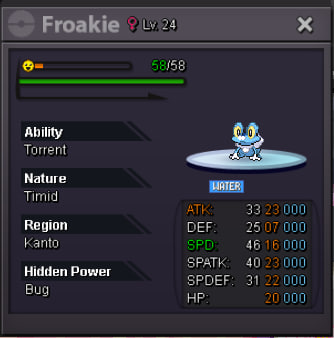
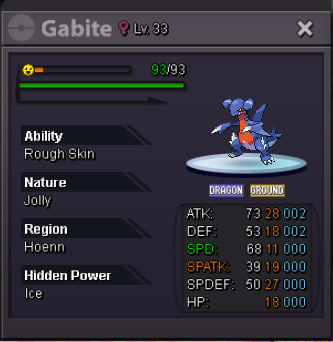
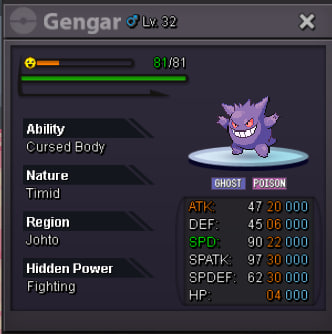
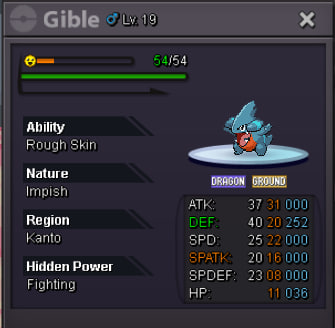
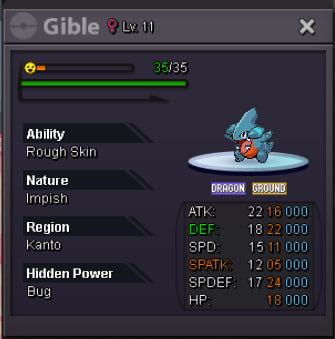
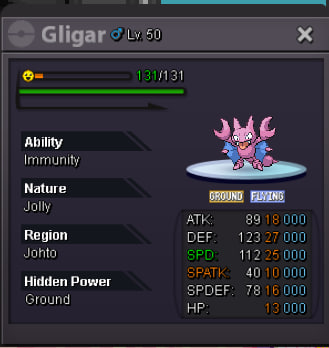
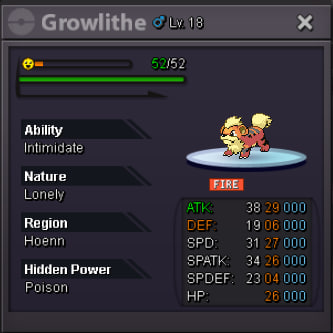
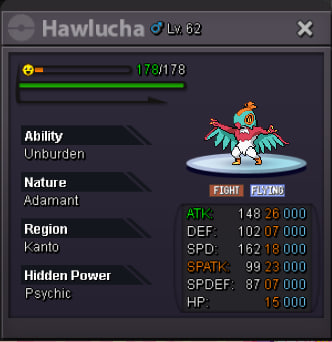
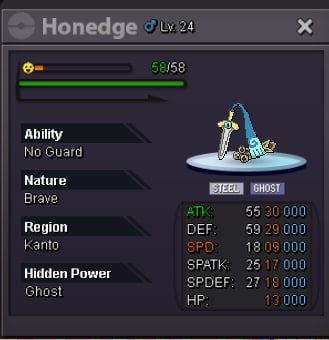
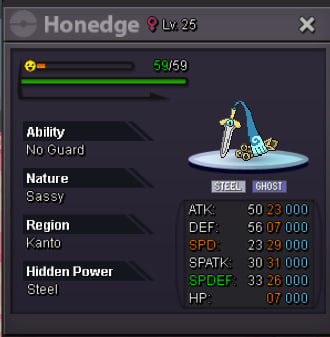
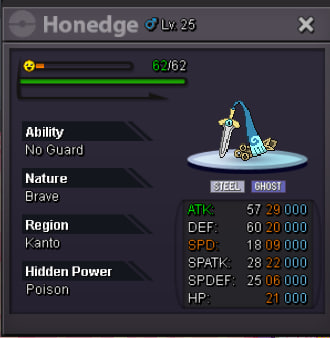
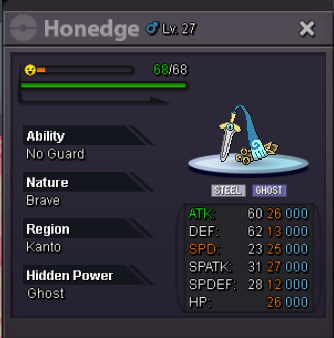
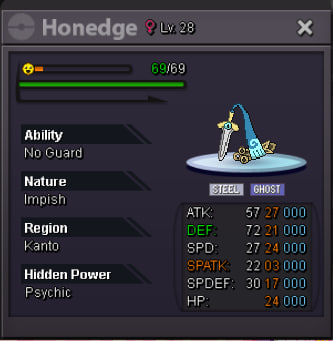
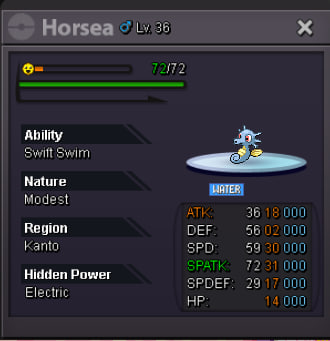
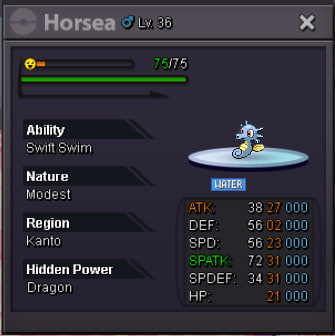
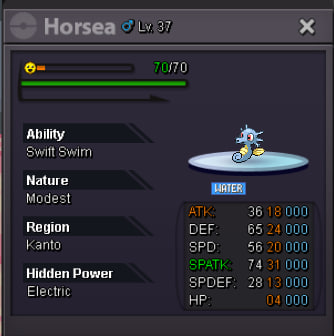
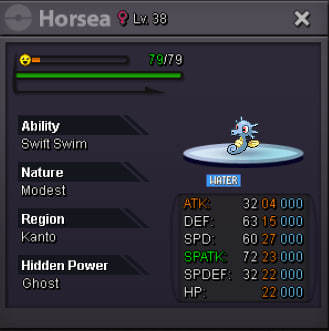
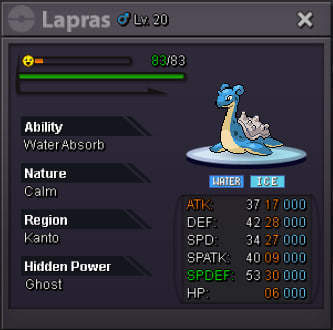
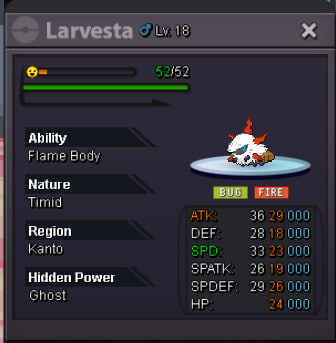
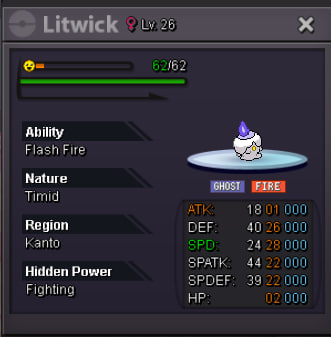
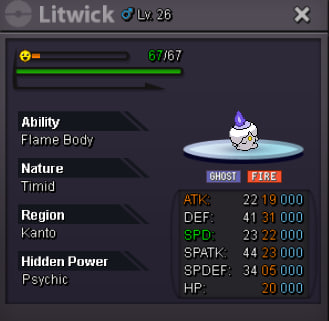
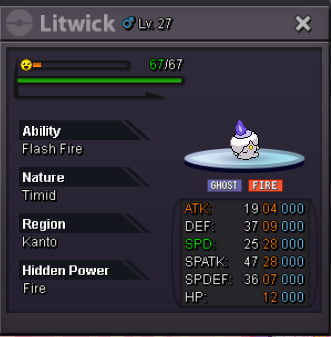
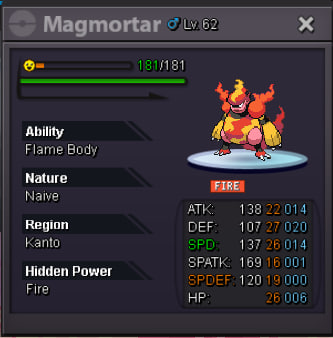
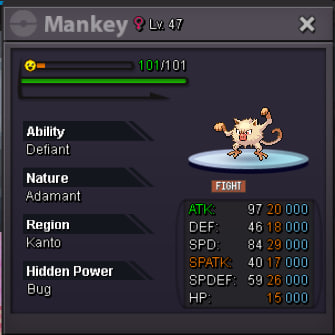
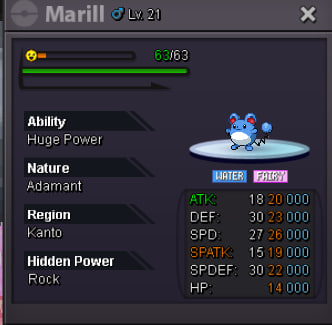
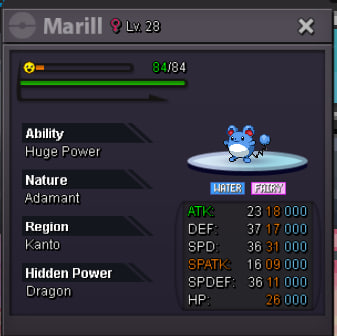
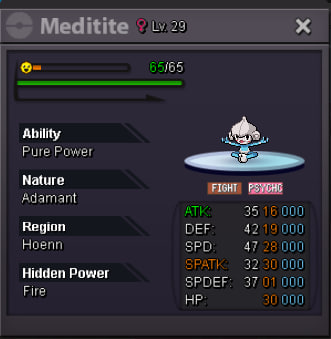
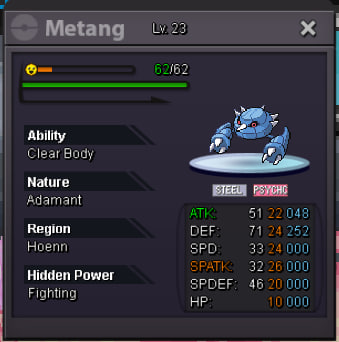
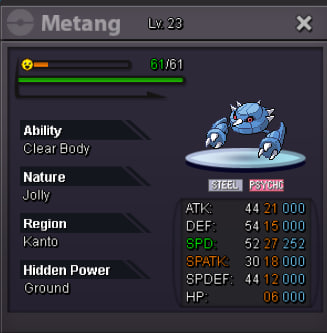
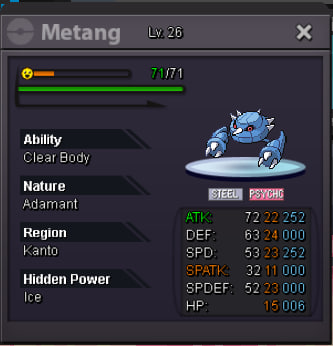
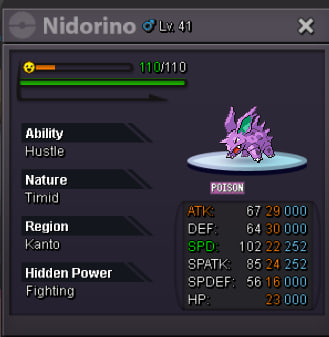
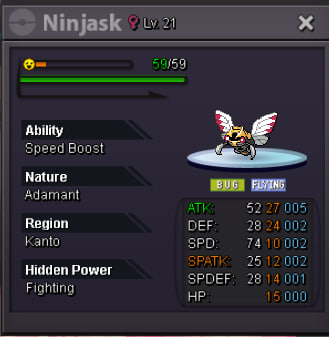
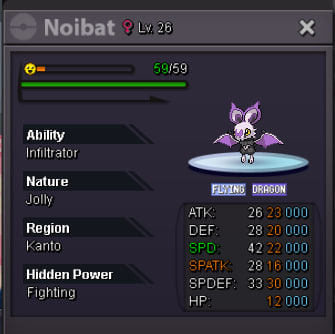
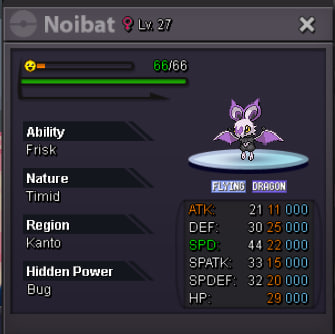
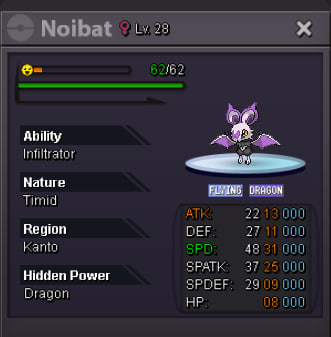
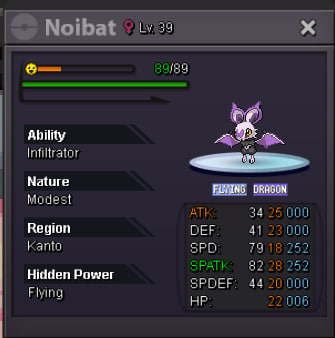
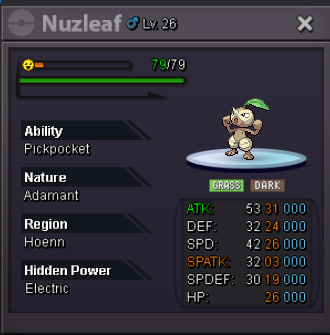
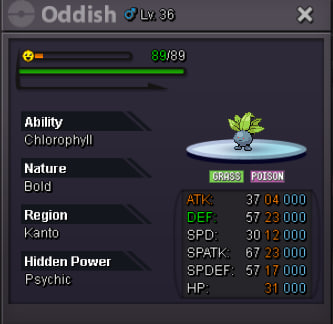
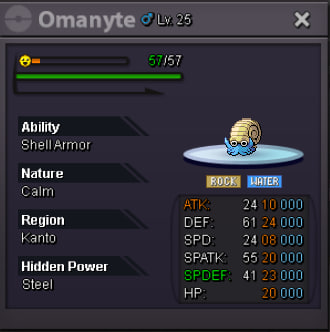
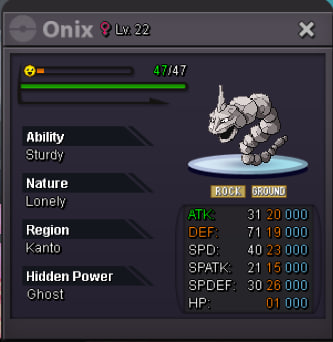
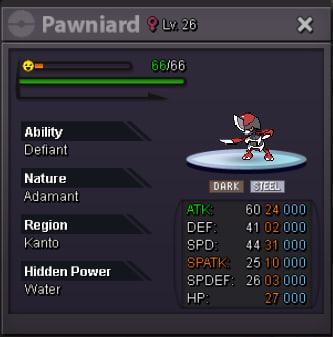
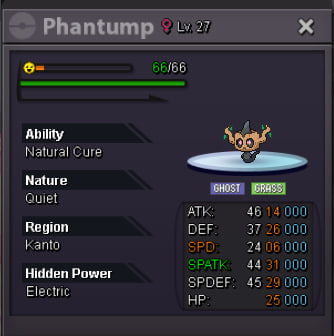
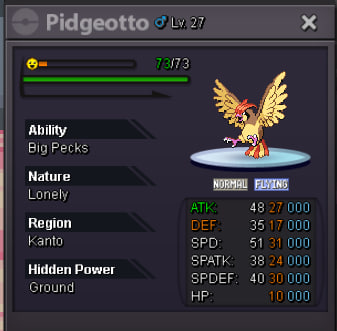
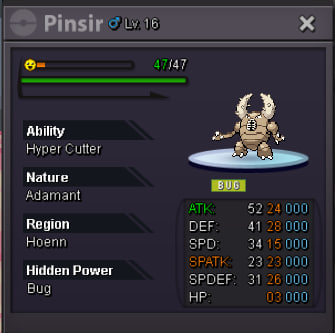
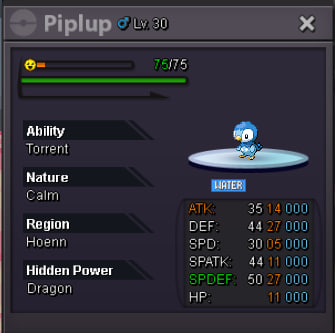
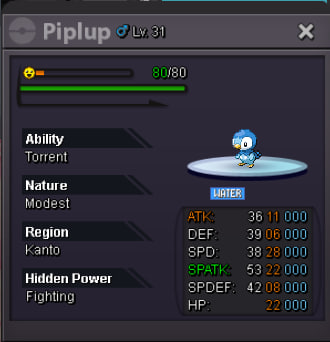
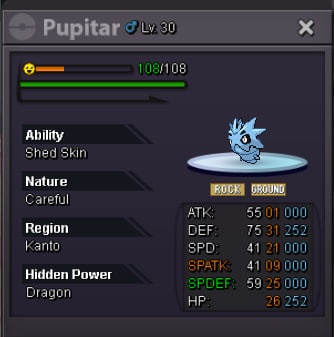
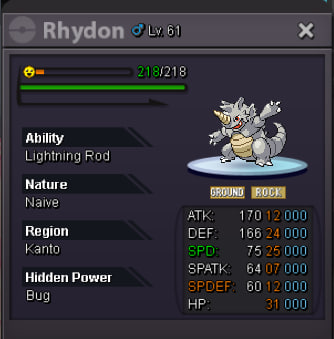
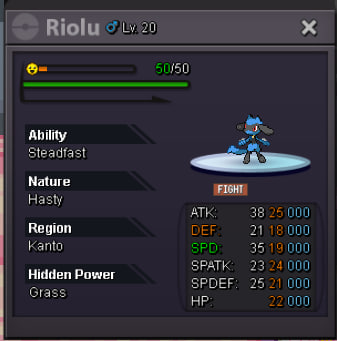
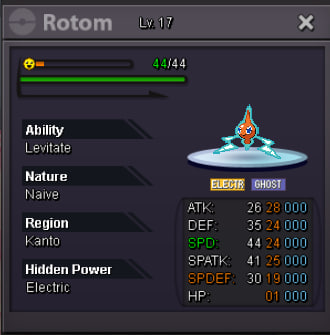
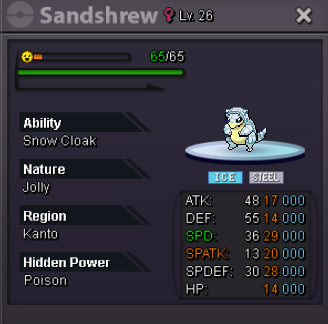
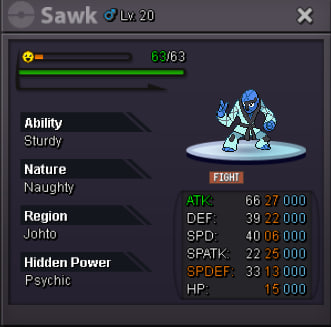
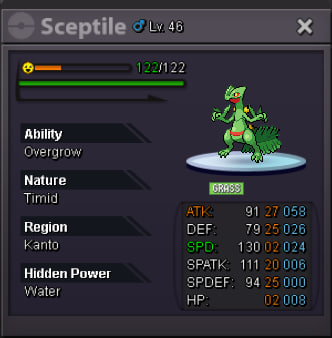
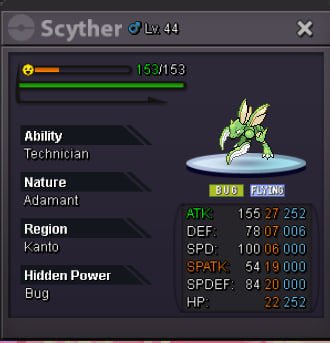
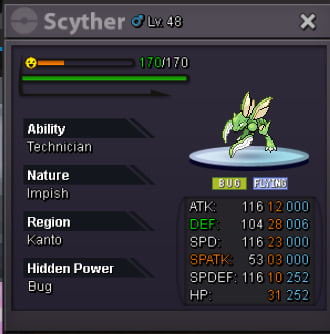
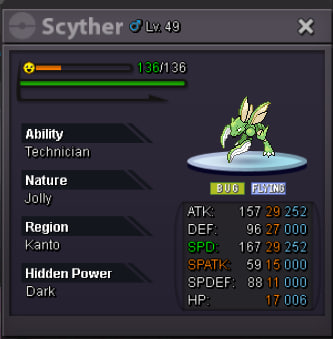
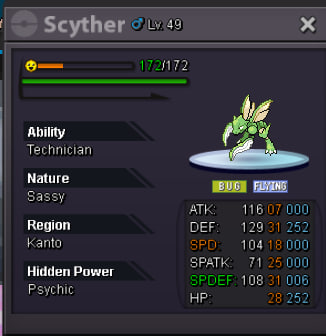
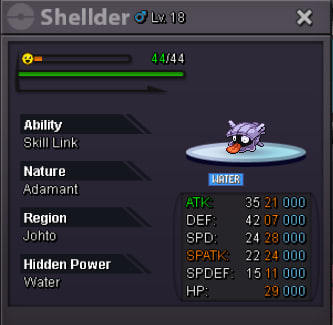
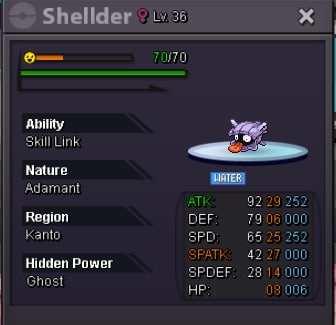
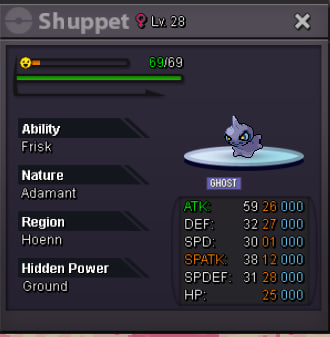
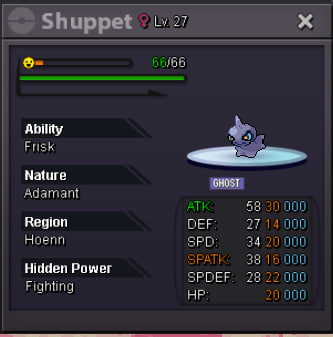
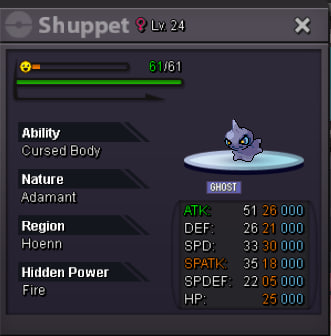
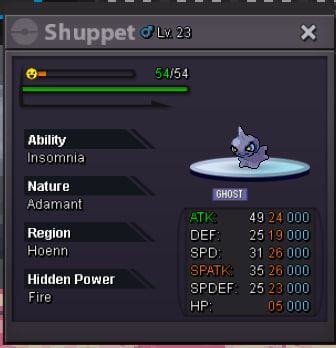
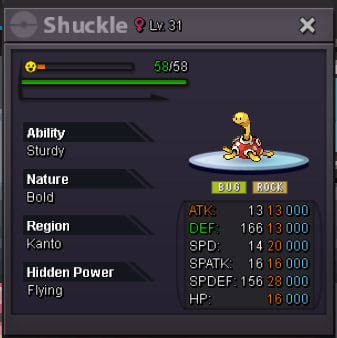
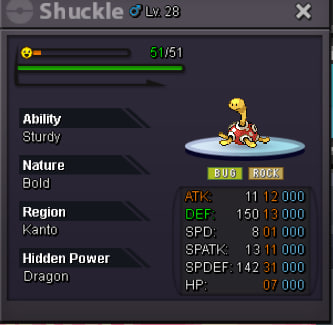
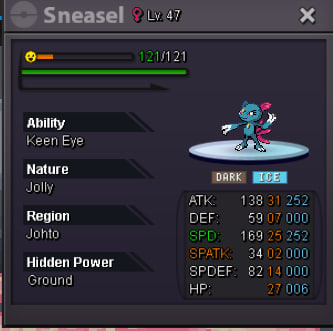
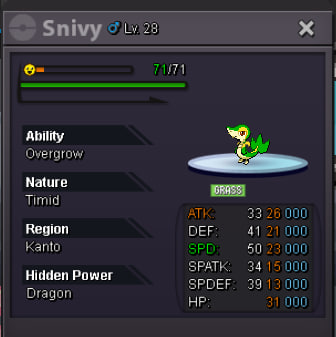
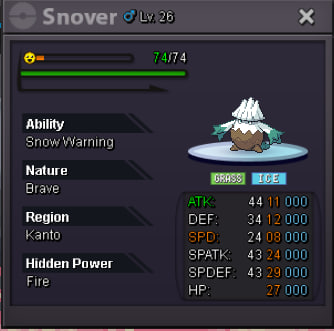
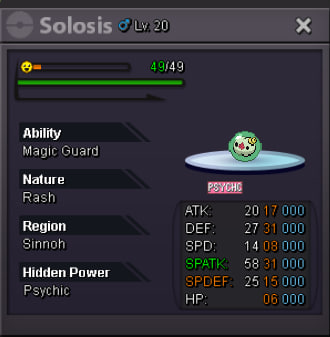
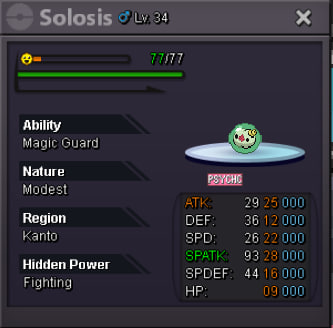
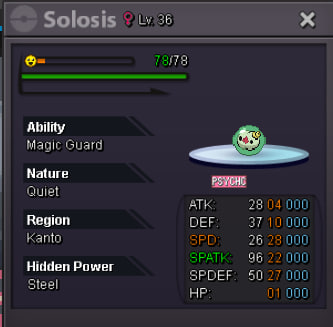
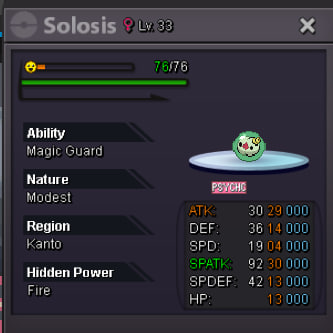
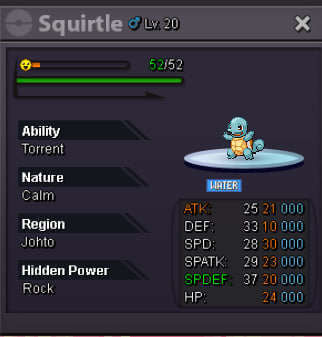
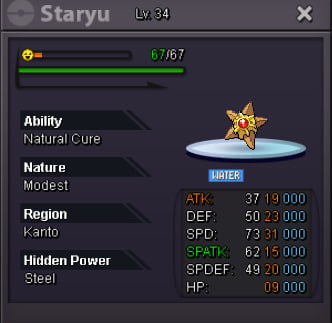
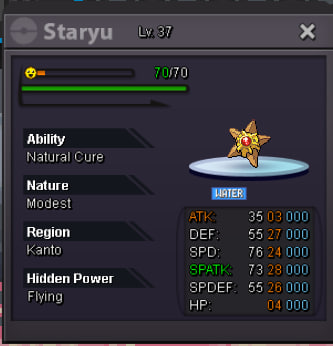
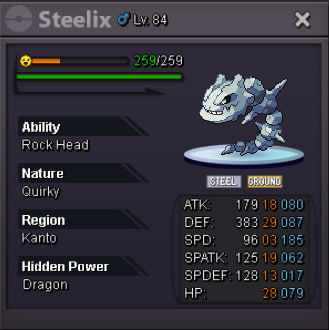
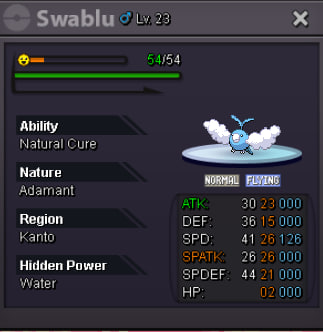
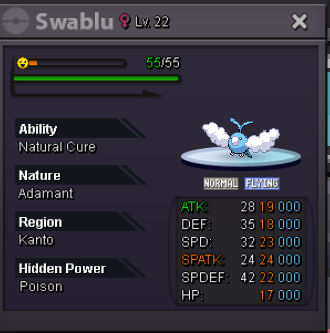
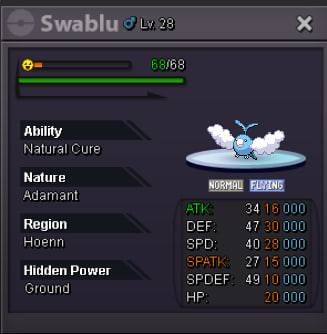
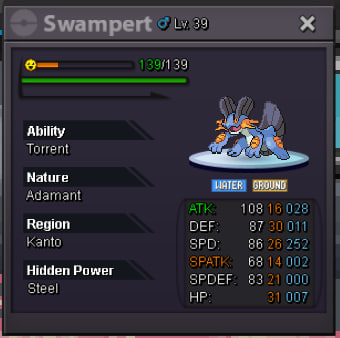
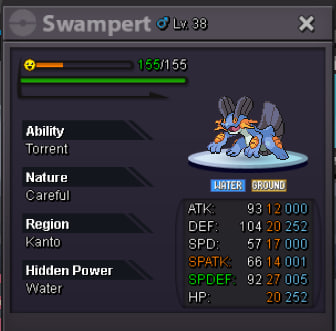
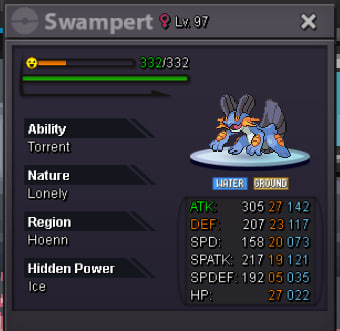
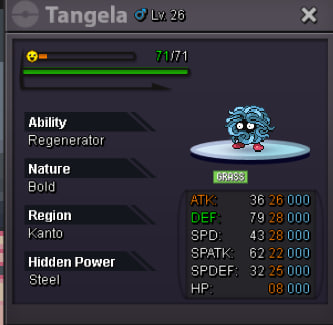
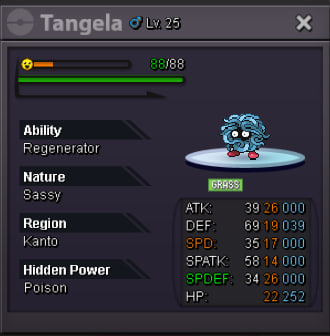
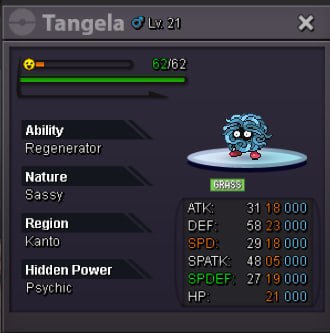
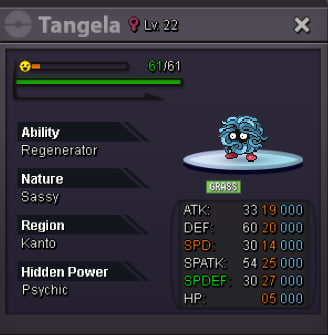
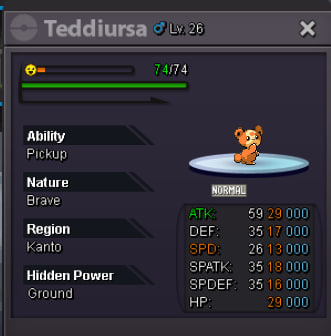
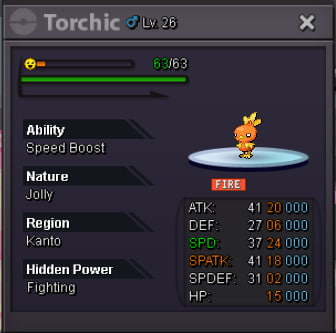
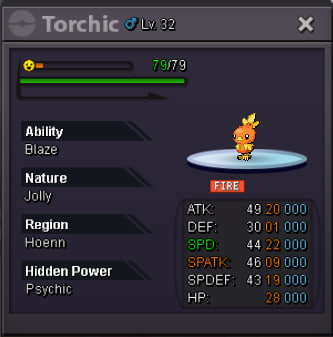
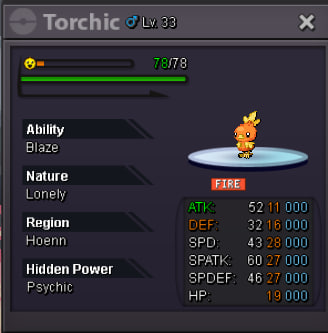
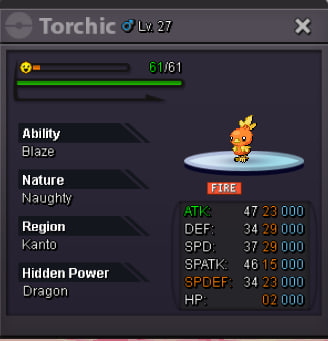
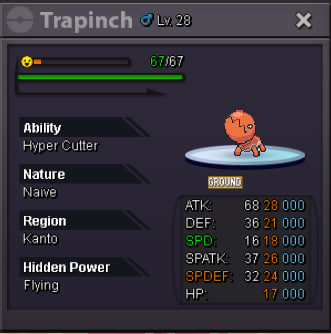
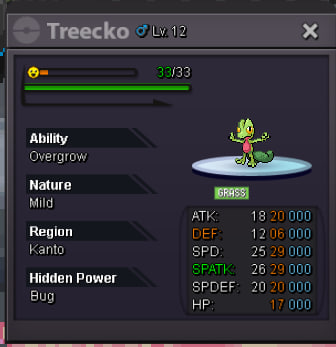
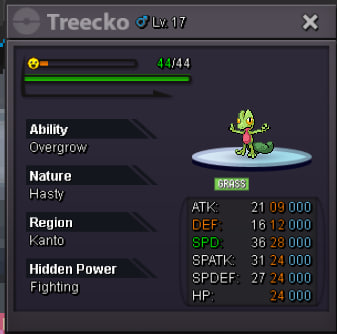
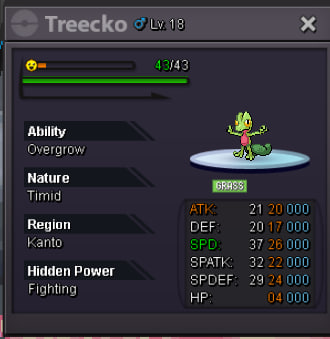
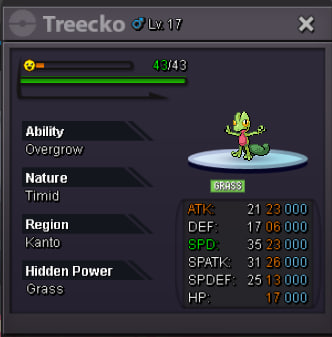
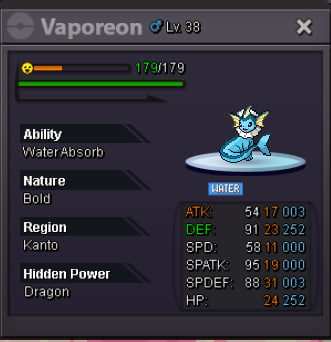
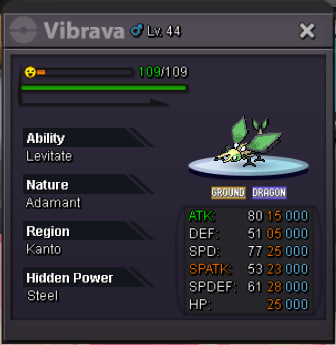
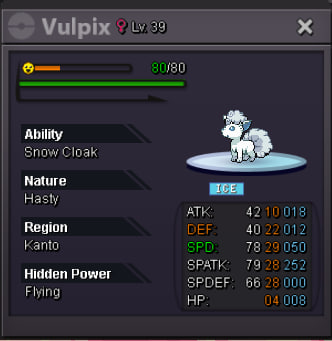
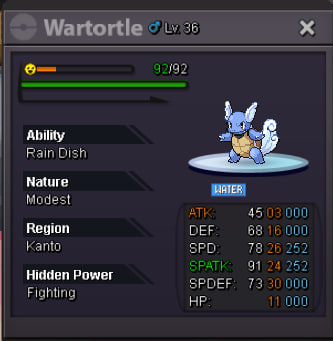
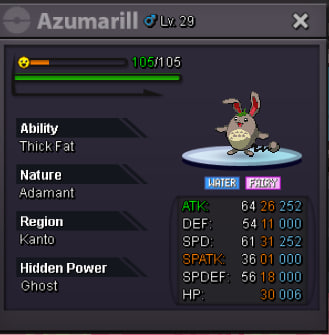
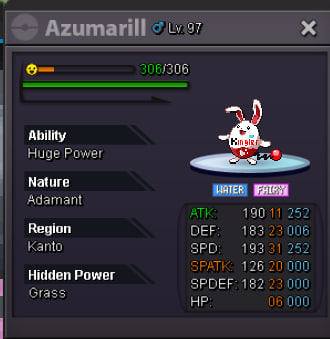
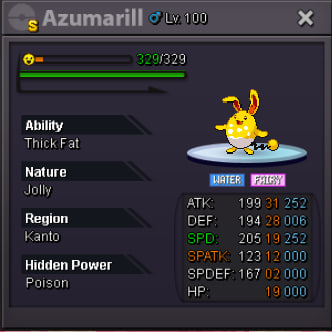
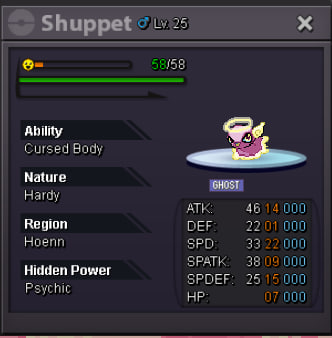
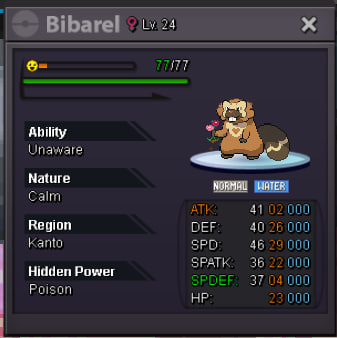
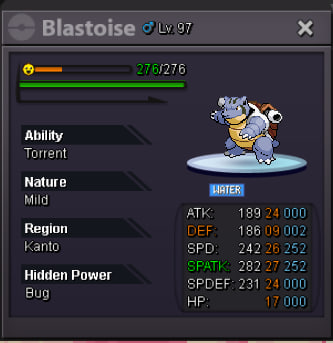
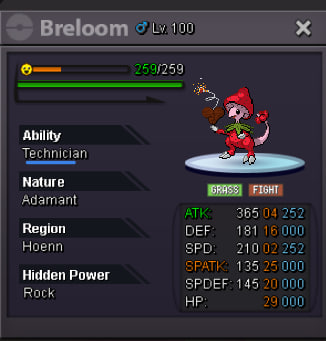
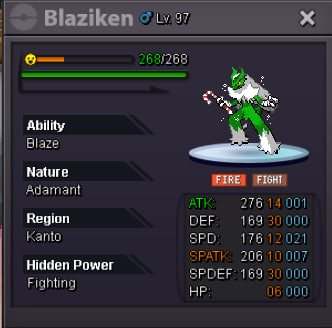
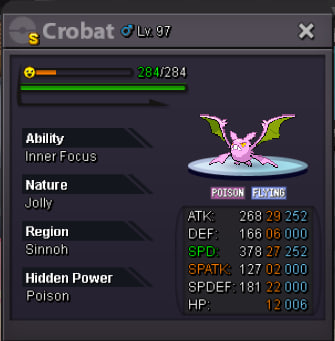
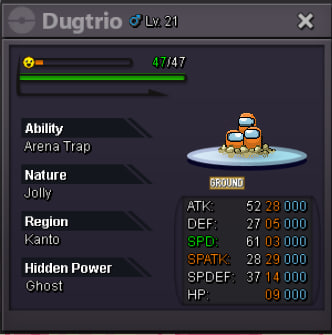
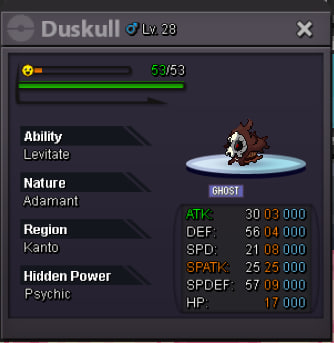
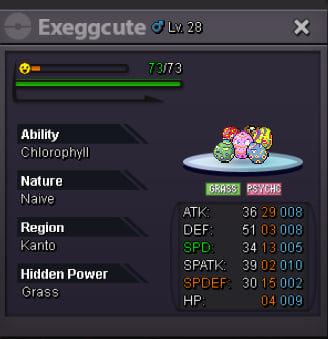
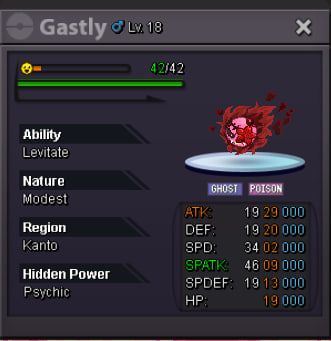

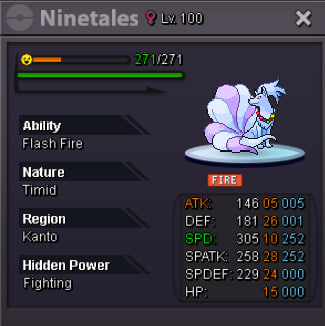
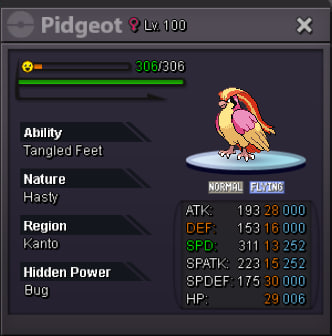
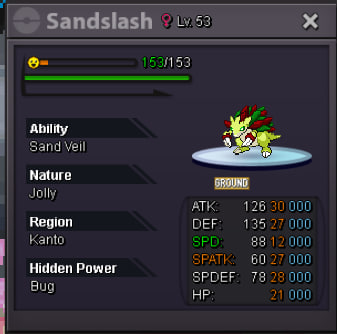
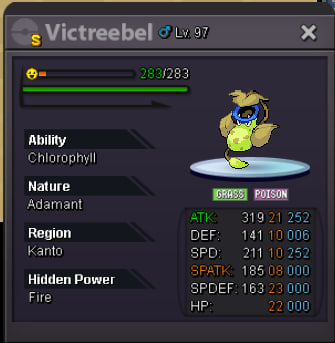
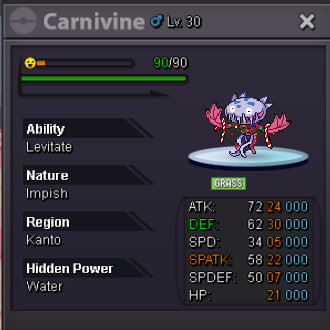
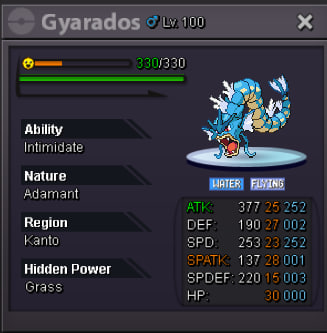
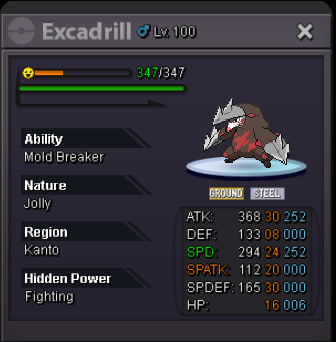
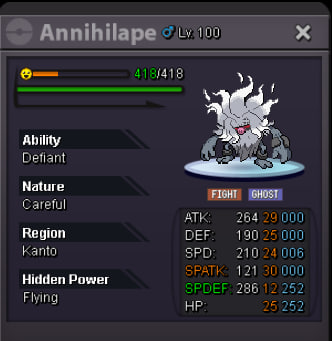
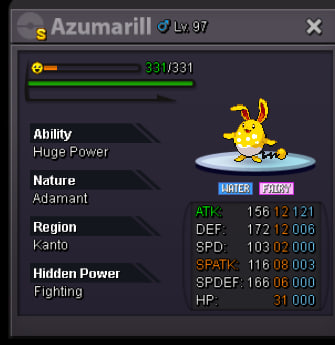
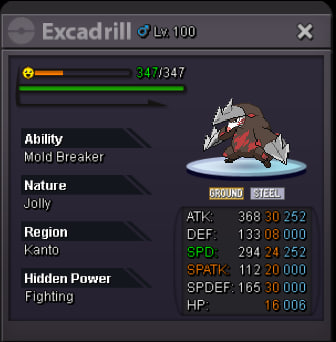
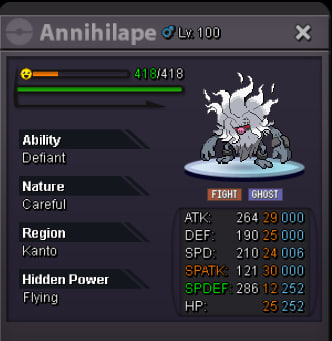
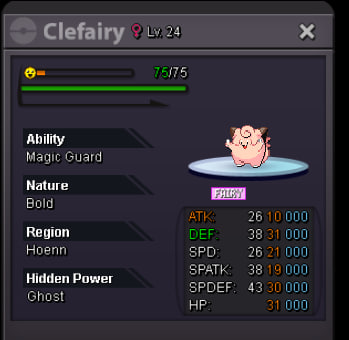 Welcome everyone! S.O = 1m Min bid = 50k Duration = 48hs after first bid Insta price = 5m 15-minutes rule applies CCs and RRs = 500k Good luck!
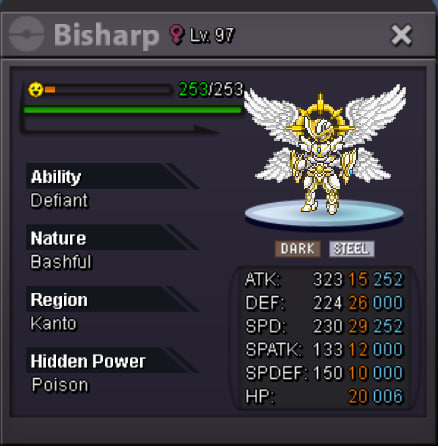 @Sertoe won, auction is closed. Congrats!
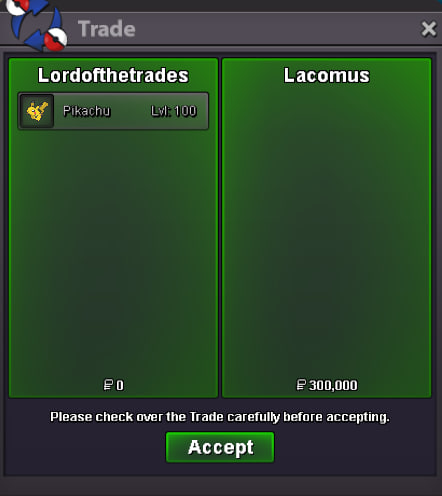
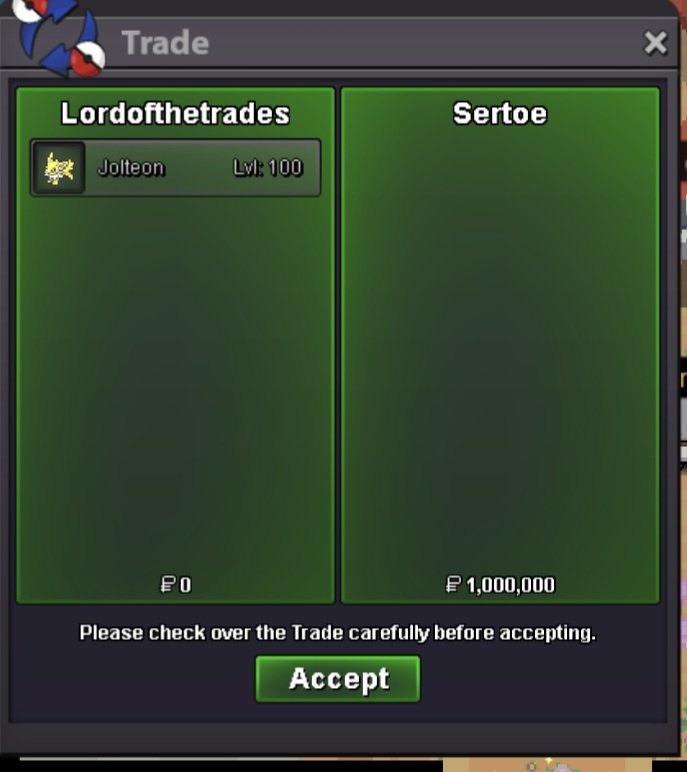 Hey, I understand you meant 1.1m. Is that right?Bump@Lacomus you won #1 and @Nekii you won #2 and #3. Pm me when you're online.
Account
Navigation
Search
Configure browser push notifications
Chrome (Android)
- Tap the lock icon next to the address bar.
- Tap Permissions → Notifications.
- Adjust your preference.
Chrome (Desktop)
- Click the padlock icon in the address bar.
- Select Site settings.
- Find Notifications and adjust your preference.
Safari (iOS 16.4+)
- Ensure the site is installed via Add to Home Screen.
- Open Settings App → Notifications.
- Find your app name and adjust your preference.
Safari (macOS)
- Go to Safari → Preferences.
- Click the Websites tab.
- Select Notifications in the sidebar.
- Find this website and adjust your preference.
Edge (Android)
- Tap the lock icon next to the address bar.
- Tap Permissions.
- Find Notifications and adjust your preference.
Edge (Desktop)
- Click the padlock icon in the address bar.
- Click Permissions for this site.
- Find Notifications and adjust your preference.
Firefox (Android)
- Go to Settings → Site permissions.
- Tap Notifications.
- Find this site in the list and adjust your preference.
Firefox (Desktop)
- Open Firefox Settings.
- Search for Notifications.
- Find this site in the list and adjust your preference.