




New Trade Zone
Trade Zone is now live
Use the new Trade Zone for auctions and instant-price trades so Pokemon and item offers are easy to find.

Drewaster
Registered User
-
Joined
-
Last visited
-
1.1M
-
Now the auction is officially closed, and the winner was @Albertmstrlugia This was my first auction, I made mistakes because I was confused about the auction closing time, among others. and I really apologize to everyone for that. I also want to take this opportunity to sincerely thank @Incandescent and @Doakes for their help and guidance. It was a new experience with many lessons and I am grateful for all of it. From now on, I promise to do it the right way next time.
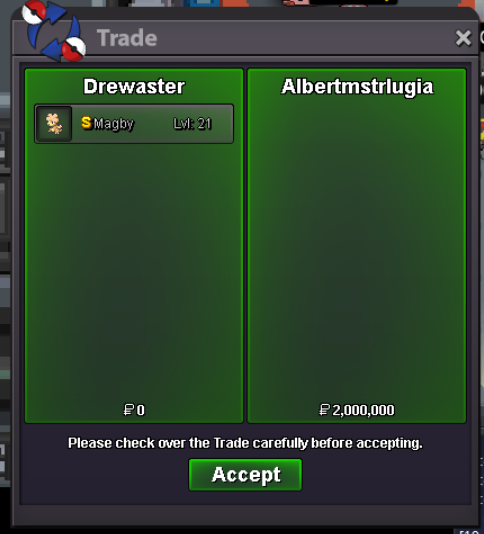
-
It was a mistake on my part, corrected. 5 hours and 4 minutes left until the end of the Auction. Sorry @Justbillionare @Raaah
-
UP
-
Start 1M Min raise 100k No Insta Winner: Albertmstrlugia Ending in 48hours after Starting Offer is met Send offer on forum 5 Hours and 4 minutes left.


