-
[CLOSED] Godly Riolu Jolly H.A 31 Speed
4M
-
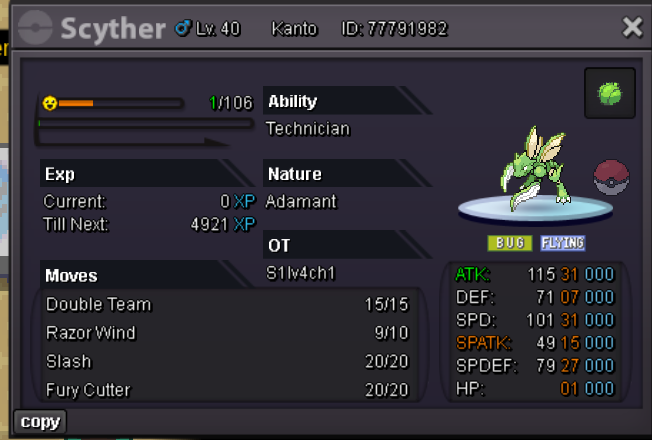
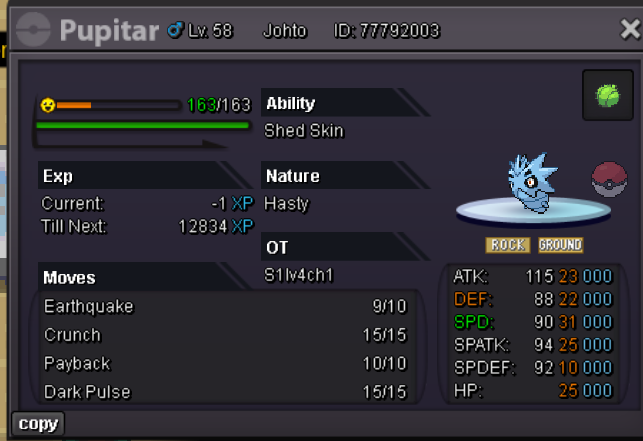
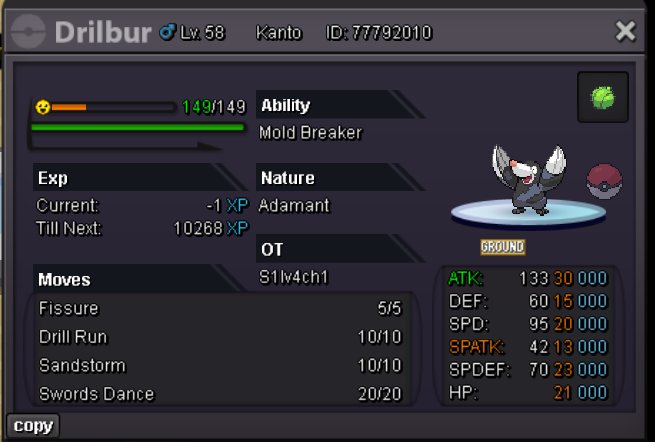
🔥 [BUNDLE AUCTION] Scyther Ada Tech 31-31, Pupitar Mixed 31 Speed, Drilburr Ada HA 20+
@Moderator no Need, found the buyer on discord, we will trade soon
-
🔥 [BUNDLE AUCTION] Scyther Ada Tech 31-31, Pupitar Mixed 31 Speed, Drilburr Ada HA 20+
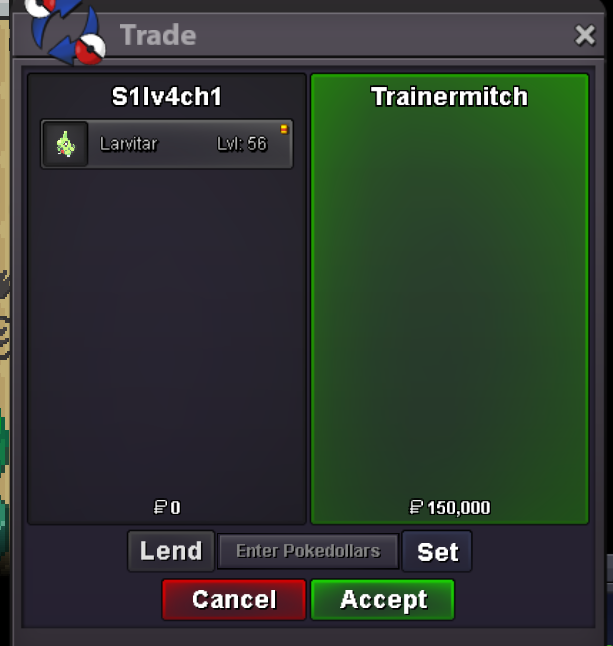
You won, I PM u later to do the trade
-
🔥 [BUNDLE AUCTION] Scyther Ada Tech 31-31, Pupitar Mixed 31 Speed, Drilburr Ada HA 20+
no, just the last offer, sorry I didnt have time to follow it yesterday
-
🔥 [BUNDLE AUCTION] Scyther Ada Tech 31-31, Pupitar Mixed 31 Speed, Drilburr Ada HA 20+
noted
-
🔥 [BUNDLE AUCTION] Scyther Ada Tech 31-31, Pupitar Mixed 31 Speed, Drilburr Ada HA 20+
-
[BUNDLE AUCTION] Ada HA Corphish - Mixed Mild Riolu - Relaxed Ferro 02 Speed
You Won, I will PM you as soon as I log in game.
-
[BUNDLE AUCTION] Ada HA Corphish - Mixed Mild Riolu - Relaxed Ferro 02 Speed
-
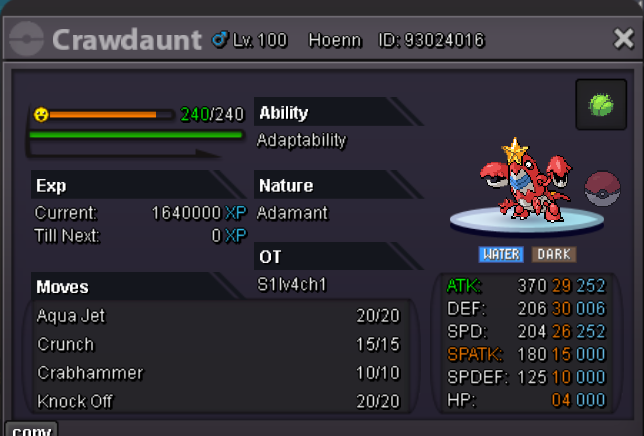
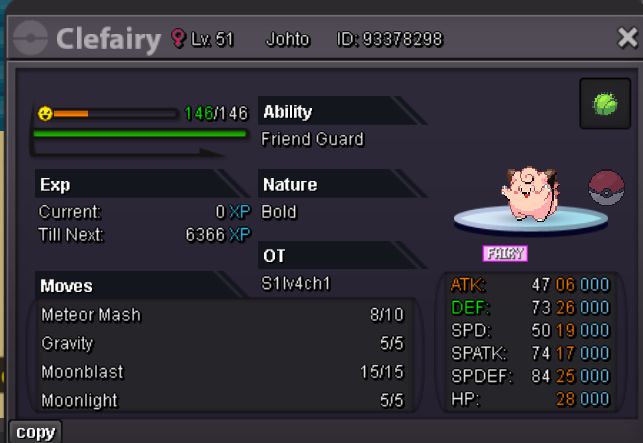
🔥 [BUNDLE AUCTION] HA Ada Crawdaunt, HA Bold Clefairy and Relaxed Ferroseed.
yes, I will transfer to gold
-
🔥 [BUNDLE AUCTION] HA Ada Crawdaunt, HA Bold Clefairy and Relaxed Ferroseed.
sure but this is a bundle auction
-
🔥 [BUNDLE AUCTION] HA Ada Crawdaunt, HA Bold Clefairy and Relaxed Ferroseed.
- [SOLD] 31 speed - 30 spatt - 15+ HA Timid Kadabra (HP Grass)
Account
Navigation
Search
Configure browser push notifications
Chrome (Android)
- Tap the lock icon next to the address bar.
- Tap Permissions → Notifications.
- Adjust your preference.
Chrome (Desktop)
- Click the padlock icon in the address bar.
- Select Site settings.
- Find Notifications and adjust your preference.
Safari (iOS 16.4+)
- Ensure the site is installed via Add to Home Screen.
- Open Settings App → Notifications.
- Find your app name and adjust your preference.
Safari (macOS)
- Go to Safari → Preferences.
- Click the Websites tab.
- Select Notifications in the sidebar.
- Find this website and adjust your preference.
Edge (Android)
- Tap the lock icon next to the address bar.
- Tap Permissions.
- Find Notifications and adjust your preference.
Edge (Desktop)
- Click the padlock icon in the address bar.
- Click Permissions for this site.
- Find Notifications and adjust your preference.
Firefox (Android)
- Go to Settings → Site permissions.
- Tap Notifications.
- Find this site in the list and adjust your preference.
Firefox (Desktop)
- Open Firefox Settings.
- Search for Notifications.
- Find this site in the list and adjust your preference.