New Trade Zone
Trade Zone is now live
Use the new Trade Zone for auctions and instant-price trades so Pokemon and item offers are easy to find.

Kaiyoh
Registered User
-
Joined
-
Last visited
-
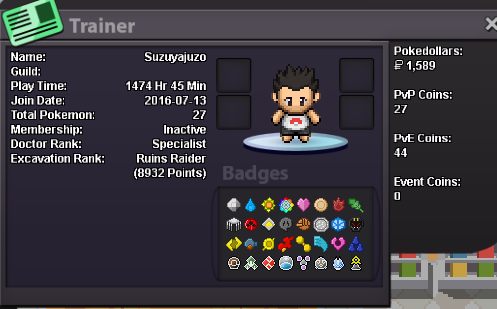
● What's your IGN? "Kaiyoh" ● How old are you? 26 years old ● Where are you from? French ● What's your total playtime? 164h but i got 1500 hours from an old account from, i played 2016 to 2017 (can connect for prove it if needed) Started a new account for enjoy the content from start and all the new things. ● What do you enjoy doing in the game? Almost everything, hunt & farm, PVP, and all the quests are really cool too. ● Would you like to offer some kind of service to the guild ? Sure if i can help and i got time, why not Which Bidoof Form do you like the most? -Suidoof, Endoof or Raidoof? GOD BIDOOOF Actual account (my main) : Old account (i don't play on, just for prove the 300+ hours) :