




New Trade Zone
Trade Zone is now live
Use the new Trade Zone for auctions and instant-price trades so Pokemon and item offers are easy to find.

Jeewon1
Registered User
-
Joined
-
Last visited
Everything posted by Jeewon1
-
2.5m
-
2m
-
500 000
-
300k
-
150k
-
1.9m
-
1.4m
-
4m
-
1m200k
-
5m
-
4m
-
2.5m
-
1.5m
-
1m
-
my bad 800k then
-
750k
-
well congratz 1v1 auction ended
-
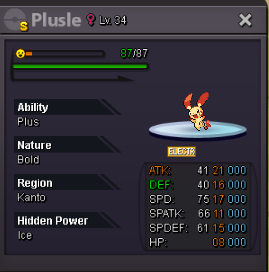
Duration: 48 hrs (2 days) after first bid Start offer: 50k Min bid: 50k Insta: None Accepted payments: - Pokedollars - CC : 375k each -RR : 500k each
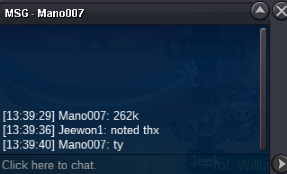
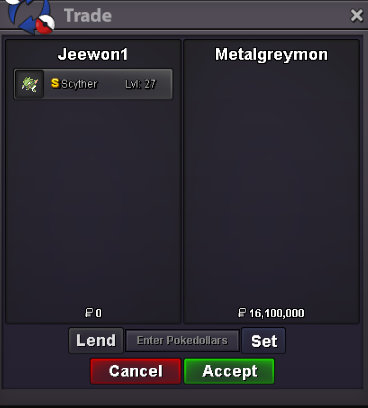
 this time we got a winner sorry about how this auction was handled near the end was my first time sorry about that i want to thx all of you for participing and congraz metalgreymon.you need to change your offer skyvr,if you want to outbidvery well then i was not aware of this my bad then the auction is at 11m800 from metalgreymonyou can pm me in game if you want the scyther right now i am online



Account
Navigation
Search
Configure browser push notifications
Chrome (Android)
- Tap the lock icon next to the address bar.
- Tap Permissions → Notifications.
- Adjust your preference.
Chrome (Desktop)
- Click the padlock icon in the address bar.
- Select Site settings.
- Find Notifications and adjust your preference.
Safari (iOS 16.4+)
- Ensure the site is installed via Add to Home Screen.
- Open Settings App → Notifications.
- Find your app name and adjust your preference.
Safari (macOS)
- Go to Safari → Preferences.
- Click the Websites tab.
- Select Notifications in the sidebar.
- Find this website and adjust your preference.
Edge (Android)
- Tap the lock icon next to the address bar.
- Tap Permissions.
- Find Notifications and adjust your preference.
Edge (Desktop)
- Click the padlock icon in the address bar.
- Click Permissions for this site.
- Find Notifications and adjust your preference.
Firefox (Android)
- Go to Settings → Site permissions.
- Tap Notifications.
- Find this site in the list and adjust your preference.
Firefox (Desktop)
- Open Firefox Settings.
- Search for Notifications.
- Find this site in the list and adjust your preference.