




New Trade Zone
Trade Zone is now live
Use the new Trade Zone for auctions and instant-price trades so Pokemon and item offers are easy to find.

Turkishplayer
Registered User
-
Joined
-
Last visited
-
that battle type can good work only for uncommon / common pokes.. so bad idea.. bcz marketplace will crash..
-
i guess someone edited in database but wrong player id xd..
-
i wanna buy that dragonite with multiscale ability.. ign: Ekinaci
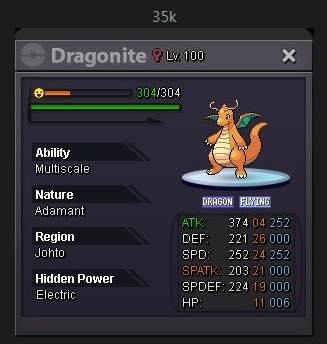
-
100k alakazam
-
thank you for heart effect info + ads.. i checked after deleted my ads and no have any links like that.
-
i checked background codes in the forum and i found some big problem website names.. i guess thats why this forum low fps on my computer or all computers idk.. u can check the codes too. Just go homepage and rightclick > view source > open head > 1 or 2 style in head.. i saw that links.. and some codes for redirect there.

