-
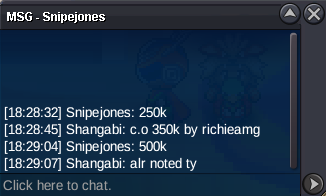
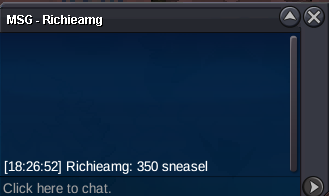
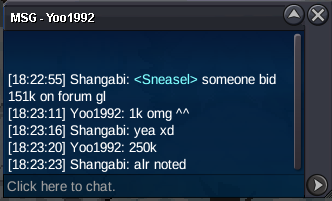
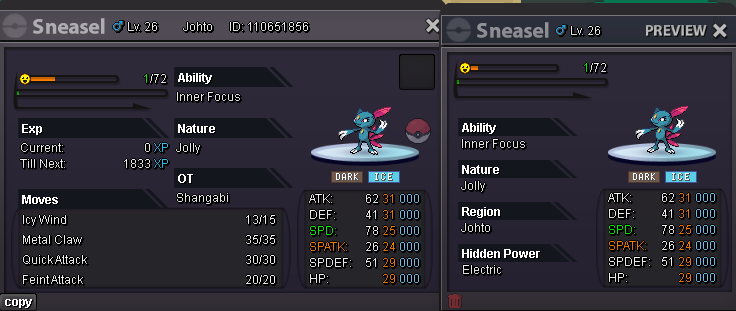
Godly Sneasel/Weavile 31/31/25/24/29/29
Katakos won ggs
-
Godly Sneasel/Weavile 31/31/25/24/29/29
-
Godly Sneasel/Weavile 31/31/25/24/29/29
-
Godly Sneasel/Weavile 31/31/25/24/29/29
-
Shangabi started following Is Pokémon Revolution Online still worth playing in 2026? , Godly Sneasel/Weavile 31/31/25/24/29/29 , closed and 3 others
-
Godly Sneasel/Weavile 31/31/25/24/29/29
s.o 5k accept cc 500k and cash 15 min rule ends 24h after first bid gl countdown> https://www.webcountdown.de/?c=1769019120
-
closed
yea u right not tradeable rip
- closed
-
wtb tinktaton mold breaker careful 20+
-
wtb H.A Jolly gible/Garchomp 31 speed epic stats overall huge ammount
-
(Closed atm)T1nkat0n's shop( 3.1.2026 update, add 400+ pokes)
wtb mienfoo 300k
-
close
- MULTI SERVICE'S REVENANT [DUNGEON / LEGENDARY / MEGAS / Z- CRYSTALS / DEX]
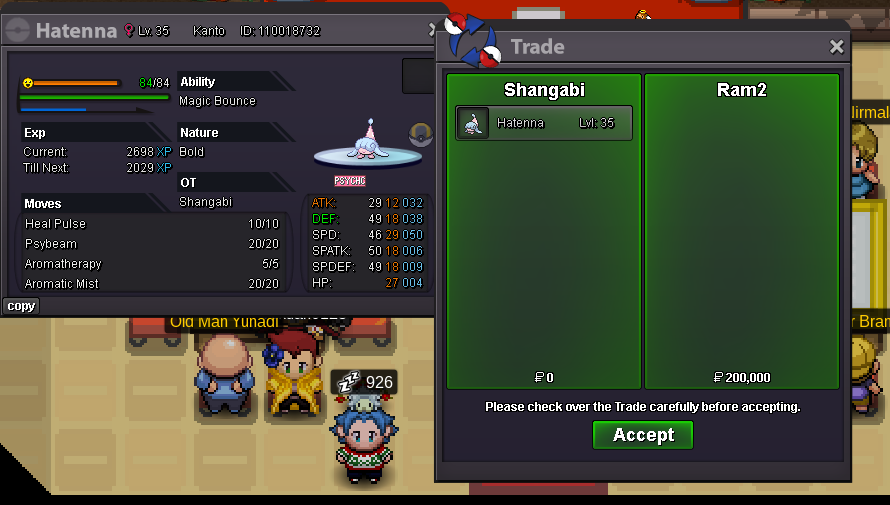
pls landorus excavasion quest for 1.5m 3000 points- HATENNA H.A. BOLD
- MULTI SERVICE'S REVENANT [DUNGEON / LEGENDARY / MEGAS / Z- CRYSTALS / DEX]
Account
Navigation
Search
Configure browser push notifications
Chrome (Android)
- Tap the lock icon next to the address bar.
- Tap Permissions → Notifications.
- Adjust your preference.
Chrome (Desktop)
- Click the padlock icon in the address bar.
- Select Site settings.
- Find Notifications and adjust your preference.
Safari (iOS 16.4+)
- Ensure the site is installed via Add to Home Screen.
- Open Settings App → Notifications.
- Find your app name and adjust your preference.
Safari (macOS)
- Go to Safari → Preferences.
- Click the Websites tab.
- Select Notifications in the sidebar.
- Find this website and adjust your preference.
Edge (Android)
- Tap the lock icon next to the address bar.
- Tap Permissions.
- Find Notifications and adjust your preference.
Edge (Desktop)
- Click the padlock icon in the address bar.
- Click Permissions for this site.
- Find Notifications and adjust your preference.
Firefox (Android)
- Go to Settings → Site permissions.
- Tap Notifications.
- Find this site in the list and adjust your preference.
Firefox (Desktop)
- Open Firefox Settings.
- Search for Notifications.
- Find this site in the list and adjust your preference.