




New Trade Zone
Trade Zone is now live
Use the new Trade Zone for auctions and instant-price trades so Pokemon and item offers are easy to find.

Hazepro
Registered User
-
Joined
-
Last visited
Everything posted by Hazepro
-
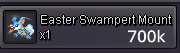
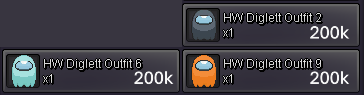
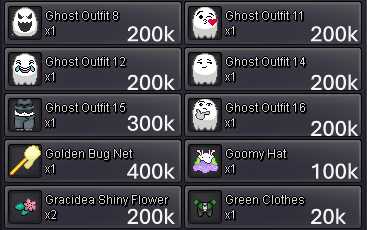
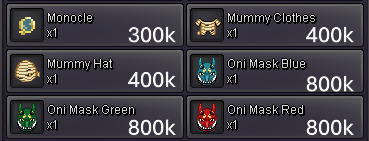
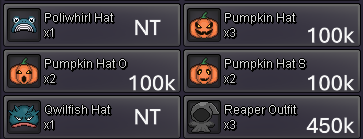
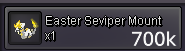
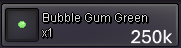
https://gyazo.com/723b4514d80fa99429668c252351a3c2Hazepro's Mounts🏇 & Cosmetics🧙🏼♂️ Store (Everything is negotiable) Contact information PRO name : Hazepro Discord : HazeYeager --------------------------------------------------------------------------------------------------------------------------------------------------------------------- Store policy 1 - Items with the word "NT" are not for trade 2 - There are no refunds and fake offers will be reported 3 - The customer is allowed to contact Hazepro through discord or pro to make business 4 - Prices are not fixed so customers can make offers 5 - I also buy mounts and cosmetics Payments: Pokedollars Coin Capsules - 450k Reroll Tickets - 700k Nature Rerolls Tickets - 300k Rare Candies - 5k 🧙🏼♂️- Trades --------------------------------------------------------------------------------------------------------------------------------------------------------------------- ⚠️Disclaimer⚠️ There will be a list on the bottom with the items that have alredy been sold Mounts 🏇 Cosmetics and accessories 🧙🏼♂️ List of items no longer available : HW swampert surf mount, scythe, diglet outfit 2, hollow mask, shiny charizard/tauros/druddigon mounts, red oni mask, 🛒 My wishlist 🛒 WTB: Solaire of astora set, entoof and suidoof with effect particles, pacifiers all colors, black sun glasses, white suit, cofagrigus arms ☆Hazepro thanks you for your patronage 🕶☆

.png.6cbd3d851eeb078c27aa40518f7872ff.png)
.png.594bbb297bd41f4f578732b11bd9bc72.png)
.png.7c6b4dfdfa1c9e4d32773e69d4ec97d5.png)
.png.9a541517d204bcb4c435647019daa164.png)







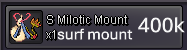
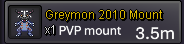
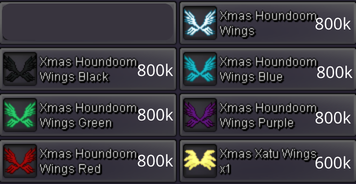
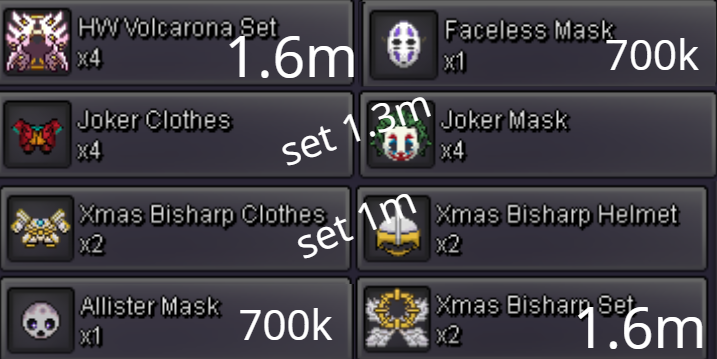
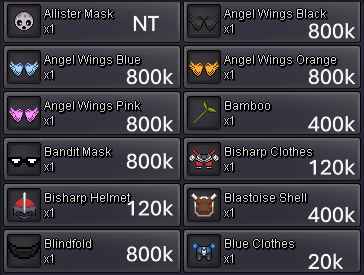
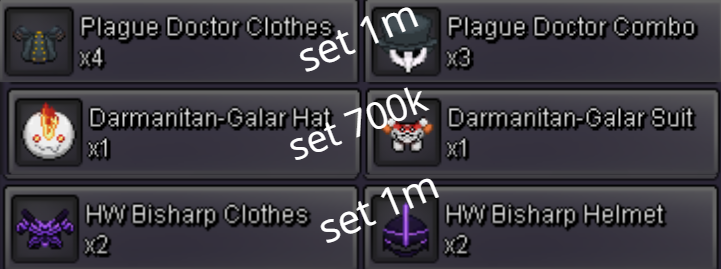
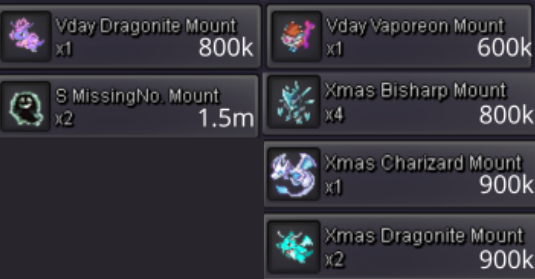 Trade/Buy police set1. What's your Player name (IGN)? Hazepro 2. Number of hours played? 333 Hours 3. What's your favorite Pokemon? Rotom or Garchomp 4. What do you enjoy doing the most in PRO? Shiny/event form hunting and I also like PVP. I haven't tried dungeons yet but I would love to 5. How long have you been playing Pokemon? Since I was 4 years old (my first video game ever was pokemon fire red) 6. Favorite ice cream flavor. Pistaccio by farbumpCan you show me a picture of them?1.2m
Account
Navigation
Search
Configure browser push notifications
Chrome (Android)
- Tap the lock icon next to the address bar.
- Tap Permissions → Notifications.
- Adjust your preference.
Chrome (Desktop)
- Click the padlock icon in the address bar.
- Select Site settings.
- Find Notifications and adjust your preference.
Safari (iOS 16.4+)
- Ensure the site is installed via Add to Home Screen.
- Open Settings App → Notifications.
- Find your app name and adjust your preference.
Safari (macOS)
- Go to Safari → Preferences.
- Click the Websites tab.
- Select Notifications in the sidebar.
- Find this website and adjust your preference.
Edge (Android)
- Tap the lock icon next to the address bar.
- Tap Permissions.
- Find Notifications and adjust your preference.
Edge (Desktop)
- Click the padlock icon in the address bar.
- Click Permissions for this site.
- Find Notifications and adjust your preference.
Firefox (Android)
- Go to Settings → Site permissions.
- Tap Notifications.
- Find this site in the list and adjust your preference.
Firefox (Desktop)
- Open Firefox Settings.
- Search for Notifications.
- Find this site in the list and adjust your preference.

