




New Trade Zone
Trade Zone is now live
Use the new Trade Zone for auctions and instant-price trades so Pokemon and item offers are easy to find.
.jpg.e22cf46f53a6c66a1e3c97d767b48cd1.jpg)

Aurous
Registered User
-
Joined
-
Last visited
Everything posted by Aurous
-
Alright comin
-
Im at celadon IGN :-Huntaurous Or u can PM me in discord:-aurous4370
-
-
1M750K
-
1.7M(IGN :-Huntaurous)
-
1M650k(IGN:-Huntaurous)
-
1.6M(IGN:-Huntaurous)
-
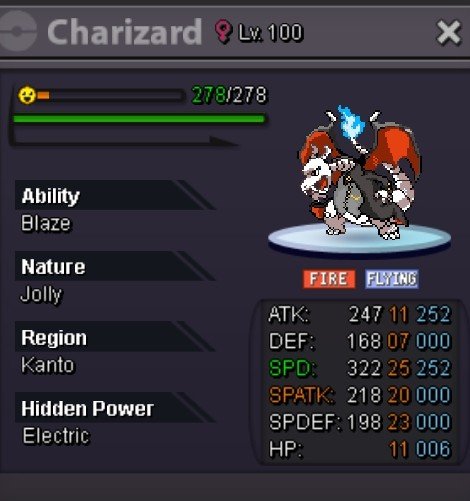
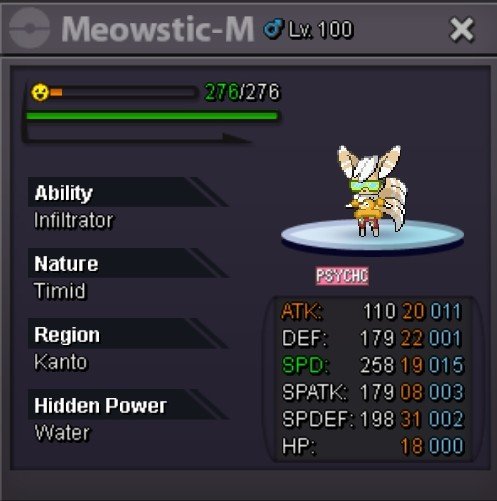
Looking to sell them If interested, offer here or DM me in discord :- aurous4370
-
-
-
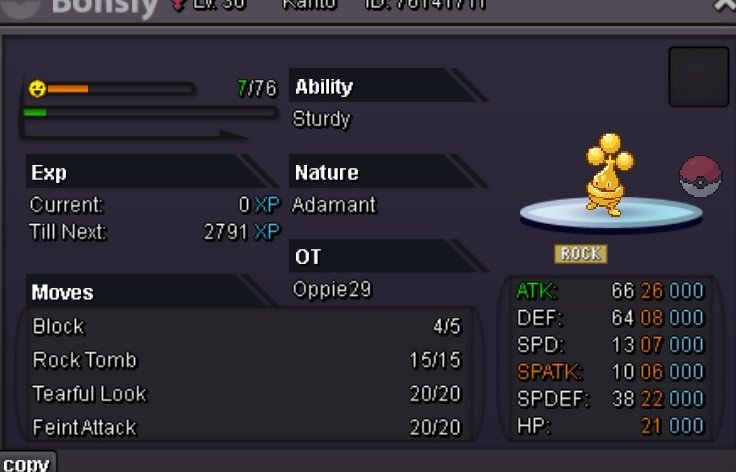
S.o :-1M Min raise :- 100k End point :- 24hrs after s.o is met Accepted payment method :- CC(400K) IV RR (500K) , NAT RR(250K) RC(5K) INsta :-N/A Happy bidding !
-
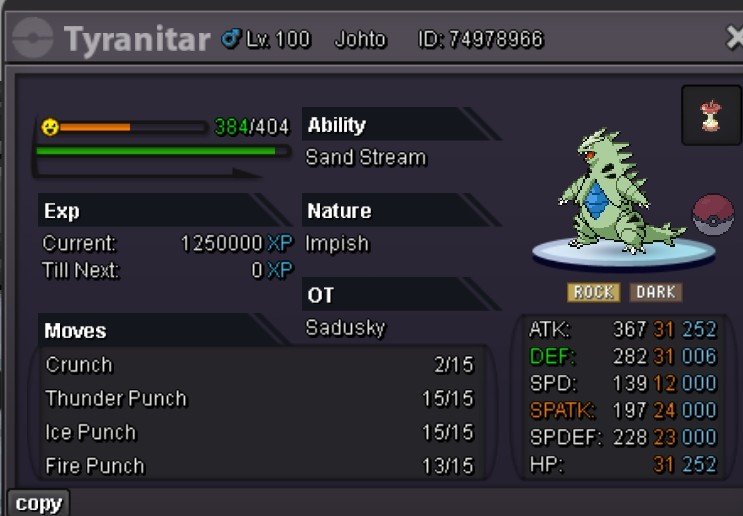
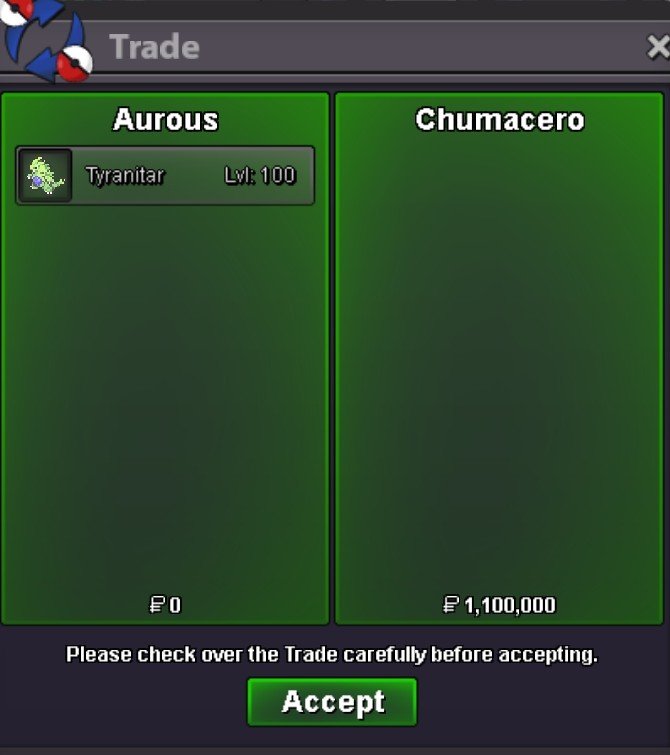
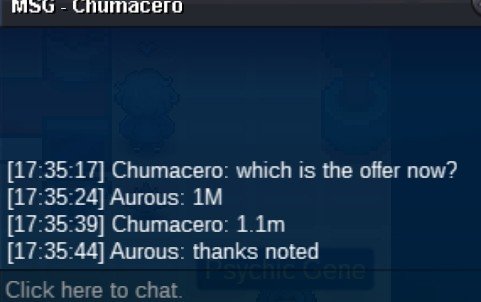
@Chumacerohas won the auction at 1.1M ! Congratulations You can PM me ingame or in discord :-aurous4370Shiny shroomish 1.1M6hrs leftWant to sell some summer forms and other event forms Let me know your offers in the forum or in discord :-aurous4370 Have fun !
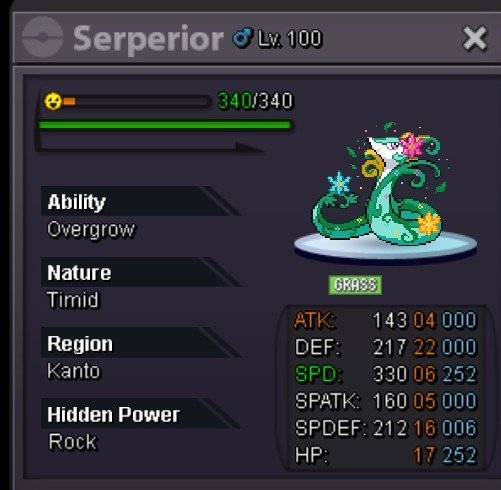
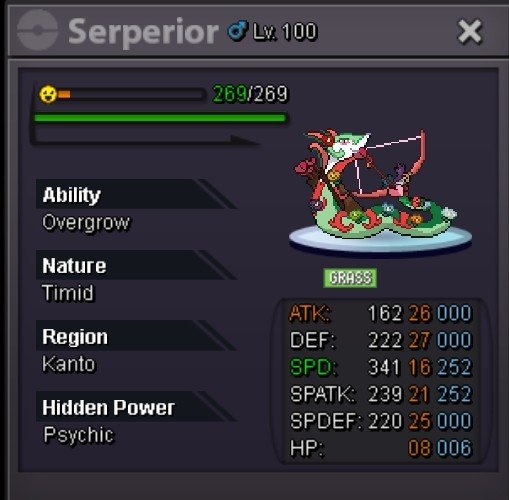
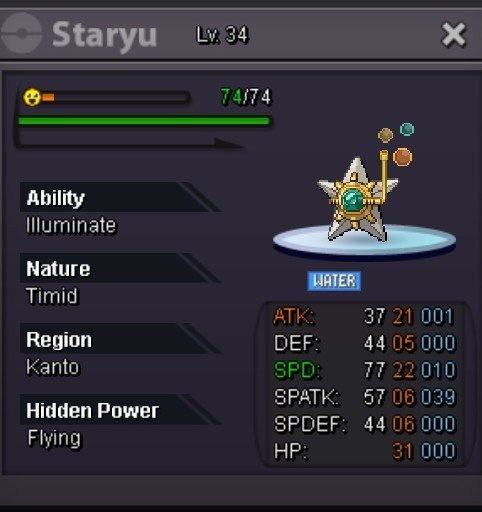
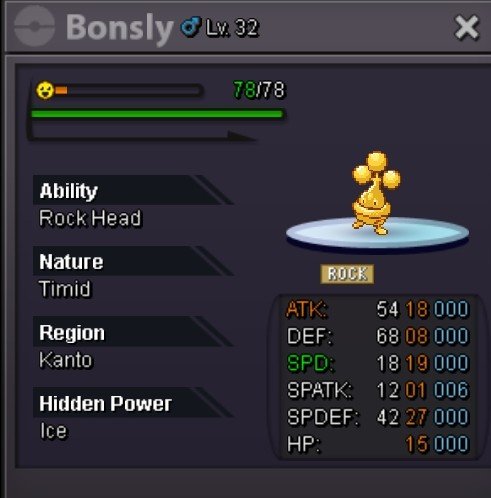
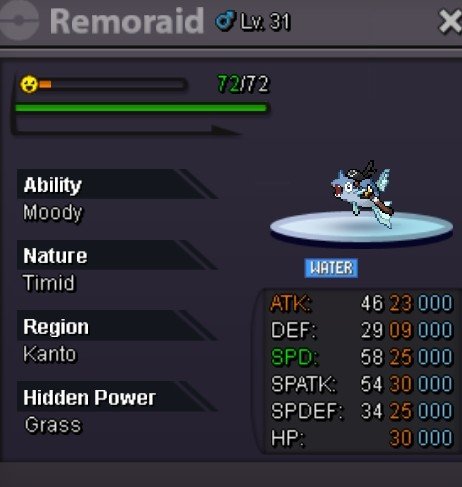
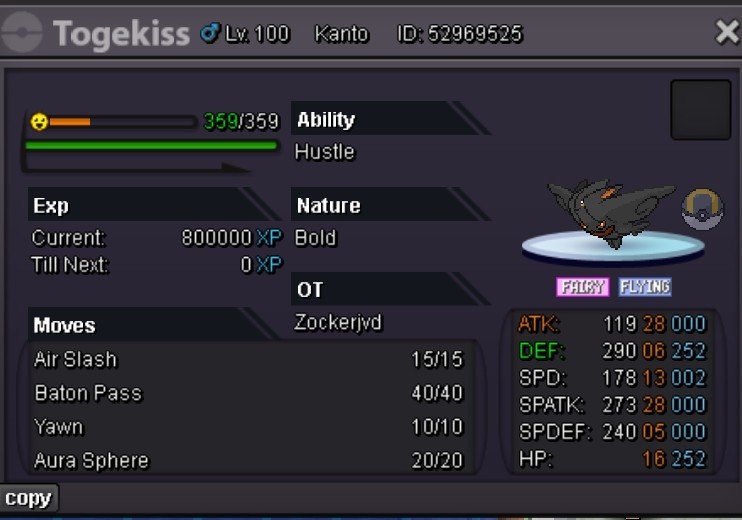
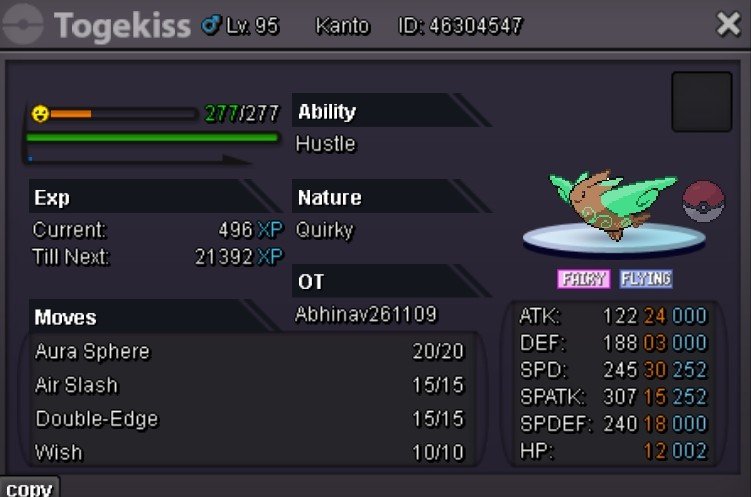
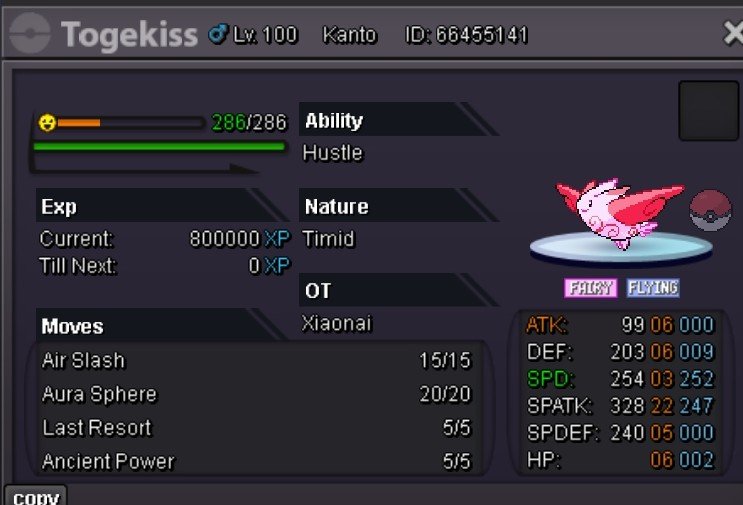

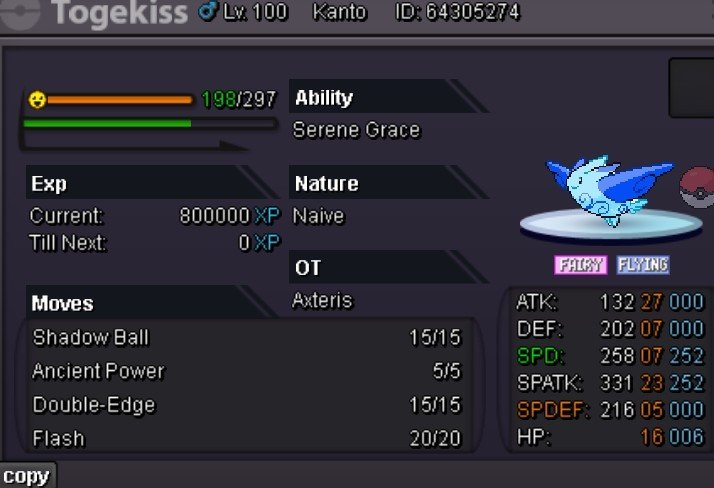 BumpS.o :- 1M Min raise :-100K Accepted payment method :- CC(400K), IV RR (500K), NAT RR (250K), RC (5K) Insta :- 12M End point :-40 hrs after first bid •I will transfer the pokemon to your preferred server •15 minute rule is applied
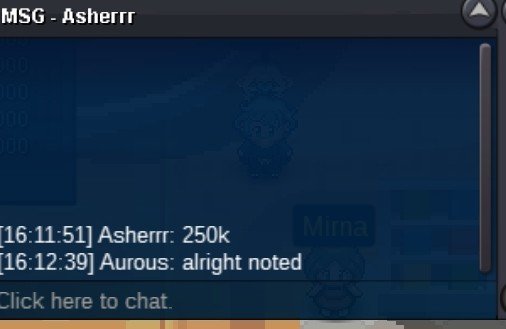
 @Dragon57has won the gible . You can message me in discord:-aurous4370 or ingame :-AurousBumpS.o -200K Min raise :- 50k Insta :- N/A Accept payment method :- Pokedollars,CC(410K),IV RR (510K), NAT RR(250K), RC(5K) End point :-30 hrs after starting bid is received •15 minute rule will be apllied • I will transfer the pokemon to your preferred server Good luck !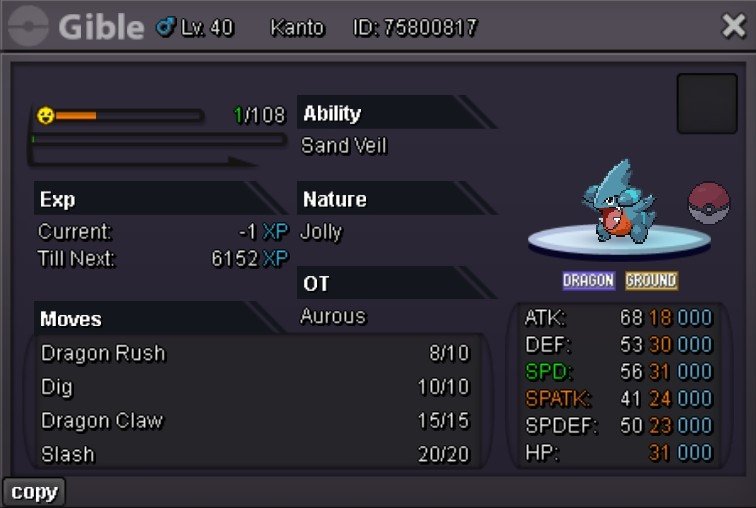



Account
Navigation
Search
Configure browser push notifications
Chrome (Android)
- Tap the lock icon next to the address bar.
- Tap Permissions → Notifications.
- Adjust your preference.
Chrome (Desktop)
- Click the padlock icon in the address bar.
- Select Site settings.
- Find Notifications and adjust your preference.
Safari (iOS 16.4+)
- Ensure the site is installed via Add to Home Screen.
- Open Settings App → Notifications.
- Find your app name and adjust your preference.
Safari (macOS)
- Go to Safari → Preferences.
- Click the Websites tab.
- Select Notifications in the sidebar.
- Find this website and adjust your preference.
Edge (Android)
- Tap the lock icon next to the address bar.
- Tap Permissions.
- Find Notifications and adjust your preference.
Edge (Desktop)
- Click the padlock icon in the address bar.
- Click Permissions for this site.
- Find Notifications and adjust your preference.
Firefox (Android)
- Go to Settings → Site permissions.
- Tap Notifications.
- Find this site in the list and adjust your preference.
Firefox (Desktop)
- Open Firefox Settings.
- Search for Notifications.
- Find this site in the list and adjust your preference.