New Trade Zone
Trade Zone is now live
Use the new Trade Zone for auctions and instant-price trades so Pokemon and item offers are easy to find.

Achoas
Registered User
-
Joined
-
Last visited
-
-
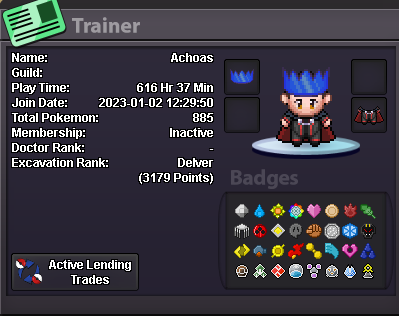
Your in game Name- Achoas Discord Name and Tag- achoas_44217 Playtime hours- 616h Your Hobbies- Playing online games Your Age- 28 Your Country- Morocco
-
what can you contribute to Dynasty? helping in quest/pvp/services ° what is your real life and ingame name? Ach/Achoas ° how old are you and where are you from? Im 29 and from Morocco ° discord tag? how often are you online there? Discord# achoas, 3-4h/ day ° screenshot of your trainercard
-
-
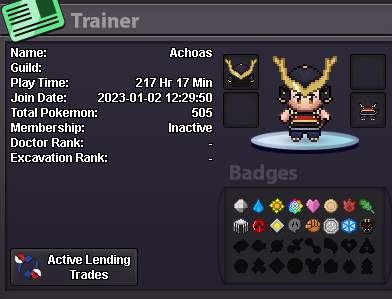
1-) What is your nickname in the game? Achoas 2-) What is your personal name? Ach 3-) How old are you? 28 4-) What is your total time in the game? +217H 5-) What do you like to do in the game? Hunting / Exploring 6-) What's your discord? (Username) Achoas 7-) What is your favorite pokemon? ( Optional) Dragonite