




New Trade Zone
Trade Zone is now live
Use the new Trade Zone for auctions and instant-price trades so Pokemon and item offers are easy to find.


Yasser200614
Registered User
-
Joined
-
Last visited
Everything posted by Yasser200614
-
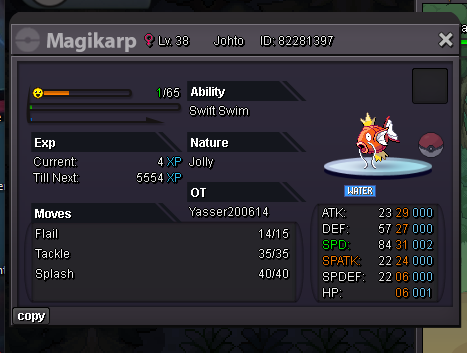
START : 100K Min Raise : 10K Ends after 48h no insta
-
did u rly buy a cc to change username
-
Wtb Vday gengar mount , Budget : 550k Pm or send a message on discord : _diamanti , InG : yasser200614
-
you can pick pikachu as a starter pokemon at doctor aid , you can also catch you in " Viridian forest " while your playing the story i also advise you to join the discord server where you can find many people who can help you in your journey : https://discord.gg/pokemonrevolution , good luck have fun ❤️
