




New Trade Zone
Trade Zone is now live
Use the new Trade Zone for auctions and instant-price trades so Pokemon and item offers are easy to find.

Yumeko77
Registered User
-
Joined
-
Last visited
Everything posted by Yumeko77
-
clefairy and frokie and marill auction is over chimchar and aero yet to start
-
upp
-
Thats not how things work here, Titania win means Titania win.
-
can i s.o - 800k?if the other person cant do the trade, can i bid 300k ? i dont wanna miss this700k 31/31 (from Arshanblastoise)would like to buy the snivy 25/31 hp ice ,pay from Arshanblastoisecleafairy auction is over winner is @Priscilla12upppi havent hear from @Omegaaafor a while , i think we should force trade i have the Auction mons in my alt @Arshanblastoise Hope u can help(NOTES- TIME LIMIT IS 24HR AFTER S.O IS MEET FOR EACH POKEMON AND IT IS NOT A BUNDLE ) S.O- 50K MIN RAISE-20K INSTA-1M S.O- 80K RAISE-20K INSTA-2M S.O- 30k RAISE-20K INSTA-2M
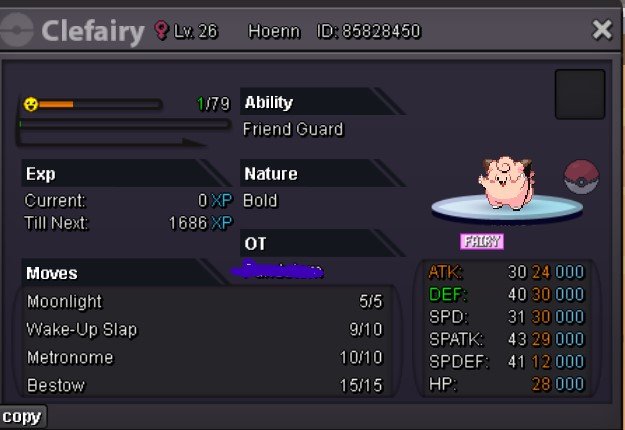
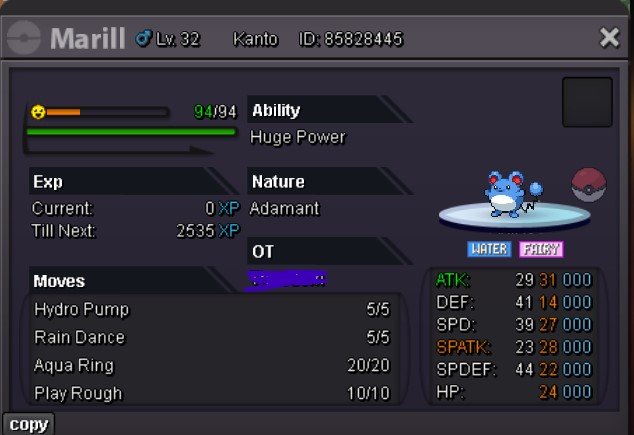
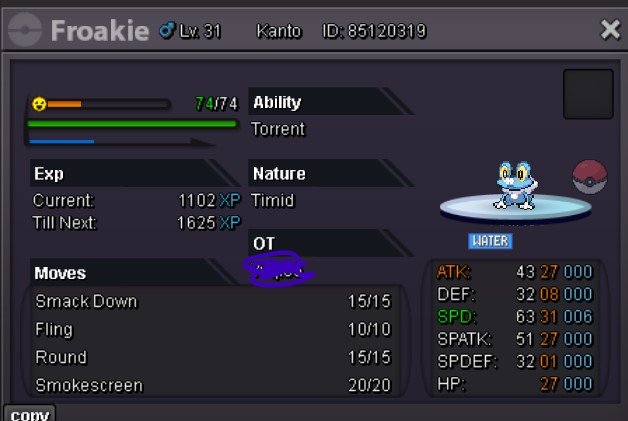 auction over , sorry went out of town for some time- Winner for all 3 auction is @Omegaaaup-1 , just as @Lugariostate the forms and hunting would loose its value800kS.O- 100K (C.O- 250K BY Omegaaa ) MIN RAISE-50K INSTA-N/A TIME LIMIT- 24HR AFTER S,O S.O- 50K (C.O- 150K BY Omegaaa ) MIN RAISE-50K INSTA-N/A TIME LIMIT- 24HR AFTER S,O S.O- 100K(C.O- 200K BY Omegaaa ) MIN RAISE-50K INSTA-N/A TIME LIMIT- 24HR AFTER S,O hp ice btw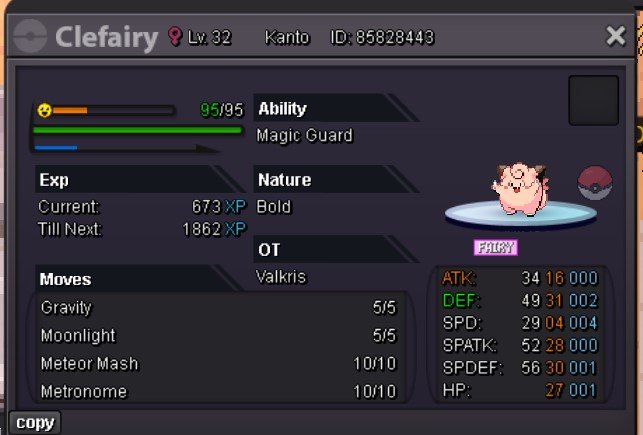
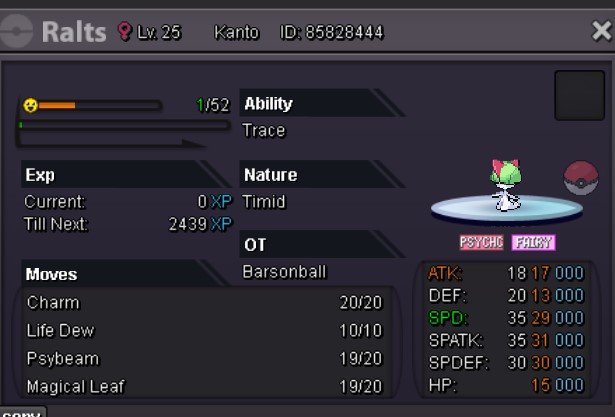
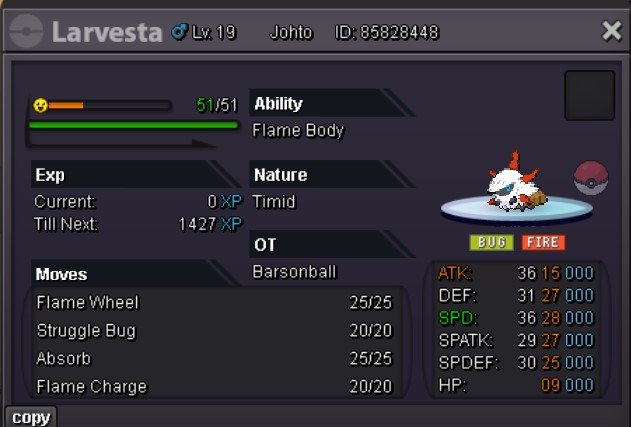 isnt the auction over?300k ursa11k80kstart150k



Account
Navigation
Search
Configure browser push notifications
Chrome (Android)
- Tap the lock icon next to the address bar.
- Tap Permissions → Notifications.
- Adjust your preference.
Chrome (Desktop)
- Click the padlock icon in the address bar.
- Select Site settings.
- Find Notifications and adjust your preference.
Safari (iOS 16.4+)
- Ensure the site is installed via Add to Home Screen.
- Open Settings App → Notifications.
- Find your app name and adjust your preference.
Safari (macOS)
- Go to Safari → Preferences.
- Click the Websites tab.
- Select Notifications in the sidebar.
- Find this website and adjust your preference.
Edge (Android)
- Tap the lock icon next to the address bar.
- Tap Permissions.
- Find Notifications and adjust your preference.
Edge (Desktop)
- Click the padlock icon in the address bar.
- Click Permissions for this site.
- Find Notifications and adjust your preference.
Firefox (Android)
- Go to Settings → Site permissions.
- Tap Notifications.
- Find this site in the list and adjust your preference.
Firefox (Desktop)
- Open Firefox Settings.
- Search for Notifications.
- Find this site in the list and adjust your preference.